


Complete Gaming PC Newb - Help building a gaming PC for 9 Year Old £500ish Budget

Yes, the 1660 Super is Nvidia.

You should remove the link as it mentions a competitor.

SSDs: the fastest consumer drives are NVME PCIe M.2s. Some aren't all that more expensive than slower kinds. Then you have normal M.2s, which are slower. And you also have SATA SSDs one of which (860 QVO) you are looking at which tend to be same speed as the plain M.2s.

A fast NVME PCie M.2 isn't really needed or noticeable in most scenarios. It's just the best option if it doesn't cost all that much, and if the motherboard has a spare M.2 slot. Otherwise you choose a plain M.2 (again if motherboard has a free slot) or a SATA SSD (if motherboard has free SATA port for it).

Samsung 860 QVO would do even though it's not great. WD (Western Digital) Blue 3D NAND or Crucial MX500 are better. Then you have Samsung 860 EVO which is very slightly better.

As for NVME PCIe M.2s some decent ones that don't cost much more are:

Sabrent Rocket
Corsair MP510
TeamGroup MP34
Crucial P1

and:

My basket at Overclockers UK:
Total: £104.69 (includes shipping: £8.70)
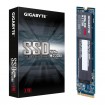
 
I was looking at the Corsair 510, apparently it did best in some testing over the competition in the tests.

How do I know if I’ll have a spare PCie M.2 slot or not?

Thanks for the explanation, makes a lot more sense now. Someone mentioned the 6GBs is a good way to go or is that nonsense and not matter with SSDs?
 
I was looking at the Corsair 510, apparently it did best in some testing over the competition in the tests.

Yes. And the TeamGroup MP34 1TB is doing very well: https://www.tomshardware.com/reviews/team-group-mp34-nvme-ssd,6181-2.html


How do I know if I’ll have a spare PCie M.2 slot or not?

Simply by reading the specs for the motherboard (good practice is to visit the manufacturer's webpage for the product as retailers sometimes have the specs wrong). Pro Carbon has two M.2 slots, Tomahawk has one.


Thanks for the explanation, makes a lot more sense now. Someone mentioned the 6GBs is a good way to go or is that nonsense and not matter with SSDs?

https://kb.sandisk.com/app/answers/detail/a_id/8142/~/difference-between-sata-i,-sata-ii-and-sata-iii

It's all about price here. If it's much cheaper and fits budget better, then get a SATA SSD over an NVME M.2. Because things like CPU and GPU are more important. Likewise, if you only need to stretch a few pounds for NVME M.2 then might as well.
 
Thanks mate, I’m going to go for a Corsair 510 for memory.

Not sure whether to go flat or curved for the monitor, any info to help me decide?
 
It's subjective really. I don't think curved on 24" or 27" looks so good and reckon at that size it's just a gimmick. It's when you start going larger (and want it primarily for gaming) that it makes more sense (flat is still ideal for photo/video editing/CAD etc).

Though you might find others who love it. Suppose the distance from the screen is also a factor. If you sit extremely close (I'd say unhealthily close) then curved 24/27 might make sense. As you'd then need to consciously turn your eyes more to the sides to see things there, and a curve would reduce this need.

My eyes are typically 70-75cm from the centre of the screen, and a flat 24" or 27" still fits comfortably within my not-so-periphery vision.
 
I’m likely going to go for the one you suggested, probably in 27” as it’s only about £35 more than the 24”

It seems like the best bang for the buck, only other I’ve seen that I’m considering is the same monitor but curved.
 
I’m likely going to go for the one you suggested, probably in 27” as it’s only about £35 more than the 24”

It seems like the best bang for the buck, only other I’ve seen that I’m considering is the same monitor but curved.

And the older curved model is VA not IPS. VA tends to be a cheaper implementation (still with pros and cons versus IPS and TN) with more smearing when gaming. If you don't mind losing some PPI (pixels per inch) in favour of a larger 27" (as opposed to greater PPI/slightly more text/image sharpness with the 24") then I'd go with the newer 27" flat screen IPS.
 
Larger seems better (I wished I had went for that larger monitor on my iMac) less PPI doesn’t sound ideal but I feel the flat 27” is probably worth the trade off for the extra real estate and only a few quid extra over the 24”

I’ll stick with flat and IPS I think, sounds like the better tech. What are the advantages of VA over IPS?
 
In a nutshell the contrast on VA panels is superior. Better/deeper blacks. And no IPS glow.

This chap does good reviews and compares two panels (VA and IPS) and talks about the pros and cons initially. There's also plenty of footage of the VA and the IPS side by side, showing very little difference. It's in faster-paced games where the greater smearing on VA panels tends to let them down. Some people are fine with it, some can't put up with it:

 
Thanks, Fortnite I’m guessing would be classed as a faster paced game which is what he plays most so perhaps IPS would be better suited
 
Right, I’ve acquired all the parts for my build now. (Thank you to everyone that’s helped!)

All that’s left is to choose a desk which I think I’m now set on and get Windows ready to install once his PC is built.

If I buy a Windows Pro key from eBay, can anyone tell me what do I need to do from there?

Is it a matter of open the email with the key and download it on my Mac to a USB pen drive and plug it into my new PC?

Just want to make sure I’ve got everything ready, good to go for Christmas Day now
 
on another computer you'll need to create a bootable USB to be able to install windows.

https://www.windowscentral.com/how-create-windows-10-usb-bootable-media-uefi-support?amp

pretty sure this is the site i used, basically it was a little tool you download. it then downloads the windows iso file and creates the usb for you.

Just to make sure that all I’ll need is this to get Windows 10 on my build, seems a little cheap lol

The reviews are good, just not sure if all I’ll need is this key or if I need anything else to go with it

https://rover.ebay.com/rover/0/0/0?mpre=https://www.ebay.co.uk/ulk/itm/114019182206
 
Just to make sure that all I’ll need is this to get Windows 10 on my build, seems a little cheap lol

The reviews are good, just not sure if all I’ll need is this key or if I need anything else to go with it

https://rover.ebay.com/rover/0/0/0?mpre=https://www.ebay.co.uk/ulk/itm/114019182206

Yeah that's it. Might need to remove the link though as it technically a competitor.

I payed £2.25 for a copy recently for a friend and it installed and activated with no issues.
 
Got the code now, that’s my next step but first I need to get my head around what cable goes into what mainly with each end from and to my PSU.

The instructions are pretty vague

Other than that I’ve got one cable that I’m unsure of which I’ll deal with once I’ve sorted the PSU cabling
 
Switched it on and everything seems to be working bar it not showing anything on the monitor.

Should I be able to access the BIOS? Not that I know what to do in there. I’m just getting that AOC logo then a blank screen currently
 
Switched it on and everything seems to be working bar it not showing anything on the monitor.

Should I be able to access the BIOS? Not that I know what to do in there. I’m just getting that AOC logo then a blank screen currently

Make sure your monitor cable is connected to the port at the rear of the gpu.
 
Thanks, I’ll try again shortly. Not sure the name of the cable I was connected with, I switched up to the HDMI cable to see if it was that but to no avail.

What should I be seeing after booting up on my monitor?

On the Windowscentral site, there’s a few different ways to get a bootable USB drive, tried the first one on my Mac, kept saying I didn’t have enough space even though I cleared it and had 32GB. Think it’s an Apple issue. Going to try on my GFs computer now, which option do you think I should go for?
 
Keyboard and mouse plugged in? Also give it about a minute first time you switch it on to train the RAM etc.

Yep, both plugged in and working (everything is bar seeing anything on the monitor surprisingly)

Think it’s coming up ‘No Signal’ from memory
 
Back
Top Bottom


