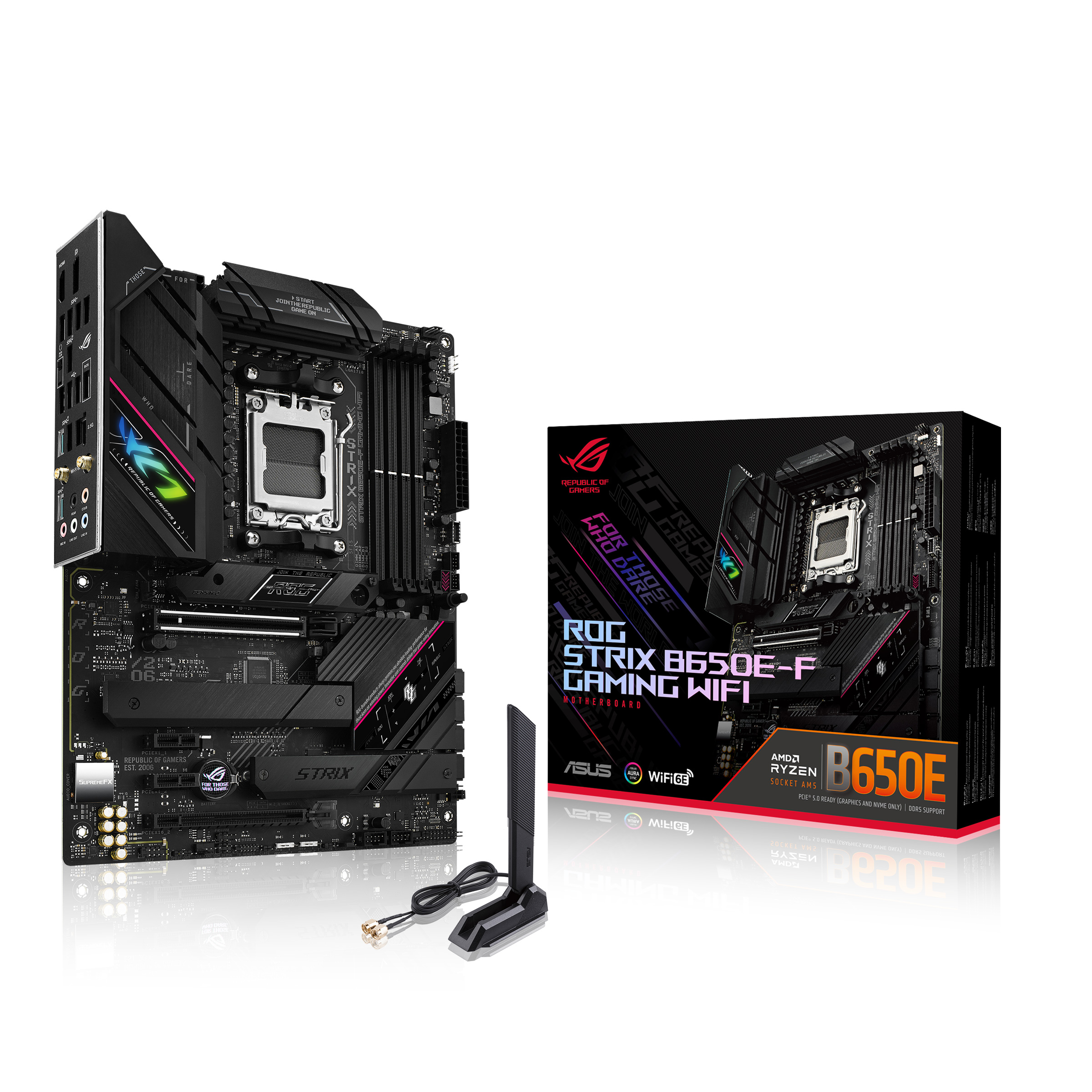
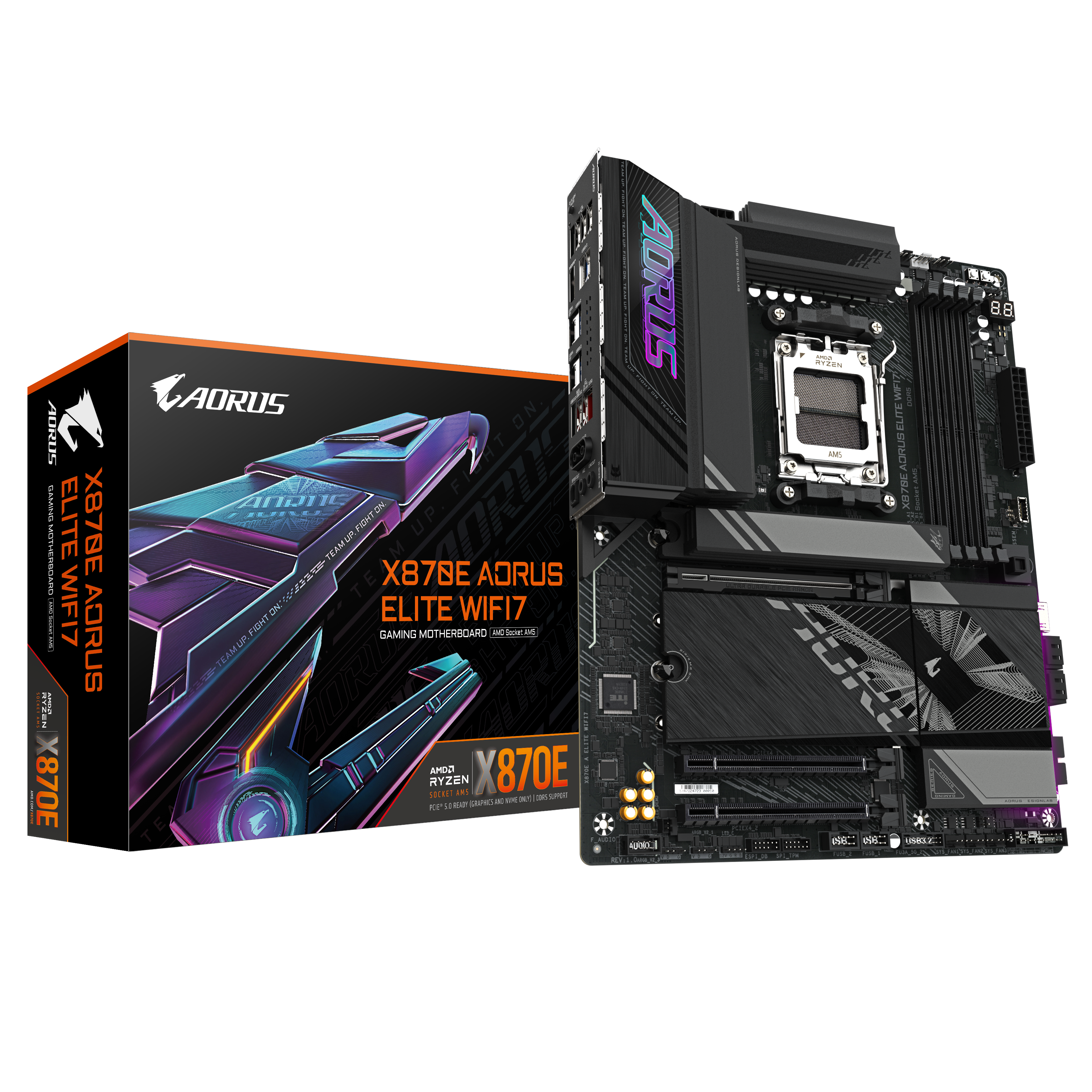
Motherboard for 9950x3d

Associate
Joined
21 Apr 2012
Posts
869
I'm putting together a build that has a 9950x3d with 5080.

I'd like a motherboard with WIFI, Bluetooth, USB C and outside of that just something decent that will work with the above spec.

Was recommended the below:

Is this the kind of thing I should be looking at? Is it worth spending that much, or are there cheaper equivalent? I'm easy either way, just looking for some advice.

I did originally have an ASRock but apparently they're not great with the new 9950x3d.

 
X870 will offer no performance benefit over the lower end boards and are in my opinion not worth it UNLESS you need the additional connectivity options they offer.

B650 will be fine. Consider B850 if you want PCI-E 5.0 on the GPU slot (not really NEEDED over 4.0 at this stage either)
 
X870 will offer no performance benefit over the lower end boards and are in my opinion not worth it UNLESS you need the additional connectivity options they offer.

B650 will be fine. Consider B850 if you want PCI-E 5.0 on the GPU slot (not really NEEDED over 4.0 at this stage either)
I'm a little bit clueless with all of thise.

When you say "other than connectivity" what would that connectivity give me?

You'll want a decent VRM - check here https://docs.google.com/spreadsheet...-y_6hv8sPs/edit?gid=2064683589#gid=2064683589

Otherwise I guess it's just what features you want from the board as to what you go with.
I think this might be a bit above my brain power to look through :cry:
 
I'm a little bit clueless with all of thise.

When you say "other than connectivity" what would that connectivity give me?


I think this might be a bit above my brain power to look through :cry:
The newer motherboards offer USB 4, but that's at the expense of reduced bandwidth for NVMe drives, and GPU in some instances. Basically, if you don't need the cutting edge data transfer rates of USB 4 ( for external drives ) then go with a previous gen motherboard eg. B650, X670/E models. Most people do not need USB 4.
 
I think this might be a bit above my brain power to look through :cry:
Look for a good phase config/VRM core. Personally I'd want something at least 2x6 (so 12) for the phases to run that chip, it will run on lower but for that chip I'd want to make sure.
 
The newer motherboards offer USB 4, but that's at the expense of reduced bandwidth for NVMe drives, and GPU in some instances. Basically, if you don't need the cutting edge data transfer rates of USB 4 ( for external drives ) then go with a previous gen motherboard eg. B650, X670/E models. Most people do not need USB 4.
Yes, don’t think I need USB4.

So is one of the motherboards I put in originally post okay or should I be looking elsewhere?
 
Yes, don’t think I need USB4.

So is one of the motherboards I put in originally post okay or should I be looking elsewhere?
Both will serve you just fine, but the more expensive of the two is purely for USB4. I don't own either of them ; I went with this https://www.overclockers.co.uk/msi-...ocket-am5-ddr5-atx-motherboard-mb-36r-ms.html as I had some concerns about the Realtek 2.5 GbE LAN chip which is used in a lot of ASUS & Gigabyte mobos and is notoriously "flaky" ( drops connection a lot ). But if you use a wired ethernet connection then this may not bother you.
 
Both will serve you just fine, but the more expensive of the two is purely for USB4. I don't own either of them ; I went with this https://www.overclockers.co.uk/msi-...ocket-am5-ddr5-atx-motherboard-mb-36r-ms.html as I had some concerns about the Realtek 2.5 GbE LAN chip which is used in a lot of ASUS & Gigabyte mobos and is notoriously "flaky" ( drops connection a lot ). But if you use a wired ethernet connection then this may not bother you.
That one you bought is quite a lot more expensive.

Is that just for better WiFi or are there other benefits?
 
That one you bought is quite a lot more expensive.

Is that just for better WiFi or are there other benefits?
It avoided the temperamental LAN chip issue. The additional benefit was better support for NVMe drives and utilisation of the PCI-E lanes ; on many other ( sometimes more expensive boards ) installing more NVMe drives will compromise the bandwidth to the GPU slot ie. reduce it to PCI-E x 8 ( rather than x 16 ). Not suggesting you have to get the same MSI mobo, but just be aware about the LAN chip issue ; if you read about it on Reddit etc you will see it's a very common issue. Even on these forums, when you bring up the problem and ask people whether their LAN chip works, they say things like "nah, keeps on dropping connection ... but the mobo is still superb ! I just use a wired ethernet connection". If you rely on WiFi ... and not a wired ethernet connection, then just be aware. Unfortunately a lot of the modern mobos use this dodgy Intel LAN chip ( for reference the chip is designated i225 and there is an updated version i226 which still hasn't fixed the problem ).
 
Last edited:
Look for a good phase config/VRM core. Personally I'd want something at least 2x6 (so 12) for the phases to run that chip, it will run on lower but for that chip I'd want to make sure.
So this would be fine?


I can’t upload a screenshot from the spreadsheet on my phone but it says:

10x2+1 for ASUs b650e-f WiFi - that’s for “phase config”

Do I need to look at one of the other numbers instead?
 
So this would be fine?


I can’t upload a screenshot from the spreadsheet on my phone but it says:

10x2+1 for ASUs b650e-f WiFi - that’s for “phase config”

Do I need to look at one of the other numbers instead?

The B650E-F Wifi is 2x6+2+1 @ 80A = Good


I think I might just grab this one:


I had a gigabyte Aorus in my last build and it always worked well.

Says 2x8+2+2 on the spreadsheet so presumably that’s fine?

Yes, that's decent spec.

 
Last edited:
The B650E-F Wifi is 2x6+2+1 @ 80A = Good


Yes, that's decent spec.

Great thank you.

So even when I thought I was reading the spreadsheet right I was wrong :cry:

Anyway, I think I’ll pick up one of the above.

Outside of USB4 is there any reason to go for the gigabyte? Or maybe I should save money and go Asus.

Appreciate all the help.
 
I think from what i’ve seen and researched, the only difference between X870 and the cheaper lower and mid tier boards is USB4 and better VRM’s.
 
I think from what i’ve seen and researched, the only difference between X870 and the cheaper lower and mid tier boards is USB4 and better VRM’s.
I think I'm just going to go with Asus ROG Strix B650E-F Gaming WIFI unless someone can give me a good reason to get something different :)

Not sure I need USB4 and no idea what I need better VRMs for so probably means I don't need them.

If the B650E-F works with 9950x3d and 5080, 64GB RAM etc at 6000mhz, that's enough for me.

Not looking to upgrade in the future etc.
 
Good shout, you don't need anything more than what you've chosen it should work splendidly

Way too much confusion going on around here, doesn't help with the sheer number of compatible chipsets with unclear differentiating factors, most of which don't really matter.

Do update the bios before you start using it, it's quite easy to do if you have the instructions, I'm sure there'll be YouTube guide or drop a note here if you have any questions.
 
Just noticed I can get a MSI MAG X670E Tomahawk WIFI board for only £20 more than the Asus Rog Strix B650E-F board I was looking at.

Is this worth getting over the Asus?
 
Just noticed I can get a MSI MAG X670E Tomahawk WIFI board for only £20 more than the Asus Rog Strix B650E-F board I was looking at.

Is this worth getting over the Asus?
The main advantage of X670E over B650E is more lanes and the MSI has 4x M.2 slots versus 3 on the Strix. The VRM is also a bit stronger on paper.

I'd recommend the spreadsheet linked here for making comparisons:
reddit.com/r/buildapc/comments/xvvl9b/comment/ir6koh8/
 
Last edited:
Back
Top Bottom