


The awful GB software, turn it off, uninstall software
It did have a use....
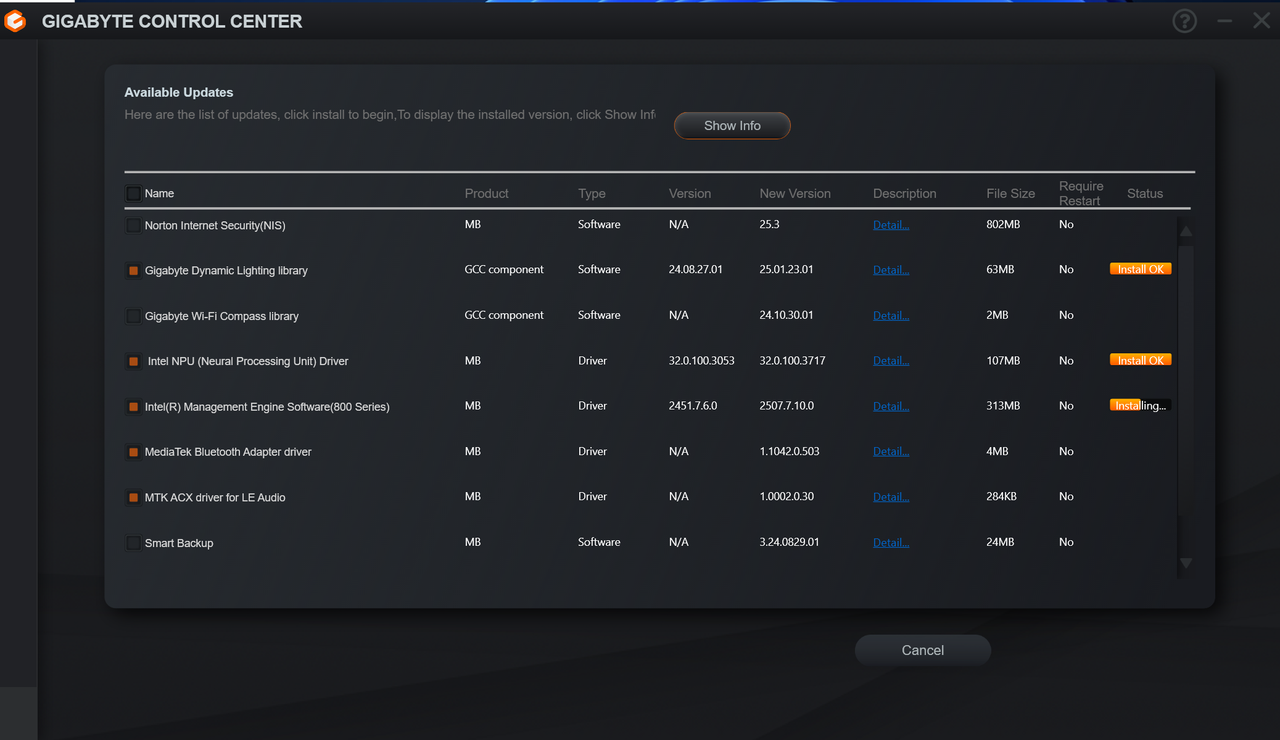
as it found drivers much newer than those listed for the motherboard. After they were installed, the GCC was very much removed.
The awful GB software, turn it off, uninstall software
Hmm that is interesting, I guess it makes sense for newer boards too.

Intel NPU driver versions on list are old! Latest Intel NPU driver is newer version 32.0.100.4023 you can download from Intel website.It did have a use....
as it found drivers much newer than those listed for the motherboard. After they were installed, the GCC was very much removed.
Intel NPU driver versions on list are old! Latest Intel NPU driver is newer version 32.0.100.4023 you can download from Intel website.
Thanks, downloaded and installed.
The Gigabyte software and/or support site generally list the last version checked to work with the hardware, occasionally the version on the vendor's web page will be slightly customised even if the same version as the original driver developer, so it isn't guaranteed the latest driver will work without issues.
In some cases for example the Z790 version of a driver on the Gigabyte web page is somewhat older than the equivalent Z890 board and while you can update to it manually it provides absolutely no benefits on the older board with only some changes relevant to the newer board.

By default? so when clicking on a file its opened with VLC?I think I've tried everything but still can't get file associations to work the software I want.
I've even been in Regedit and messed but no luck.
eg I want MP3's and movie files to work with VLC.
By default? so when clicking on a file its opened with VLC?
I have mine set to this and if you go to Settings > Default Apps > VLC Player > find the extension you want to set to VLC and set it to that.
MP4 files and MKV files all open via VLC for me when I double click the file.
Edit, I just downloaded a MP3 file, double clicked on it and Windows asked what I wanted to use to open it. Selected VLC and pressed always use and now it loads to VLC when I open the file
This is what annoys me about Windows 11.Not working for me, they just open in Windows Media Player no matter how I try to change them.
Even gone into Regedit and removed Media Player from the entries but it still wants to be first.
Also getting pee'd off with the Avast nagging screens, again I've followed instructions to turn them off and still no joy.
This is what annoys me about Windows 11.
Some systems are fine without any issues at all and others have issues.
May I ask what version of Windows 11 you are using? I forced my system to stay on 23H2 as I didn't want the recall crap installed that came with 24H2.
24H2 has had so many issues since release and issues are still on going with it.
The ISO you download from Microsoft is 24H2 now so no option to get 23H2 unless you go through 3rd party sites that create the ISO from the Microsoft files
Yeah, its going to be 24H2 then as when I built my system at Christmas this was the version downloaded from the Microsoft siteI'll have to look after i get home from work.
I only downloaded an installation USB less than two weeks ago so it's probably the latest version.

Only "open with" / "settings" can change file associations.I think I've tried everything but still can't get file associations to work the software I want.
I've even been in Regedit and messed but no luck.
eg I want MP3's and movie files to work with VLC.
Only "open with" / "settings" can change file associations.
They're encrypted. Its been reverse engineered. Theres a tool to change them using regedit somewhere.

Remove McAfee products from your PC?


