• Competitor rules

    Please remember that any mention of competitors, hinting at competitors or offering to provide details of competitors will result in an account suspension. The full rules can be found under the 'Terms and Rules' link in the bottom right corner of your screen. Just don't mention competitors in any way, shape or form and you'll be OK.

The Radeon RX9070XT / RX9070 Owners Thread

Been running a Gigabyte 9070xt for a couple of months now. I wish it was quieter (my ref 3070 was silent in comparison). I've also had maybe 3 driver crashes in that time (which isn't too bad really). Other than that, really happy with the upgrade.

Might worth a cheeky undervolt. Try power target -10 and undervolt-40 to start you can go more aggressive if you fancy it. Your temps will come down quite a bit.

Could it not just be the fan curve rather than temperatures? The one thing I noticed across a few 9070XTs is that the default fan curves are really aggressive - so even if the card is around the 60 deg mark the fans are running at 45%.
 
Could it not just be the fan curve rather than temperatures? The one thing I noticed across a few 9070XTs is that the default fan curves are really aggressive - so even if the card is around the 60 deg mark the fans are running at 45%.
Yeah good point I’ve seen that aswell on my mercury
 
Update on my card. Since I had to wait for a few days to take my card out due to work I kept it in and magically the coil whine went away. Well, it is not 100% gone as if I put my ear to the case I can hear a slight buzz but I cannot hear it over my case fans anymore. I know all high end GPUs will have some sort of whine and I believe my is pretty acceptable now.

To test the card further I bought CP2077 on sale and cranked everything up. What a beautiful game!
 
Update on my card. Since I had to wait for a few days to take my card out due to work I kept it in and magically the coil whine went away. Well, it is not 100% gone as if I put my ear to the case I can hear a slight buzz but I cannot hear it over my case fans anymore. I know all high end GPUs will have some sort of whine and I believe my is pretty acceptable now.

To test the card further I bought CP2077 on sale and cranked everything up. What a beautiful game!
I remember one of the guys mentioning to leave a game demo on over night running at very high fps to get rid of coil whine. So your experience is not unheard of. Glad it’s sorted now.
 
I've finally got to the bottom of this it's actually my monitor that's been causing it. I had dual display enabled the other day and the TV stayed on while the monitor went off.
I had this and I think its to do with FreeSync and multi-gpu/monitor. By multi-gpu I mean integrated/discrete graphics which are both AMD.

If you end up with the "wrong gpu or monitor" as default output (usually after an Adrenaline update) then something in Adrenaline settings can get corrupted - or so it seems. I had to turn off FreeSync in Adrenaline, then on the monitor, reboot & re-enable monitor then Adrenaline to get that to stop.
 
Sharing my completed undervolt testing with my new 9070:

Updated Stable Undervolt
  • Model: Sapphire 9070 PURE
  • Max Freqency Offset: 0 ( Left at Stock )
  • Voltage Offset: -105mv ( -110mv and above was a amazing goal but any extra power savings I would have gained would have been completely lost because it was simply not stable above -105mv when pushed )
  • Power Limit: -30% ( 171W Max Power Draw )
  • VRAM Max Frequency - 2575mhz ( Samsung GDDR6 doesnt' like fast timings so disabled it but bumped up the frequency by 125mhz to compensate for the reduction on the max frequency offset and confirmed no ECC errors present )
  • Power Characteristics: Max Peak Power is 171.5W with an average power draw of 160-171W = ( 22.5% reduction in power draw vs the regular 9070's 225W max power draw )
  • Performance Vs 9070 Stock - Maintained full stock performance of a 225W 9070 in both average and 1% lows ( in some cases exceeded stock 9070's performance )

Timespy GS: 25795
Steel Nomad: 1440P: 20578

Final Update

Well its been an eventful *and expensive* couple of days for me as when I was swapping out PSU cables my AX1600i decided to finally die after almost 8 years. Thankfully it was disconnected from the motherboard at the time as it blew a cap when I pressed the PSU test button a single time *gulp* so it was replaced with a HX1500i 2025 edition from OCUK ( love you guys <3 ). After getting back into my PC after 2 days without it I was able to once again do some undervolt testing and I found thanks to my new PSU that my 9070 was able to hold the -105mv undervolt better than it did before as there was still some tuning needed with the AX1600i to get it to work but with the new PSU everything is rock solid. Was able to achieve a much more sizable drop in power draw vs the 225W stock 9070's and the PURE'S 245W bios and was also able to also lower the VRAM clocks a little to help with temps even more while maintaining 100% performance. I think at this point its the best undervolt I am likely going to get and if I try to push it even lower I risk starting to go below 100% of the stock performance of the card

Merry Christmas Everyone!!! :)
 
Last edited:
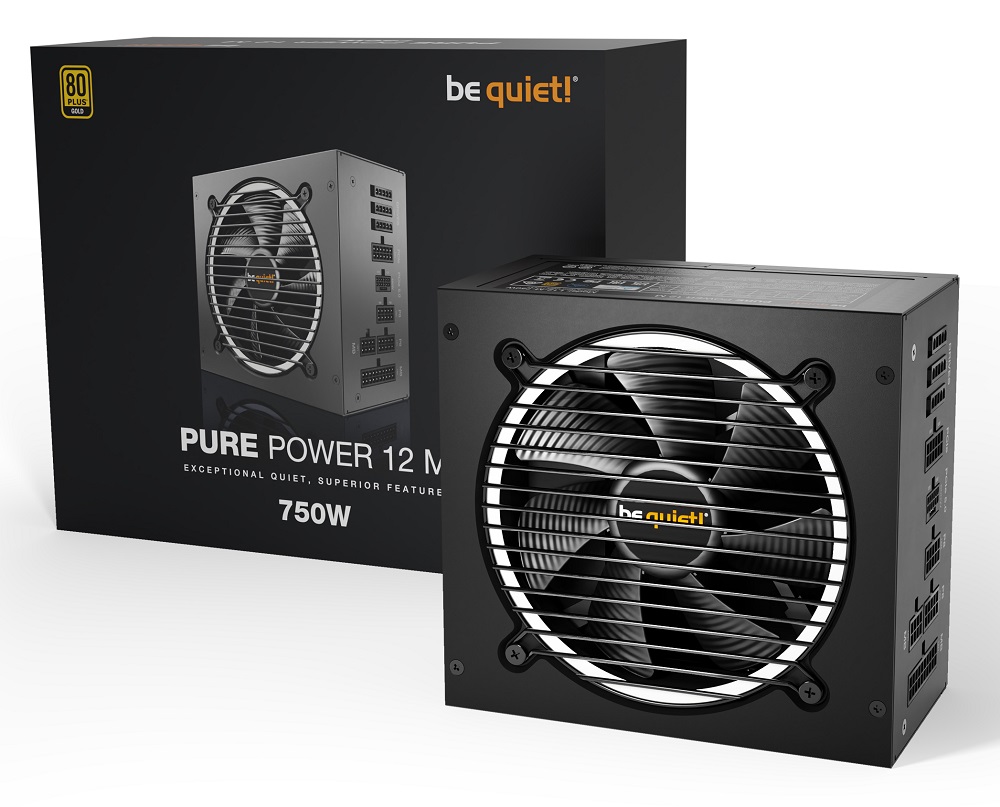
Just got the Asus 9070xt prime for £470. Went to install it last night only to realise me be quite psu only has 2 GPU 6+2 cables ordered a splitter, thou might order a new PSU soon not a fan of using cable splitters.
 
Think you need either be quiet! CP-6620 (daisy chain) or be quiet! CP-6610 (single connector), please double check this though.

Could only see them on Amazon priced £25 (DC) and £21 (SC).

They are braided so will not match your existing cable.

BQ product page
 
Just installed my 9070xt taichi, coil whine is pretty bad but that doesn’t bother me much.

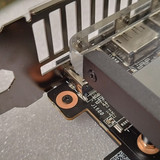
Anyone else have one that can explain what the small grey metal bar with a threaded thumb screw is for please?! I assumed it was some sort of anti sag..but can’t work it out

lol edit so when you unscrew the thumb screw it’s a mini screwdriver / telescopic anti sag bracket :)
 
Last edited:
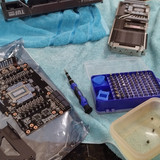
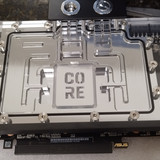
I put a water block on an Asus 9070xt tuf gaming. I've just been verifying that all is fine when I apparently got a short screw for the nut and bolt part of the build. I meant to do more pictures of the stages of building it but it slipped my mind. This is the second card I've done and the first was a red devil. Its fine but I went on a wild spending spree when it was my RAM that was at fault.


I've invested in some more quick disconnects (alphacool ezipin?), so I will be about to swap out the gpu without draining the system. I'm considering doing it for the cpu too but each quick disconnect adds flow restriction, but I have over 250l/h with 3 pumps + mora iv 600.
 
Last edited:
Back
Top Bottom