3070 based build...

Soldato
Joined
14 Dec 2005
Posts
5,069
bought a 3070 FE last week and have Crucial BX500 1TB (new...was meant for a laptop but not needed now) and another BX500 500GB that I'm using for storage just now

chose the parts based on other posts/most bought etc on the website...thoughts?...I know the drives aren't great but I've got them already

My basket at OcUK:
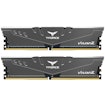
Total: £775.06 (includes delivery: £13.20)​


bit of everything...photoshop, vid editing, fusion 360 (3D printing at some point), Ableton, gaming maybe the least but want it to be able.. monitor is 1920x1200 60hz but got the 3070 thinking I might upgrade that at some point...current PC is ancient (E8400 8800GTS) so struggles with most things so likely I won't be uprading this PC for a long time
 
bit of everything...photoshop, vid editing, fusion 360 (3D printing at some point), Ableton, gaming maybe the least but want it to be able.. monitor is 1920x1200 60hz but got the 3070 thinking I might upgrade that at some point...current PC is ancient (E8400 8800GTS) so struggles with most things so likely I won't be uprading this PC for a long time

In that case I strongly recommend you get the 12700K.

Easily OC's to 5/5.1, I have one and don't plan to upgrade for years.
 
12100 12400 12600 12700 are all really good chips and you can make an argument for any of them for certain use cases.

If you do a lot of professional tasks then the extra 2 P cores on the 12700 will make a large difference but they are significantly more expensive so should be faster. You can a similarily make an argument to go for the 12400 because it also has the 6 P cores like the 12600 and performs very similar in a lot of situations. It is hard to go wrong with Alderlake as long as you do not buy the ridiculous 12900.
 
I was trying to justify/decide between the 12400 and 12600 tbh!

no plans to overclock really

With your use case, I'd really try to dig out some applicable software benchmarks and find out what you really need. It is so easy to say "productivity = moar cores!!" and that's usually true, but in light usage, even with photoshop, having fast single core performance can often achieve 90% of what's noticeable. On the other hand, if you're spending loads of time waiting for the CPU to churn through things, then the right CPU choice could save you hours now and thousands of hours over the life of the system.

FYI: The 12600K can pull far ahead of the 12400-12600 when the extra cores are used (they're not always), so it isn't a typical i5.
 
ok thankyou both - will have a better look at benchmarks etc - I will say tho everything I mentioned (photoshop/fusion 360 etc) are all casual/for fun use, same with gaming really but still want it to function as well as possible without going daft with really high priced parts
 
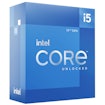
went for the 12700k - seemed worth it for the amount of time I'll have it before any upgrade/change

one question - the cooler comes with MX5 thermal paste...is it worth getting something else or just use that?
 
It is fine to use the MX5 but you may want to order another tube anyway. It is always handy to have some spare thermal compound sitting around in case you do not get a perfect mount the first time.
 
have all the parts now...a question...

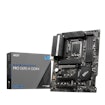
ended up getting a WD Black SN850 too - which M2 slot is best to use? the M2_1 has (had) a cover over it with the appropriate bolts for securing the drive, not sure if that's suggesting to use it or not? I see looking at the MB manual that M2_1 and M2-2 are both PCIe 4.0x4 but M2_1 is 'from cpu' and M2_2 is 'from Z690 chipset'
bit lost here but after a bit of googling looks like what slot you use can affect gfx card performance due to how many pci lanes are used from cpu/MB

from the manual...

∙ 4x M.2 slots (Key M)
▪ M2_1 slot (From CPU)
▫ Supports PCIe 4.0 x4
▫ Supports 2242/ 2260/ 2280/ 22110 storage devices
▪ M2_2 slot (From Z690 chipset)
▫ Supports PCIe 4.0 x4
▫ Supports 2242/ 2260/ 2280 storage devices
▪ M2_3 slot (From Z690 chipset)
▫ Supports PCIe 3.0x4
▫ Supports SATA 6Gb/s
▫ Supports 2242/ 2260/ 2280 storage devices
▪ M2_4 slot (From Z690 chipset)
▫ Supports PCIe 4.0x4
▫ Supports SATA 6Gb/s
▫ Supports 2242/ 2260/ 2280 storage devices

 
Last edited:
have all the parts now...a question...

ended up getting a WD Black SN850 too - which M2 slot is best to use? the M2_1 has (had) a cover over it with the appropriate bolts for securing the drive, not sure if that's suggesting to use it or not? I see looking at the MB manual that M2_1 and M2-2 are both PCIe 4.0x4 but M2_1 is 'from cpu' and M2_2 is 'from Z690 chipset'
bit lost here but after a bit of googling looks like what slot you use can affect gfx card performance due to how many pci lanes are used from cpu/MB

from the manual...

∙ 4x M.2 slots (Key M)
▪ M2_1 slot (From CPU)
▫ Supports PCIe 4.0 x4
▫ Supports 2242/ 2260/ 2280/ 22110 storage devices
▪ M2_2 slot (From Z690 chipset)
▫ Supports PCIe 4.0 x4
▫ Supports 2242/ 2260/ 2280 storage devices
▪ M2_3 slot (From Z690 chipset)
▫ Supports PCIe 3.0x4
▫ Supports SATA 6Gb/s
▫ Supports 2242/ 2260/ 2280 storage devices
▪ M2_4 slot (From Z690 chipset)
▫ Supports PCIe 4.0x4
▫ Supports SATA 6Gb/s
▫ Supports 2242/ 2260/ 2280 storage devices

Go slot 1, closest to the CPU. Most people do and haven't read anyone having problems. I'm on a b550 board, guessing all run along same format. Unscrewed heatsink, put my sn850 in, screwed it down, removed plastic from thermal paste on heatsink and screwed that back into place...
 
ok, glad I asked... not going near it at this hour, but what I'm referring to as a 'cover' is actually a heatsink that should be used with the nvme drive??...it does have the plastic backing like you say

 
Yes the cover is a heatsink. Unscrew it or just turn if its the new retention clip on that mobo. Then remove the plastic on back of heatsink, put in the drive and replace the heatsink and screw it back in. Job is then done and it should show up in the bios when you boot the pc up.

Use the M2_1 slot if you just have one drive. Do not worry about the complications with NVME drives eating up PCIE lanes, you will not be affected. You have a Z690 mobo and that has more than enough lanes for your needs.
 
Back
Top Bottom