


I filled mine up with 32gb but ive moved half of that to a ram drive for temp files and video conversion having 9K+ read and write speeds for uncompressing and compressing large files and temporary working storage is brilliant, makes even the fastest ssds feel slow
You are using an out of date browser. It may not display this or other websites correctly.
You should upgrade or use an alternative browser.
You should upgrade or use an alternative browser.
>4GB ram? Why?
- Thread starter NeilF
- Start date
More options
Thread starter's posts
Man of Honour
- Joined
- 17 Feb 2003
- Posts
- 29,640
- Location
- Chelmsford
Since upgrading to 16GB, i have safely turned off Paging without any problem. When using 8 GB i certainly ran into a few BSODs. Not that paging is a massive drain but it saves some IO to the SSD.

cod ghosts - 8gb min spec required. There ya go. 3 other games also.
Considering the geriatric engine that ghosts is using cobbled with tacked on updates id highly doubt it.
Since upgrading to 16GB, i have safely turned off Paging without any problem. When using 8 GB i certainly ran into a few BSODs. Not that paging is a massive drain but it saves some IO to the SSD.
Is this why I can hardly get above 3GB usage of my 6GB? Because windows (Vista64) is doing something odd?
I have 16GB. Why? Well, why not? It's cheap enough. The more you have the more you will use. I'm say here running Windows 7 with Chrome open with 6 tabs, and Skype running. Nothing else in the background that'd make a difference, but I'm using 4.3GB.
When playing a game such as BF3 I see my memory use rise to about 50%, so using 8GB.
I also run virtual machines from time to time, so having lots of memory for them is great too.
When playing a game such as BF3 I see my memory use rise to about 50%, so using 8GB.
I also run virtual machines from time to time, so having lots of memory for them is great too.



I used vmware workstation.
Yeah I use VM's too.
Deleted member 66701
Deleted member 66701
With Rome II:-
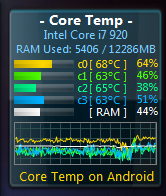
BF4 beta hit something like 7.2gb used.
BF4 beta hit something like 7.2gb used.
Deleted member 66701
Deleted member 66701
Well, why can't I seemingly get much beyond 3GB with a game?
Because with the rest of your system you can't pull memory usage that high.
Deleted member 66701
Deleted member 66701
Well, why can't I seemingly get much beyond 3GB with a game?
Because with the rest of your system you can't pull memory usage that high.
>4gb of ram because anything that wont fit in ram has to live on persistent storage. Best case, that's an SSD which is orders of magnitude slower than ram. Worst case it's a hard drive. If you're really unlucky it's a network share.
The obvious answer is vitualisation. I'm usually running two or three virtual machines, and plan on increasing that to a dozen, possibly two dozen over the next few weeks. 4gb/24 wouldn't be much per machine.
Less obvious is a ramdisk. Last time I checked the world of windows doesn't really know what to do with them, but I'm sat here typing on Debian which is running entirely within ram. OS, browser, text editors - everything is in ram. The performance makes SSDs look daft.
Third some of us spend time doing maths on computers. The size of main memory is roughly the limit to the size of problem you can solve, so more memory means a bigger problem can be tackled.
Lots of uses for memory
The obvious answer is vitualisation. I'm usually running two or three virtual machines, and plan on increasing that to a dozen, possibly two dozen over the next few weeks. 4gb/24 wouldn't be much per machine.
Less obvious is a ramdisk. Last time I checked the world of windows doesn't really know what to do with them, but I'm sat here typing on Debian which is running entirely within ram. OS, browser, text editors - everything is in ram. The performance makes SSDs look daft.
Third some of us spend time doing maths on computers. The size of main memory is roughly the limit to the size of problem you can solve, so more memory means a bigger problem can be tackled.
Lots of uses for memory

Associate
- Joined
- 31 Oct 2012
- Posts
- 2,243
- Location
- Edinburgh
RAM usage numbers can be misleading - the system will use more it if there is more available but you can seldom tell how much performance hit there would have been had it been forced to use less. Unless you reach the point where there isn't enough for the task you're trying to do at which point it slows to a crawl  but that doesn't happen that often in home use at 4GB.
Running VMs can be ram heavy but it depends a lot on what you're using them for - e.g. I run a few VMs on my work machine but for my uses they all get utilised or not at the same time and this causes them to be CPU bound, more memory doesn't allow me to scale further (though less RAM and I'd start hitting problems that way! 16GB for me is the right amount just now).
If I had them doing things at different times then I could over allocate quite a bit at which point the amount of RAM available would become a much more important factor in performance of the VMs.
At home I find no problems with 4GB.
but that doesn't happen that often in home use at 4GB.Running VMs can be ram heavy but it depends a lot on what you're using them for - e.g. I run a few VMs on my work machine but for my uses they all get utilised or not at the same time and this causes them to be CPU bound, more memory doesn't allow me to scale further (though less RAM and I'd start hitting problems that way! 16GB for me is the right amount just now).
If I had them doing things at different times then I could over allocate quite a bit at which point the amount of RAM available would become a much more important factor in performance of the VMs.
At home I find no problems with 4GB.
Since upgrading to 16GB, i have safely turned off Paging without any problem. When using 8 GB i certainly ran into a few BSODs. Not that paging is a massive drain but it saves some IO to the SSD.
I wouldn't go around recommending this.
I wouldn't go around recommending this.
I've had paging turned off with absolutely no problems in a year since I got an SSD.
I've had paging turned off with absolutely no problems in a year since I got an SSD.
That doesn't mean it's a good idea.
The swap space gets used only when you get near your physical memory limit, or when stuff has been sat in memory for a very long time without being used. In both of these cases it makes complete sense to dump it to a disk for later. If that's a SSD as in your case then there's a negligible read/write time to do this, making it a really great idea.
The problem with disabling swap is that if you ever exceeded your physical memory you'd get an instant crash as the OS has no memory left. For me that would be an unacceptable risk for an insignificant speed improvement as the SSD is plenty fast.
If you turn off paging completely, your windows will create a 16GB (or whatever the size of your RAM) file on your HDD system drive every time you boot up your PC. This is for Crash memory dumps and logs.
That's a large amount of empty data to fill up SSD write/read cycles.
Samsung magician recommends settings your pagefile to 200mb, because that's the minimum number that Windows needs for a memory dump on a crash.
I have mine on 200mb minimum, and 1gb maximum.
Having pagefile off/on will not give you any kind of performance addition unless you run out of RAM completely, so this is purely for SSD conservation purposes.
That's a large amount of empty data to fill up SSD write/read cycles.
Samsung magician recommends settings your pagefile to 200mb, because that's the minimum number that Windows needs for a memory dump on a crash.
I have mine on 200mb minimum, and 1gb maximum.
Having pagefile off/on will not give you any kind of performance addition unless you run out of RAM completely, so this is purely for SSD conservation purposes.

Soldato
- Joined
- 17 Aug 2003
- Posts
- 20,167
- Location
- Woburn Sand Dunes
I had paging issues comeing out of games or when heavy photo editing when i had 4gb of ram. That stopped when i put another 8gb in there. Havent bothered moving to 16gb plus because that's pointless, I'm not seeing any issues that more ram would solve. But 4 to 12gb, yep big difference.