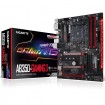
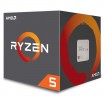
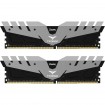
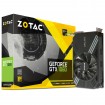
I'm looking to upgrade my 7 year old computer. I use it mostly for web browsing/software dev/occasional gaming.
Is anyone able to recommend me a balanced combination of the following:
- Graphics Card
- Motherboard
- Processor
- RAM
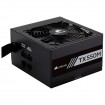
- PSU? (Current one is a 500W Coolermaster that is 10 years old - Currently working fine but not sure if it's likely to blow up and take out the new components due to its age)
It's unlikely I'll be overclocking anything unless I can get a significant boost in performance from very low risk.
I already have a 1TB SSD for storage that I'll keep as I only bought it a couple of years ago.
I have a budget of approx. £800, but happy to go a bit over if it's worth it.
Any help is very much appreciated.
Is anyone able to recommend me a balanced combination of the following:
- Graphics Card
- Motherboard
- Processor
- RAM
- PSU? (Current one is a 500W Coolermaster that is 10 years old - Currently working fine but not sure if it's likely to blow up and take out the new components due to its age)
It's unlikely I'll be overclocking anything unless I can get a significant boost in performance from very low risk.
I already have a 1TB SSD for storage that I'll keep as I only bought it a couple of years ago.
I have a budget of approx. £800, but happy to go a bit over if it's worth it.
Any help is very much appreciated.