Hi.
My PC is currently liked up to my TV, and I'm using an Xbox 360 controller to play my games (not ideal I know, but that's the way it is).
Due to space and a few other factors, having a dedicated desk for my computer, monitor, keyboard and mouse just isn't an option right now, so I'm looking for some sort of solution to make the process of gaming on a TV with a controller, easier than having a keyboard and mouse on the floor, waiting for several minutes for the system to warm up, selecting whatever I want to play from steam or origin and then going over to the bed to grab a controller and play.
Ideally, given the setup, I'd like to use the computer as much like a console as possible.
Obviously, they're never going to be as plug in and play as a console is, but I was wondering how few steps I could get down to between turning the PC on and playing my games.
I suppose the first thing would be to have some sort of device (maybe a wireless keyboard + touchpad or remote control app for the iPad) to get from the desktop to origin and steam, and then to set windows to bypass the user select screen and go straight to desktop (if that's possible).
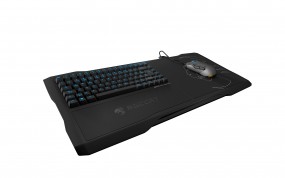
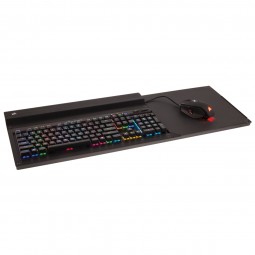
I was wondering, then, whether anyone can advise on a preferably small wireless keyboard and touchpad combo, or some sort of app I can remotely control the desktop with? I've had a go with team viewer but when turning it off to play a game I get kicked back to desktop, so it's not really working.
Thanks a lot!
My PC is currently liked up to my TV, and I'm using an Xbox 360 controller to play my games (not ideal I know, but that's the way it is).
Due to space and a few other factors, having a dedicated desk for my computer, monitor, keyboard and mouse just isn't an option right now, so I'm looking for some sort of solution to make the process of gaming on a TV with a controller, easier than having a keyboard and mouse on the floor, waiting for several minutes for the system to warm up, selecting whatever I want to play from steam or origin and then going over to the bed to grab a controller and play.
Ideally, given the setup, I'd like to use the computer as much like a console as possible.
Obviously, they're never going to be as plug in and play as a console is, but I was wondering how few steps I could get down to between turning the PC on and playing my games.
I suppose the first thing would be to have some sort of device (maybe a wireless keyboard + touchpad or remote control app for the iPad) to get from the desktop to origin and steam, and then to set windows to bypass the user select screen and go straight to desktop (if that's possible).
I was wondering, then, whether anyone can advise on a preferably small wireless keyboard and touchpad combo, or some sort of app I can remotely control the desktop with? I've had a go with team viewer but when turning it off to play a game I get kicked back to desktop, so it's not really working.
Thanks a lot!