Associate
- Joined
- 15 Jun 2012
- Posts
- 185
Have not seen this one come around for quite a while so we might as well give it a whirl.
1) Download Novabench here:
Novabench - Download
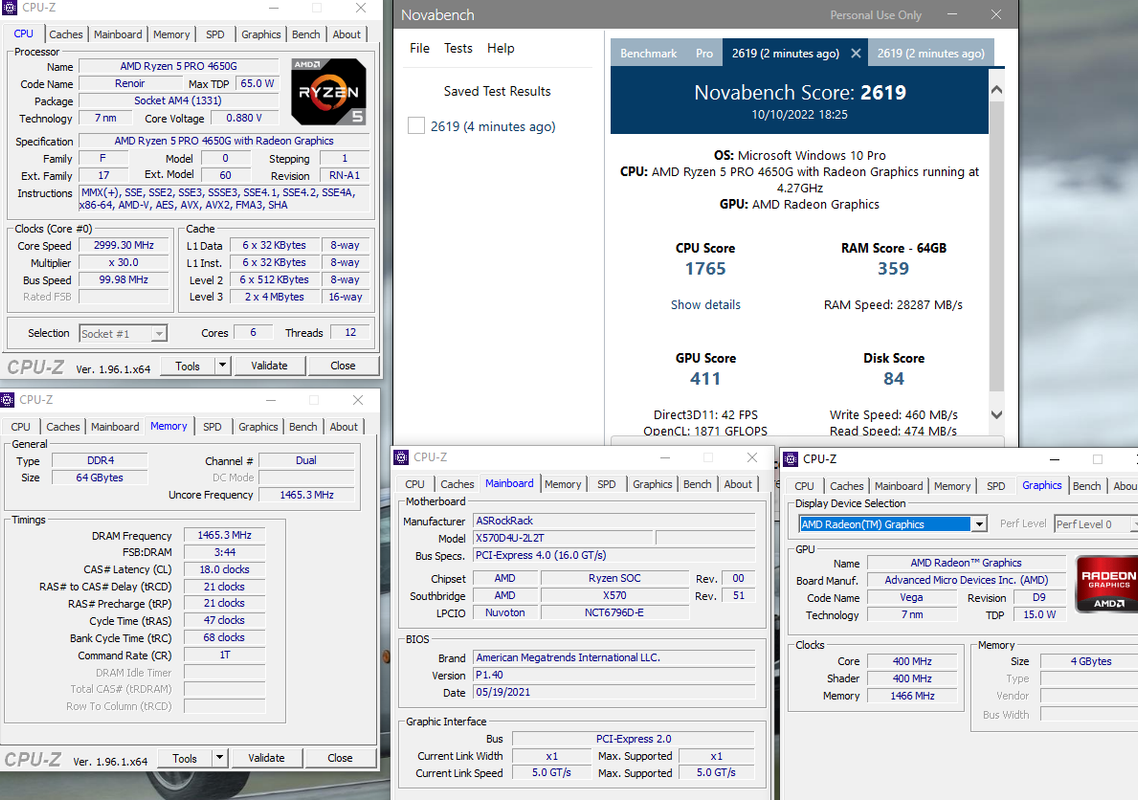
2) Run the tests and take a snip of your result as well as the CPU and memory tabs of CPUz, like this:

You can compete individually for any one of the four measurements (CPU, RAM, GPU, DISK) as well as overall ranking, of course.
3) Include a link to your online benchmark result so we can make better comparisons (if at all possible)
4) If you know exactly what your effective clock speed is, please post that with your result. Otherwise I will default to using the Novabench clock speed listed in your result.
1) Download Novabench here:
Novabench - Download
2) Run the tests and take a snip of your result as well as the CPU and memory tabs of CPUz, like this:
You can compete individually for any one of the four measurements (CPU, RAM, GPU, DISK) as well as overall ranking, of course.
3) Include a link to your online benchmark result so we can make better comparisons (if at all possible)
4) If you know exactly what your effective clock speed is, please post that with your result. Otherwise I will default to using the Novabench clock speed listed in your result.













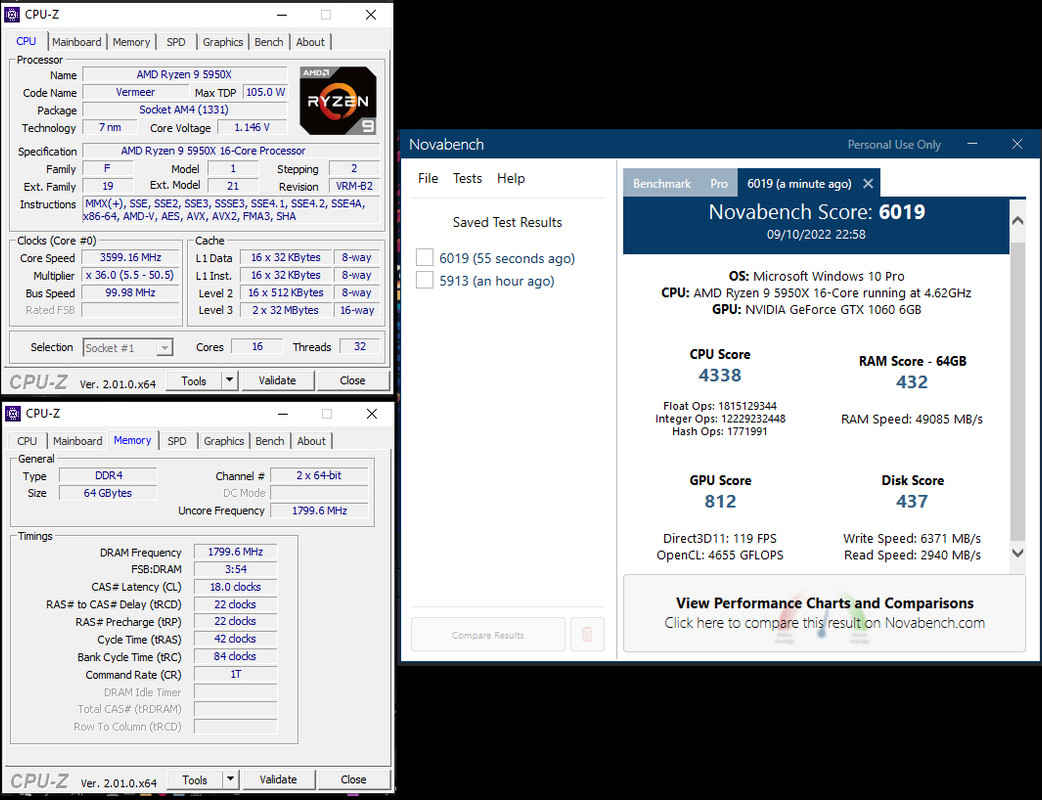

 well its not a NAS at the moment but I am just about to rebuild it, all stock bar a 35w cap and reduction in latency on the ECC RAM from cl22 to cl18, slow RAM though, seems to only check install drive as I have NVMes in here but it just used the boot drive.Not really a great benchmark really.