


Soldato
- Joined
- 8 Sep 2003
- Posts
- 23,395
- Location
- Was 150 yds from OCUK - now 0.5 mile; they moved
I finally nuked Windows 11 from my home-lab server, and swapped to unraid.
I'm so glad I did it.
The server is now configured with the following:
Hardware
AMD 5600G CPU
ASROCK X570 Phantom Gaming 4 motherboard
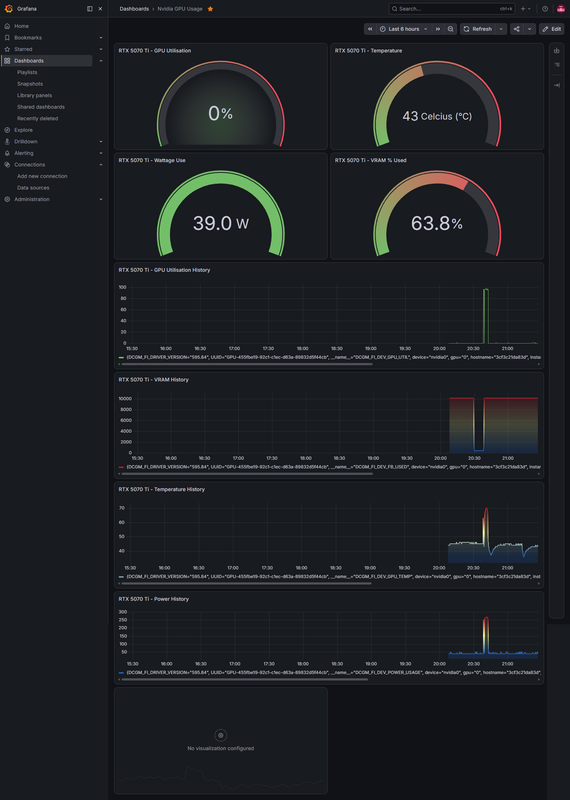
RTX 5070ti
Antec 32GB DDR4 RAM 2400mhz
Antec 750w NEO-ECO Gold PSU
500GB NVME drive for appdata/user data
128GB NVME drive for caching (replaced with a 1tb nvme now) no 128GB in the server now.
A 42TB HDD array (5 data drives + 1 parity drive = totalling 6), The parity drive is a 16TB drive for protection against a drive failure and data loss.
2.5GB PCI-E LAN Card
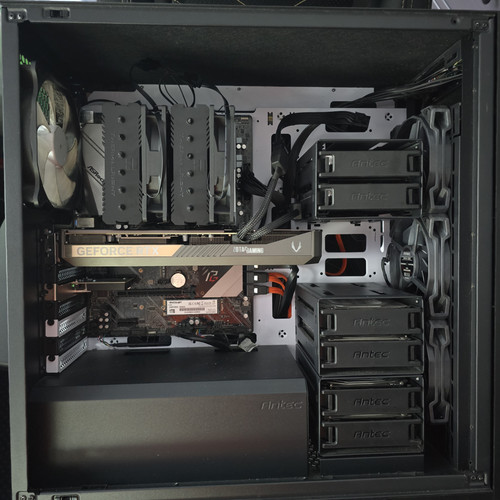
All housed in an Antec P101S Case. (space for 2 more drives currently)
The parity build on a 16TB drive took approx 36 hrs. Was fun.
Software
I have the following docker containers:
Jobs still to do.
Software
I plan to install, mostly for playing with LLM & Music/Image/Video creation with AI.
The models I plan to run are as follows:
gemma3:4b
gemma3:12b
gemma4:12b
starcoder2:15b
deepseekv2:16b
minicpmv4.5
ministral-3:14b
gwen3.5:6b
mxbai
ornith:9b
gpt-0ss
Hardware
I plan to get a small screen for my rackmount server and have the unraid UI running on that 24/7 will be pretty cool, probs using a raspberry pi.
I'm so glad I did it.
The server is now configured with the following:
Hardware
AMD 5600G CPU
ASROCK X570 Phantom Gaming 4 motherboard
RTX 5070ti
Antec 32GB DDR4 RAM 2400mhz
Antec 750w NEO-ECO Gold PSU
500GB NVME drive for appdata/user data
128GB NVME drive for caching (replaced with a 1tb nvme now) no 128GB in the server now.
A 42TB HDD array (5 data drives + 1 parity drive = totalling 6), The parity drive is a 16TB drive for protection against a drive failure and data loss.
2.5GB PCI-E LAN Card
All housed in an Antec P101S Case. (space for 2 more drives currently)
The parity build on a 16TB drive took approx 36 hrs. Was fun.
Software
I have the following docker containers:
- Plex Media Server
- Tautulli
- Tracearr
- Sabnzbd
- Radarr
- Sonarr
- Requesterr
- Seerr
- Tailscale
- CloudFlareTunnel (this is so I can run it all on a domain name, via tunnelling - giving access to seerr to my friends and family who have access to my plex media)
- I have setup cloudflare access controls, using an application to sonarr, radarr, main server access, tautulli etc to be blocked behind a email pin code, which is blocked at cloudflare level before even getting to my domain direct - it's setup to only give an email code to my own single specific email address I approved.
- This means that all my friends with my plex access are still able to access the seerr service, and they can request any content and it will automate downloading it, and adding it to my library for plex. All without any intervention needed from me.
Jobs still to do.
Software
I plan to install, mostly for playing with LLM & Music/Image/Video creation with AI.
- Ollama
- Open WebUI
- LiteLLM
- odysseus
- ComfyUI
The models I plan to run are as follows:
gemma3:4b
gemma3:12b
gemma4:12b
starcoder2:15b
deepseekv2:16b
minicpmv4.5
ministral-3:14b
gwen3.5:6b
mxbai
ornith:9b
gpt-0ss
Hardware
I plan to get a small screen for my rackmount server and have the unraid UI running on that 24/7 will be pretty cool, probs using a raspberry pi.
Last edited:

 , installed and it is already pre-flashed into IT mode, saves me a job!