Future Proof Ryzen Build

Soldato
Joined
4 Dec 2002
Posts
4,070
Location
Bourne, Lincs
So time has come to get a new PC, mostly for gaming but like to future proof as well.

I want to build around the 3900X and 32Gb of RAM, I have 16Gb currently and come close to maxing it out so seems sensible to double up.

Motherboard wise currently have a mATX case Corsair Air 240 and as much as I love the form factor I am limited in terms of gfx cards I can use as a reference 970gtx with power cables only just allows the side to be added. I did look at the Air 540 but its too wide for the gap I have for my computer.

So that leaves either going to ATX or ITX for the motherboard but then would need a case either way, and an air cooler for either as the current AIO will stay with my current build and move to the wife.

Storage wise, I have 4 x 1Tb SSD's for storage plus a 120Gb for OS but likely to replace the OS with an nvme drive of a low capacity.

Graphics was looking at a 2080 Super or see if can get a 2080Ti on the MM, my monitor only runs at 60hz at 4K which I play most of my games in but not sure how viable the 5700XT would be.

Budget up to about 2K

Any suggestions?

 
mATX is really limiting for motherboards.
Almost all AM4 boards for it are low end.
ITX boards fit also to bigger cases, but would be very limiting for drive connections etc.

ATX case isn't necessarily much bigger than mATX case, with only difference being need for 6cm more height for motherboard.
Or is that too much for the space you have?


In graphics cards already 2080 Super has bad performance per price and future proofness isn't much, with use of next gen game feature, raytracing, seriously crashing down framerates.
There best bet for real future proofness would be new GPUs coming out later this year.
(who knows precisely when they'll come out with Coronavirus cancelling events etc)
 
Height wise I am fine, will just need to move some bits on the wall, width wise no wider than a Air 240 which I don't think many cases are, I can not put the case on the floor due to the dog that sleeps under the desk.

I know should wait on the GPU but the 3000 range I am sure read won't be out till Q4 2020 and Big Navi well that will appear from the mist at some point I am sure.
 
My basket at Overclockers UK:
Total: £943.67 (includes shipping: £12.30)​

Looking at this build now, will grab a 2080ti 2nd hand when one pops up, I can reuse my current PSU which is I think a beQuiet 1000w one, will check later.

Thoughts?
 
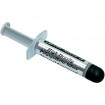
Just forget that silver overhype gunk.
Better bundled TIMs are basically at its level and it hasn't been any top paste in long long time:
https://www.tomshardware.com/reviews/thermal-paste-comparison,5108-9.html
(while also risking partial conductivity if some excess ends up in wrong place)

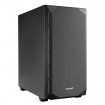
Would be hard to find cases fatter than that Corsair Air 240.
If you know you won't be needing expandability options for connector panels etc from 5.25" bays that's certainly good choise.
Having 5.25" bays doesn't necessarily mean ugly look:
https://www.overclockers.co.uk/be-quiet-silent-base-600-midi-tower-case-black-ca-105-bq.html


Lot cheaper motherboard is enough.
VRMs of all properly done X570 boards are at pretty much overkill level and there's no need to pay for luxury prices.
Especially when that luxury price doesn't even mean proper overall design quality!
X570 boards have minus point in active chipset cooling utilizing fan.
And Asus puts that fan, which in that board is also choked/restricted by marketing BS garbage, directly under graphics card to be bathed in its heat.
Actual chipset "heatsink" under marketing excrements is this small:

Now put high heat output GPU like 2080 Ti on top of that and chipset will sweating in (Finnish) sauna temperatures in longer gaming sessions.
Already without summer level room temperatures.
In Finnish PC forum one user had Crosshair VIII's chipset (with twice the heatsink) under 2080 Ti running at 83C in longer gaming sessions.
Then add higher summer time room temperature on that, unless you have AC, and fan will be spinning lot like there's no tomorrow.
No doubt also wearing it down faster...

Motherboards designed using common sense can cool chipset with lot less need to keep that fan spinning, helping both to minimize noise and extend fan's endurance.
MSI has actually the best chipset HSF's of X570, but VRMs are total garbage for the price with half the line up using copypasta from £100 B450 boards.

This time Gigabyte did best balanced designs with unrestricted chipset cooler positioned where it can get also fresh air and overkill VRMs starting from Aorus Elite.
https://www.overclockers.co.uk/giga...4-x570-chipset-atx-motherboard-mb-57w-gi.html
That would leave budget also for 32GB of RAM and proper size NVMe drive.
 
Thanks for the write up Esat

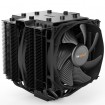
In terms of the TIM, the stuff that comes with the Dark Rock be good enough then?

I don't need 5.25" bays not used one in ages so would probably not worry about having them on the new build.

Will keep an eye on the Gigabyte board you mention as its out of stock, the next model up https://www.overclockers.co.uk/giga...4-x570-chipset-atx-motherboard-mb-57v-gi.html slightly increased in cost, but take it as good as its cheaper brother?

On the RAM side is it better to get 2 x 16gb or 4 x 8gb I have read differing opinions also about daisy chaining on the ram sockets?

Thanks

Kimbie
 
Thanks for the write up Esat

In terms of the TIM, the stuff that comes with the Dark Rock be good enough then?

I don't need 5.25" bays not used one in ages so would probably not worry about having them on the new build.

Will keep an eye on the Gigabyte board you mention as its out of stock, the next model up https://www.overclockers.co.uk/giga...4-x570-chipset-atx-motherboard-mb-57v-gi.html slightly increased in cost, but take it as good as its cheaper brother?

On the RAM side is it better to get 2 x 16gb or 4 x 8gb I have read differing opinions also about daisy chaining on the ram sockets?

Thanks

Kimbie

My personal responses. Others may disagree.

The thermal paste that comes with any cooler is going to be good enough. It's just that other premium pastes may perform better. These days this is marginal with traditional none conductive pastes.

Those motherboards are great looks like a nice beefy vrm setup too 12+2 maybe?

Ryzen and ram is really an important choice. I would honestly spend the majority of your research time looking into this in particular. What you ideally want is Samsung B-dies that can run pretty fast ( i believe the cream of the crop is 3800mhz with 1900fclk at as low of C timings as possible. ) The reason for this is it directly impacts the speed of the cpus infinity fabric and has a noticeable impact on performance. 2x16 or 4x8? not really sure it mattes as long as the above is catered for.
 
Will keep an eye on the Gigabyte board you mention as its out of stock, the next model up https://www.overclockers.co.uk/giga...4-x570-chipset-atx-motherboard-mb-57v-gi.html slightly increased in cost, but take it as good as its cheaper brother?

On the RAM side is it better to get 2 x 16gb or 4 x 8gb I have read differing opinions also about daisy chaining on the ram sockets?
Aorus Pro adds some improvements, and depending on scenario some downgrades.
Like only two PCIe slots which can be used without robbing 8 lanes from main x16 slot of graphics card.
Also chipset fan moves couple cm closer to graphics card's heat.
While Ultra even slaps marketing excrement to choke/restrict it like in Asus.
Pretty much the less marketoids have anything to do with product, the better its design...

2x16GB is overall better.
While number of ranks and "load" per memory controller channel is same, most motherboard's have DIMM slot wiring optimized for one DIMM per channel.
(in fact ITX boards with one slot per channel are the best for memory signaling)

Binned Samsung B-die costs like arm and leg.
Micron rev.E is nearly as good for lot less money.
Here's thorough analysis of different DDR4 memories.

3600MHz is speed most Ryzens can be expected to do with memory bus and InfinityFabric (CPU's internal bus connecting different blocks) syncronized.
If those get uncoupled that causes about ~10ns penalty to memory access time.

3733MHz starts requiring better half CPU and 3800MHz needs good CPU sample.
Also dual computing die CPU like 3900X has more load on IF, lowering chances for same clocks.
 
Back
Top Bottom