Gaming PC - 900ish budget

Associate
Joined
24 Nov 2011
Posts
29
Hi all

Looking for advice on either a ready built PC or a build at home PC.

7 years ago I purchased this - https://www.overclockers.co.uk/ocuk...le-ryzen-5000-series-gaming-pc-fs-1dn-og.html with 16GB ram, 1TB and 250GB SSD's, Radeon RX590 and a AMD Ryzen 5 3600 and I'm now looking for a replacement.

My budget is £900 but I can stretch to £1000.

In terms of usage I do general office work but also play games like Rust, CoD, WoW and other similar survival games. I don't need top notch performance but enough to run the latest games without lagging/crashing.

I'm ok for a monitor/keyboard/mouse/speakers so it's just the PC itself.

As mentioned more than happy to purchase a ready built PC for overclockers if that works out as the easiest option, when I purchased my last PC there was only a £35 difference between building it myself and getting it built via OC so went with the pros :)

Any assistance would be greatly appreciated.

Thankyou.

 
Are you open to just upgrading what you have?

If you are, I'd be looking at something like the rumoured 5800X3D anniversary edition, a graphics card (9070/5070 or better) and another 16GB of RAM.

Unfortunately, £1000 isn't a big budget anymore. A decent amount of RAM and a large SSD will eat nearly half the budget on their own :(
 
More than happy to upgrade what I have if that makes things easier, the motherboard it came with was a Gigabyte B450M-DS3H AMD B450 (Socket AM4) DDR4 Micro-ATX if that helps at all.

And yes you're right it doesn't seem that £1000 gets you much anymore.
 
Are you open to just upgrading what you have?

If you are, I'd be looking at something like the rumoured 5800X3D anniversary edition, a graphics card (9070/5070 or better) and another 16GB of RAM.

Unfortunately, £1000 isn't a big budget anymore. A decent amount of RAM and a large SSD will eat nearly half the budget on their own :(

Could go 5500x3d and save a chunk, probably not far off either realistically.

Spend the majority on a gpu.
 
It's worth adding I was more leaning towards a new system as my current one is Windows 10 and recently it got corrupted and there are a few things that have stopped working that I can't fix so a fresh build could sort that
 
It's worth adding I was more leaning towards a new system as my current one is Windows 10 and recently it got corrupted and there are a few things that have stopped working that I can't fix so a fresh build could sort that

Fresh install will do the same thing if your willing to learn
 
It's worth adding I was more leaning towards a new system as my current one is Windows 10 and recently it got corrupted and there are a few things that have stopped working that I can't fix so a fresh build could sort that
Can you elaborate further , usually a fresh windows install it s all you need.
 
I can try, switched on my PC and I had no network drivers along with other drivers also some built in application no longer work - I manged to get the network drivers sorted which then enabled me to get back on the internet and fix various other issues. There are still some apps which won't load but it's random things like calculator!

Maybe I can just get a copy of Windows 11 and install it over the top of this one but I'm worried there could be things left behind to cause further corruption.
 
I can try, switched on my PC and I had no network drivers along with other drivers also some built in application no longer work - I manged to get the network drivers sorted which then enabled me to get back on the internet and fix various other issues. There are still some apps which won't load but it's random things like calculator!

Maybe I can just get a copy of Windows 11 and install it over the top of this one but I'm worried there could be things left behind to cause further corruption.
It sounds like the OS is corrupted.

You can run sfc /scannow to perform a file integrity check and it will automatically repair any corruption. If that doesn't work you can attempt an image repair using DSIM. Run: DISM /Online /Cleanup-Image /RestoreHealth

The commands need to be run in command prompt or PowerShell. Search in the start menu to find them - make sure you launch command prompt or PowerShell as an administrator.
 
Last edited:
I had tried the sfc /scannow but not the other script, I have just ran it as an administrator and still seeing the same problems.

This is why I'm wondering of just getting a new PC and that takes care of this problem as well.

I have seen a PC for sale on another site but I don't want to post any links as I don't know if that's allowed or even appropriate.
 
I had tried the sfc /scannow but not the other script, I have just ran it as an administrator and still seeing the same problems.

This is why I'm wondering of just getting a new PC and that takes care of this problem as well.

I have seen a PC for sale on another site but I don't want to post any links as I don't know if that's allowed or even appropriate.

While you can't link to it directly, you can tell us the (exact) specification and price without naming the website.
 
Makes sense - £799 with 16GB or £899 for 32GB

  • Processor: Intel Core i7-9700 (8 Cores, Up to 4.7GHz Turbo) Refurbished board and Chip with our standard 3 year warranty
  • Cooling: Intel Stock Air Cooler (or Optional 360mm AIO Liquid Cooler)
  • Graphics Card: NVIDIA RTX 5060 8GB (VR Ready & DLSS 4 Supported)
  • Memory: 16GB or 32GB DDR4 High-Speed Black RAM
  • Storage: 1TB SSD
  • Case: CIT Black Vision (Dual Chamber Tempered Glass)
  • Connectivity: High-Speed LAN + USB Wireless Adapter Included
  • Operating System: Windows 11 Home (Pre-installed)
 
Makes sense - £799 with 16GB or £899 for 32GB

  • Processor: Intel Core i7-9700 (8 Cores, Up to 4.7GHz Turbo) Refurbished board and Chip with our standard 3 year warranty
  • Cooling: Intel Stock Air Cooler (or Optional 360mm AIO Liquid Cooler)
  • Graphics Card: NVIDIA RTX 5060 8GB (VR Ready & DLSS 4 Supported)
  • Memory: 16GB or 32GB DDR4 High-Speed Black RAM
  • Storage: 1TB SSD
  • Case: CIT Black Vision (Dual Chamber Tempered Glass)
  • Connectivity: High-Speed LAN + USB Wireless Adapter Included
  • Operating System: Windows 11 Home (Pre-installed)

Thing is its not bad but you could buy a 5060 for £250 and have virtually the same performance but it'll cost you £250. Wipe your ssd and put a fresh install on, sorted.

Your 3600 is better in some ways too, its an expensive upgrade.
 
Last edited:
Makes sense - £799 with 16GB or £899 for 32GB

  • Processor: Intel Core i7-9700 (8 Cores, Up to 4.7GHz Turbo) Refurbished board and Chip with our standard 3 year warranty
  • Cooling: Intel Stock Air Cooler (or Optional 360mm AIO Liquid Cooler)
  • Graphics Card: NVIDIA RTX 5060 8GB (VR Ready & DLSS 4 Supported)
  • Memory: 16GB or 32GB DDR4 High-Speed Black RAM
  • Storage: 1TB SSD
  • Case: CIT Black Vision (Dual Chamber Tempered Glass)
  • Connectivity: High-Speed LAN + USB Wireless Adapter Included
  • Operating System: Windows 11 Home (Pre-installed)
Is more of a sidegrade really, like Begbie says, you're spending a lot for a "new" (hard to describe that as new, CPU is similar gen to yours) PC when just buying a 5060 would be pretty much the same performance.
 
Here's an idea if you're dead set on an upgrade to a new platform:

My basket at OcUK:

Total: £1,019.90 (includes delivery: £7.99)​

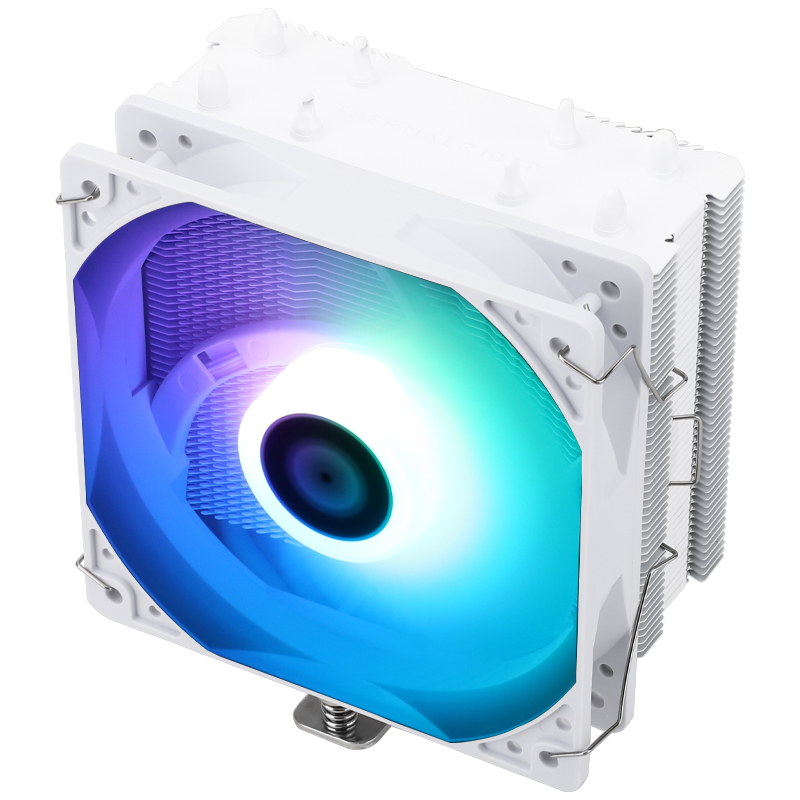
Reuse your case, PSU, and SSD's and do a fresh install of W11, you might be able to reuse your current HSF depending on what it is.

WoW and CoD like X3D CPU's, and CoD is very fond of AMD graphics cards, given you're playing WoW and already on a 590 you should be fine with them instead of Nvidia.

Hold in mind there's a few bits and bobs being skimped on here for the sake of bringing your budget down, namely the motherboard, but it should all work together fine and offer hefty performance uplift.

I'd personally do a fresh install on your existing machine first just to totally rule out any problems, and as others have suggested upgrade the GPU to a 9060/9070 and switch the CPU out for a 5500X3D (can be had for £150) or 5800X3D
 
£240 (incl. VAT)
£200 (incl. VAT)
£420 (incl. VAT)
£400 (incl. VAT)
£17 (incl. VAT)
£13 (incl. VAT)
£380 (incl. VAT)
£339 (incl. VAT)
Last edited:
thankyou all, lots to think about - getting hold of Windows 11 and installing that might sort some of my issues out.

If I did want to upgrade but try to reuse what I can would the way forward be as suggested

A new motherboard, processor, fan, graphics card and memory?
 
thankyou all, lots to think about - getting hold of Windows 11 and installing that might sort some of my issues out.

If I did want to upgrade but try to reuse what I can would the way forward be as suggested

A new motherboard, processor, fan, graphics card and memory?

Id personally just get a new GPU, for the games your playing. Cost half your budget and be fine for 1080p.
 
Back
Top Bottom