• Notice regarding image hosts and attachments. See here.

Gaming & Streaming PC

Associate
Joined
23 Nov 2018
Posts
6
Location
Essex, UK
Hi all.
Please could you guys/girls give me some advice?
I currently have a crappy Asus ROG laptop that I game from and sometimes stream old games since my laptop can't handle much. I want to get a desktop PC.
Pre-built or getting it in parts and building it myself is fine. Whichever is the best choice.
I want to be able to play some of the latest games and be able to stream them without my PC having a fit :D. So it's basically not straining. One of the main games I want to stream is Overwatch. I can kind of stream it on my laptop at the moment but at like 15fps and probably about 240p. And I feel the strain on the game. So I'd like to stream it at ultra.
My laptops specs if it helps....
CPU: Intel i7-6700HQ 2.6GHz
RAM: 32GB
GPU: Nvidia Geforce GTX 960M

Any help on this would be appreciated :D

Also I've heard that running games off a SSD harddrive is pretty good. But most PC's I've seen come with a small SSD and a big HDD. Is it better to have windows on the HDD? My laptop has windows on the SSD.

 
Hi all.
Please could you guys/girls give me some advice?
I currently have a crappy Asus ROG laptop that I game from and sometimes stream old games since my laptop can't handle much. I want to get a desktop PC.
Pre-built or getting it in parts and building it myself is fine. Whichever is the best choice.
I want to be able to play some of the latest games and be able to stream them without my PC having a fit :D. So it's basically not straining. One of the main games I want to stream is Overwatch. I can kind of stream it on my laptop at the moment but at like 15fps and probably about 240p. And I feel the strain on the game. So I'd like to stream it at ultra.
My laptops specs if it helps....
CPU: Intel i7-6700HQ 2.6GHz
RAM: 32GB
GPU: Nvidia Geforce GTX 960M

Any help on this would be appreciated :D

Also I've heard that running games off a SSD harddrive is pretty good. But most PC's I've seen come with a small SSD and a big HDD. Is it better to have windows on the HDD? My laptop has windows on the SSD.

have windows on an ssd as it will boot quicker. also want your top 1 or 2 games on there maybe 3 depending on size to ensure quick load times. videos and pictures and other things like that can go onto ur hdd
 
@orbitalwalsh At the moment I have a cheap 60hz 1920x1080 montior. But my next monitor will be at least a 144hz minimum. As for resolution I don't mind. As long as it has 1920x1080 or more :p
 
Last edited:
@orbitalwalsh At the moment I have a cheap 60hz 1920x1080 montior. But my next monitor will be at least a 144hz minimum. As for resolution I don't mind. As long as it has 1920x1080 or more :p

overshot £70 but! that is with a 1440p 144hz 27" freesync screen ! drop to Vega 56 to save £40-50 quid and in budget ! Use second screen as streaming/app screen
ryzen 8 core and 12 threads to handle the streaming side as well as gaming

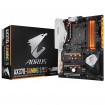
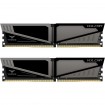
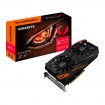
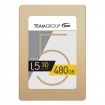
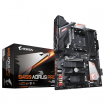
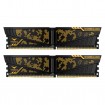
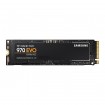
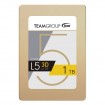
My basket at Overclockers UK:
Total: £1,273.09 (includes shipping: £15.30)​
​
 
Thanks @Omega

And @orbitalwalsh my budget is 1-2k
And prebuilt or self built I don't mind. Whichever is the better choice.

@orbitalwalsh At the moment I have a cheap 60hz 1920x1080 montior. But my next monitor will be at least a 144hz minimum. As for resolution I don't mind. As long as it has 1920x1080 or more :p

Hi,

There you go:

A new HDR 4K 28" monitor:

My basket at Overclockers UK:
Total: £311.09 (includes shipping: £11.10)​
​

and a tower:

My basket at Overclockers UK:
Total: £1,052.08 (includes shipping: £13.20)
​
 
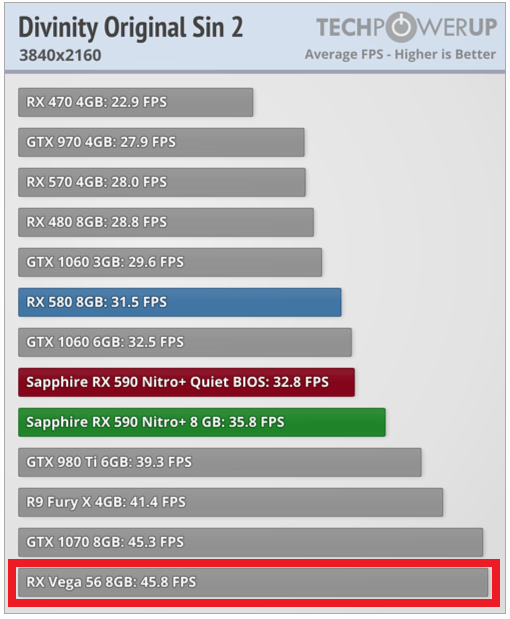
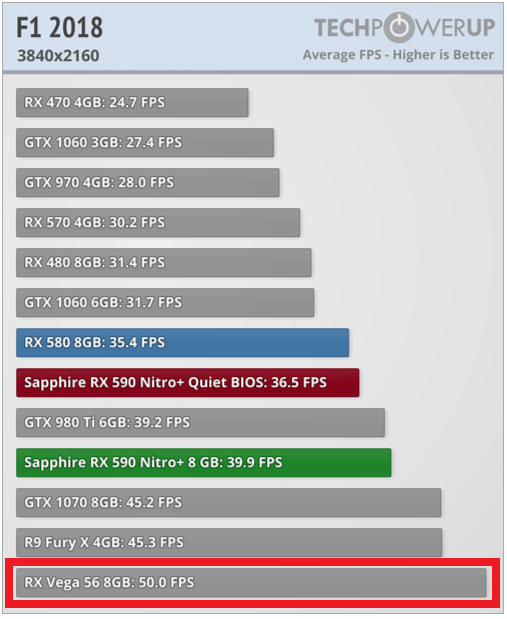
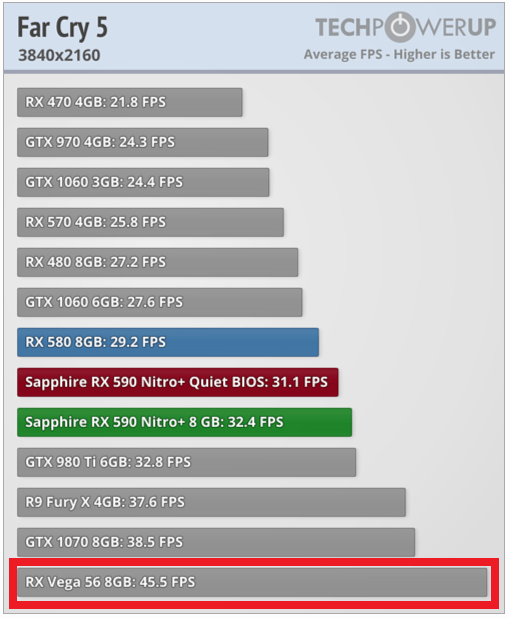
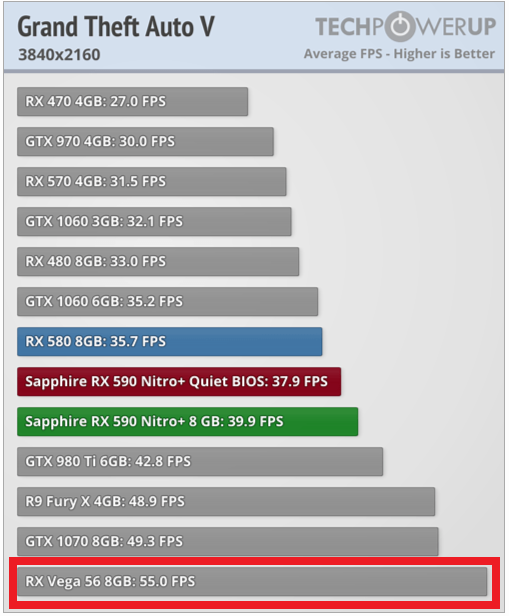
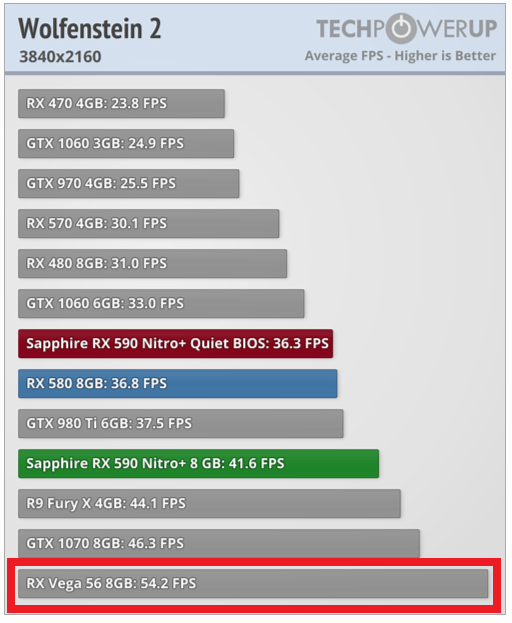
A Vega 56 won't cut it at 4K resolution.

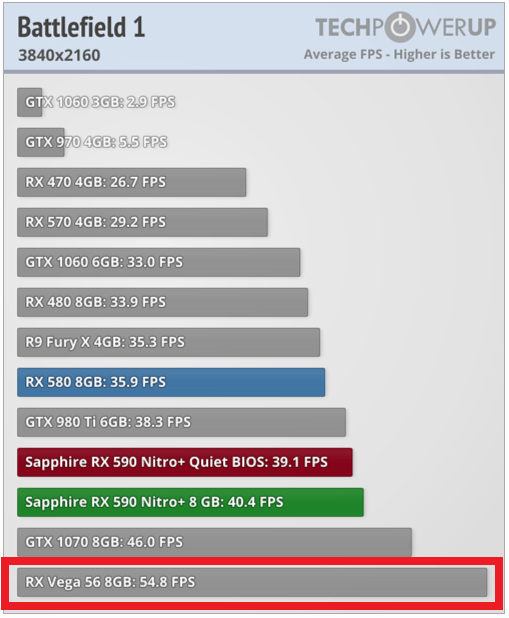
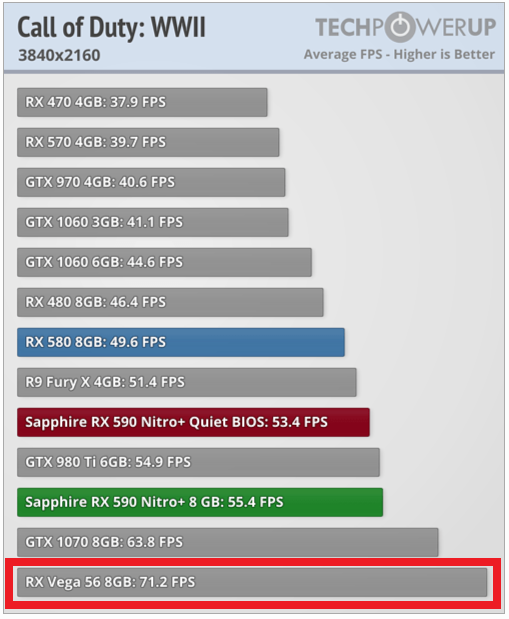
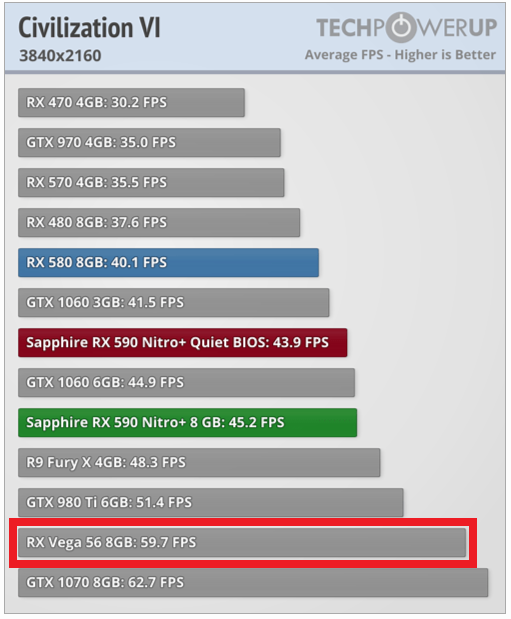
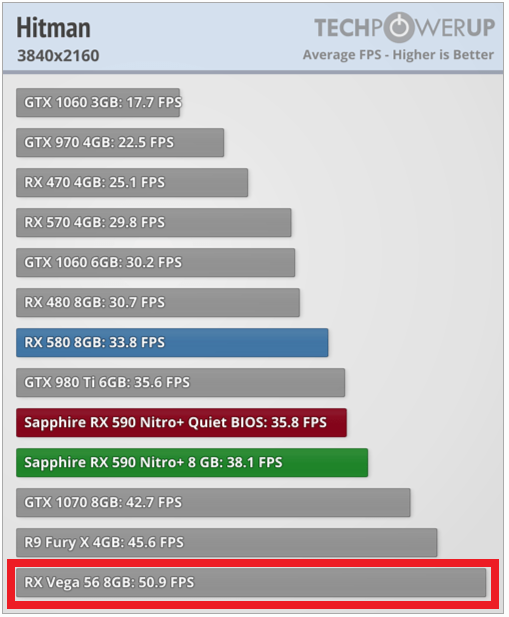
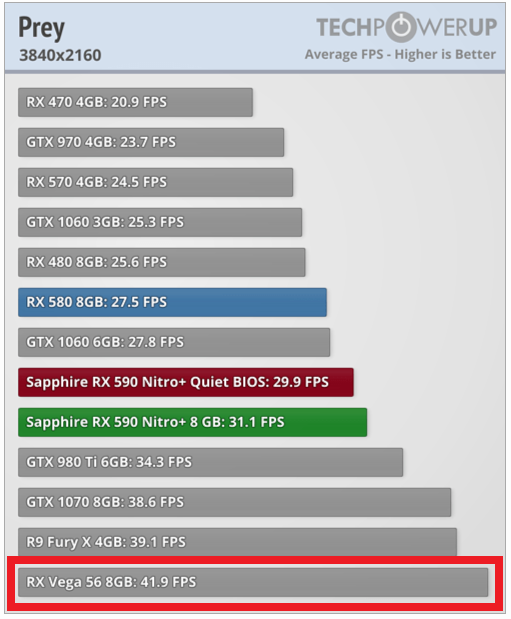
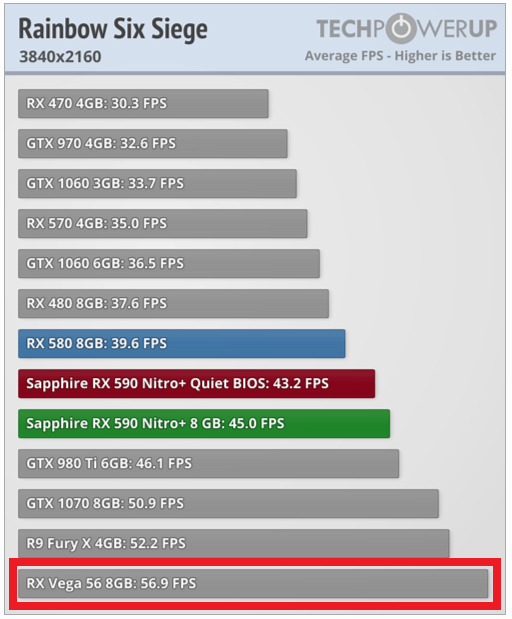
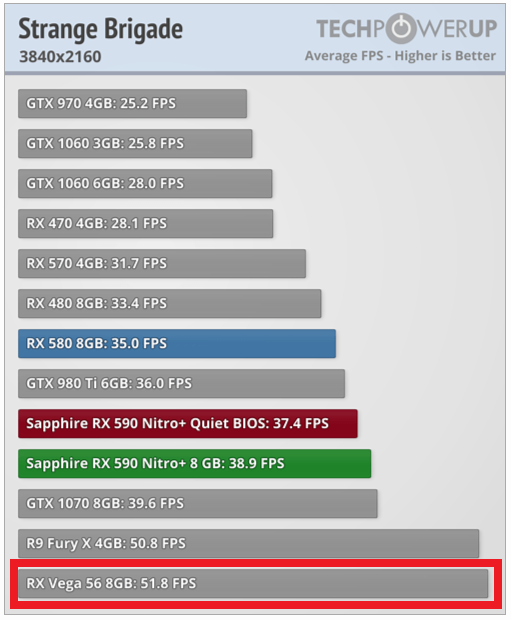
Incorrect.
  • All games and cards were tested with the drivers listed above, and no performance results were recycled between test systems. Only this exact system with exactly the same configuration was used.
  • All games are set to their highest quality setting unless indicated otherwise.
  • AA and AF are applied via in-game settings, not via the driver's control panel.
https://www.techpowerup.com/reviews/Sapphire/Radeon_RX_590_Nitro_Plus/6.html


:D :D
 
And some of the ones you conveniently forgot to highlight:

Assassins Creed Origins - 31.5fps
Deus Ex Mankind - 27.9fps
Dragon Quest XI - 30.4fps
Ghost Recon Wildlands - 26.8fps
Hellblade Senua's Sacrifice - 26.8fps
Monster Hunter World - 20.6fps
Middle Earth Shadow of War - 33fps


So like I said a Vega 56 won't cut it.
 
And some of the ones you conveniently forgot to highlight:

Assassins Creed Origins - 31.5fps
Deus Ex Mankind - 27.9fps
Dragon Quest XI - 30.4fps
Ghost Recon Wildlands - 26.8fps
Hellblade Senua's Sacrifice - 26.8fps
Monster Hunter World - 20.6fps
Middle Earth Shadow of War - 33fps


So like I said a Vega 56 won't cut it.

These will need a setting adjustment from ultra high down to very high or high. Let's not be greedy to max it out everywhere.
 
These will need a setting adjustment from ultra high down to very high or high. Let's not be greedy to max it out everywhere.

That is not going to gain you 40fps. Also if you are spending £1200 - £1300 on a pc and have to dial down settings then you are doing it wrong. A Vega 56 is better suited to 1440p or 1080p.
 
That is not going to gain you 40fps. Also if you are spending £1200 - £1300 on a pc and have to dial down settings then you are doing it wrong.

It isn't our fault - how can the consoles run 4K while keeping the cost down to €379,00 for the XBox X plus €300,00-€400,00 for a 4K TV?!
On PC, if you want constant maxed out settings AND 4K @60 FPS, you need to spend £2200 - £2300.

For this money £1200 - £1300, this is the best.
 
How many games are 60fps@4K on Consoles ? Pretty sure most run at 30fps at that resolution.

You can do 4K for less than £2200. A 1080 ti or RTX 2080 will do a good job. Obviously a 2080 ti is better.

Plus it depends on what type of games you play. If fps games are your priority then a higher refresh rate is more important. If you play Adventure games or sim games etc then not so much.

For £1300 I would take 1440p/144Hz over 4K 60Hz. That is just my preference though.
 
How many games are 60fps@4K on Consoles ? Pretty sure most run at 30fps at that resolution.

You can do 4K for less than £2200. A 1080 ti or RTX 2080 will do a good job. Obviously a 2080 ti is better.

Plus it depends on what type of games you play. If fps games are your priority then a higher refresh rate is more important. If you play Adventure games or sim games etc then not so much.

For £1300 I would take 1440p/144Hz over 4K 60Hz. That is just my preference though.

How many graphics cards can sustain 1440p at 144Hz across all games?
I count zero. :D
 
Back
Top Bottom