Could anyone recommend the best way to clean a cpu and heatsink and what to use?
Use this - http://www.overclockers.co.uk/showproduct.php?prodid=TH-000-AC&groupid=701&catid=57&subcat=27
Could anyone recommend the best way to clean a cpu and heatsink and what to use?
Actually sorry, I just checked in IBT myself and I get around 71-73c so although I still feel you're a little too hot, just not as much as I first thought.
I get 58-63c in Prime95.

Could anyone recommend the best way to clean a cpu and heatsink and what to use?


Actually sorry, I just checked in IBT myself and I get around 71-73c so although I still feel you're a little too hot, just not as much as I first thought.
I get 58-63c in Prime95.
 and a blue screen appeared with a lot of writing something to do with hardware failing and it started to dump physical memory i don't understand why this happened could someone please explain.
Seems a little high for 4.2ghz imo.
For reference I am at 4.9ghz on 1.41 volts hyperthreading enabled (pretty sure that raises temps) and my max temp during a standard intel burn test 10 run was 85c.
Though tbh I could run a longer test and my temps would go higher..
My H80 has a single gt1850 pulling through it.
^Aside from other factors which I am too nooby to understand and explain, you can't just raise the clockspeeds without raising the voltage. The bluescreen happened because you didn't have enough voltage for that clock and it wasn't stabled - crapped out. Processor won't be damaged or anything so don't worry, just need to increase the voltage slightly for that clock.
Or maybe you'd need to alter memory timings or other stuff.. I'm novice at this stuff tbh.
BTW max voltage is 1.425 you shouldn't exceed that. I think I could get 5ghz at 1.42 but I don't want to raise my voltage any more :/

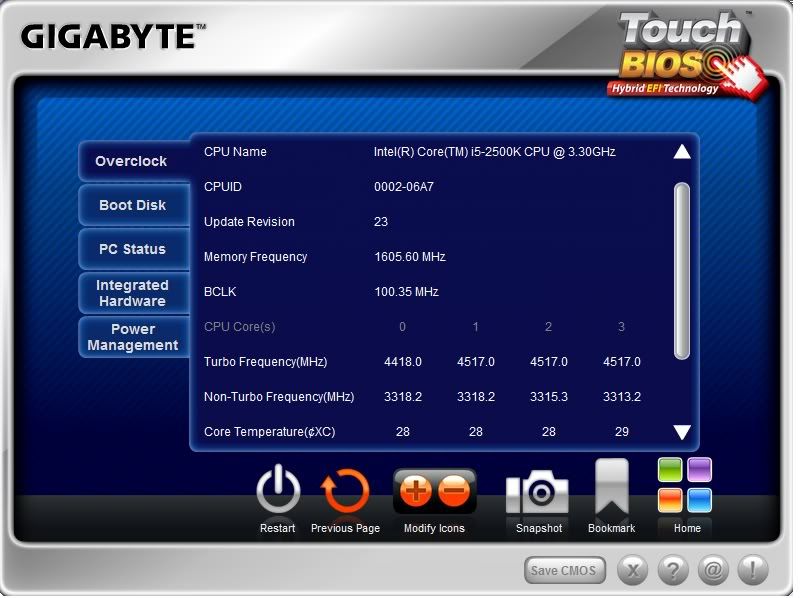
looking at the core temp readouts above I'd say as others have suggested you need to re-apply thermal paste. The difference between core 0 and the others is larger than you'd expect, mine are all within 2 or 3 degrees of each other.
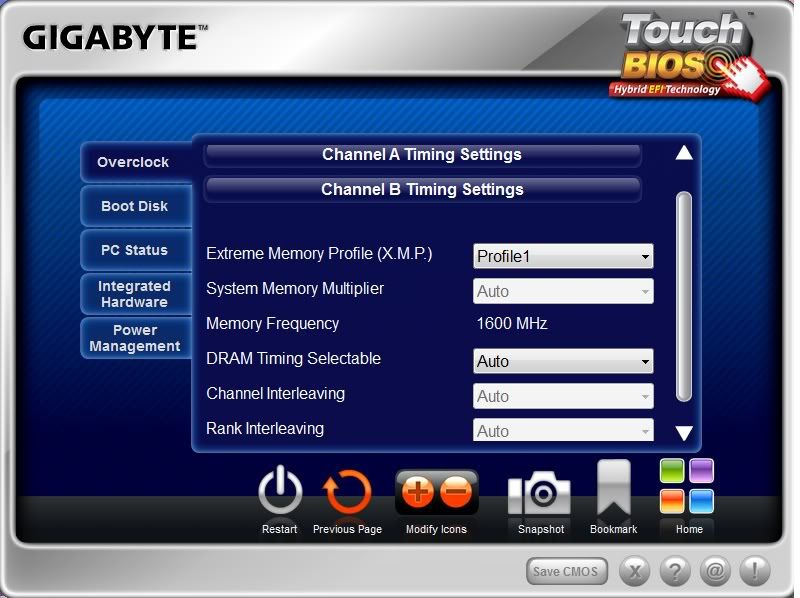
Just to rule it out - did you set the RAM to the XMP in the bios and then manually change the CPU multiplier etc from there?
It might be your RAM causing it to spack out. Technically speaking
You could try setting the vcore to say 1.38 and then test. Then reduce it in increments until you find the lowest stable vcore. I would say that you should have LLC on the highest setting (Load Line Calibration)
Can happen when there is other stuff running on the PC - core #0 holds back a little bit to keep these running smoothly in the background.
Ok thank you everyone that's helped so far, this is my first build and I'm only 15 I had a basic idea on overclocking but have run into some hurdles it's getting late and I have school tommorow so I will be going now, I will carry on tinkering and keep you guys updated on my progress tommorow.
No problems matey. I think we can get it sorted between us all on the forum
I do think a re-seating should be your next step though with conventional thermal paste and then go from there. You should be looking to hit around the 1.33-1.36V mark for vcore for a 4.5 overclock. You could get much lower depending on your chip.
The auto volts will set it higher than it needs to be usually but sometimes a higher overclock can require you to set the vcore at an amount higher than the auto setting.
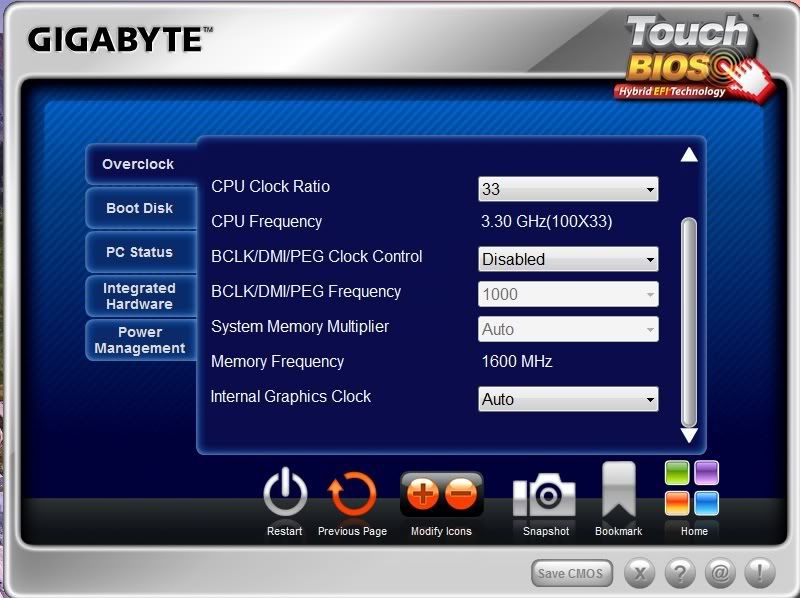
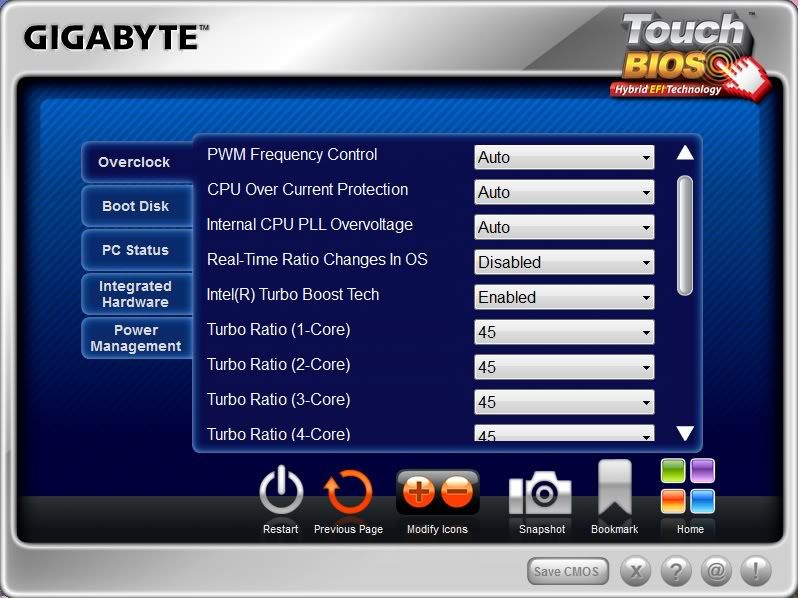
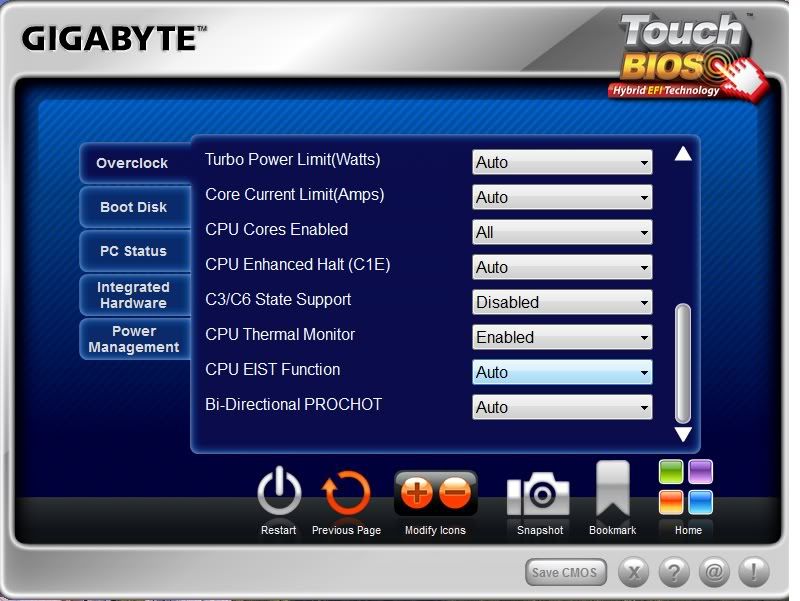
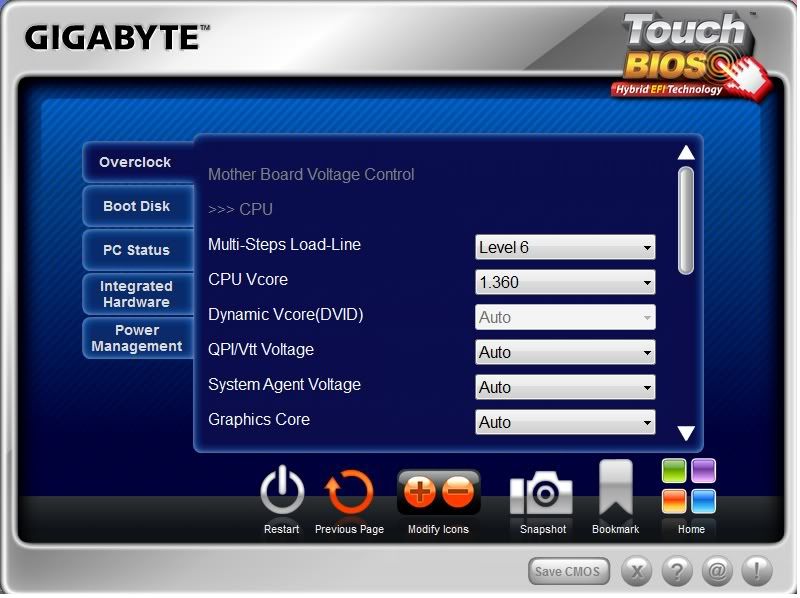
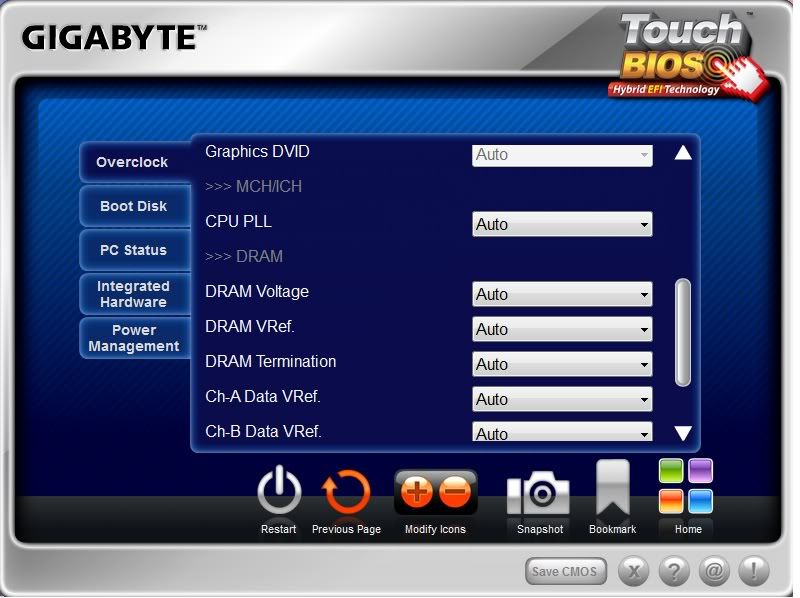
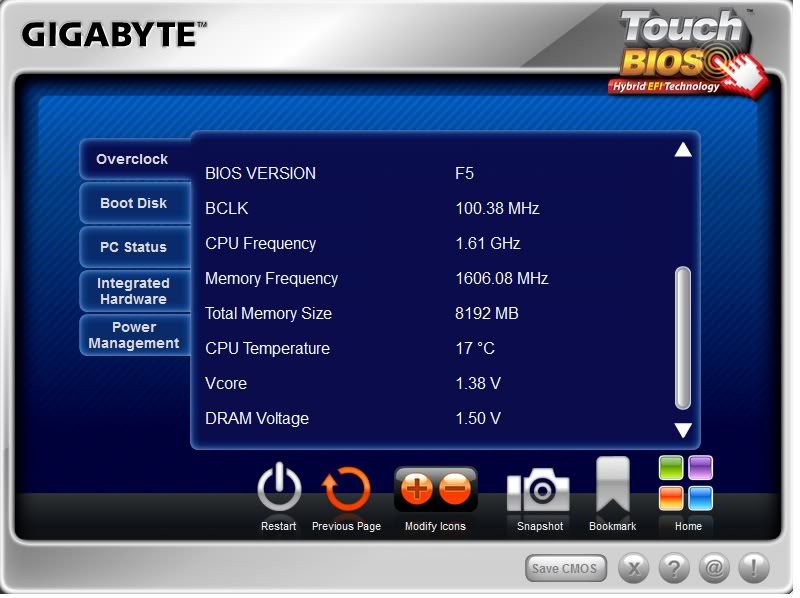
asides the temps im struggling to maintain stability at the v-cores suggested in the quote, i will upload a few screen shots of my bios in a second so you guys can see what's happening.Ok guys here's an update i have ordered the following Arctic Silver ArctiClean Thermal Material Remover and Surface Purifier and Arctic Silver 5 Thermal Compound and will replace my current thermal paste when they arrive.
My luck with overclocking is not going to well