

-
Notice regarding image hosts and attachments. See here.
You are using an out of date browser. It may not display this or other websites correctly.
You should upgrade or use an alternative browser.
You should upgrade or use an alternative browser.
*** Microsoft Windows 11 Thoughts & Discussion Thread ***
- Thread starter Deleted member 77746
- Start date
More options
Thread starter's posts



Just installed the preview update, and the UI definitely feels quite a bit snappier on my 7950X3D/4090, not that it was slow before. Can also see the CPU boosting to almost its max single-core speed, which it never used to boost that high just using Windows, so it's definitely working as intended. It's about damn time they started taking advantage of the hardware.
Last edited:

Soldato
- Joined
- 1 May 2013
- Posts
- 10,170
- Location
- M28
Just manually installed this on my laptop with updates disabled and seems to be working
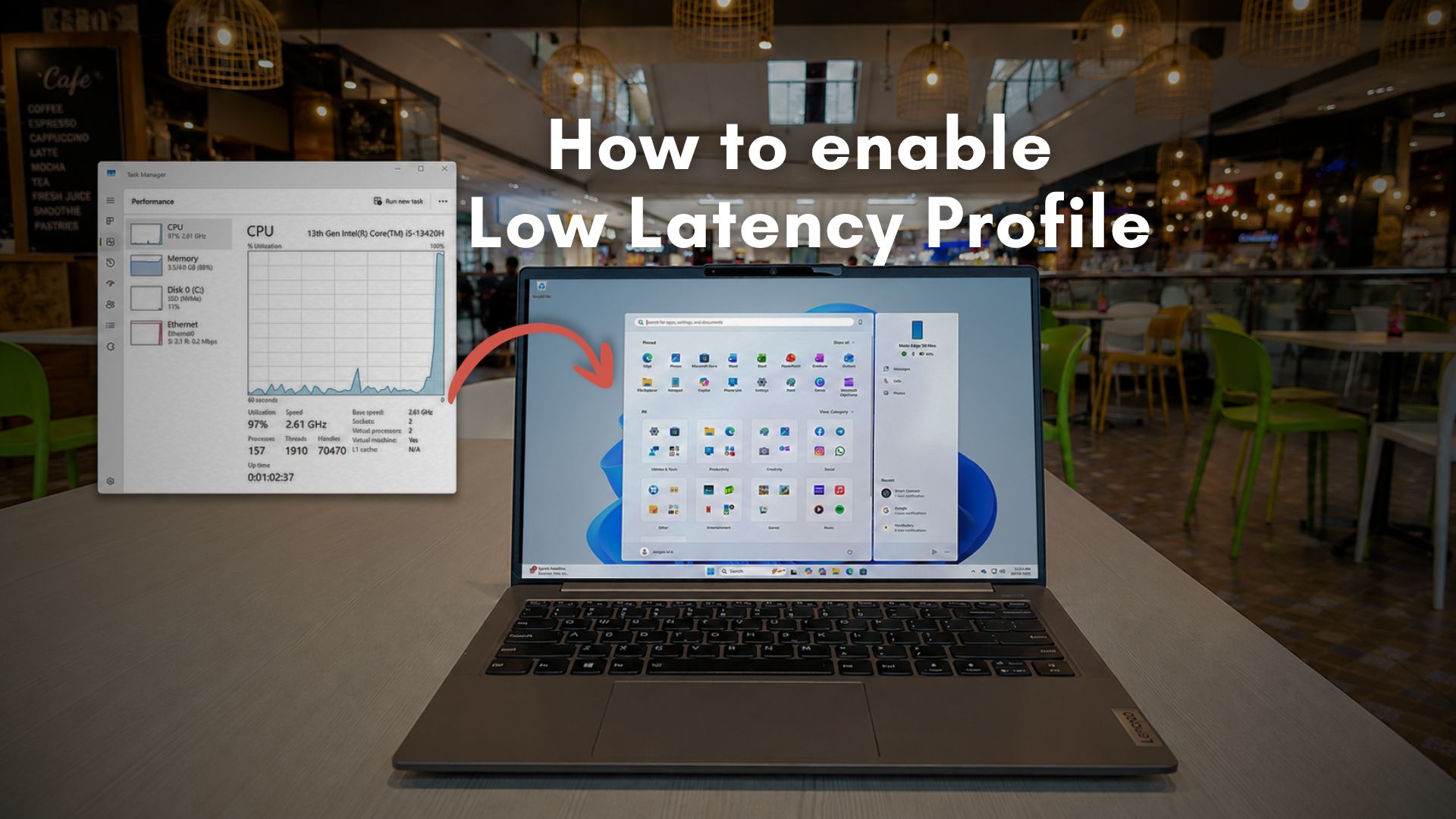
 www.windowslatest.com
direct link to the update
Microsoft's Windows 11 CPU boost is rolling out, and here's how to enable it right now
Windows 11’s hidden Low Latency Profile boosts CPU responsiveness for smoother UI and faster app launches. Here’s how to enable it now.
www.windowslatest.com
direct link to the update
Last edited:

Microsoft's GitHub bans security researcher who posted zero-day Windows exploits because company 'ruined their life' — expert claims action is vindictive and promises further retaliation
"I will make sure your bones are shattered [on July 14]"
All I have to say is wow... And expect more zero days coming out and backdoors in windows and their software. The BitLocker mess to me was a MS backdoor that got finally exposed.
Watch how quickly github users move to a new service if this is how MS behaves when they are caught with their pants down...


Disgruntled 0-day hunter 'humiliated' by Microsoft pledges 'bone shattering drop' as Redmond calls cops
Six 0-days, three under active exploitation, more to come on July 14?
Microsoft’s stance on zero day exploits is a dumpster fire of their own making
Last edited:

You don't necessarily get the latest features enabled with the update - MS does staggered enablement rollouts  which I find super annoying as you can then get problems happening randomly when they randomly decide to turn the update features on for you...
which I find super annoying as you can then get problems happening randomly when they randomly decide to turn the update features on for you...
Soldato
- Joined
- 1 May 2013
- Posts
- 10,170
- Location
- M28
is it enabled? check from cmd, should have an asterisk next to the low latency profile.No issues with the latest update, although I didn't notice it being any snappier even with the Low Latency tool
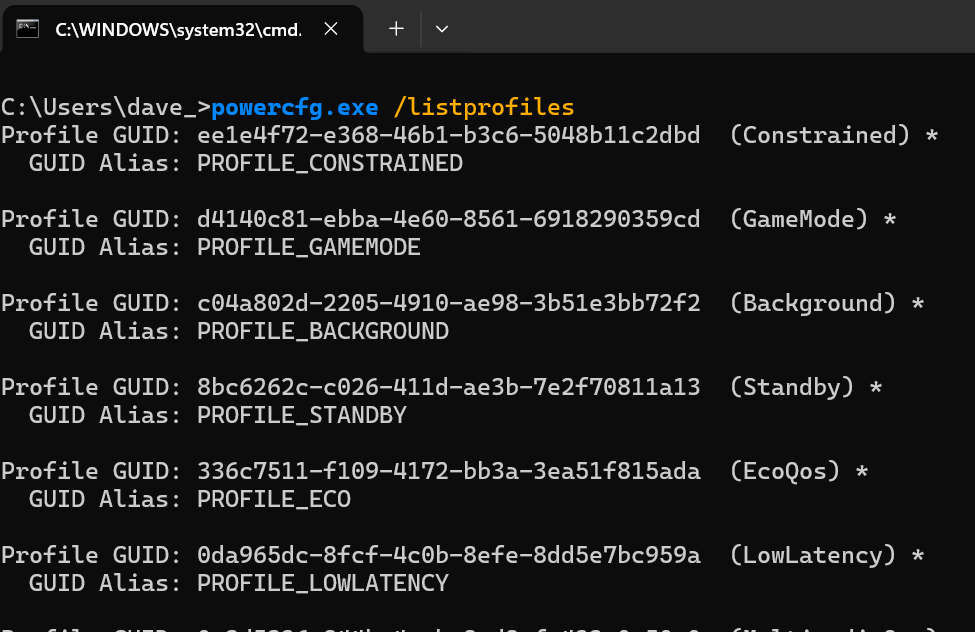
is it enabled? check from cmd, should have an asterisk next to the low latency profile.
Lowlatency enabled

I got the update yesterday and going by CMD it is enabled.is it enabled? check from cmd, should have an asterisk next to the low latency profile.
No issues, but not noticing any difference as well.

Seems the recent big update MS changed the WINKEY+1/2/3/4 etc to quick launch apps in each slot on the taskbar when pinned. I had my Keychron mappings set to custom buttons so had to redo my macros.
The new method is WINKEY+SHIFT+1/2/3/4/5/6/7 etc.
The new method is WINKEY+SHIFT+1/2/3/4/5/6/7 etc.
Microsoft blames unexpected Windows driver updates on caching issue
On Wednesday, Microsoft fixed an issue that caused some Windows devices to install driver updates without notice despite policies configured to prevent auto-updates.
Again MS is updating drivers on machines setup not to receive them.
 bug my *** this is getting really disgusting how much control they have on our computers and how little we have or it's fake settings to please us and really can be overridden at any time by them.
Last edited:
Yup ultimately the end user should have absolute control over drivers - there is so much the update system lacks in real life context awareness and reasons why a user might have a specific driver configuration... accidental or otherwise it should not be happening.
EDIT: Had one yesterday though I'm not sure if it is a MS/Windows update, Lenovo, AMD or a mixture of issue but after doing updates my Legion Go would no longer auto-rotate the screen and I had to edit an obscure registry entry to make it work again
EDIT2: Looks like it is a MS issue and one not fixed for several months, but looks like my device only got the update features enabled which affect this on a staggered roll out seems Windows no longer sees handheld gaming devices as having an auto rotating screen as a feature after an update about 5 months ago and still not fixed...
EDIT: Had one yesterday though I'm not sure if it is a MS/Windows update, Lenovo, AMD or a mixture of issue but after doing updates my Legion Go would no longer auto-rotate the screen and I had to edit an obscure registry entry to make it work again
EDIT2: Looks like it is a MS issue and one not fixed for several months, but looks like my device only got the update features enabled which affect this on a staggered roll out
seems Windows no longer sees handheld gaming devices as having an auto rotating screen as a feature after an update about 5 months ago and still not fixed...
Last edited:
Microsoft just borked my Windows install after an update (and programs were refusing to update from the Microsoft store), I rebooted and could only boot to a black screen. Thankfully I managed to repair it by running the SFC tool in the Windows Recovery Environment. I've noticed that SFC often finds errors after a Windows Update and Microsoft should be more careful about breaking things. Also, why install a Voice Clarity driver through Windows Update all of a sudden?
Also, why install a Voice Clarity driver through Windows Update all of a sudden?
Apparently despite the name it is to fix integrated microphone drivers MS broke awhile back.
EDIT: Or it may be a Voice Clarity driver update in your case (it can show as for example Gigabyte Voice Clarity), but a recent update has an audio component installed as a driver to fix something MS broke awhile back.
Last edited:
It's shown as Microsoft Audio Processing Object driver in Windows Update, but is Voice Clarity (on Gigabyte X570 Master) driver in Device Manager. Thanks, I didn't know that (you are much more informative than Microsoft).Apparently despite the name it is to fix integrated microphone drivers MS broke awhile back.
EDIT: Or it may be a Voice Clarity driver update in your case (it can show as for example Gigabyte Voice Clarity), but a recent update has an audio component installed as a driver to fix something MS broke awhile back.
Last edited:
It's shown as Microsoft Audio Processing Object driver in Windows Update, but is Voice Clarity (on Gigabyte X570 Master) driver in Device Manager. Thanks, I didn't know that (you are much more informative than Microsoft).
I had to do a dive into it earlier when it raised some red flags for me when it showed up in updates with the difference between what it purports to be and what it actually does - it doesn't provide Voice Clarity features it fixes the problem MS made which blocked those features from working as they should.