

-
Notice regarding image hosts and attachments. See here.
You are using an out of date browser. It may not display this or other websites correctly.
You should upgrade or use an alternative browser.
You should upgrade or use an alternative browser.
*** Microsoft Windows 11 Thoughts & Discussion Thread ***
- Thread starter Deleted member 77746
- Start date
More options
Thread starter's posts



Soldato
- Joined
- 15 Oct 2003
- Posts
- 18,153
- Location
- Chengdu
I was given friend’s old system using a Ryzen 1400, as they’ve moved away. Installed this update on to it and I feel the same. I can’t prove it’s better, but it feels it… 
Microsoft in "right move" shocker.
Microsoft in "right move" shocker.
The new low latency mode is fully rolled out since this update whereas it was a gradual rollout previously, that may be why. I think startup from boot is also a few seconds faster, Task manager reports 10.2 seconds boot up time which sounds about right, am sure previously it was around 14 seconds.

 www.techspot.com
I checked my one's status via vivetool and it is enabled.
Windows 11's new CPU-boosting speed trick is rolling out to all apps
Microsoft began rolling out the new Low Latency Profile (LLP) feature to all Windows 11 users earlier this week. The change is part of KB5121003, this month's...
www.techspot.com
I checked my one's status via vivetool and it is enabled.
Last edited:

Windows 11 August Update is Breaking Games, Microsoft Investigates
According to an updated Microsoft support document, the Windows 11 August update is causing problems with games, and the company has officially confirmed that an investigation is underway. The document states that games like ARC Raiders, MARVEL Tōkon: Fighting Souls, and The Finals are...
According to an updated Microsoft support document, the Windows 11 August update is causing problems with games, and the company has officially confirmed that an investigation is underway

So apparently this is affecting Wardogs
Official symptoms include:
the game application becomes unresponsive
the game application closes without notice
the error "EXCEPTION_ACCESS_VIOLATION" is displayed
the device restarting without warning
Windows 11 August Update is Breaking Games, Microsoft Investigates
According to an updated Microsoft support document, the Windows 11 August update is causing problems with games, and the company has officially confirmed that an investigation is underway. The document states that games like ARC Raiders, MARVEL Tōkon: Fighting Souls, and The Finals are...

Windows 11's August update is crashing games and causing PC problems
Following the installation of the August security patch for Windows 11, some users have reported serious problems with their systems. This is a known issue, and here’s how to resolve the error.
 www.pcworld.com
I had the same kind of crashes while playing Wardogs. In my case, the crash dumps pointed to the old inpoutx64.sys driver (INVALID_KERNEL_HANDLE / 0x93).
I disabled the driver via CMD with:
sc.exe config inpoutx64 start= disabled
Then rebooted the PC. Wardogs has been stable since. Might be worth checking if you also have inpoutx64.sys installed/running.
You can check with:
sc.exe query inpoutx64
I wouldn't delete the driver, just disable it for testing.
 www.reddit.com
Last edited:

Something I hate with Windows 10/11 is the way 3D performance is reduced on apps which either don't have focus and/or are on a different monitor to the one which has input focus  My Windows 7 setup will happily run all instance of a game at full speed when the hardware is up to it but irrespective of tweaks Windows 10/11 throttles the performance in stuff which isn't the foreground app (changing things like Game Mode does not fix this).
Last edited:
Bitlocker on or off?
Home desktop gaming pc, just wondering if I should disable it, I think I can disable in the settings somewhere, just unsure if it’s worth keeping on or off for my use case.
Ignore this as its disabled anyway, I thought it might have been enabled after a clean windows install.
One question is it better to have fast startup disabled, its under windows power options settings?
Last edited:

I always turn BitLocker off to reduce unnecessary oveheads and plus I don't need or want it.Bitlocker on or off?
Home desktop gaming pc, just wondering if I should disable it, I think I can disable in the settings somewhere, just unsure if it’s worth keeping on or off for my use case.

Always keep Bitlocker off, if you need encryption then use VeraCrypt. It's better to disable fast startup for reliability, it barely makes any difference to boot speed on a fast SSD.Ignore this as its disabled anyway, I thought it might have been enabled after a clean windows install.
One question is it better to have fast startup disabled, its under windows power options settings?
2026-08 Preview Update (KB5120998) (26200.9278)

 www.windowslatest.com
Windows 11 KB5120998 is now available, and it’s one of the biggest updates of the year, particularly if you care about the Taskbar, Start menu, and Search more than anything else. You can install it via Windows Update, or Microsoft has also posted direct download links for KB5120998 offline installers (.msu).
Windows 11 KB5120998 out with major new features, direct download links for offline installer (.msu)
Windows 11 KB5120998 is now available, and it’s one of the biggest updates of the year, particularly if you care about the Taskbar, Start menu, and Search more than anything else. You can install it via Windows Update, or Microsoft has also posted direct download links for KB5120998 offline...
www.windowslatest.com
Last edited:
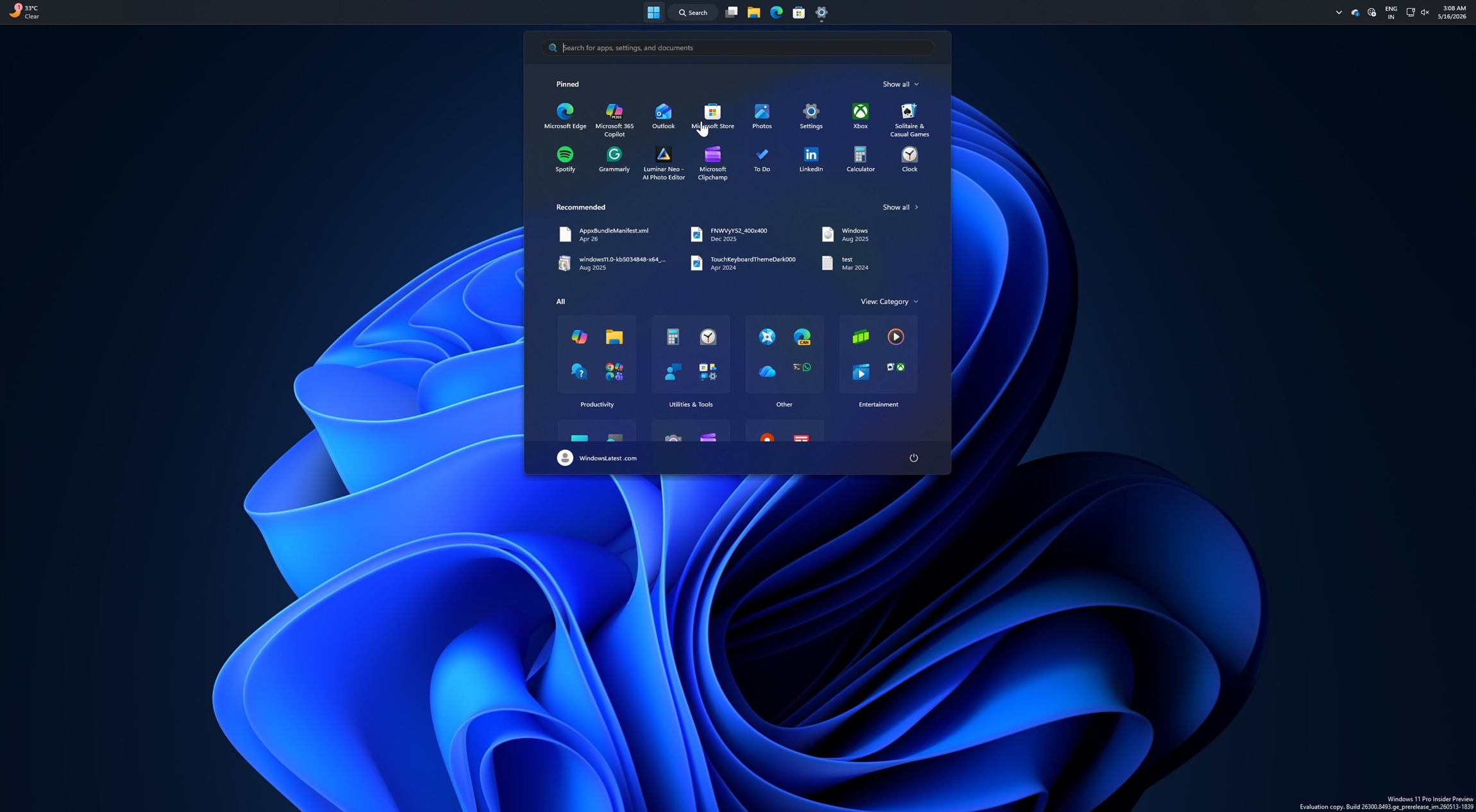
Windows 11 KB5124008 out with 5 features, direct download links for offline installer (.msu)
Windows 11 KB5124008 is here, and it comes with at least three of the most requested features, including a smaller taskbar.
www.windowslatest.com
Windows 11 KB5124008 is here, and it comes with at least five of the most requested features, including a smaller taskbar and Bing-free Windows Search. It’s a massive release, and it also makes File Explorer load faster. In addition to Windows Update, Microsoft has posted direct download links for KB5124008 offline installers (.msu).

Getting a lot more updates these days, mostly security updates but still, which MS consider "critical" and you only have the option to apply the update when shutting down, without the ability to shutdown / restart without it I like to install security updates in a timely fashion but this is making me consider just leaving update blocker on permanently.
I like to install security updates in a timely fashion but this is making me consider just leaving update blocker on permanently.I noticed that one of our mini PC's, N100, was looping in a failed preview update, even though the option to get update as soon as released is off, and continued to cycle between installing, takes a long time, and then rebooting to it being failed. When power cycling again it would still try and fail that preview update. I had to stop the update services and delete the contents of the Windows/downloads folder for it to stop that cycle, well it worked for me. That update is now showing as available if I want to try again, not bothered. Surprised though that it automatically tried to install a preview update.
Then again, I only really notice when there is a problem.
Then again, I only really notice when there is a problem.
Last edited: