MSI Tomahawk Max problem

Associate
Joined
30 Mar 2007
Posts
657
Location
On The Earth
Hi guys and gals..

Current setup is as follows..

Hi guys ....

Hopefully someone might be able to help with this predicament that Im having with this latest build..

Ryzen 7 3700x
MSI Tomahawk Max B450
32gb Crucial Ballistix Sport 3200mhz
Corsair TX650w psu
Samsung Evo 500gb ssd
MSI 2070 Tri Frozr 8gb

The problem I am having is not happening all of the time but does happen quite a lot...

The previous problems that have been consistent is when I boot up the pc and it posts, it shows all connected devices to the motherboard, sometimes when I turn it on the SSD dissapears from the boot display so I have to turn off the pc and then disconnect the ssd from the sata port and then plug it back in and it then works.. This can then work perfectly for a few days before it will happen again..
Today I turned on the pc and everything displayed again apart from my BD Rewriter.. This time I even reset the cmos and when I rebooted it still wasnt showing as a connected device. Removed again from sata port and plugged back in an again not showing. Unplugged yet again and put it into a different sata port and tried again.. This time it has come on showing as a connected device..

I was wondering if anyone has any ideas on what could be causing this problem or if any other have had the same problem...

Thanks guys and look forward to hearing your replies..

Best wishes...

 
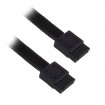
Only thing i can think of is try different sata cables. The ones that come with motherboards are not always very good.

I use these ones and not had any problems. (i did have a lot of connection problems with cables with the metal locking tab)

My bad.. Forgot to add that I have tried several other usb cables and still the same...
 
You haven't mentioned it so forgive me if you've tried but this sounds like a BIOS problem, have you updated it? Failing that removing every device and adding them back one at a time so see if it's something specific?
 
You haven't mentioned it so forgive me if you've tried but this sounds like a BIOS problem, have you updated it? Failing that removing every device and adding them back one at a time so see if it's something specific?

I have today installed the latest bios to give that a shot... Only other things that I have removed is memory and used only the 1 stick.. Apart from the gpu and the ssd there is nothing else in the machine... I'll give this new bios a shot and keep everyone updated if the problem returns..
 
Update....

Updated bios to latest version, changed out sata cable, changed battery in board, cleared cmos....

All worked fine yet again for a few days..

just gone to turn it on again and straight into the bios saying there was no boot drive... The 2 Bluray writers however did show...

Anyone have any other ideas as its now really starting to bug me...
 
Update....

Updated bios to latest version, changed out sata cable, changed battery in board, cleared cmos....

All worked fine yet again for a few days..

just gone to turn it on again and straight into the bios saying there was no boot drive... The 2 Bluray writers however did show...

Anyone have any other ideas as its now really starting to bug me...

Can you try and narrow the problem down to a specific SATA device?

Have you run memtest?

Did you reset the bios after flashing it?
Checked memory voltage and timings?

Feels like motherboard problem to me, might be worth trying outside the case.
 
Try manually setting the bclk to 100.

Time to start thinking about an RMA or maybe @MSIUK Support can help.

Have done the bclk to 100 will try that...
Can you try and narrow the problem down to a specific SATA device?

Have you run memtest?

Did you reset the bios after flashing it?
Checked memory voltage and timings?

Feels like motherboard problem to me, might be worth trying outside the case.

Only sata device that I have left plugged in is the ssd.. Unplugged the optical drives.
Ran memtest with no errors showing.
Yes I reset the bios after flashing the latest bios.
Memory voltage and timings are both ok...
 
how old are your sata drives, have you read and written a lot of data back and forth, if so you may have worn the memory blocks down to the point the drive is misbehaving, if the above is true try and backup that drive and replace before you loose your data.
 
Is it just the SSD that keeps disappearing?

Has the DVD/BD drives even disappeared?

When it is not showing in boot menu, does it show in any other menu?

Can't help feeling it is the SSD at fault.
 
how old are your sata drives, have you read and written a lot of data back and forth, if so you may have worn the memory blocks down to the point the drive is misbehaving, if the above is true try and backup that drive and replace before you loose your data.

Its just under 3 years old... Use only as a boot drive... Hardly anything data for the 3 years its been used... I also always backup my system..

Is it just the SSD that keeps disappearing?

Has the DVD/BD drives even disappeared?

When it is not showing in boot menu, does it show in any other menu?

Can't help feeling it is the SSD at fault.

Its mainly the ssd drive which dissapears, however earlier on in the week I booted pc and it booted into windows fine but for some reason 1 of the optical drives didnt show.. I unplugged it and re-insserted power cable and sata cable and rebooted, same problem as it didnt show.. Plugged the drive into a different sata port and boom when it booted it was there..
 
have you tried just plugging in your dvd drives and cycling the power and boot to see if they remain connected, if so disconnect them and try the same steps with your ssd/hdd if your pc starts playing up then you know your storage drives have problems, at this point you need to try each drive separately until you find a problem

how old is your psu?, same 3ish years as your ssd?

either your board has a fault or your psu could have a problem, drives shouldn't just drop out
 
have you tried just plugging in your dvd drives and cycling the power and boot to see if they remain connected, if so disconnect them and try the same steps with your ssd/hdd if your pc starts playing up then you know your storage drives have problems, at this point you need to try each drive separately until you find a problem

how old is your psu?, same 3ish years as your ssd?

either your board has a fault or your psu could have a problem, drives shouldn't just drop out

Yeah, tried just optical drive and remain connected, disconnected them and only left ssd.. Had the same problem on one occasion.. As I said a single optical drive didnt show the other day until i put it into a different sata port, never had a problem with optical drives until then. Ssd drive was working perfectly in my old system...

PSU is just over a month old as is the complete system apart from the SSD and a bluray writer which are from the old system..

I have got another SSD drive so I am just about to install Windows 10 on that to give that a go..
 
Hi mate ive got a MSI B450 Tomahawk and i was having a problem with installing a M.2 drive had me totally stumped until i found a video on youtube where it said to restore the Bios to default then install version 7C02v19.I did this and it sorted my problem i dont know if it will help with yours.
 
Hi mate ive got a MSI B450 Tomahawk and i was having a problem with installing a M.2 drive had me totally stumped until i found a video on youtube where it said to restore the Bios to default then install version 7C02v19.I did this and it sorted my problem i dont know if it will help with yours.

I'll try anything once...
 
Back
Top Bottom