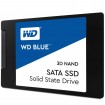
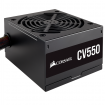
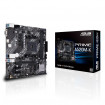
Need help for new gaming pc

So to clarify, are you after a full gaming PC for £800 or less? If you don't have an SSD I wouldn't bother re-using a HDD it will make it incredibly slow...

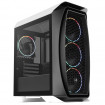
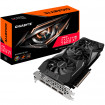
Why do you want the Nvidia 2060 in particular? And the H510 case? As it's not great airflow and a tad expensive for a budget PC.

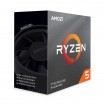
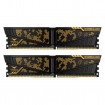
Edit: You could build something like this for under £800... Will perform a little better than the 2060.

My basket at Overclockers UK:
Total: £792.93 (includes shipping: £0.00)
 
So to clarify, are you after a full gaming PC for £800 or less? If you don't have an SSD I wouldn't bother re-using a HDD it will make it incredibly slow...

Why do you want the Nvidia 2060 in particular? And the H510 case? As it's not great airflow and a tad expensive for a budget PC.

Edit: You could build something like this for under £800... Will perform a little better than the 2060.

My basket at Overclockers UK:
Total: £792.93 (includes shipping: £0.00)
Thank you sir i'm not touch computer for long time so i don't really know which one is the best graphics for me to get
about the case i will get aerocool as you said. i think it look better and more cheaper
actually i had samsung SSD 128GB
 
No worries. Geez only 128GB you couldn't even fit COD on that these days! :p

If you're happy to build the PC yourself and get Windows cheap, then I'd go for the above that I suggested then. Get a lot better gaming performance and storage :)
 
3600 is plenty, the X and XT is just slightly overclocked. But if you look around you can get the Ryzen 3600 for £174 and save £35...

If you need WiFi and can’t wire your PC to the router, then change the motherboard to this one linked below which is a bit better and has WiFi built in.

https://www.overclockers.co.uk/msi-...am4-b550-micro-atx-motherboard-mb-358-ms.html

You’re building this system yourself right? Just want to check you know how to do that and install Windows etc yourself? I’d hate for you to order it all and expect it built for you etc :p
 
3600 is plenty, the X and XT is just slightly overclocked. But if you look around you can get the Ryzen 3600 for £174 and save £35...

If you need WiFi and can’t wire your PC to the router, then change the motherboard to this one linked below which is a bit better and has WiFi built in.

https://www.overclockers.co.uk/msi-...am4-b550-micro-atx-motherboard-mb-358-ms.html

You’re building this system yourself right? Just want to check you know how to do that and install Windows etc yourself? I’d hate for you to order it all and expect it built for you etc :p
yes i will build by myself i know how to build :)
so how's different if i use that first motherboard you suggested and get wifi adapter or better go with motherboard wifi built in
 
Great, just checking!

That MSI board I linked is on the B550 chipset. Which is slightly better than the budget A520 board I first linked. It has a PCIe 4.0 slot which may be helpful in the future if you upgrade your graphics card, or if you want a Gen4 NVME SSD drive. Also has better VRMs to support more powerful CPUs if you upgrade that too in the future it’ll help.

Bonus being it has WiFi built in, saving you from buying a separate WiFi adapter on top. Admittedly for more money, but it has other benefits to help you upgrade easier in the future. :)
 
So trouble is I turn on pc and all power on led on cpu and fan working but graphics card fan run and stop and when I plug in to monitor display on for like 10 second and turn off graphics fan stop but other thing still work and led on
 
Take the GPU out and re-seat it properly. It doesn't even look straight at all from the backplate photo. I presume you removed the PCI-E cover properly before slotting it in? You must have or wouldn't got it in at all or powered lol

It should slot and hear a nice click sound, then that should align the card properly on the backplate so you can screw it down correctly...

Your IO shield doesn't look like it's on all that well, as in not flush against the case properly either.

Also are you using HDMI? You should use DisplayPort if your monitor has the output for it.
 
Depends, have you not used the stand offs supplied for the motherboard to rest on? It shouldn't be screwed down straight onto the metal of the case.

The motherboard should be fully raised on stand-offs screwed into the case. That could well be the reason your GPU isn't sitting in the PCI-E slot and aligning on the backplate correctly actually now you've said that.

So yes you will need to remove the motherboard and install the stand offs if you missed them.
 
Back
Top Bottom