


Associate
- Joined
- 7 Sep 2007
- Posts
- 547
I have recently built my rig with an asus Rampage iv extreme with an intel 3930K.
Now I have a few issues, firstly I seem to have oc'd to 4.3 but my windows 7 is not displaying this its showing just over the stock speed of 3.21.
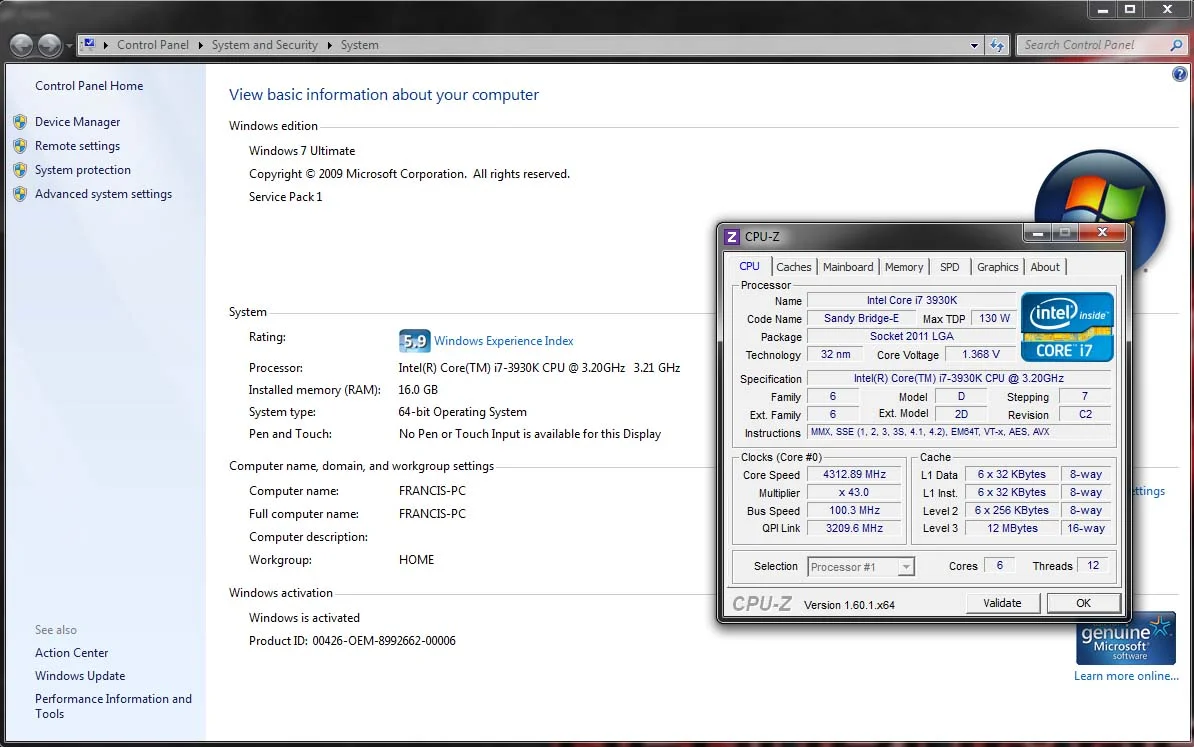
It looks as though its reading the QPI Link rather than the Core Speed??
I ran a quick test using Cinebench and indeed the results show an improvement over stock.
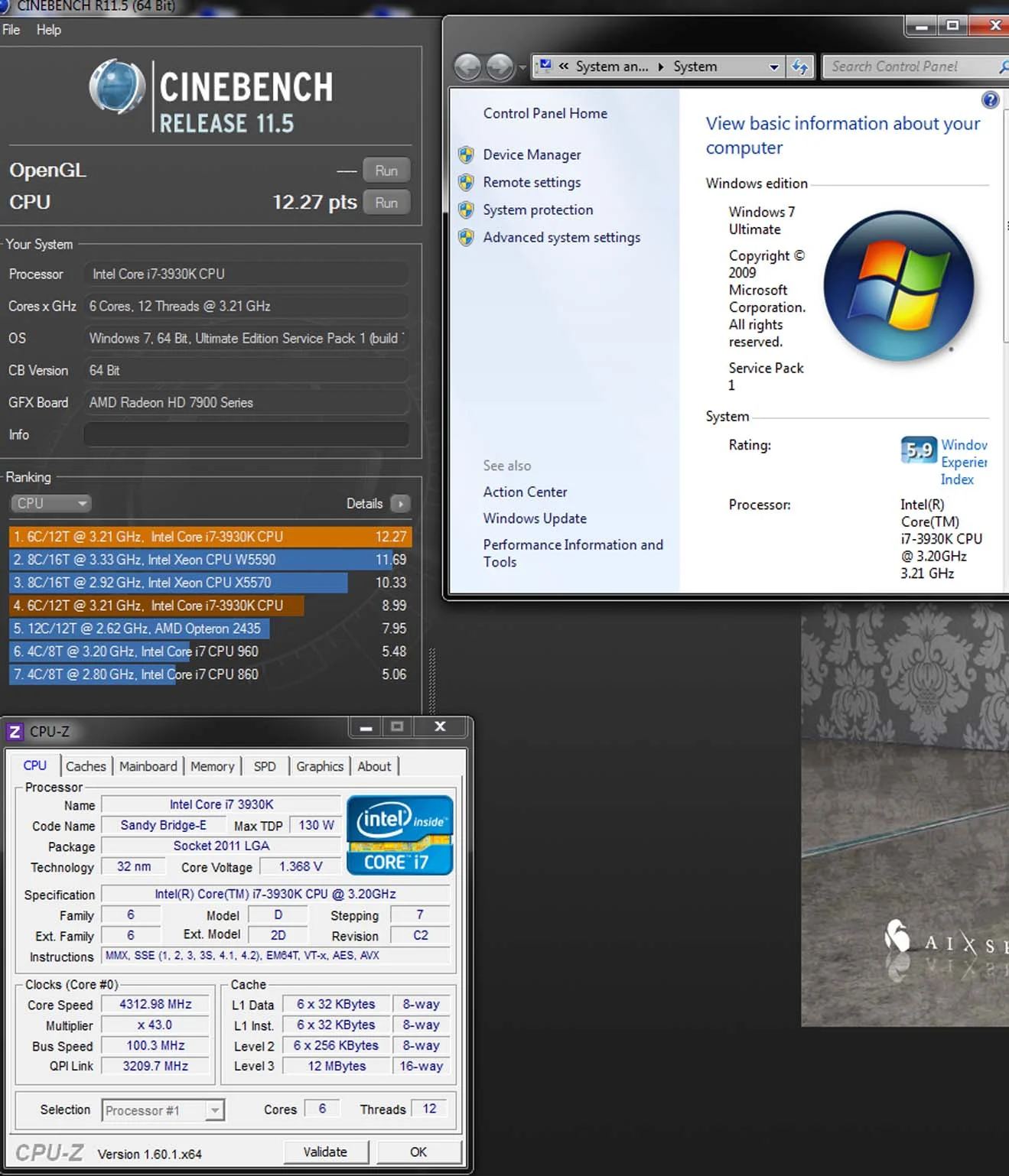
But all along windows 7 says 3.21Mhz
I have disabled Speedstep and all the C1 etc...
Has anyone got any advice please, or anyone that has a same setup and be kind to share there settings? I have also updated to latest bios
Thankyou in Advance
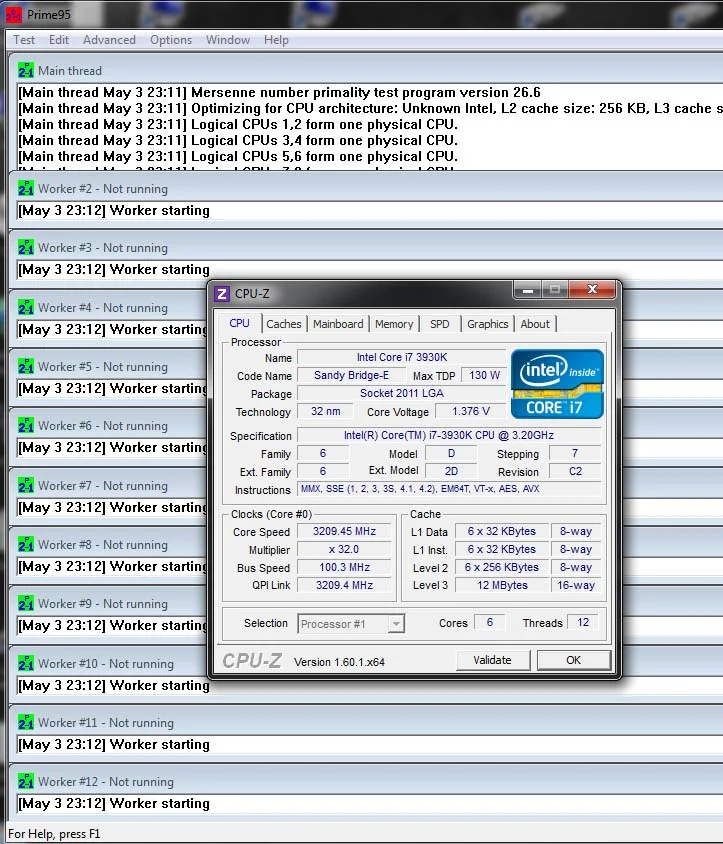
Now comes the 2nd issue if i run prime for a few secs, there is no errors but it resets the multiplier and i get a stock core speed?
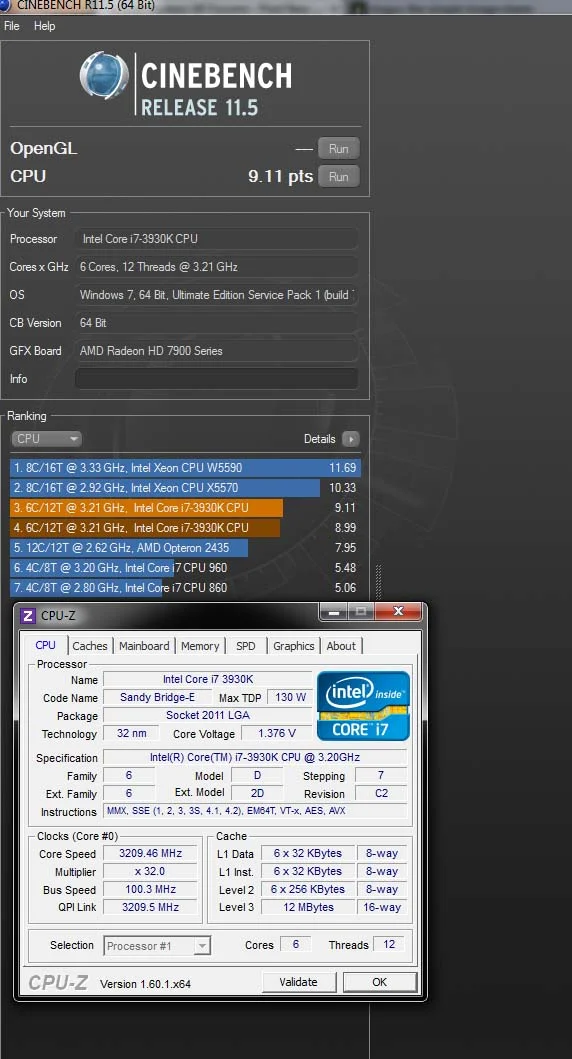
And then if i do another test in cinebench after this the results are less indicating that the speed has in fact slowed down
Now I have a few issues, firstly I seem to have oc'd to 4.3 but my windows 7 is not displaying this its showing just over the stock speed of 3.21.
It looks as though its reading the QPI Link rather than the Core Speed??
I ran a quick test using Cinebench and indeed the results show an improvement over stock.
But all along windows 7 says 3.21Mhz
I have disabled Speedstep and all the C1 etc...
Has anyone got any advice please, or anyone that has a same setup and be kind to share there settings? I have also updated to latest bios
Thankyou in Advance
Now comes the 2nd issue if i run prime for a few secs, there is no errors but it resets the multiplier and i get a stock core speed?
And then if i do another test in cinebench after this the results are less indicating that the speed has in fact slowed down
