Need some help - Custom loop but something aint right

Doesn't sound like a seating issue or TIM at all.
I think re-seating could make a difference, whilst I agree that a slim rad probably isn't enough for all that heat, 70 degrees seems still way too hot. The CPU should be hotter as well if the issue was ineffective cooling capacity.

Example here:
Seems high to me, i have a EX360 rad and GPU doesn't go above 42c.

I have 2x 480's and a single 240. Both 1080's can still hit 42-43c and CPU around 55c.
This seems about normal as it's similar to my temps (obviously with slightly different hardware).

whats peoples preference for direction of water movement?

In practice it makes very little difference to temps as long as things like "IN" and "OUT" on your CPU block are the right way round. to quote direct from the watercooling sticky:
Loop order: it doesn't really make that much difference in what way you order your loop, but the one thing you must make sure is that the reservoir goes before the pump, otherwise you will have a lot less flow than you would like. And in practice I have found this to be true. Just do whatever is the cleanest loop and is most aesthetically pleasing to you.

 
Thanks all for the help.

I have drained the system and am currently moving it over to a p5 case.. while doing that I am installing a thicker 360 radiator and also hard tubing with a bigger res and pump.. the one i have a bit small.

I will try and remove the extra power limit and see if that helps.. whats peoples preference for direction of water movement? GPU or CPU first?


it definatley goes from GPU into the in port of CPU then from the out port back to the RAD.

Ahh ok no problem, just a thought.

Pump size won't make much difference. I have dual pumps in mine and can't say I notice much difference from 20% to 100%.

Loop orientation doesn't matter. Just the best way for you. Ease and looks wise.

Sounds like TIM or just case design to me. I've seen similar problems with people doing front orientated radiators. Due to the massive air restriction some cases give.

If the CPU is at stock I'd say it's suffering slightly.

The p5 should be a lot better for you. I would have gone with a single 480 though?
 
Ahh ok no problem, just a thought.

Pump size won't make much difference. I have dual pumps in mine and can't say I notice much difference from 20% to 100%.

Loop orientation doesn't matter. Just the best way for you. Ease and looks wise.

Sounds like TIM or just case design to me. I've seen similar problems with people doing front orientated radiators. Due to the massive air restriction some cases give.

If the CPU is at stock I'd say it's suffering slightly.

The p5 should be a lot better for you. I would have gone with a single 480 though?

480 RAD over a 360? I still can.. the items i want are on pre order so can easily be changed.
 
Right gonna be a bit cheeky guys but still quite new to this all..

Am waiting on the new thermaltake kits to come into stock that a saw a few weeks ago.

Can someone spec me fort he following as it looks like pre orders have been pushed back.. i need

480 RAD
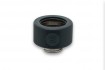
8 PETG fittings
PETG tubing
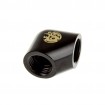
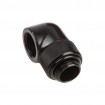
90 Degree fittings (prolly 4)

Large RES/Pump combo (pre that can inlet from the top rather than both in and out at the bottom)

Coolant
and whatever kit to bend the tubing.

I already have fitted CPU block and GPU block.
 
My basket at Overclockers UK:

Total: £213.97
(includes shipping: £10.50)


I've done 16mm tube here. Up to you if you'd rather go 12mm but items are the same. Just different sizes.

Rather than new pump and res. Just use a 250 tube with multiport top and the original bottom. Then you can pump directly into the top via a fitting and the internal 40mm tube to stop it splashing.

Again they do a 400mm version, up to you. I'd measure up to make sure what will look/fit better.

90 degree adapter will require 2 fittings, unless your bending the tube. Or using 12mm and a multi-link adapter https://www.overclockers.co.uk/bitspower-multi-link-adapter-90-degrees-carbon-black-wc-576-bp.html

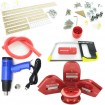
Monsoon bending kit with everything you need. There is a mandrel kit should you need already have heatgun etc. I would also get a pipe cutter as they cut far easier and square vs a hacksaw.

Pastel red does look very nice indeed. See link in my sig. Other than that mayhems aurora looks very nice as well.
 
Last edited:
Thanks Tyler.

I actually just placed an order for some XPSC stuff should be here tomorrow.

will keep everyone updated on the results.
 
Big thanks to those that helped.. seems to have been my original build that was just no up to much running all of the components..

So here she is rebuild 2.0.. So far CPU is idling at 21 Degrees and GPU at 30.. water temp is reading 27.5

So glad i got this case.. going to be wall mounting it.. owe and these Thermaltake fans are very quiet even with 4 on the highest setting.

Only one problem.. the GPU rider cable thermaltake supply is poop and wont even boot my GPU in the 3.0 slot and even in the 2.0 slot performance is really bad.. apparently they are no up to much and thermaltake are replacing them so have to wait till that comes in..

did a quick GPU test with Heavan as best i could with the bad performance and at Ultra GPU is hovering around 52

IMG_20161030_215623-e1477864776206.jpg
 
ok seems it still not performing right..

Finally got the new cable and played some overwatch last night and temps still hitting 63-64 degrees..

guess draining the loop and removing the GPU block is my only option..

at high FPS the card whines a lot also..
 
Every time i post for help somewhere someone seems to spot something else wrong.

Now being told the 6700 @ 4.5 under load that hits 50 degrees under water is to high temp also? I don't think 50 is high at all.

Really am pulling my hair out!!
 
50 degrees is 20 degrees under what would even raise an eyebrow. It's absolutley fine.

So you've rebuilt the loop, right. Describe the problem that is outstanding after rebuild.
 
ok now maybe my CPU block is not on correct...

50 does seem high.. maybe that's what is feeding the hot GPU temps. maybe i put the block together wrong or its fitted wrong?

gonna have to strip it all again.
 
50 degrees is 20 degrees under what would even raise an eyebrow. It's absolutley fine.

So you've rebuilt the loop, right. Describe the problem that is outstanding after rebuild.

GPU temps are still hitting 60-64 under load on some games which seems high for the loop.

Although in the new loop idle temps seem to have to better (CPU 21 & GPU 30) its still getting quite hot under load.

Only things i have not done is taken the CPU block off or the GPU block to see if they are getting good connections.
 
GPU temps are still hitting 60-64 under load on some games which seems high for the loop.

Although in the new loop idle temps seem to have to better (CPU 21 & GPU 30) its still getting quite hot under load.

Only things i have not done is taken the CPU block off or the GPU block to see if they are getting good connections.

Idle temps are irrelevant, really.

Is the GPU shooting straight to 65 degrees, or is it building up from mid 50's over time.?

If you leave the game/benchmark running for a while does it get into the 70's or does it stay at mid 60's stable?
 
The temps fine on the 6700, mine at 4.7 1.384v hit 64.
Its quite common to get coil whine on a gpu at high fps if you mean like 200+.
I would reseat the gpu block if I was you, seems like the most probable cause as your cpu temps are ok and your gpu temps arent.
 
Idle temps are irrelevant, really.

Is the GPU shooting straight to 65 degrees, or is it building up from mid 50's over time.?

If you leave the game/benchmark running for a while does it get into the 70's or does it stay at mid 60's stable?

Depends on the game.

Overwatch will get up to around 60-63 quite quickly

Battlefront seemed to hover around 55 @ ultra settings on endor (which i think is the most intensive map) almost hitting 60 at one point. This game is really bad for coil whine by the way jesus... making my card scream.

Played Skyrim modded last night and again card it hink sat around 55 but as the overlay does not work with ENB / reshade i had to quick alt tab to see the temp so could have been higher (i had shut afterburner down)

Personally i think i am getting my knickers in a twist about something that aint that bad but when others seem to say your not performing at their benchmark it makes you worry then gets irritating when you cant figure a fix.

I think I may check the GPU block as I have been told the pre fitted blocks are not well installed. I may also strip my CPU block and make sure i have the right plate / jet installed in case i mucked them up. I also noticed what looks like tiny little hairline slices around the threads on the CPU in and out ports?? anything to worry about? it doesn't leak and has been running for best part of 5 days.
 
Depends on the game.

Overwatch will get up to around 60-63 quite quickly

Battlefront seemed to hover around 55 @ ultra settings on endor (which i think is the most intensive map) almost hitting 60 at one point. This game is really bad for coil whine by the way jesus... making my card scream.

Played Skyrim modded last night and again card it hink sat around 55 but as the overlay does not work with ENB / reshade i had to quick alt tab to see the temp so could have been higher (i had shut afterburner down)

Personally i think i am getting my knickers in a twist about something that aint that bad but when others seem to say your not performing at their benchmark it makes you worry then gets irritating when you cant figure a fix.

I think I may check the GPU block as I have been told the pre fitted blocks are not well installed. I may also strip my CPU block and make sure i have the right plate / jet installed in case i mucked them up. I also noticed what looks like tiny little hairline slices around the threads on the CPU in and out ports?? anything to worry about? it doesn't leak and has been running for best part of 5 days.

Your temperatures are acceptable, albeit I would expect better results from a custom loop. As long as your CPU and GPU does not go above 70-80C, then your components should not be at risk.

In my opinion, your GPU block has not been pasted as well as it could have. Whether this is worth stripping to remedy is entirely up to you, as the temperatures are on a par with a decent air cooler.

To be absolutely sure, why not open up a game like Witcher 3 and leave it sitting for half an hour and see how hot the card gets?
 
Your temperatures are acceptable, albeit I would expect better results from a custom loop. As long as your CPU and GPU does not go above 70-80C, then your components should not be at risk.

In my opinion, your GPU block has not been pasted as well as it could have. Whether this is worth stripping to remedy is entirely up to you, as the temperatures are on a par with a decent air cooler.

To be absolutely sure, why not open up a game like Witcher 3 and leave it sitting for half an hour and see how hot the card gets?

Yep i can do that as i have it installed. Will do it later and report back.

Its pretty easy to drain my system as i integrated a ball valve at the lowest point that i can get enough out to clear the pipes and take the GPU out so its not much hassle just a pain.
 
ok just let witcher 3 run maxed out for 25 mins

Max GPU temp 59 / Max CPU temp 51

Jesus the coil whine on this thing is so loud i can hear it through my headphones and thats limiting it to my monitor fps..

dones not seem as bad in other games though.. witcher 3 and battlefront are the worse
 
Back
Top Bottom