New build help

Associate
Joined
24 Sep 2011
Posts
477
Location
Ashford, Surrey
Been out of the loop for years and was wondering if someone could spec me up a PC to build for my brother. He plays WoW mainly so nothing to major. He's got a budget of around £700/750 at a stretch.

Doesn't need a case just Mobo/CPU/Ram/GPU/PSU/SSD/HDD

No plans on overclocking so just a decent air cooler would suffice as well.

Thanks.

 
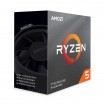
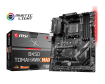
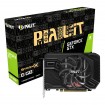
I bought everything in the above list but I swapped the ram for Corsair Vengeance LPX 16GB 3000mhz but the build won’t post. I initially sent the motherboard back but ocuk tested it and returned it to me saying it’s working fine. On the EZdebug the LED is lighting up under ‘boot’ and not CPU, RAM OR VGA... I’m just not getting any signal to the monitor. The only things I haven’t been able to completely rule out is the RAM and the CPU.

Wondered if anyone had any suggestions for me? Thanks.
 
Yeah that’s how it is at the moment, built on top of the motherboard box. Tried each ram slot with both sticks but to no avail. GPU works in my other PC but the ram is different so I can’t try that. Fans all spin up etc but just no display.
 
Is there any post lights showing in the motherboard indicating what the problem is for instance a red would mean CPU etc.

Is the monitor is connected from the Gpu port not motherboard one?
 
From manual....

The power is on, but no signal to monitor
Connect the monitor power cord to a electrical outlet securely.
Make sure the monitor is turned on.
Select different inputs on the monitor.
If 3 long beeps are heard, remove all memory modules and try to install only one memory module in the DIMMA2 slot first and then restart the computer.
If 1 long 2 short beeps are heard, remove and reinstall the graphics card and then restart the computer.
Test with another known working graphics card

As mobo has been tested by ocuk, its a mystery. Check you havent any bent pins on the cpu. best of luck
 
Yeah it’s ‘Boot’ that’s lit, CPU, VGA & DRAM are not lit. And yeah cable is plugged directly into GPU.
Have you got a spare HDMI cable to test with?

If that doesnt work then try removing the CMOS battery for 10 mins then replacing, had to do this with mine before it would go to bios.
 
Last edited:
Hi all, sorry for the slow reply. I’ve removed the CMOS battery and tried all of your suggestions but still no luck! I’m baffled, is there anyway I could have a bad CPU?
 
Last edited:
Back
Top Bottom