

New build issues...won't boot C5 error

Soldato
Joined
28 Oct 2011
Posts
8,947
Board: Gigabyte X870E X3D.

Quick summary.

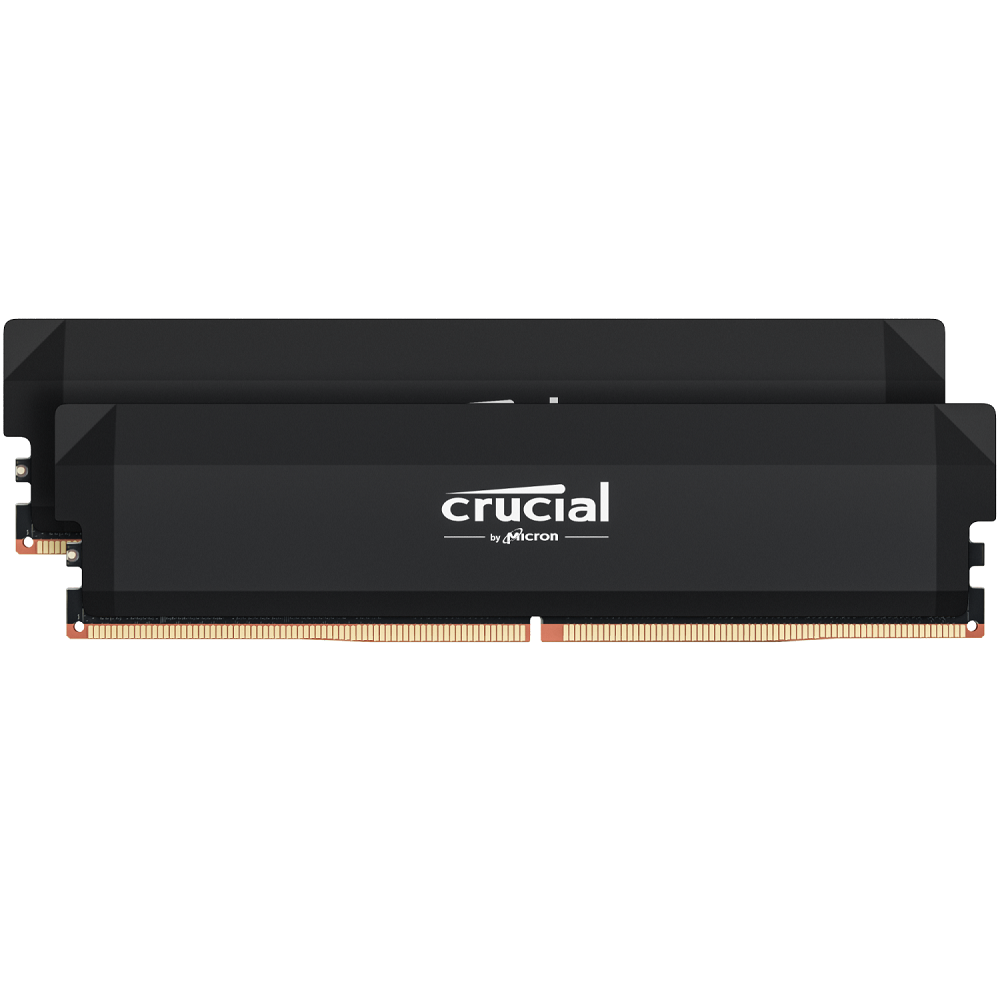
This error isn't listed in MOBO debug list. although it seems to be memory related according to the info I can find. I've tried the RAM stick hokey cokey but to no avail. RAM is -

GPU seems alive (been tested in old PC anyway, it's definitely been seated correcty), PSU came from old PC, - AIO and fans start, but now the AIO screen isn't lighting up, fitted and already pre-plugged in MOBO fans x5 (Antec Flux Pro) don't start up. The back fan which doesn't fit into pre-installed header does start up.

 
Did you change any bios settings for the ram or has it always been like this?

A few things to try

- try 1 stick of ram and see if it boots and maybe try different slots.
- check the ram is in the correct slots
- Try a clear CMOS and try again.
- Make sure the ram is securely installed, press down along the ram and make sure its all making good contact.
 
Last edited:
Did you change any bios settings for the ram or has it always been like this?

It's a new build, i've not even been able to get into BIOS yet,

I've done some RAM testing, slots 1 + 3 and 2 + 4 , tried one stick in 1 and 2.

Sounds like I better make 100% sure it's not RAM, i'll run a further lot of tests, and see what happens.
 
Last edited:
Make sure the CPU cooler is not overtight as it can cause memory errors and would also check the CPU socket for bent pins.

Mite be worth taking the motherboard out of the case and testing on the box with minimal components.
 
Have you checked the revision of the bios at all?

is it possible to update the bios without it booting?
 
Have you checked the revision of the bios at all?

is it possible to update the bios without it booting?

Wouldn't I need to get into Bios to find out the revision?

I think I could try QFLASH with USB drive, if the earlier solutions mentioned don't work. Maybe before that trying clearing CMOS.
 
Last edited:
Wouldn't I need to get into Bios to find out the revision?

I think I could try QFLASH with USB drive, if the earlier solutions mentioned don't work.
Some motherboards allow you to update the bios without having to get in to the bios.

They can have a dedicated port which when a USB stick is in can start the bios update automatically.

What model Gigabyte X870E board do you have?

Checking the CPU cooler is not too tight might be a good step next to try as too tight can cause the board to bend and issues with ram. (Mentioned by Mickyflinn)
 
Last edited:
Make sure the CPU cooler is not overtight as it can cause memory errors and would also check the CPU socket for bent pins.

Mite be worth taking the motherboard out of the case and testing on the box with minimal components.

I'm loathed to take it off as I had a hell of a job getting it on, there just wsn't enough purchase on either side to allow a simple fitting, it took ages to get both sides of the bracket secured at the same time. I'd get one side down and the other would by sliding up an down vertically.
 
Some motherboards allow you to update the bios without having to get in to the bios.

They can have a dedicated port which when a USB stick is in can start the bios update automatically.

What model Gigabyte X870E board do you have?

Checking the CPU cooler is not too tight might be a good step next to try as too tight can cause the board to bend and issues with ram. (Mentioned by Mickyflinn)


X870E AORUS ELITE X3D
 
I'm loathed to take it off as I had a hell of a job getting it on, there just wsn't enough purchase on either side to allow a simple fitting, it took ages to get both sides of the bracket secured at the same time. I'd get one side down and the other would by sliding up an down vertically.
If all other things fault finding fails then tackle it.

Did you fit the cooler on the board before you put it in the case ?
 
Update:

Reseated RAM again, AIO now fully lit, the fans ramp up and down a couple of times, typical startup - but now VGA debug light is on, and error code is 99 "super IO initialisation" according to manual. So that wold rule out RAM?

GPU was working fine in other PC yesterday, it's definitely seated correctly.
 
Last edited:
Update:

Reseated RAM again, AIO now fully lit, the fans ramp up and down a couple of times, typical startup - but now VGA debug light is on, and error code is 99 "super IO initialisation" according to manual. So that wold rule out RAM?

GPU was working fine in other PC yesterday, it's definitely seated correctly.
What's the full spec? Does the CPU have an IGPU you could try?
 
What's the full spec? Does the CPU have an IGPU you could try?

9600x which has an IGPU.

Someone said they had the same error codes and fixed it by connecting HDMI directly to MOBO HDMI port out the back?

I have two monitors curently one DP and one HDMI.
 
Last edited:
9600x which has an IGPU.

Someone said they had the same error codes and fixed it by connecting HDMI directly to MOBO HDMI port out the back?

I have two monitors curently one DP and one HDMI.
Take out the dedicated GPU and drop to 1 monitor.

Try the IGPU and see if it makes any difference.
 
It's alive!

Connecting to MOBO HDMI, did the trick.

First screen was AMI

"New CPU installed - fTPM/PSP NV corrupted" - followed prompt to reset TPM and voila.

I did wonder about the TPM thing before I built it.

Thanks all.
Glad its alive and working.
 
Glad its alive and working.

Yep, cheers, just got to get it to recognise GPU now, it weirdly shows both my 7880XT, and new 9070XT in device manager...also need to fit nvme drives into this system as I was just using a very old SSD to try and boot new system with.
 
Yep, cheers, just got to get it to recognise GPU now, it weirdly shows both my 7880XT, and new 9070XT in device manager...also need to fit nvme drives into this system as I was just using a very old SSD to try and boot new system with.
Keep using the igpu and then connect the dedicated card.

Can then see if its detected in Windows correctly and try and switch over to it after its booted.
 
Back
Top Bottom
