PC booting issue

Associate
Joined
9 Jun 2013
Posts
26
Hi,

My monitor screen recently started playing up with fast moving horizontal green lines and occasionally green speckles appearing in the blacks. I thought the cable might be the culprit, so replaced it, however after doing that the computer wouldn't boot (no BIOS). I heard some crackling sounds coming from the back of the PSU, so suspect that it could be damaged. The strange thing is that the fans come on and the Bluray, DVD and USB Drives are all functioning. I just wondered if it was worth buying a replacement PSU as it might be the card? I am interested in getting a 4K monitor eventually and thought that I could use the replacement PSU in the new build if the old one cannot be salvaged. I'm not sure if a more powerful PSU would be required for a more power hungry graphics card.

Would the Seasonic Focus Gold GX 650W be a good choice, or are there better alternatives?

Any advice would be appreciated,

Thanks


The specs of my PC are - Intel Core i7-4770K 3.50GHz, MSI HD 7870 Black Knight 2048MB GDDR5 PCI-Express Graphics Card, Gigabyte Z87-D3HP Intel Z87, Crucial Ballistix Sport 16GB (2x8GB) DDR3 PC3-12800C9 1600MHz Dual Channel, SanDisk Extreme SSD, XFX Pro Series 650W XXX Edition Modular '80 Plus Bronze' Power Supply

 
Try removing the gpu, resetting the bios and see if it runs with the on board graphics.

Sounds very similar to what happened when my brothers gpu packed in.
 
Last edited:
I will take out the GPU and see if it will boot before committing to a new PSU. I assume to reset the BIOS, I just remove the battery for 5 minutes and put it back in?

I'd get a new PSU, or a spare, and then re-test it.

THIS would do but its out of stock :(

Would that be a better option than the Seasonic, there isn’t much in it price wise? If yes, I will wait until it comes back into stock.


Thanks
 
I will take out the GPU and see if it will boot before committing to a new PSU. I assume to reset the BIOS, I just remove the battery for 5 minutes and put it back in?


Would that be a better option than the Seasonic, there isn’t much in it price wise? If yes, I will wait until it comes back into stock.


Thanks

They're both solid units, but I'd personally go with the SuperFlower - there are alternatives like EVGA, Bitfenix, Corsair HX range and as you've suggested, seasonic.
 
Sounds very similar to what happened when my brothers gpu packed in.

same here, years ago when my 5870 gpu packed up, horizontal green lines.

Ended up buying a really cheap gpu off the bay (£10 or something), not for use, just for testing to see if it was the gpu, and that worked, so i knew it was the gpu.
 
Thanks for the replies, much appreciated.

Now I know that it is likely to be down to two components. If it's not either then I think it's time for a new machine.

If the GPU has had it, any advice on a replacement card around £150 that would make do until I upgrade to a new machine?
 
Hi again,

I have now replaced the PSU, GPU and monitor and tried to boot it today and unfortunately the PC seems completely dead now. Before at least there was some signs of life with the external drives, fans and lights working. Is there anything else I could try as I am completely stumped now? I checked the PSU with the checker and the fan was working, I also made sure the switch was on too. I connected the new monitor with a displayport cable, could that be an issue as the previous monitor was connected using a DVI cable.

Thanks
 
L
Hi again,

I have now replaced the PSU, GPU and monitor and tried to boot it today and unfortunately the PC seems completely dead now. Before at least there was some signs of life with the external drives, fans and lights working. Is there anything else I could try as I am completely stumped now? I checked the PSU with the checker and the fan was working, I also made sure the switch was on too. I connected the new monitor with a displayport cable, could that be an issue as the previous monitor was connected using a DVI cable.

Thanks
everything from the psu connected up correctly?
 
As above.

Also, what BIOS were you on as that motherboard would ideally require the F5 update for improved PCIE support - especially when using Radeon cards (Nvidia seem to be more slutty). It's not uncommon for modern cards to hiccup on older boards if the BIOS is not updated.
 
I would suggest you remove the new GPU, remove the RAM leaving just one stick in, clear the CMOS (remove battery and short the pins marked Clr CMOS for 5 secs (located near the BIOS chips). Disconnect all drives and remove all other PCIe cards. You want the minimum components to test the motherboard. Replace CMOS battery and power up. Listen out for any beeps that may occur.
 
Yes, I made sure that the PSU cables were connected properly.

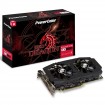
The previous card taken out was the MSI HD 7870 and replaced with the RX 580. The BIOS hasn’t been updated since the PC was built.

Should I try putting the old card back in, then if it works update the BIOS? I am not sure how to update the BIOS if the machine can’t boot.
 
Yes, I made sure that the PSU cables were connected properly.

The previous card taken out was the MSI HD 7870 and replaced with the RX 580. The BIOS hasn’t been updated since the PC was built.

Should I try putting the old card back in, then if it works update the BIOS? I am not sure how to update the BIOS if the machine can’t boot.
You should be able to boot with the onboard graphics from the CPU if you remove the Gpu then try to boot, may need a CMOS reset.
 
The previous card taken out was the MSI HD 7870 and replaced with the RX 580. The BIOS hasn’t been updated since the PC was built.
Then there's a strong chance it may be related to the BIOS - but it may not be your only issue as you had a per-longed problem prior to install so your BIOS may have hiccuped.

I would follow @ChrisLX200 advice - clear the CMOS - battery method is best 10 minutes with computer unplugged and press the power button to deplete all residual power.

Remember to remove all non essentials devices and run 1 stick, use the onboard GFX (just to see if you can get into BIOS) and then re-insert battery after 10 minutes.

If it boots and you manage to get into the BIOS let it sit for few minutes - check temps and then reboot and see if it manages it again. If it does and you feel confident it's stable - flash the BIOS to the latest release via USB (Q-flash for Gigabyte).

If the flash goes without any hiccups - try the new card.

If you don't get any luck after CMOS reset and skeleton setup - then you may have to consider setting up outside of the case...
 
Back
Top Bottom