

You are using an out of date browser. It may not display this or other websites correctly.
You should upgrade or use an alternative browser.
You should upgrade or use an alternative browser.
Photoshop this please
- Thread starter SamPazz
- Start date
More options
Thread starter's posts


Soldato
- Joined
- 13 Mar 2007
- Posts
- 6,575
- Location
- UK

Soldato
- Joined
- 3 Aug 2008
- Posts
- 10,477
- Location
- Bath, England
e: damn it turniphead!


Associate
- Joined
- 9 Mar 2012
- Posts
- 244
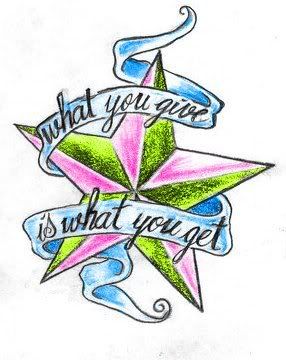

Ca you explain how you did that so quickly?
I have to admit I lol'd.
Ca you explain how you did that so quickly?
just draw around the different bits of the star with the polygonal lasso tool and cut and pasted them on different layers then added a colour balance layer on the top to colour it yellow, hid the other layers and "merge visible layers", done the same to the ribbon, then put the original picture at the back
just draw around the different bits of the star with the polygonal lasso tool and cut and pasted them on different layers then added a colour balance layer on the top to colour it yellow, hid the other layers and "merge visible layers", done the same to the ribbon, then put the original picture at the back
Hm k, will have to have a play.
Just awesome how quickly it's done
just draw around the different bits of the star with the polygonal lasso tool and cut and pasted them on different layers then added a colour balance layer on the top to colour it yellow, hid the other layers and "merge visible layers", done the same to the ribbon, then put the original picture at the back
Mind = Blown.
You can do the same with an area select -> hue/saturation, without even making a new layer.Hm k, will have to have a play.
Just awesome how quickly it's done
You can do the same with an area select -> hue/saturation, without even making a new layer.
Ta, I can do it quicker that

Wish I knew more technical stuff for photoshop, that or was in the industry

Hehe, it for a tattoo? (looks like one) if so I'd go for black/red/gold for that kind of design (deep colours)Haha, trolled as expectedthanks for the serious replies, not sure on colours yet which is why i asked, more ideas are still welcomed.
Pretty easy if you just play about with it, experimentation is the key.Ta, I can do it quicker that
Wish I knew more technical stuff for photoshop, that or was in the industry
Try some cartoon type drawings to get used to layers (use a rear layer for colour for example).

