Rate my concept brochure

Soldato
Joined
12 Nov 2008
Posts
3,378
Location
T.O.
Hey,

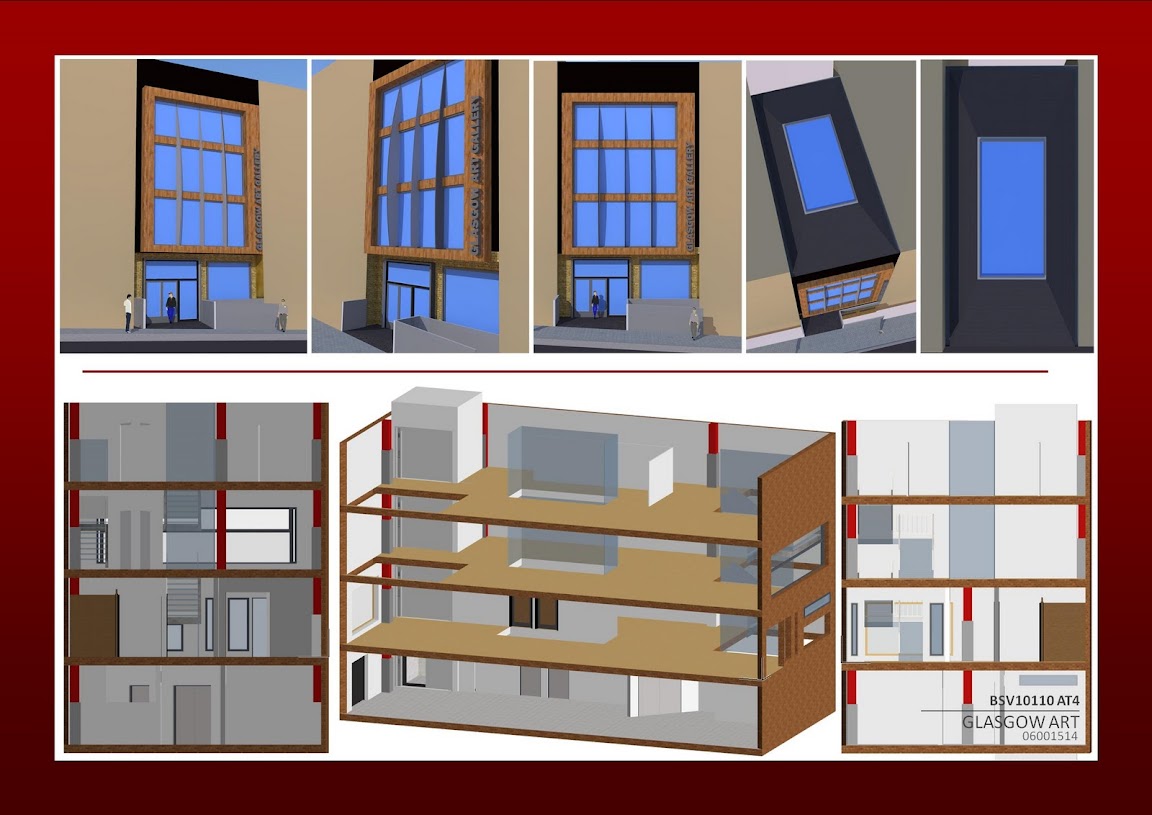
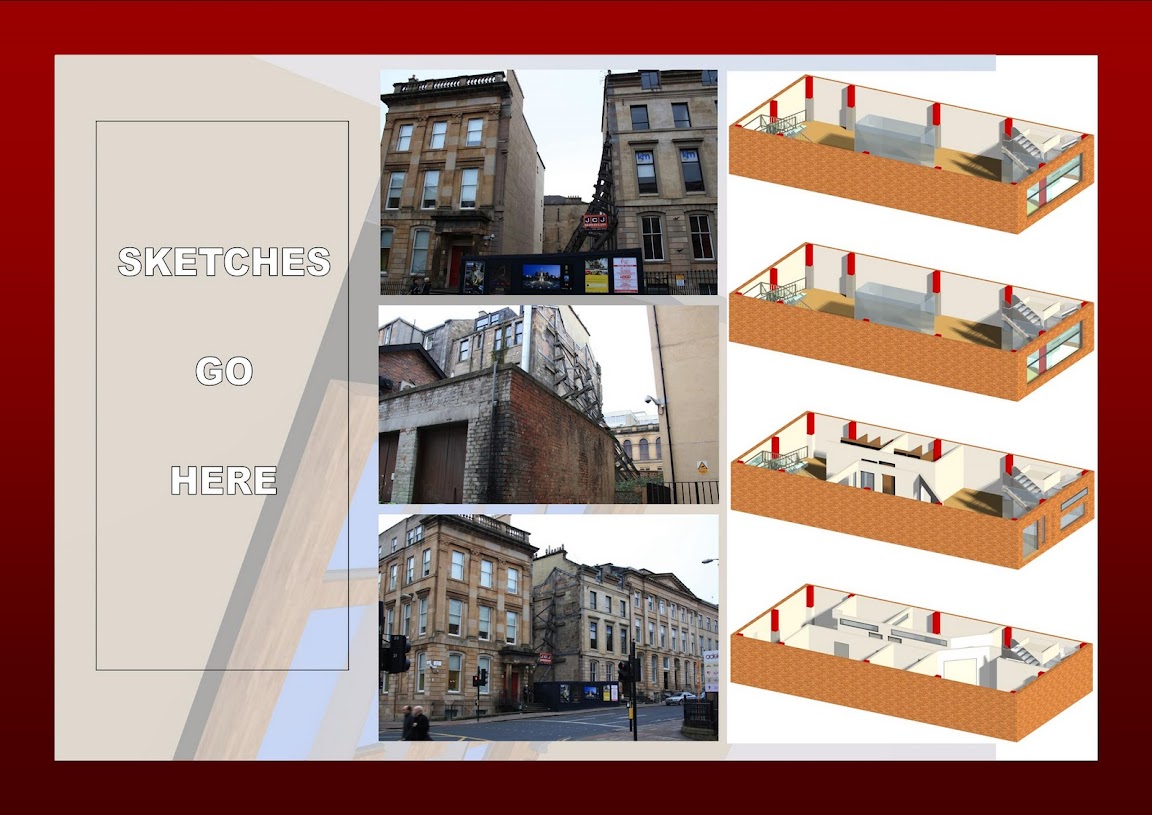
I'm looking for some crit of my Concept design brochure.
It's for my Architectural Technology module, due tomorrow, but worth a massive grade.

I'd be ever so grateful if you could point out anything blatantly obvious that I've missed etc as to attain me a better grade!

This took me bloody ages so please don't be too degrading ;) :p

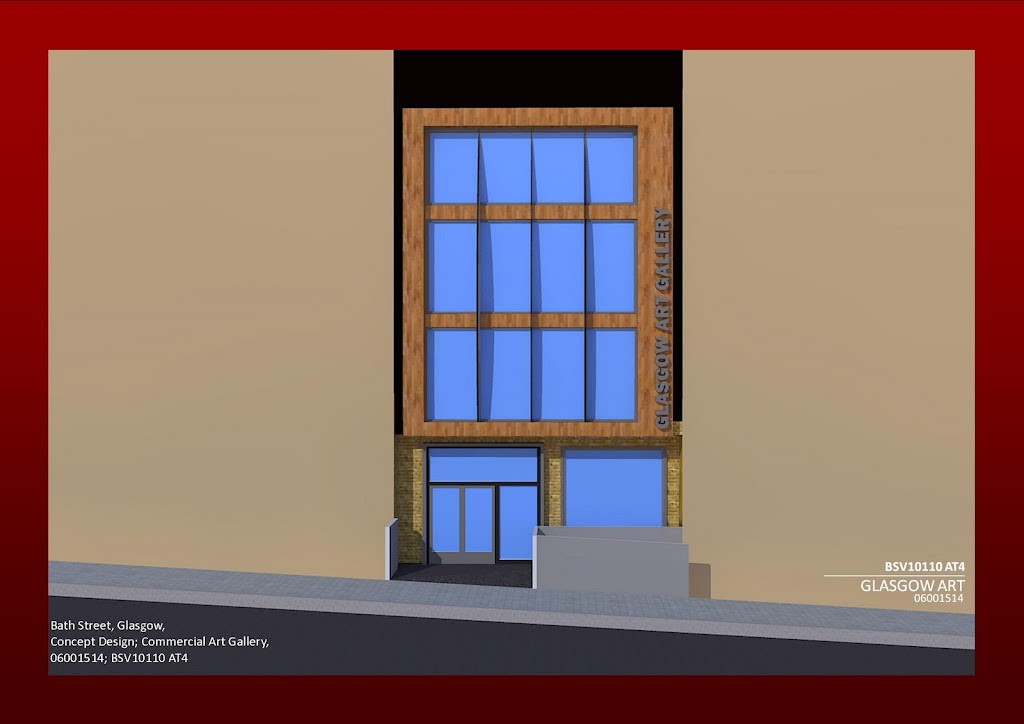
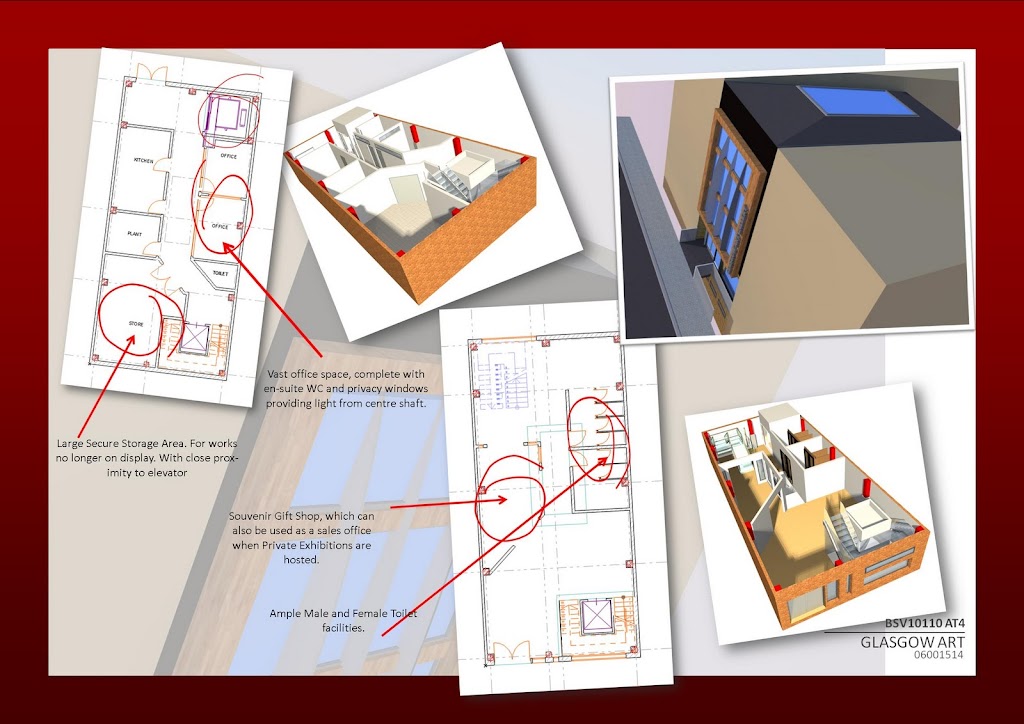
glasgowart2.jpg


Before
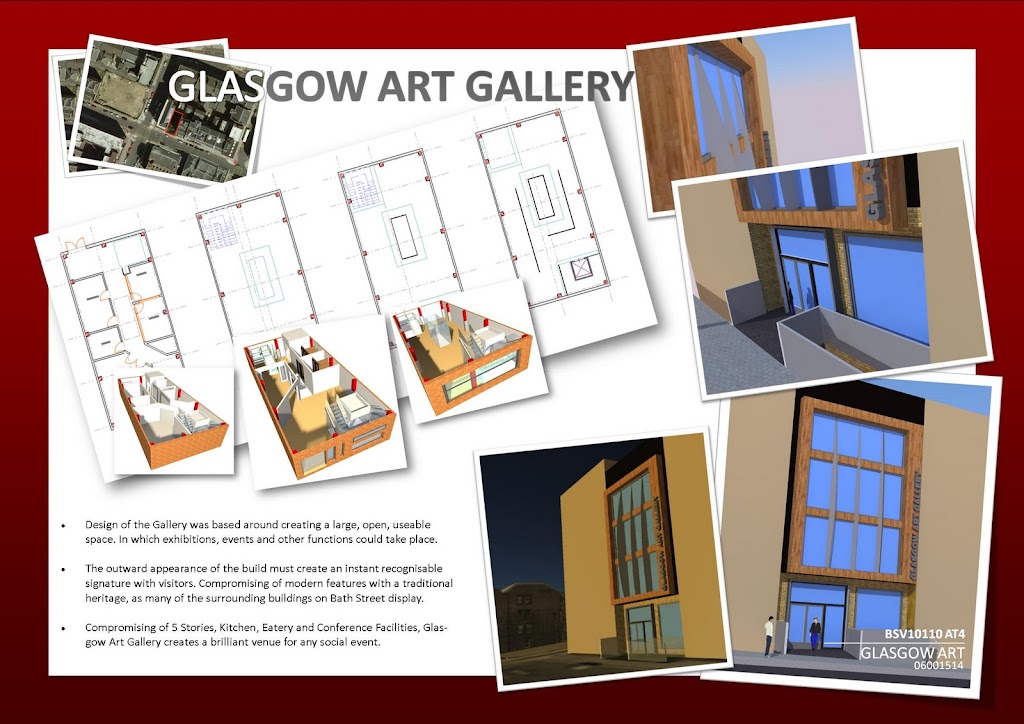
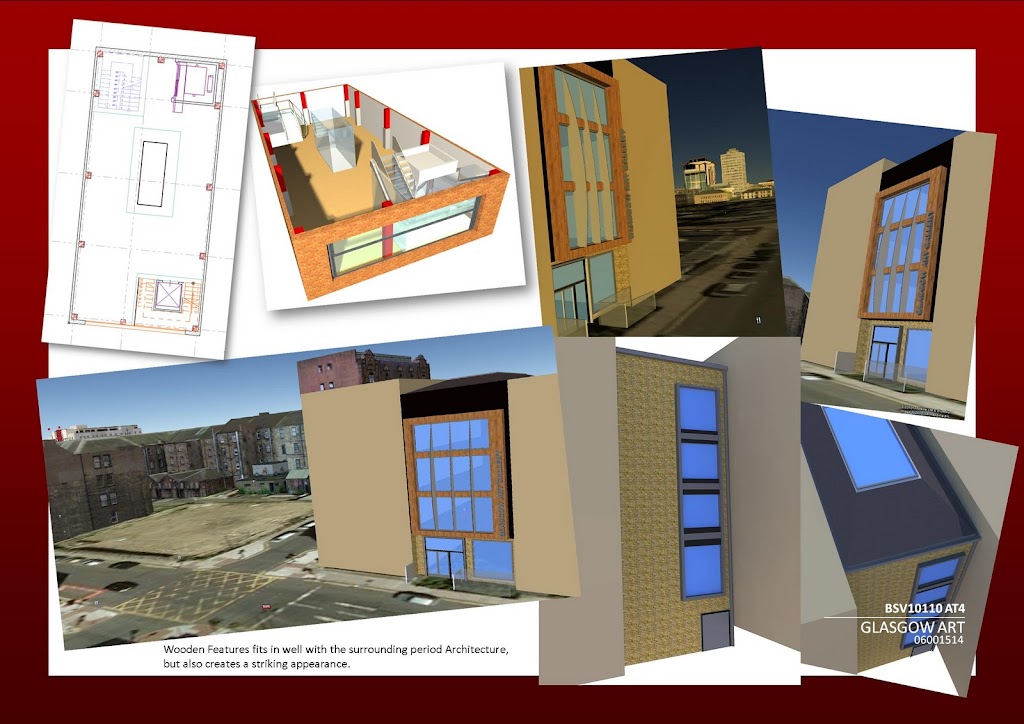
glasgowart3.jpg

After
glasgowart2.jpg


Before
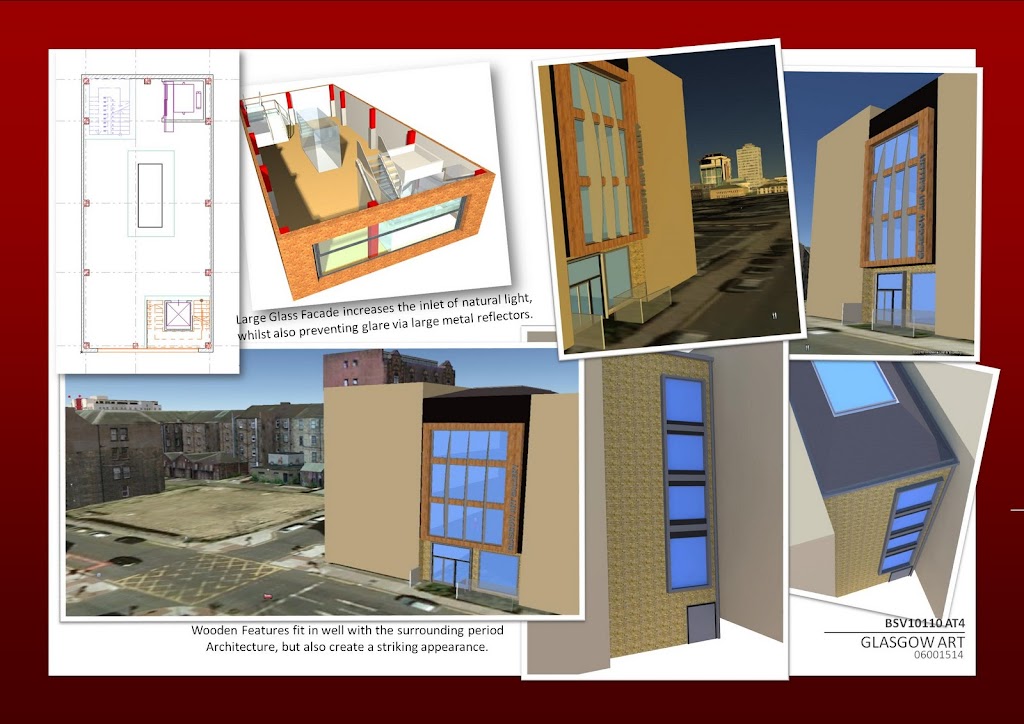
glasgowart4.jpg

After
glasgowart3.jpg


Before
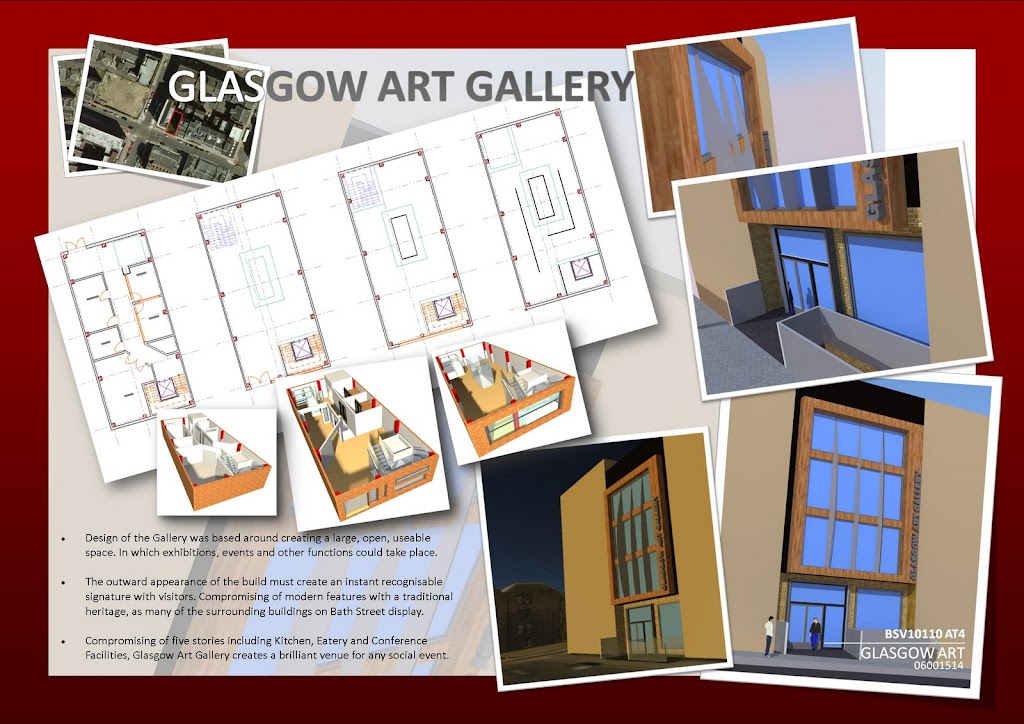
glasgowart5.jpg

After
glasgowart4.jpg


Before
glasgowart6.jpg

After
glasgowart5.jpg


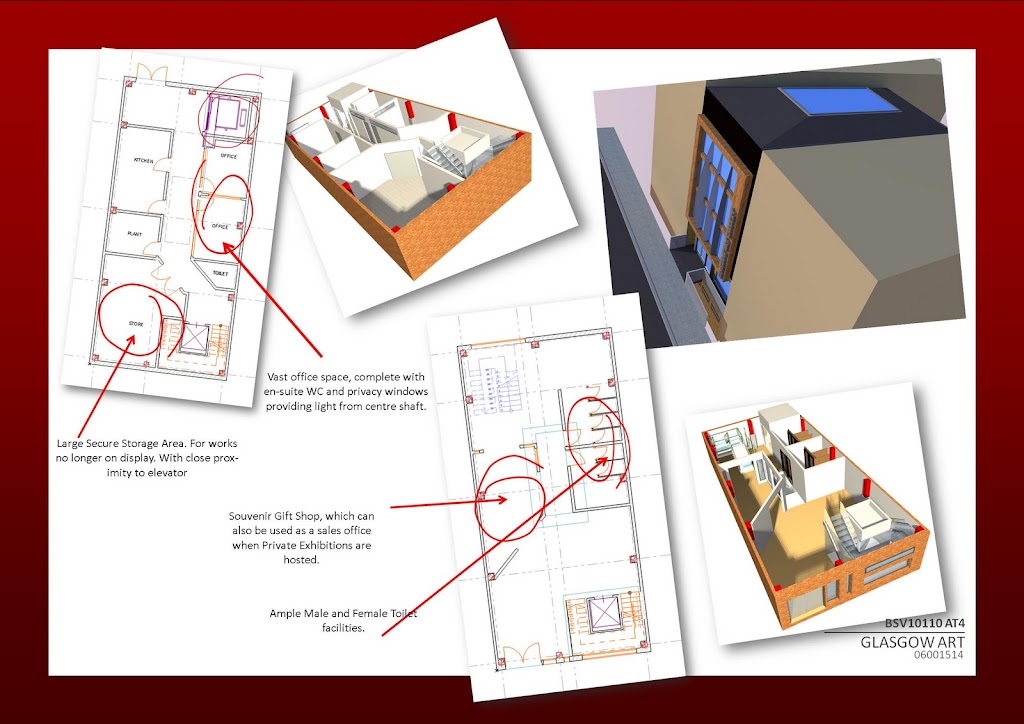
Another Page as requested;
glasgowart7.jpg


Thanks guys :D
 
Last edited:
1st impression

I can't look at the content as the layout ( all the different angles ) screws my eyes up

I have had a few though so it may just be me :p
 
Three things:

1. Are you able to liven up the outside of the building at all? A little bit of greenery is all that's really needed.

2. "Comprising of 5 Stories, Kitchen..." should read: "Comprising of five stories including Kitchen, Eatery, and Conference Facilities..."

- When dealing with academic papers, for numbers under ten it is usually good practice to write the word out rather than using numerals.

3. Where are all the politically correct urbanites including Mr. Token Black?

Finally, as an aside, I would consider trying to use some form of divider between your different angles as at present they all seem to blend into one. A thin white line would be all that's needed I imagine.
 
Better picture separation as mentioned above, a thin border maybe. It is difficult to differentiate between them at the moment. A liitle bit of greenery a shrub or two to break up the browns and beige. Also the red background is too strong.

But overall I think it's great work.
 
First off, thanks for the feedback :)

1st impression

I can't look at the content as the layout ( all the different angles ) screws my eyes up

I have had a few though so it may just be me :p

Yep, I know, I have a habbit of doing this so thanks for making me aware that its awkward to look at, I'll try and straighten them out slightly, did it on one sheet already!!

Three things:

1. Are you able to liven up the outside of the building at all? A little bit of greenery is all that's really needed.

2. "Comprising of 5 Stories, Kitchen..." should read: "Comprising of five stories including Kitchen, Eatery, and Conference Facilities..."

- When dealing with academic papers, for numbers under ten it is usually good practice to write the word out rather than using numerals.

3. Where are all the politically correct urbanites including Mr. Token Black?

Finally, as an aside, I would consider trying to use some form of divider between your different angles as at present they all seem to blend into one. A thin white line would be all that's needed I imagine.

Not sure what you mean by the white line, but appart from that I'll get the rest of your suggestions stuck in there right now. Good point about the numbers thing, would never have thought. I know some of the wording isn't great just now, mainly concentrating on the layout before going into detail as some images might "disappear". Afraid it's on a main street, no chance of any shrubbery in there, anything else you could think of to alleviate the dullness? Cheers :)

The red border just... doesn't look right.

Red has been used because it appears through the design in certain stages and also red is Napier's signature colour... and I also like it :o Cheers though.
 
In image 2 the pictures have a thin border, in image 4 they don't, if this isn't a mistake I would consider giving image 4 the same borders because as stated above the mixture of angles is not very easy of the eye makes the whole page look of a lower quality.
 
Better picture separation as mentioned above, a thin border maybe. It is difficult to differentiate between them at the moment. A liitle bit of greenery a shrub or two to break up the browns and beige. Also the red background is too strong.

But overall I think it's great work.

Ah do you mean similar to page 2, right hand side? If so I can stick them in fairly easily. I left some without borders as I think it can begin to look abit samey. :)
 
Not sure what you mean by the white line, but appart from that I'll get the rest of your suggestions stuck in there right now. Good point about the numbers thing, would never have thought. I know some of the wording isn't great just now, mainly concentrating on the layout before going into detail as some images might "disappear". Afraid it's on a main street, no chance of any shrubbery in there, anything else you could think of to alleviate the dullness? Cheers :)

Just have stock images of people going about their business perhaps? Is it possible to perhaps dim-light or obscure the other areas so focus is drawn to your building a little more?
 
Just have stock images of people going about their business perhaps? Is it possible to perhaps dim-light or obscure the other areas so focus is drawn to your building a little more?

Could create the surrounding buildings in a darker tone? They are suede just now as they are sandstone in real life.

I want to get a night shot of it, but I've no idea how :(
 
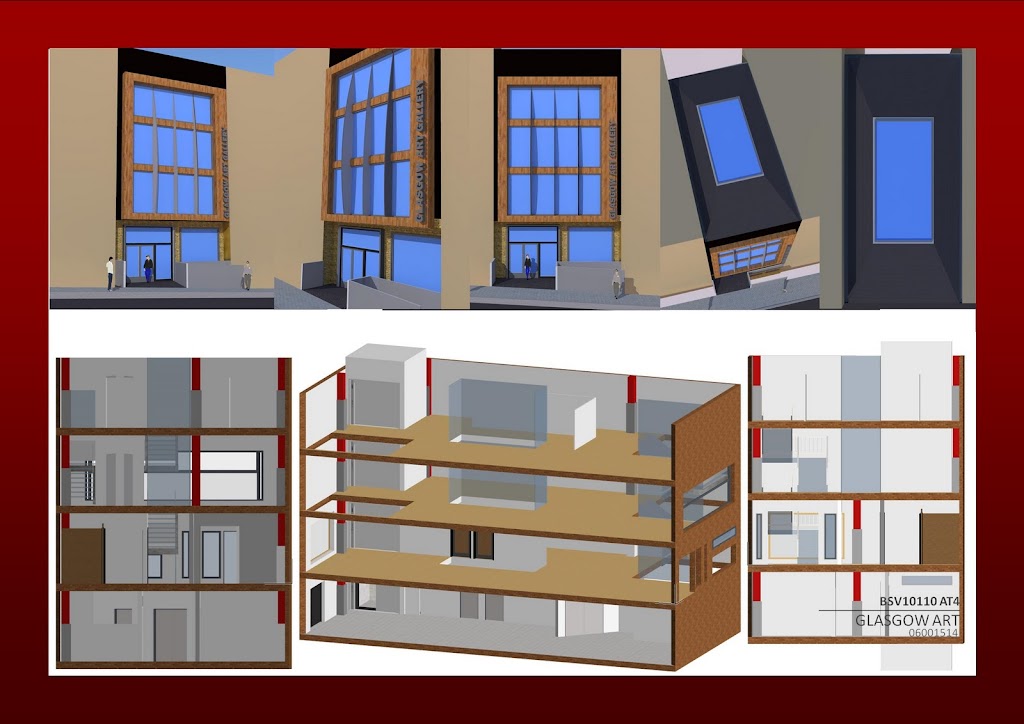
The top row of images on the last page is right up to the red border, it makes the bottom half with the white backround look odd, maybe consider shrinking them slightly to leave a small bit of the whiter around the edge. Also tidy up the bottom of the top row of images on the same page.
 
Ah do you mean similar to page 2, right hand side? If so I can stick them in fairly easily. I left some without borders as I think it can begin to look abit samey. :)

Indeed, or you could follow the shading theme through the entire set of pictures. Also an idea for the surrounding buildings is to increase their transparency, so that your design is not drowned so much.
 
I've been trying to find some architectural flaws in the building but nothing comes to mind right now. Can't see evident structural stability though but depends if you get graded on that. I do like the presentation style personally but I wouldn't be surprised if your tutor prefers the minimalist/lots of white space/pastel colours apprach.

Last sheet shows pretty much the entrance 3/4 times, so possibly too many.
I would photoshop in silhouettes of google-image "stolen" outdoor crowds/passer-bys instead of software figures.

On a side note, it's all very subjective so students can end up designing for whoever is judging the crit as opposed to doing something else.

It's not even 1 am, you've got plenty of work hours left till your submission, hehe. (I've worked on an arch submission till 7 am before for a 10 am presentation.

What year are you in right now? Doing Part 1 though I'm guessing?

Edit: A few of your plans do not show the large glass facades on your front elevation i.e. lighter/dotted/different colour lines.
Edit 2: I am also a bit confused with your facade windows on the rear elevation and the perspective images (cuts, floors, plans) not adding up. 2 different 3D models going on that are not coordinated?
 
Last edited:
Have updated OP with newer versions.

Still think I should straighten them up or is that looking more acceptable? :)
 

Haha yeah, I know, I've been there too, I once stayed up nigh on 2 days in first year getting something "just right". That attitude is long gone now!

It's a steel frame construction, so I can't really go horribly wrong with it, and this is just the first stage, conception. Need to refine even more so then start doing details.

I'm in fourth year just now. 6 weeks or so left and then it's time to start job hunting.

I'm not particularly hot on photoshop, so I'll need to give that a miss I'm afraid, I'll look at some sketchup librarys and try and get a few more models in. :)
 
On the last page on the bottom edge of the top row of images there is a thin dark line that runs from half way along the 2nd image to half way across the last.

260wsr5.png
 
Back
Top Bottom