Soldato
- Joined
- 7 Jan 2009
- Posts
- 7,047
Hey guys,
I have a question regarding my computer sound setup which is layed out like this-
The problem im having,Listening to music is sounds great very clear,But when playing Battlefield 3.. when i move the player for example turning around or going from left to right the sounds cut out from the angle im turning away from.
Its like i only hear the audio right ahead of me if that makes sense.
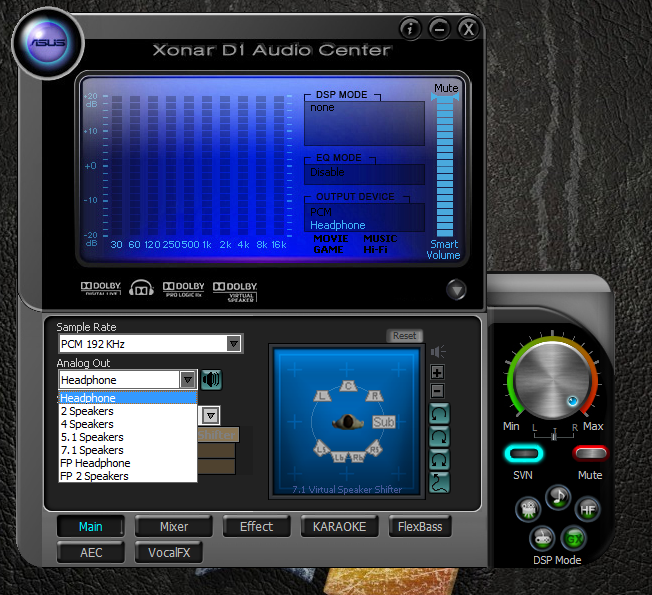
I've looked through the Xonar audio panel settings and also in BF3s audio settings but tried mostly everything.
Is it because im only running the one cable from my sound card into the Headphone Amp?
Appreciate the help.
Thanks.
I have a question regarding my computer sound setup which is layed out like this-
Xonar D1 sound card --->Stereo audio cable (male to male)---->Bravo Audio V2 Headphone Amp---->plantronics gamecom 380 Headphones.
The problem im having,Listening to music is sounds great very clear,But when playing Battlefield 3.. when i move the player for example turning around or going from left to right the sounds cut out from the angle im turning away from.
Its like i only hear the audio right ahead of me if that makes sense.
I've looked through the Xonar audio panel settings and also in BF3s audio settings but tried mostly everything.
Is it because im only running the one cable from my sound card into the Headphone Amp?
Appreciate the help.
Thanks.