

You are using an out of date browser. It may not display this or other websites correctly.
You should upgrade or use an alternative browser.
You should upgrade or use an alternative browser.
ssd doesnt seem as fast as before
- Thread starter adbp1
- Start date
More options
Thread starter's posts

Soldato
- Joined
- 16 Jan 2003
- Posts
- 10,956
- Location
- Nottingham
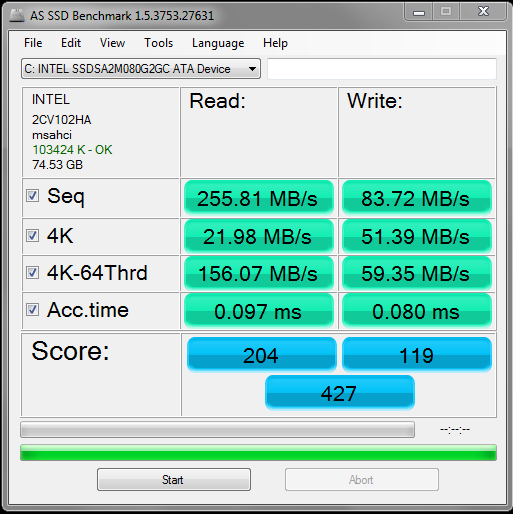
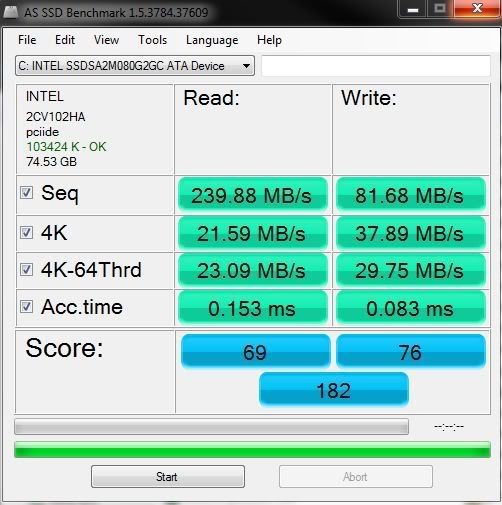
You say nothing changed, but the first screenshot has AHCI enabled and the second screenshot doesn't, so you've changed something, either the bios setting or you've got the SSD plugged into a different port on the mobo.

u know the saying
"cant see the trees through the woods"
thats me
Never heard that saying, but I have heard "Can't see the wood for the trees"

Never heard that saying, but I have heard "Can't see the wood for the trees"
there i go again
******** up as usual!!!!!

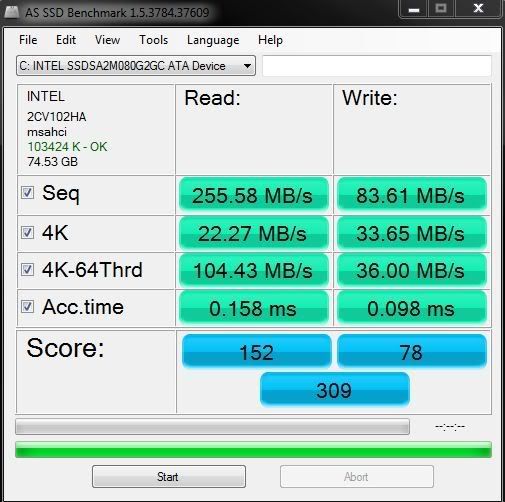

Correct me if I'm wrong but IDE doesn't pass on trim commands? If so you will need to run FreeSpaceCleaner (tick with FF) or something similar, that will fill the empty space on your drive then delete it. That should work I think.
You can download FSC here.
You can download FSC here.

Soldato
- Joined
- 16 Jan 2003
- Posts
- 10,956
- Location
- Nottingham
you are killing it with benchmarks.
just log off windows but keep the pc running, leave it like that for an hour and you'll be reet but if you wanna get more than another six months out of it, stop ******* bench marking it lol
It's an intel drive, he isn't going to kill it with benchmarks.
This is mine after 7 months, still as fast as when I got it.

Last edited:
It's an intel drive, he isn't going to kill it with benchmarks.
This is mine after 7 months, still as fast as when I got it.
Which drivers are you running mate ?
I can't seem to find the latest Intel iaStor package to install.
Any links ?
Soldato
- Joined
- 16 Jan 2003
- Posts
- 10,956
- Location
- Nottingham
Spot on mate

Your drive is in great shape after seven months.
Fresh install tonight :
