Upgrade or complete fresh start?

Associate
Joined
12 Sep 2012
Posts
22
Hi,

I built a desktop machine about 5/6 years ago and then had children! In a flash that time has flown by and it is probably time that I ought to get it updated or complete re-start! Last time my younger brother helped me build it and we were really pleased with the outcome and it was a lot of fun putting it together.

The question that I really need some guidance on is whether or not its a salvage job or complete blank page?

I have a gaming laptop but I also want something that can play games at decent settings on a 144hz monitor (will need that as well).
My current ageing setup is as follows:-

Intel Core i5-3570K 3.40GHz (Ivybridge)
MSI Z77A-GD65 Intel Z77 (Socket 1155) DDR3 Motherboard
8GB ram
MSI HD 7950 Twin Frozr III OC V2 3072MB GDDR5 PCI-Express Graphics Card
Alpenföhn Matterhorn Pure Edition CPU Cooler
Corsair TX650M PSU
60gb Samsung SSD
1TB HDD
Zalman Z9 ATX case

I have a small monitor and peripherals but would want a 144hz monitor as stated above.

Budget wise I have about £1000 to spend and am not fixed on Intel. There is a bit of movement in that budget and could probably stretch it if needs be.

So is it a case of complete new build or salvage any of it?

Thanks

 
My opinion is that you should upgrade,

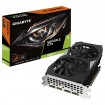
Change the GPU out to something like a 1070/1080. Upgrade to 16GB of ram and maybe a bigger ssd?
 
similar to above - but an incremental upgrade with a view of upgrading to Ryzen 2 next year.

What type of 144hz monitor are you after - 27 inch 16:9 or ultra wide? Either way 1440p would be preferable if you have the funds and dependent on GPU choice.

If you upgraded with one eye on upgrading to a B550/X570 and ryzen 2 next year - you would be better off installing a RTX 2070 to compliment your future build as you would still reap the benefits now - although the 3570K would bottleneck performance - but you wouldn't be aware of this.

You could diminish some of this bottlenecking by clocking the CPU - you have the cooler to do this.

Ideally you would also up your memory to 16gb - either another set of 2 x 4Gb or preferably sell those and stick in 2 x 8Gb. This would reduce the risk of finding out you have a dead socket and also put less stress on the MCC which could affect your clock (if you added one).

So, you would spend approx £800 now basically boosting your present components so that it can play all the latest releases on ultra with your new monitor. But with the intention of spending a further ~£500 next year on a new motherboard/CPU/memory - which would bring your system bang up to date and last you another 6 years+...

You could risk the PSU with the present upgrade - but would consider changing it within the next couple of years or if you have the funds when/if you get motherboard.

Or, as @harry5522 suggested you just upgrade your present system with 1660Ti/1080 another 8GB, clock CPU,larger SSD and monitor and enjoy the unexpected performance boost... If you go down this route i would look out for 1080/Tis second hand locally - they're popping up all over the place. The 3570K will still bottleneck these cards - but again clocking the CPU will help reduce some of this.

Thoughts?
 
Now I like these two replies very much and I really like the idea of doing a bit now and a bit in the future when Ryzen 2 comes out. I'd probably go for 16:9 for the time being to be honest as not particularly bothered about Ultra wide. What's a good memory upgrade these days for 16gb and this motherboard?
 
What's a good memory upgrade these days for 16gb and this motherboard?
16GB is all you need - especially as the DDR3 will not be transferable in your next motherboard.

As mentioned you have two routes of upgrade: either another set of 2 x 4Gb or preferably sell your present sticks and install in 2 x 8Gb. This would reduce the risk of finding out you have a dead socket and also put less stress on the MCC which could affect your clock (if you added one).

Is your system clocked?

Presuming you have 1600 memory - these are your 2 choices/cost:

My basket at Overclockers UK:
 
I always advocate for the ship of Thesis approach, especially with PSU's, Cases, Ram (provided its the right generation for motherboard), and OS.

You can either go new GPU and keep the rest, or start a new build. If you do I think the HDD, PSU and Case could be reused. I'd at least start a build with them and upgrade if needed.
 
Last edited:
leaves £500 for Zen2 upgrade in the future , shoudl secure mobo, 8 core and ram

My basket at Overclockers UK:
Total: £470.48 (includes shipping: £10.50)
He may be considering the bigger upgrade - similar to other thread - an RTX 2070 now with higher res monitor, memory etc and then using extra money to purchase the zen2 and b550/X570 board next year.

I think he's assessing his options - the bigger upgrade makes sense as he upgrades so infrequently.
 
He may be considering the bigger upgrade - similar to other thread - an RTX 2070 now with higher res monitor, memory etc and then using extra money to purchase the zen2 and b550/X570 board next year.

I think he's assessing his options - the bigger upgrade makes sense as he upgrades so infrequently.

loose guessing and dont hold me to thing .

entry X570 £119+ £100 16GB ram + £300 8 core Ryzen (hard to guess with pricing and cores, all I know if there is a 12 core 100% but prices will have to be cheaper then intels 9900k but not to cheap to distract from Thread Ripper sales.

Pushing 2060RTX and Faster 6 core ryzen + X570 would be a good shout - monitor will still set back £400 for good 1440p 144hz
 
Yeah, i didin't explain myself very clearly.

I think he may do the £1000 now on card, memory etc and then spend an additional on the board/CPU next year - very much like the other thread (but i may be wrong)

I'm predicting ~£500 for b550/x570, 16GB and CPU too - seems about the right price to sucker punch INTEL in the nuts. Here's hoping, anyway...
 
Back
Top Bottom