


• Notice regarding image hosts and attachments. See here.

USB wifi adapter

Quick Google suggests BrosTrend WiFi 6E AXE5400 Linux dongle.

‘Offering plug-and-play compatibility and fast tri-band speeds on Debian and Ubuntu distros’.

I was curious to know which one myself but no experience of this brand personally.
 
I have noticed a lot of new USB WiFi adaptors are Windows only, as the driver is built into the dongle, and only exposes the adaptor after the Windows driver is installed.
 
I used to have a TP-LINK TL-WN722N adapter which worked flawlessly out of the box on Linux, but unfortunately they are quite old now so not really good if you want the latest spec.
 
Last edited:
All that matters is the chipset the device uses. You're blessed these days in the fact that Linux wireless support is amazing and usually well supported. Look at the devices in the price bracket you're wanting to spend, google the device you settle on and add "chipset" or "linux driver" to the search string and read through the results. You'll find that most of, excluding the most recent devices, are well supported. The only time you'll really have issues is if you're dual booting with Windows and still have Windows Fast Boot enabled. Part of the fast boot function means it skips initialisation of non-essential peripherals (which includes Bluetooth and various firmwares which would be used by wireless devices and why Linux sometimes can't initialise a device if it's plugged into the front panel of a case). It's one of the most frequent wifi issue questions on the Fedora forums and the most common answer to fixing the issue is "have you disabled fast boot?".
 
Last edited:
I used to have a TP-LINK TL-WN722N adapter which worked flawlessly out of the box on Linux, but unfortunately they are quite old now so not really good if you want the latest spec.

TP-Link is probs a good one to look at, I recently picked up a UE300 from them.
Granted it's a USB3 to GB eth dongle but it works flawlessly on Alpine Linux running on a 10+ year old laptop.
There's a Linux driver for it on their website but the driver supplied with Alpine works fine so not looked at updating/replacing it.
 
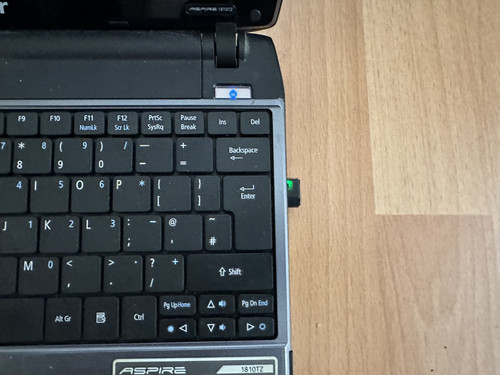
I just received a TP-Link Archer T2U Nano AC600 WiFi Dongle for £7.49 which only officially supports Windows and MacOS but I got it working in Linux Mint 21 Vanessa by running these commands in the terminal.

sudo apt-get update
sudo apt-get install -y dkms bc build-essential git linux-headers-$(uname -r)
git clone https://github.com/morrownr/8821au-20210708.git
cd 8821au-20210708
sudo ./install-driver.sh

I already had a TP-Link TL-WN727N Wireless N USB Network Adapter 150Mbps which worked without having to install any extra drivers but I wanted something smaller and dual band.

 
What Kernel are you running? Because that GitHub repo states the following in the README.md
Notice: An updated standards compliant (mac80211), in-kernel driver for rtl8821/11au chipset based adapters and modules is available and as of kernel 6.14 is of good quality. If your distro uses kernel 6.14 or later, there is no need to install this driver. The in-kernel driver is part of the rtw88 series of drivers. The in-kernel driver is Linux Standards compliant (mac80211) and is a much better driver than this one. This driver will no longer get API related updates beyond kernel 6.14 (unless provided by a user).
I can't imagine Mint 21 is still using a Kernel older than 6.14, is it?

 
I can't imagine Mint 21 is still using a Kernel older than 6.14, is it?

It is running an older Kernel. Linux Mint 21 itself is supported until April 2027 and then I might have another go at installing a newer version of Linux Mint. Last time I tried I didn't get anywhere, but I was a Linux newbie back then. Anyway for the time being I'm up and running and have 6 months of support left.
 
Last edited:
Back
Top Bottom

