what am i doing wrong?

paradisiac, reset your system back to stock and get your booty over to the memory forums and read, read, read! . . . use the search function also! :)

With your system set back to stock 333MHz-FSB it should be one adjustment in the BIOS to unleash your sticks @ DDR2-1066 . . . :cool:
 
lol i guess, but if i know the cpu is stable at 2.8GHz, can i not adjust the ram with that, all i have done is upped the fsb to 375. starting to get fed up of this, thinking i might just sell this and my internet pc and invest in an i7 :(
 
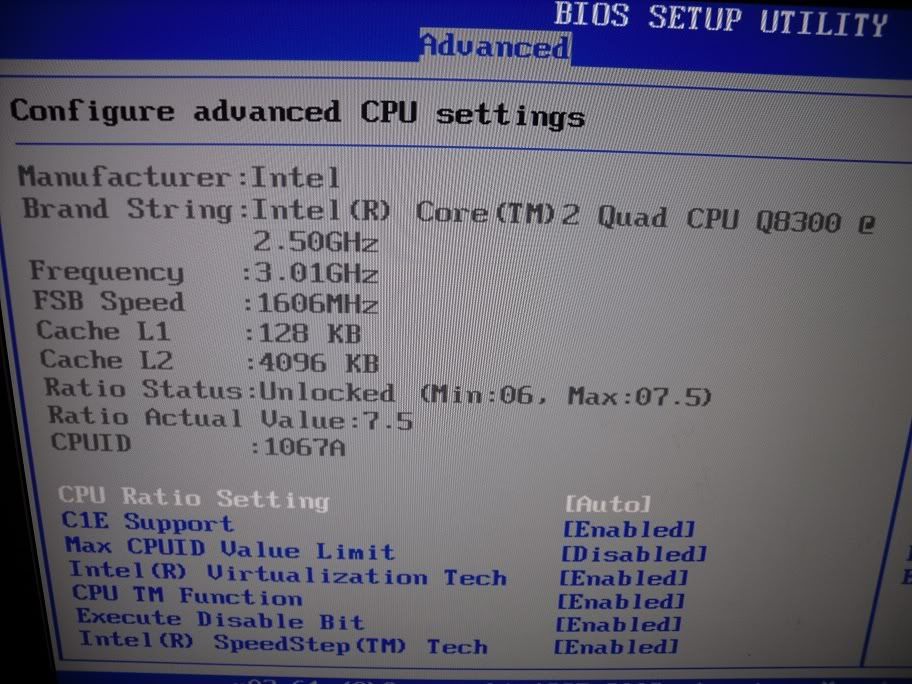
does this (mainly the 3.01GHz) have any relevance to what i can achieve (this is restored back to deafult settings)?
1-1.jpg


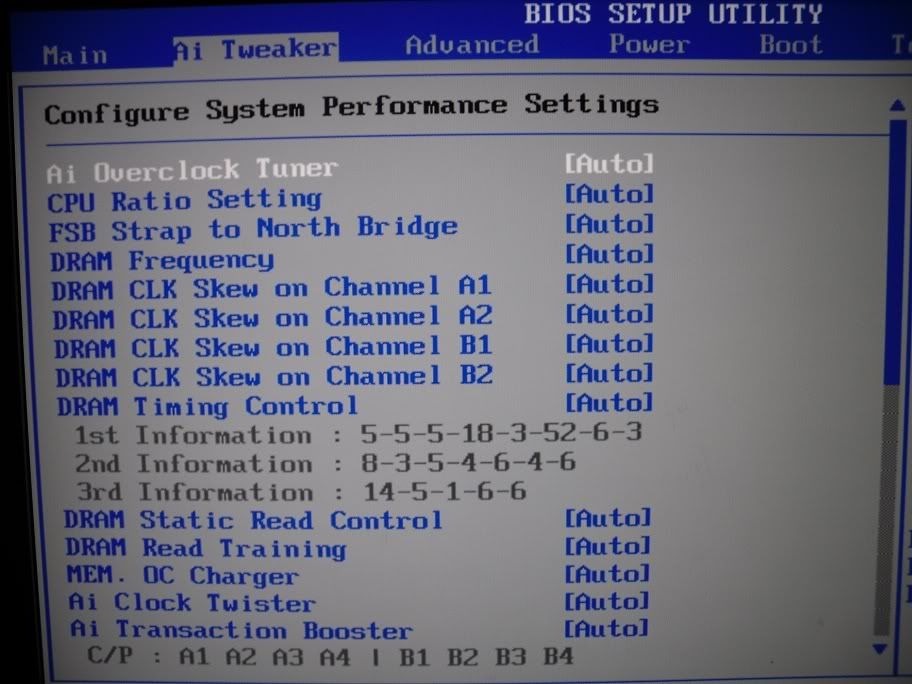
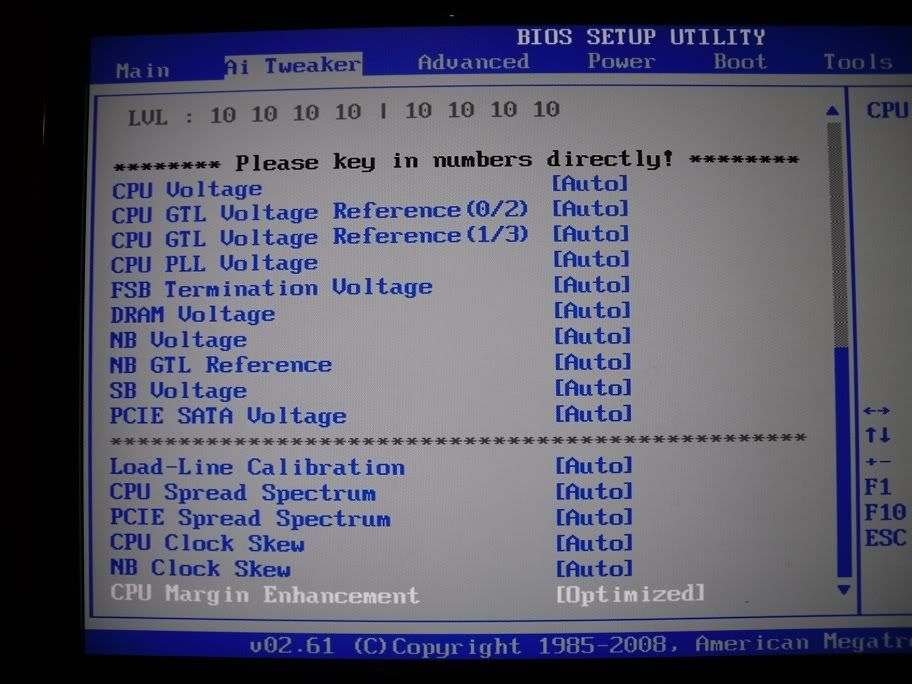
also, these are all the settings i can change, far too many for me to understand

2-1.jpg


3-1.jpg
 
The voltage that feeds the memory . .

whats safe setting?
1.8v to 2.2v . . . it should say on the rams sticker what voltage it needs, if not you should check the manufacturers webpages . .

All the memory I have tested works fine with the vDimm on [Auto] but nearly all of them have run perfectly with much lower volts . . . [1.82v]

what the harm in booting into OS to test?

Well in a worst-case-scenario you could harm your O/S but generally it will just crash . . .if you hose windows are you prepared? . .i.e do you have a good backup?
 
need to do a fresh install of windows anyway as i have fitted a new mobo and gfx card but yeah i see your point. well according to cpuz if its on ddr1066 it should be 2.30v or am i reading it wrong?
 
There are some sticks floating around that need 2.3v . . .

I don't *think* motherboards will set 2.3vDimm when on [Auto], maybe they do but just in case set in manually then and re-test! :cool:
 
i put the bios back to original and am currently upgrading it with each version until its up to date (or does the latest version have all the bits from the other updates in it?) as im not sure what was done before i got the board.
 
Back
Top Bottom