What should I do?

Soldato
Joined
20 May 2011
Posts
6,086
Location
Aberdeen, Scotland
Hey all,

Going to be getting a new hard drive soon for backup, so wanting to make it external (just feel safer that way)

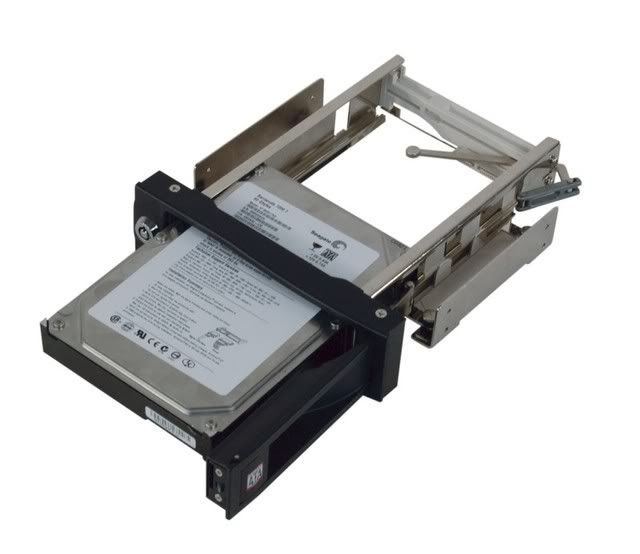
I've heard the best way to do that is to get an enclosure, so something like this?

EE9mn.jpg

(HDL-SU3)
Gk7M9.png

(HDF-SU3)

Or should I go with something like this?

xMbzP.jpg

(Synology DS211j 2-bay)

And if the first one is the best option, which I'm currently thinking it is, as it's so damn cheap and those boxes look pretty damn cool. I would presume there is some good freeware backup software? Any of you guys know good ones?
 
Last edited:

If it's just a single drive then I would say an enclosure is the easiest and cheapest option.

USB 3.0 if you have that on your system.

If you're using Windows 7 it has backup software built in.

FYI I think you've hot linked to the images in your post. That's a no no and will get you a warning.

You need to upload the images to a hosting site, such as ImageShack, and then use the images from there.
 
If you’re starting from scratch I can’t see the point of buying the enclosure and drive separately. There are plenty of preassembled drives available that won’t add much, if anything, to the cost.

If you’re undecided between a straight forward USB drive and a NAS device you need to do some more research.

How much data do you actually need to backup? Have you considered one of the online backup services?

Edit:

If you're going to upload images so you can link to them it's best to make sure you have the image owner’s permission.
 
If it's just a single drive then I would say an enclosure is the easiest and cheapest option.

USB 3.0 if you have that on your system.

If you're using Windows 7 it has backup software built in.

FYI I think you've hot linked to the images in your post. That's a no no and will get you a warning.

You need to upload the images to a hosting site, such as ImageShack, and then use the images from there.

Might be two at most, but I'd imagine two enclosures would still be alright, as if you ever ran out of USB 3.0 ports you could just use a hub or something?

Have it, will use.

Ah, didn't know that. Thanks.

I did, will change. Annoying as this is the only forum ever that will beat you up for doing that, so I'm just doing it out of habit.
 
If you’re starting from scratch I can’t see the point of buying the enclosure and drive separately. There are plenty of preassembled drives available that won’t add much, if anything, to the cost.

If you’re undecided between a straight forward USB drive and a NAS device you need to do some more research.

How much data do you actually need to backup? Have you considered one of the online backup services?

You're right, I'm completely clueless on the subject of external HD storage, and didn't really know where to begin.

I think I'd need to backup a fair bit more data than an online service would allow - a few 100 GB worth at least, perhaps maybe closer to a TB.
 
Online services are only really limited by your upload speed and how much you’re willing to spend. They do have the advantage that the backups are automatically offsite and can protect you from some of the more catastrophic disasters (fire, flood, theft). If you are organised enough to have multiple backup drives and then rotate them offsite there isn’t a problem.

If online backups don’t completely meet your needs they’re still worth considering as additional protection for the most important data.

The estimated amount of data you need to backup varies by a factor of 10. To me this indicates that a bit more planning is required before you start spending any money.

Edit:
Cheese cake obviously does have cheese in it, although that may be the point you were trying to make.
 
Last edited:
It can't be that convenient handling a bare drive on a regular basis. Drives are reasonably hardy nowadays, but it’s still a good idea to follow the manufacturer’s handling guidelines.
What? It's very convenient, insert the drive, backup, remove. I use several backup drives, some which are years old.

Handling guidelines, lol, what are those? not drop them?
 
I was only half serious about drive handling, but there is more to it than just not dropping them.

USB3.0 or eSATA drives would be a more robust option without sacrificing speed.

Any worthwhile backup strategy needs to include offsite data. Regularly moving bare drives between sites isn’t an ideal option.
 
Hey guys, thought I'd update.

Went with an enclosure and a Samsung F4 2TB. I've been hearing things about the F4 though... is there anything special I have to do to it? Can I just set it all up using default format values in windows (ensuring long format) and let it do its thing?

Just wondering as I'm a good amount of hours in at 42% and only then did I start hearing things about the drive.

Cheers.
 
Hey guys, thought I'd update.

Went with an enclosure and a Samsung F4 2TB. I've been hearing things about the F4 though... is there anything special I have to do to it? Can I just set it all up using default format values in windows (ensuring long format) and let it do its thing?

Just wondering as I'm a good amount of hours in at 42% and only then did I start hearing things about the drive.

Cheers.

Why the full format?

What did you hear about the drive?
 
Why the full format?

What did you hear about the drive?

Heard it was a good thing to do on a brand new drive, to make sure it's working properly.

Something about performance degradation or something like that, possibly due to it being advanced format or something like that? Can't recall the exact details but figured if it was important you guys would probably already be aware.
 
Heard it was a good thing to do on a brand new drive, to make sure it's working properly.

OK.


Something about performance degradation or something like that, possibly due to it being advanced format or something like that? Can't recall the exact details but figured if it was important you guys would probably already be aware.

My 4 drives are still running fine.
 
Back
Top Bottom