HTC Desire HD (Ace)

I received my HD today. I've managed to get my emails working and my facebook seems to be working - although I'm not that into Facebook.

Where do I start? I've read many take off all the orange stuff but is it worthwhile?

One thing I could do with the phone being able to sync with my work computer and Outlook - is that possible?

Thanks
 
Last edited:

ok got my hd today to to have a mess around with and compare to my omnia 7 while i decide wich to keep, what is the best rom to get the most from this phone nd does a new rom de brand it as this one is on 3 untill i get it unlocked.
is gingerbread available on these and does anyone have any suggestions as to what else i should be doing?
 
ok got my hd today to to have a mess around with and compare to my omnia 7 while i decide wich to keep, what is the best rom to get the most from this phone nd does a new rom de brand it as this one is on 3 untill i get it unlocked.
is gingerbread available on these and does anyone have any suggestions as to what else i should be doing?

I put on a early gingerbread rom today and seems ok so far, just running launcher pro on top though....

Sorry about big screenies, not got time to resize atm

hd1.png


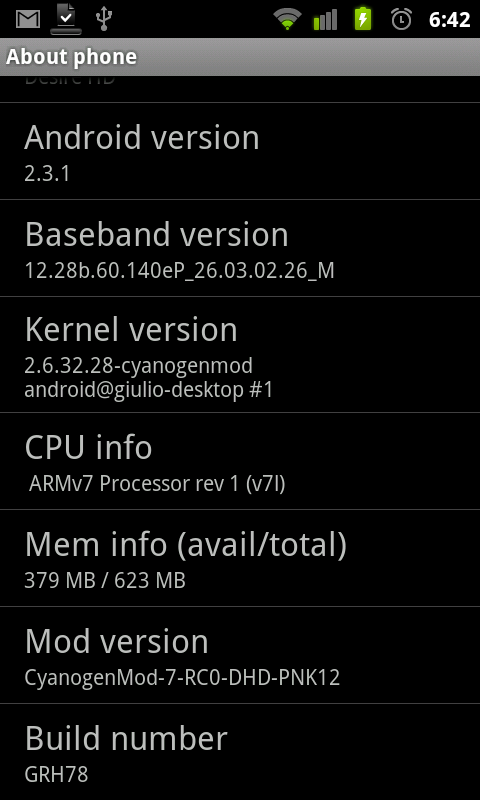
hd2.png
 
my heads a bit frazzled at the moment going though all the options and what custom roms offer, launcher pro does and how to use it.

does the gingerbread rom offer much in the way over the stock htc rom? ive heard custom roms can get rid of lot of carp that is running on the phone and create a smoother feel?
 
I put on a early gingerbread rom today and seems ok so far, just running launcher pro on top though....

i went the whole hog and installed clockwork 3.0.0.5 and put the gridlock32404 gingerbread rom on.
have you tried out the gingerbread easter egg yet?
quickly keep taping 'Android 2.3.1' in about phone to see it.

upgraded the radio to fix the battery drain on the old one.
CAP201101121909.jpg
 
Last edited:
i went the whole hog and installed clockwork 3.0.0.5 and put the gridlock32404 gingerbread rom on.
have you tried out the gingerbread easter egg yet?
quickly keep taping 'Android 2.3.1' in about phone to see it.

upgraded the radio to fix the battery drain on the old one.

smart, I havent sussed out upgrading radio yet... on the 'to do' list.

this is why I hate phones like android, I get sucked into a never ending world of tweaking. fun though I guess, until I brick it lol
 
Hi there had mine now for a couple of months very nice, but I can't turn the media volume up, i can turn the ringer volume up and down but now the media volume is set on mute, when I put headphones in it goes to half way but doesn't turn up or down

Fairly annoying
 
is there a guide to rooting and flashing the gingerbread rom, ive done a little research and one of the rooting software requires a certain firmware but visionary doesnt mention it and thats the one i have so a little unsure.

also cant seem to find lockbot any where in the market?
 
Hi there had mine now for a couple of months very nice, but I can't turn the media volume up, i can turn the ringer volume up and down but now the media volume is set on mute, when I put headphones in it goes to half way but doesn't turn up or down

Fairly annoying

If its simply the setting that ur after, then it's Menu-Settings-Sound-Volume.

If you mean that you can't use the volume rocker to adjust the media volume when using headphones, then i'm not sure how to help you sir.
 
If its simply the setting that ur after, then it's Menu-Settings-Sound-Volume.

If you mean that you can't use the volume rocker to adjust the media volume when using headphones, then i'm not sure how to help you sir.

I can turn it up from there but as soon as I start an app it mutes the volume, blody annoying I use the radio / mp3 quite a bit
 
I've been having a curious issue where "Android OS" has been chomping up my battery, the last couple days. From 7am to 7:45 today it used 3%! The screen was off, wifi on, and it was ostensibly doing nothing. The same setup would've used less than 1% a few days back. Hrm...
 
I've been having a curious issue where "Android OS" has been chomping up my battery, the last couple days. From 7am to 7:45 today it used 3%! The screen was off, wifi on, and it was ostensibly doing nothing. The same setup would've used less than 1% a few days back. Hrm...

HTC Sense could be stuck on syncing, the latest update caused issues with this.
 
HTC Sense could be stuck on syncing, the latest update caused issues with this.

Could be on to something. I tried turning on USB Debugging again, just in case, as i'd ran with that on as a precaution for the first few days, but didn't seem to help. Hrm.
 
Are there any apps that can break down the battery usage further than the stock listing does?

-edit-
It's now up to around 10% per hour. Could running Tasker (with nothing intensive, just some gyro stuff when in a call, so it should be idling), or having all three of Launcher Pro, Zeam & HTC Sense on the go, cause such drain?
 
Last edited:
Back
Top Bottom