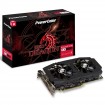
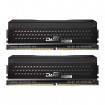
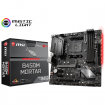
So the last time I did a rebuild was...

Its not B-Die and folk have trouble getting them past 2800 with ryzen, its even in the reviews... twice.

Them reviews are for the Vulcan T-Force.

The Dark Pro 8 Pack Edition that the OP has ordered is guaranteed Samsung B-Die. If you read the reviews on this set, only one person had trouble and a bios update cured this.

@orbitalwalsh I also mentioned about the Vulcan being best bang for buck, but that was comparing them against the normal Dark Pro that the OP was considering. Without knowing if the normal Dark Pro is B-Die or not, at 3000mhz the Vulcan made more sense to me.
 
@8 Pack , wouldn't mind highlighting your ram kit is Samsung B-Die please

@Threepwood read the convo correctly
Makes more sense now, I thought you were double countering :)

@orbitalwalsh I also mentioned about the Vulcan being best bang for buck, but that was comparing them against the normal Dark Pro that the OP was considering. Without knowing if the normal Dark Pro is B-Die or not, at 3000mhz the Vulcan made more sense to me.
Again, that vulcan ram wont run @ 3000 with ryzen though, thats the point.

The Dark Rock Pros are B-Die.
 
Because its 8 years old and it is about to power a new system with more power draw. You got 8 years out of it so quit while the going is good.

It's nearly 8 years old. You're entrusting your PC to it. Play safe and replace it.

I've taken your advice - thanks both. I picked up a Corsair RM650x (2018) for ~ £92. I wanted to be loyal to Corsair given how well they have served me. It comes with a 10yr Warranty & reviews look great.
 
Makes more sense now, I thought you were double countering :)


Again, that vulcan ram wont run @ 3000 with ryzen though, thats the point.

The Dark Rock Pros are B-Die.

Done plenty of Vulcan 3000hz with ryzen .

Heck the amount of times Vulcan 300 + gigabyte /Strix b350 has been quoted in the first year must have been hundreds .
 
So I have ordered the following:

My basket at Overclockers UK:
Total: £742.64 (includes shipping: £11.70)

However - I am worried about the PSU. I note the GPU requires an 8-pin PCI Express Connector. Will my current PSU (Corsair CMPSU-650HX) support that, and would it have come with the cable originally, or will I have to buy some adapter for it?

Good news: I've started building!
Bad news: I don't think the RGB fan will work without a controller :(

I haven't powered on yet as I'm waiting for an RGB Spire CPU cooler (worried this might not work, as well)

Any RGB advice would be much appreciated, as this is a totally new area for me. The Corsair fan is from the rainforrra, so no reason why I couldn't return if it won't work :(
 
you should be, been a while since i used Corsair. think are ways to connect to motherboard to control via software or just using the physical controller . Fan 3/4 pin would plug into mobo sysem fan header

I'm not precious about the brand if I'm honest, I just thought the fan looked cool, but will return it.
I'm just looking for a single RGB fan to run white and throw some light onto the components.
I could get a magnetic RGB strip, as well, as I know that will plug directly into the Mortar Mobo and be controlled by the Mobo software?
 
Aha! I think you may have cracked it for me....

I may have made some progress! Looking here https://www.msi.com/Landing/mystic-light-motherboard#mystic there is a list of fans which 'Mystic light' can control through the JRGB1 interface. Well, that's the way I'm reading it? So assuming I select 'JGRB1' on the drop down, and pick a fan, I'll be all good?
 
Aha! I think you may have cracked it for me....

I may have made some progress! Looking here https://www.msi.com/Landing/mystic-light-motherboard#mystic there is a list of fans which 'Mystic light' can control through the JRGB1 interface. Well, that's the way I'm reading it? So assuming I select 'JGRB1' on the drop down, and pick a fan, I'll be all good?

no idea with MSI sorry, but should be plug and play if that fan uses default 4 pin RGB. corsair and NZXT have their own connection type and need hardware/software to get working
 
Back
Top Bottom