


went for a RM850x(new one , where fan side is a lot more perforated as comes with 10yrs warranty) in my build. Got a 3080fe also but hopefully if I upgrade anything in the future, it'll still be ok. I actually had the same mobo but switched to a b550 in the end. didn't see much point as wasn't going to be using all the gen 4 pcie lanes that x570 provides(but Tomahawk still great board so if you're happy with X570, it's still the oneI'd go for)
-
Notice regarding image hosts and attachments. See here.
You are using an out of date browser. It may not display this or other websites correctly.
You should upgrade or use an alternative browser.
You should upgrade or use an alternative browser.
Spec based around a 3080
- Thread starter PaulStat
- Start date
More options
Thread starter's postsOK will the below work? Have basically just swapped in the Lian Li case in place of the Phanteks in dfours build. Also should I go for the RM750 or RM850 in a build like this?
My basket at Overclockers UK:
- 1 x Lian-Li Lancool II Mesh RGB Midi-Tower Case - Black= £96.95
- 1 x Corsair RM Series RM750 750W '80 Plus Gold' Modular Power Supply (CP-9020195-UK)= £79.99
- 1 x MSI MAG X570 Tomahawk WiFi (AMD AM4) DDR4 X570 ATX Motherboard= £219.95
- 1 x Crucial Ballistix RGB 32GB (2x16GB) DDR4 PC4-28800C16 3600MHz Dual Channel Kit= £188.99
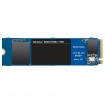
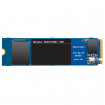
- 1 x WD Blue SN550 1TB SSD NVME M.2 2280 PCIe Gen3 Solid State Drive (WDS100T2B0C)= £89.99
- 1 x WD Blue SN550 2TB SSD NVME M.2 2280 PCIe Gen3 Solid State Drive (WDS200T2B0C)= £199.99
- 1 x Scythe Mugen 5 ARGB Plus Dual Fan CPU Cooler - 120mm= £64.99
- 1 x Phanteks SK120 Black DRGB PWM Fan - 120mm Triple Pack= £32.99
- 1 x AMD Ryzen 9 5900X Twelve Core 4.8GHz (Socket AM4) Processor - Retail= £479.99
Total: £1,467.03 (includes shipping: £13.20)
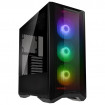
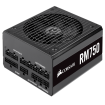
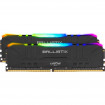


Looks like a handsome, flashy build! Someone else can confirm that the PSU is enough for the 3080 / 5900X combo but otherwise it seems to be fine. The case you switched out is the same size so if everything fit in the first, the replacement should be fine providing there are no bizarre design "features" limiting space.

Man of Honour
- Joined
- 23 Mar 2011
- Posts
- 19,458
- Location
- West Side
£10 more for the 850w is worth it imo .
https://www.overclockers.co.uk/cors...lar-power-supply-cp-9020196-uk-ca-24t-cs.html
Could drop to a b550 tomahawk to save money but no Wi-Fi .
https://www.overclockers.co.uk/cors...lar-power-supply-cp-9020196-uk-ca-24t-cs.html
Could drop to a b550 tomahawk to save money but no Wi-Fi .

Yeah will stick with the mobo I think as need Wifi, speeds I get on my powerline adapters are rubbish.
The Phanteks fan pack will that be OK with the case, notice it says ideally suited to the Phanteks eclipse case range
The Phanteks fan pack will that be OK with the case, notice it says ideally suited to the Phanteks eclipse case range
Man of Honour
- Joined
- 23 Mar 2011
- Posts
- 19,458
- Location
- West Side
In your build you have the lian li case not the phantecs is that what you want or the p400 case ?Yeah will stick with the mobo I think as need Wifi, speeds I get on my powerline adapters are rubbish.
The Phanteks fan pack will that be OK with the case, notice it says ideally suited to the Phanteks eclipse case range
Personally i wouldnt mix rgb fans get the p400 case if you want the fans yo match.
Last edited:
Yeah will stick with the mobo I think as need Wifi, speeds I get on my powerline adapters are rubbish.
The Phanteks fan pack will that be OK with the case, notice it says ideally suited to the Phanteks eclipse case range
They're 120mm fans so they'll be the same size as the three that come with the case you've picked.
Any reason you are replacing the case fans? I replaced my Fractal Meshify case fans with Noctua fans because I wanted silence. If you just want the RGB you do already have that with your case fans.
TBH they're just in there copied across for dfour's build which was using the Phanteks P400A DRGB case, I assumed they were to act as additional case fans for top/bottom, as that case includes 3 front in take fans anyway.
I'm wanting the Lian Li Lancool ii mesh RGB case
I'm wanting the Lian Li Lancool ii mesh RGB case
Man of Honour
- Joined
- 23 Mar 2011
- Posts
- 19,458
- Location
- West Side
I think theese are the same fans for the mesh rgb but get Overclockers to confirm.TBH they're just in there copied across for dfour's build which was using the Phanteks P400A DRGB case, I assumed they were to act as additional case fans for top/bottom, as that case includes 3 front in take fans anyway.
I'm wanting the Lian Li Lancool ii mesh RGB case
https://www.overclockers.co.uk/lian...MI4pHslKHn8QIVM-7mCh262Qs_EAQYAiABEgJt0fD_BwE
Spend the extra £10 and get the 850w rm psu will cover you upto a 3090.
Man of Honour
- Joined
- 23 Mar 2011
- Posts
- 19,458
- Location
- West Side
Post a pic when your done.Yup plan to spend the extra 10 on the 850W, thanks will check if those are the equivalent
Enjoy.
Heads up
You may have to update the bios on the motherboard for the cpu to work this can be done with bios flashback feature no need for a cpu.
No they don't, they're available. OCUK price is better than most but I've seen them elsewhere cheaper and in stock.Ordered although the CPU seems to be out of stock at the moment, hope they don't suffer from quite the same shortages as the GPU's?
Im glad you liked my suggestions. 
I only specced the phantecs fans to match the ones in the phantecs case I specced. I would go with the lian-li ones to match the ones in the case as much as possible .
I only specced the phantecs case as the lan cool 2 had already been specced amnd wanted you to have options although I would probably go with the lan cool myself if i was choosing between both. Mainly because I like lain-li cases and have an 011 dynamic atm.
@Cadder I think the OP said he does VM work.
I only specced the phantecs fans to match the ones in the phantecs case I specced. I would go with the lian-li ones to match the ones in the case as much as possible .
I only specced the phantecs case as the lan cool 2 had already been specced amnd wanted you to have options although I would probably go with the lan cool myself if i was choosing between both. Mainly because I like lain-li cases and have an 011 dynamic atm.
@Cadder I think the OP said he does VM work.
Post a pic when your done.
Enjoy.
Heads up
You may have to update the bios on the motherboard for the cpu to work this can be done with bios flashback feature no need for a cpu.
There was a better bios flash video that I had to follow on YouTube as the MSI instructions miss out a few points. I'll see if I can find it.
Think I found a decent one thanks Cadder, got all ready, formatted the USB, downloaded BIOS renamed to MSI.ROM.
Turns out I'm lucky the MB box has a 5000 series ready sticker slapped on it

Waiting for the CPU to be delivered. DPD local is odd though receive an email saying your delivery is scheduled for the 19th but the tracking information says "We've received your order details, but have not yet received your parcel". How's that work!
Edit: Turns out it's not been sent yet, one more day to wait
Last edited:
Next question the M.2 drives I have
Matter which I choose as the primary boot drive? There's a relatively small difference in the read and write speeds. I was thinking of having the 1TB as boot drive with programs and data and 2TB for Games.
Matter which I choose as the primary boot drive? There's a relatively small difference in the read and write speeds. I was thinking of having the 1TB as boot drive with programs and data and 2TB for Games.