• Competitor rules

    Please remember that any mention of competitors, hinting at competitors or offering to provide details of competitors will result in an account suspension. The full rules can be found under the 'Terms and Rules' link in the bottom right corner of your screen. Just don't mention competitors in any way, shape or form and you'll be OK.

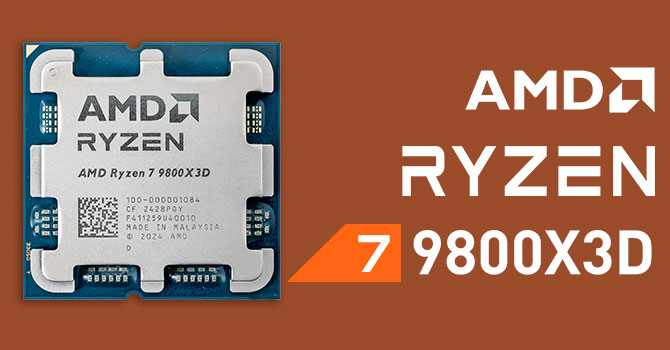
AMD Ryzen 7 9800X3D

  • Thread starter Thread starter Hostile_18
  • Start date Start date
There are some handy guides on YouTube. I like this one as a starter - then I made further tweaks myself from here:


Basically, use curve optimiser (under AMD Overclocking, not in AI Tweaker) in BIOS and run a negative curve. Every chip is different so yours could be stable anywhere from -10 to -30. I usually run Aida64 & Cinebench R24 to check stability cos you can roughly know in 30 minutes if it's not viable.

Start at -10/-15 and keep working up until it becomes unstable, then dial it back a notch. I'm running mine at -25 and it makes a lovely difference to how hot the chip actually gets and a decent bump in performance too.

For RAM, you'll have an option called EXPO Tweaked in BIOS for that Asus mobo. I'd suggest running benchmarks at stock, then EXPO - then EXPO tweaked so see what your best results are.

I'm running EXPO Tweaked in my Asus board + 9800X3D and multi-core score on CB24 is 1397 on tweaked vs. 1357 EXPO 2.

The video guides are a useful place to start though, it was an odd one to get my head round with AMD where you basically make most of your gains with a negative curve vs. on my 265k build where I'm pushing timings on ring clock or cpu clock to gain improvement.

Thanks mate, will be home from work soon so will take a look, much appreciated. :)
 
@t2na Thanks for the video, have been playing around for the last hour or so. Currently running -25 too with a boost clock of 200 currently. :)

No crashes on AIDA or CB, so will see how it goes over the weekend and tweak further if required.

Do you have any of the other options enabled such as X3D turbo mode within the BIOS? The video doesn't mention it but I've seen other discuss it elsewhere.
 
I've hit the limit with this.

k7wVOnE.png


9utzM3d.png
 
@t2na Thanks for the video, have been playing around for the last hour or so. Currently running -25 too with a boost clock of 200 currently. :)

No crashes on AIDA or CB, so will see how it goes over the weekend and tweak further if required.

Do you have any of the other options enabled such as X3D turbo mode within the BIOS? The video doesn't mention it but I've seen other discuss it elsewhere.
Sorry mate, I must have missed your reply! Great that things are running nice and stable, I always liked doing a little pre/post comparison with both benchmarking applications but also the games I was playing at the time. It was pretty cool seeing things like 1% lows improve, avg fps improve as well as overall temps as well.

I'm not as confident with tweaking AMD as I am Intel but my understanding was always that X3D turbo mode was primarily for the dual CCD X3D chips. If you're running a 9950X3D or something it would make sense to enable that in BIOS but if you're on a 9800X3D/7800X3D then it's best leaving that off.
 
T
I've hit the limit with this.

k7wVOnE.png


9utzM3d.png

That's a spicy meatball!!!

I have the slightly weaker version of your GSkill RAM, and I was already pleasantly surprised as mine will go from 6000C28 default, to much more tuned 6000C26 with optimised timing (let alone the C24 you're achieving), albeit that is pretty certainly stable, having passed 24hrs Karhu, 1hr OCCT, overnight TM5 Absolut and 16 hours of Y-Crunch VT3 (~500 cycles). It must be noted my kit is 64GB Dual Rank as well, which is more limited in terms of how far you can push it.
It also boots at 7600C32, but I'm unable to get the RAM stable without errors at these speeds (or to boot 7800 or above), and I believe I'm unfortunately limited by the IMC/SOC in my 9800X3D.

I've not had much luck getting the 6200-6400 1:1 or getting infinity fabric running that nicely at above 2000 without errors either.
Either way, I was just happy to see my RAM kit seems to have some headroom, for when 10 series appears.

I'm using 1.55v to achieve my settings, what VDD/VDDQ are you using?
 
Last edited:
Hi guys, I'm currently running a 7800X3D, thinking of swapping out the case & possible GPU upgrade, thought I could use the opertunity to upgrade the CPU as well. Is the 9800X3D worth the upgrade over the 7800X3D?
 
Hi guys, I'm currently running a 7800X3D, thinking of swapping out the case & possible GPU upgrade, thought I could use the opertunity to upgrade the CPU as well. Is the 9800X3D worth the upgrade over the 7800X3D?

Probably not but everyone has their own idea of what makes an upgrade worth their while.

 
Probably not but everyone has their own idea of what makes an upgrade worth their while.

Thanks for that.
I'm currently working my way through the multidude of YT reviews, not really been keeping up with all the tech news lately.

Reason I'm even considering the upgrade is that I have the opportunity to upgrade to a 5090 from a 4090. Only really play ACC @4K
 
Thanks for that.
I'm currently working my way through the multidude of YT reviews, not really been keeping up with all the tech news lately.

Reason I'm even considering the upgrade is that I have the opportunity to upgrade to a 5090 from a 4090. Only really play ACC @4K
Hardware unboxed did a direct comparison of the 7800X3D and 9800X3D just the other day.
 
Hi guys, I'm currently running a 7800X3D, thinking of swapping out the case & possible GPU upgrade, thought I could use the opertunity to upgrade the CPU as well. Is the 9800X3D worth the upgrade over the 7800X3D?
sell the 7800x3d and upgrade.
cpus are used for everything not just gaming.
I did recently and everything is a bit snappier.
5090 isnt worth it but the 9800x3d is.
 
Got a 9800x3d coming tomorrow upgrading from the 7700x

I'm guessing it's not a simple remove and replace will a cmos reset be needing after replacement

Been ages since ive done a cpu upgrade
 
Got a 9800x3d coming tomorrow upgrading from the 7700x

I'm guessing it's not a simple remove and replace will a cmos reset be needing after replacement

Been ages since ive done a cpu upgrade
Update your motherboard BIOS now to the latest version then its a simple remove the 7700X, plug in the 9800X3D and then crack on as if nothing has changed.
 
I had my mind set on upgrading to AM5 with a 9700X (from a 5900X), thinking the 9800X3D would be hotter and more expensive (and overkill). But a little confused trying to decipher benchmark videos and forum posts. On some generic YT comparison videos it looks like the 9800X3D is anything from 5 to 20ºC cooler than a 5900X, with a 9700X being hotter. Yet this GN video shows the 9800X3D being 25ºC hotter than a 9700X during a thermal benchmark.

I know it’s not apples to apples what with core layout and temp sensor differences, but I’d seriously consider the 9800X3D if it was generally faster and cooler than the 5900X. Hard to figure it out when some people say it ‘sips power’, yet it’s a higher clocked 120W TDP part.

All I want to avoid is to do a small upgrade and end up with a noisier system. I have Windows Power saving profile on outside of gaming as it parks half the 5900X cores and the system is silent. The case airflow is on the warm side and this won't be changed.
 
Last edited:
I've got a 360 AIO on mine, its undervolted, overclocked and pbo boosted on top, (so around 5.5ghz boost) realistically most of the time Im 80 or under, my fans are not set to take off until 70-80, and if I had my fans set more aggressively I doubt itd spend much time at 80+ unless I am really really hammering it.

I suspect the 5900x will be cooler though due to lower clocks and power.

The trick you have to remember is the 9800x3d by default is set to run to its maximum thermal/power limits to extract as much power as possible.

You can instead reduce the PBO enhancement to say 70-80 to reduce the thermal ceiling, and help keep it closed to where you want, or hell, run it in eco mode.

The IPC gains are still high, as are the gains from 3dcache where it matters, so even if you set pbo to target lower temperature targets or set it to run in eco mode you'll still benefit from the ipc and vcache.
 
Last edited:
Thanks for that. I don't have a great cooler (Thermalright Peerless Assassin 120 MINI) so I'd probably be in the same position I'm in now: warm case, PBO optimised, slight undervolt and Power saving profile unless I need all the cores.

The problem with ECO mode on my 5900x is that it doesn't stop one core loading up when not doing much in Windows and causing the fans to kick in. Power saving profile smooths all that out as it does some other stuff.

Does the 9800X3D / AM5 do the same wild swings of temperature in Windows as AM4?
 
Thanks for that. I don't have a great cooler (Thermalright Peerless Assassin 120 MINI) so I'd probably be in the same position I'm in now: warm case, PBO optimised, slight undervolt and Power saving profile unless I need all the cores.

The problem with ECO mode on my 5900x is that it doesn't stop one core loading up when not doing much in Windows and causing the fans to kick in. Power saving profile smooths all that out as it does some other stuff.

Does the 9800X3D / AM5 do the same wild swings of temperature in Windows as AM4?
I've got my 9800X3D being cooled by a Noctua D12L - not wildly different to the PA120 Mini as they're both commonly used in the Ncase M2 case (and the 35 Dan C4 cases that were released).

It's absolutely fine for gaming on. Idle temps are fine, load is fine, it never exceeds 85 deg at full stress and more commonly during gaming it would be sat around 65-70 without any issue.

Single core and multi core on CB24 scored at 135 and 1382 - and pretty much matched what people were getting from regular tower coolers. The only way I was able to beat those scores were with a 280mm AIO, the scores were roughly the same on a D15 air cooler.

I guess the more concerning element is if your case is warm. The benefit of the Ncase M2 is that it has great airflow for a tiny case!

In terms of the question about temp swings - yeah, it still happens with AM5 as it does with AM4. It's just how the chip functions. Best way to address it is to manage fan curves manually (via FanControl or Argus Monitor or BIOS) and just have wider windows for your fan speeds.

My CPU fan is set to sit at 25% speed until the CPU hits 65 deg - then between 65 and 75 it runs at 40%. Above 75 (and up to 85) it'll run at 55%. I never really notice the big temperature swings because my fan curves cover the swing gap - that's how I managed it on my 5800X3D and how I'm doing it on the 9800X3D.
 
Yeah, I use fancontrol and have been revisiting my curves while I decide on an upgrade and now the season is changing :)
The case isn't actually that bad - it's an open case - but it's in a sideboard in a vented partition with a noctua 120mm exhaust. And the partition gets opened during gaming.
 
Back
Top Bottom