• Competitor rules

    Please remember that any mention of competitors, hinting at competitors or offering to provide details of competitors will result in an account suspension. The full rules can be found under the 'Terms and Rules' link in the bottom right corner of your screen. Just don't mention competitors in any way, shape or form and you'll be OK.

5870 Crossfire problem

I've discoverd a very interesting thing re: fan speeds.
card 1 - with the monitor attached - manual fan speed 100% = ROCKET
card 2 - without a monitor attached atm - manual fan speed 100% = no change at all.

Card 2 isn't increasing the fan speed under manual control, and it might not even be spinning up when working.

 
I've discoverd a very interesting thing re: fan speeds.
card 1 - with the monitor attached - manual fan speed 100% = ROCKET
card 2 - without a monitor attached atm - manual fan speed 100% = no change at all.

Card 2 isn't increasing the fan speed under manual control, and it might not even be spinning up when working.


card 2 will only spin up when working, ul see if u bench with both turned high, ul hear it kick in
 
You're right, sounds like a small airfield in here now. I am not sure I can even cope with 75%, let alone 90% :D Would suck if heat were the root of this problem - that simply because my two cards are close together they crap out. Individually they are fine, and i've alreay got every fan in the 1200 case plugged in. :(

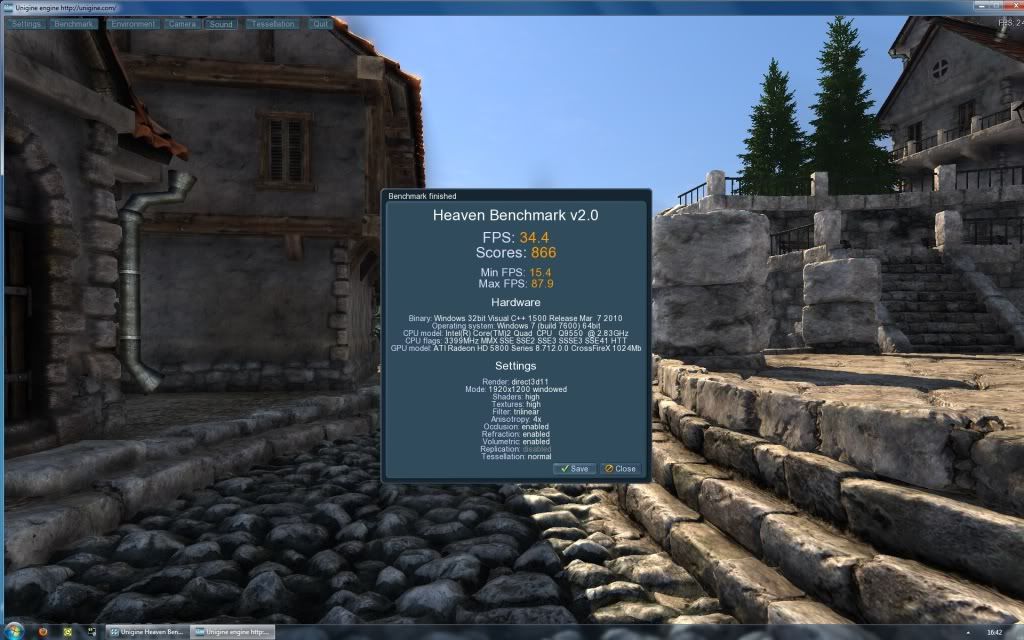
Something is still amiss though - it completed a Heaven2 with Xfire enabled, but the result is worse than a single card.

heaven2103sxfireon.jpg
 
Last edited:
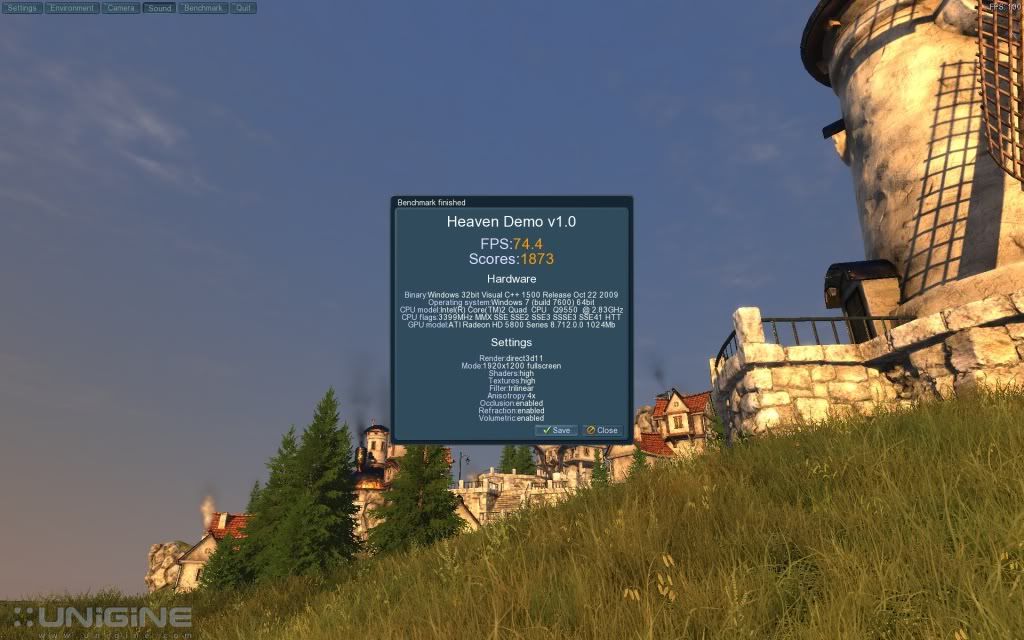
My bad, I figured consistency in testing was what really mattered :) It managed to get through a fullscreen run as well, gave me 66FPS average. Still not happy with the temperature though, even as the benchmark was ending the fan was accelerating!
*RESOLVED*
Flipping Northbridge temp was hitting 90 and causing all these problems. I must have left the NB voltage on auto after a CMOS reset ages ago and it's been slowly cooking at 1.6v. Putting the 2nd card in must have been too much heat/work for it to cope! Back down to 1.25v and it's much happier.
 
Last edited:
Dude (american), you're really annoying.

Lols? I know what lol means without the 's'.

ROFLBURGERS LOLZERCOPTER. Is that clearer? Don't just post in a thread where you haven't tried to help. Go away and read some articles about hardware!

At Op, glad you have it sorted. Benching should always be done full screen mate, otherwise you'll be rendering windows in the background. Have you ever tried to play a game windowed? Same deal. Lower FPS

Enjoy the 5870s. My temps rise to approx 70 deg with 75% fans mate and 100% GPU in something like Crysis.

BTW have you got them right next to each other? What mobo you got again? I find that one runs hotter than the other as I have a small(ish) case - well, b today's standards!
 
Thanks to everyone for their help in this thread. Got it sorted in the end, although I really have to look at an NB cooler now - the passive setup seems to be at its limits.

heaven1103sxfirestockmatchedbios.jpg


The cards are about 7-8mm apart - I haven't got a choice on this board unfortunately, as it only has 2 PCI-E slots. X48 boards are a little long in the tooth these days!
 
Back
Top Bottom