CCTV advice

Soldato
Joined
7 Sep 2008
Posts
5,853
Hi all,

There have been a few robberies nearby, which has left me and my family feeling concerned.

We already have one wired Google Ring-style camera with floodlights, and it’s been working well for years.

I need to add two more cameras, but I’m a bit out of touch with the latest technology.

I’m considering buying two more Google cameras because they would all work in the same app and be easier to manage.

However, when I look at CCTV systems with four cameras, they often work out cheaper.

What I’m trying to work out is:

- Which two additional Google cameras would I need if I want them to be hard-wired rather than battery-powered?
- If I went down the CCTV route, I already have Cat5e cables running exactly where I want the cameras, and I’m using a wired network.
- How could I use the existing wiring to combine both a wired network and a CCTV system?
- I’m hoping to avoid drilling more holes into the house for extra RJ45 cables, so is there some kind of external splitter or similar device that would let me do this?

Thanks for reading.

 
Loads of advice on here https://forums.overclockers.co.uk/threads/spec-me-a-cctv-system.18568132/page-236

I had Amazon Blink Cameras. Due to location and high footfall i was burning though batteries at a fast pace. As in rented accomodiation i was unable to use PEO hardwired cameras. I go the following https://www.amazon.co.uk/dp/B0D1KK1FGC?ref_=ppx_hzod_title_dt_b_fed_asin_title_0_0 on offer for only £230. Its night and day difference over the basic battery camera and Reolink are well recommended here on OCUK forums

As you already have CAT5e cabling in place , that supports POE so 100% you should be looking at POE wired camera system example would be the following


There are loads of options on camera quality 5/8/12MP , fixed position, tracking etc so really down to what you want to spend.
 
thanks i will take a look

from what I have learned so far its likely im going to need to run some extra cat5e cables ie 3 cameras and 3 cables because from what I can tell so far is on some of these external poe switches ie 2 into 1 for example u would lose the speed from 1 gigg to 10/100 for example

im just trying to understand if I ran the three ethernet cables if I can plug those other ends away from the camera into a POE switch so that the cameras will work ie is there ne need to plug the cameras directly into the NVR unit or can the NVR unit be connected to the network and would the cameras work ahh I might just have to buy everything test it out cables etc and then drill holes

so long story short it looks like I would need to run an extra 3 rj 45 cables into a POE Switch.
 
Last edited:
If you can get power to loft assuming all cameras are high level roof wall mounted. then 4 Camera > Loft POE Switch > 1 Cable to NVR reduces your cable runs from 3 to 1

*** No competitor Links ***
 
Last edited by a moderator:
If you can get power to loft assuming all cameras are high level roof wall mounted. then 4 Camera > Loft POE Switch > 1 Cable to NVR reduces your cable runs from 3 to 1

*** No competitor Links ***

Thanks might draw the diagram out to explain the current setup

I think not all switches are poe
I may need to buy a poe switch but there is no need to connect the camera directly to the nvr?

The nvr just needs to be connected to a poe switch or my router? Is that right?

The loft dont have easy power and the cameras will not be high up
 
Last edited by a moderator:
NVR and Cameras just have to be on the same network. Some NVR have PoE ports for direct connection of cameras, but you don't normally have to use them, you can connect a PoE Switch or PoE injector nearer to the camera.


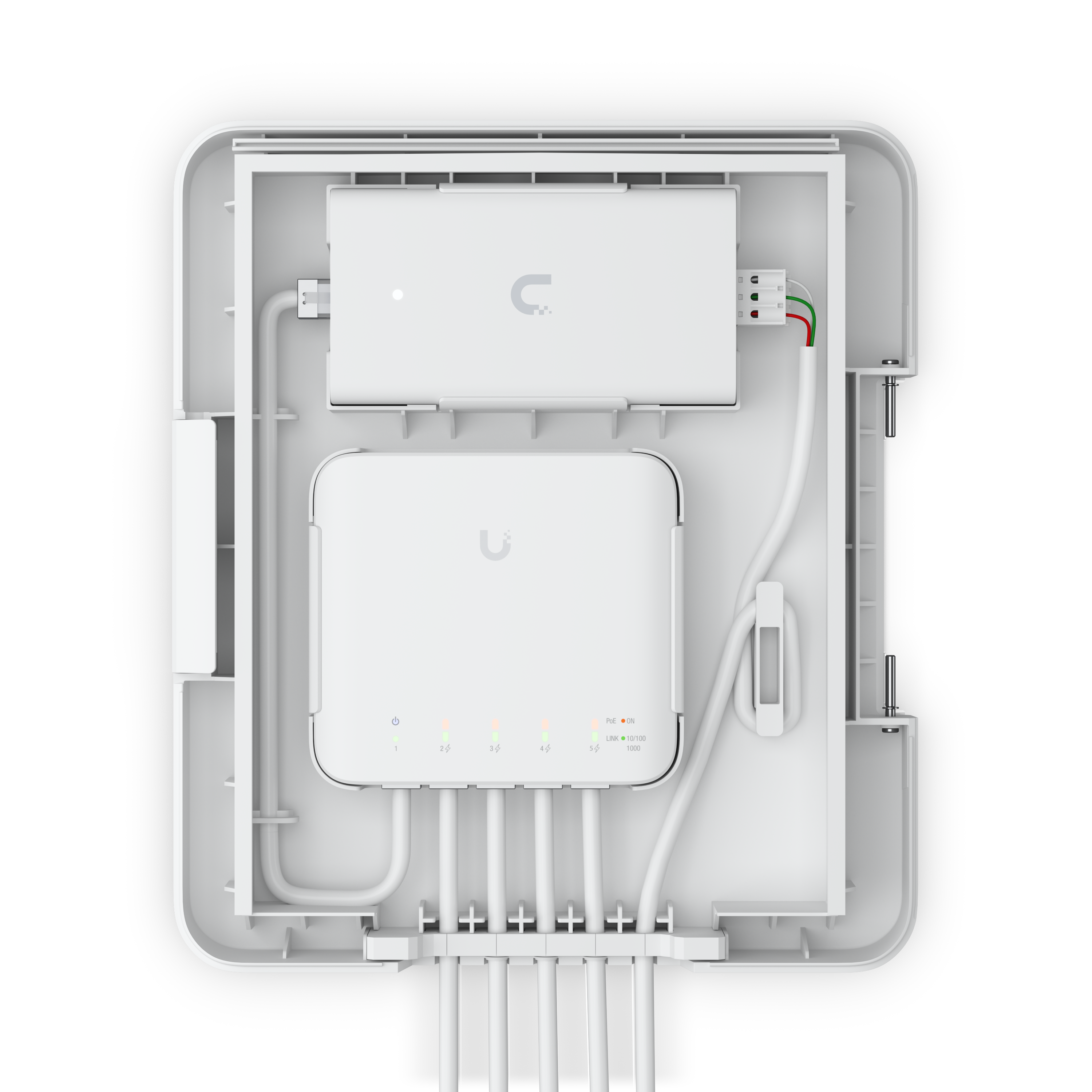
With something like the Ubiquiti USW-Flex switch, you can run 1 cable to the outside, power it via a PoE++ injector, and then run between 3 and 4 cameras off it depending on draw - all whilst running at 1Gbps.

There's even a USW-Flex Utility cabinet to make it all look nice.

 
So you'd end up with something like this


1779454284337.png


I you don't currently have a separate switch, then disregard that, the NVR and POE++ injector would connect direct to your Router.

Similarly if you do have PoE++ capable switch or want to buy one then you wouldn't need the PoE injector.
 
Thanks that is a rather expensive solution the uniflex switch

It's that vs drilling one extra hole and feeding 3 new cables through to a POE switch.
 
Thanks that is a rather expensive solution the uniflex switch

It's that vs drilling one extra hole and feeding 3 new cables through to a POE switch.
which system/made would u reccomend that's easy to use on par with the way google have the ring software setup
 
Thanks that is a rather expensive solution the uniflex switch
But is good quality proven equipment that meets your original requirement of not drilling extra holes
- I’m hoping to avoid drilling more holes into the house for extra RJ45 cables, so is there some kind of external splitter or similar device that would let me do this?

Note there are cheaper options, indeed a quick search on your favourite site for "Outdoor PoE Splitter" will probably provide something that will work.


It's that vs drilling one extra hole and feeding 3 new cables through to a POE switch.
As with all these things, there are several ways of achieving what you want, but some are a time/money trade off (i.e. what you'll save by not buying the above switch, you'll spend on extra cabling - even though it's relatively cheap, time to drill holes, run extra cables etc)
 
But is good quality proven equipment that meets your original requirement of not drilling extra holes


Note there are cheaper options, indeed a quick search on your favourite site for "Outdoor PoE Splitter" will probably provide something that will work.


As with all these things, there are several ways of achieving what you want, but some are a time/money trade off (i.e. what you'll save by not buying the above switch, you'll spend on extra cabling - even though it's relatively cheap, time to drill holes, run extra cables etc)
The thing is and what i dont understand is this

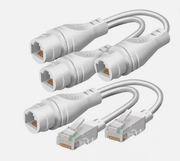
Say I got a cable running outside and I split it into two - One end plugs into the camera but can I use the other end and plug it into an outdoor switch but still have my wired network working on the other side of the camera...

let me shiow u an example of the device Ive seen:

 
The thing is and what i dont understand is this

Say I got a cable running outside and I split it into two - One end plugs into the camera but can I use the other end and plug it into an outdoor switch but still have my wired network working on the other side of the camera...

let me shiow u an example of the device Ive seen:

Ah the good old "ethernet economisers" :D

They work by exploiting the fact that 100Mbps only needs 4 wires (2 pairs) out the 8 available in a normal ethernet cable.
 
Back
Top Bottom