• Notice regarding image hosts and attachments. See here.

First PC Purchase Since 2001!

I prefer physical media in my hands, so would likely shell out for a retail copy.
not too sure if physical media is worth £100 :p

really all depends on what programs your using ... i9 + 2080 is the all round package
i suspect, as OP is still using DVR for now, and PP later on, that i9+2080 is the best all-rounder package for him

@Nicholas Sorrell food for thought. https://www.4kshooters.net/2018/03/25/can-an-nvme-drive-really-enhance-your-video-editing-workflow/
this guy uses NVME SSD for scratch disk, SATA3 SSD for export disk, and normal hdd (RAID1 probably) for backup.

based on the above, how's about this:

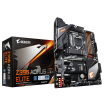
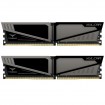
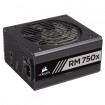
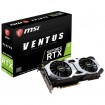
My basket at Overclockers UK:
Total: £2,697.94 (includes shipping: £14.10)
​
so basically what's changed:
1) storage combination: 500gb nvme ssd (scratch disk), 1tb sata3 ssd (export disk), 2x 4tb hdd in raid 1 (backup storage)
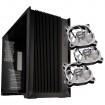
2) changed the case around, also added 2x 140mm fans for the front (case only comes with rear fans).
3) i've added windows too. unfortunately you seem like the guy who wants a computer to "just work" as soon as it hits the doorstep. with the storage array as above, it'll need to be set up in bios, and will need to make sure it works in windows, so better to get the techs to do it for you

 
@tamzzy thank you again for taking the time to compile another way forward, it's genuinely appreciated :) I've got much to think about and it has prompted yet more research :D

I remember when all you had to worry about was clock speed, how many meg of RAM you needed, and if you wanted a Matrox Millenium or an early GeForce card :D
 
@tamzzy thank you again for taking the time to compile another way forward, it's genuinely appreciated :) I've got much to think about and it has prompted yet more research :D

np, take your time. it's a lot of money you're spending.
though by the time you're ready to buy, might be near time for ryzen 3000 release :P

dunno about TG's ssds and their long term reliability and DWPD - i don't think this is published IIRC.
i'd have gone for a PRO drive but alas, no budget lol

thing is that the barracuda pro has 5 year warranty AND 2 years data recovery included. toshiba only has 2 years oem warranty
 
So, I have finally been and bought all the bits and got it all together.

In the end, I went with:

My basket at Overclockers UK:
Total: £2,301.98 (includes shipping: £14.70)​
​

It's all build in one piece, and has the basic drivers installed from the mobo disc and graphics card disc. I'll be adding more storage (of the M2 and bigger 3.5" drives) and uprating fans as time goes by to get the very best out of the case. It's been a while since I built a PC, I can certainly say it's changed somewhat. I love the modular PSU, rear cable management and the sheer size of the graphics cards nowadays (last one I bought was a GeForce 2 GTS way back when, it was tiny by comparison).
 
would have gone with the razor dynamic with mouse on deal if going MSI since you can control lighting of the case/razor software through MSI RGB header ...
Those fans I think are on a stand along controller , sure can be plugged into mobo somehow
 
would have gone with the razor dynamic with mouse on deal if going MSI since you can control lighting of the case/razor software through MSI RGB header ...
Those fans I think are on a stand along controller , sure can be plugged into mobo somehow

TBH I'm not overly fussed with lit keyboards etc, but you never know, the RGB bug may bite hard later on :D The fans are indeed on their own controller into the mobo.

I was in desperate need to grab whilst I could as my computing need became immediate :)
 
Need to see some pics !!!
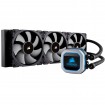
I'll grab some tonight when I'm home from work :) I've purpopsely not wired up the RGB fans as I don't (currently) want masses of RGB goodness. I've set the graphics card and mobo to permanent red, and the Corsair cooler block does its own thing as it isn't wired to a controller or point on the board where I can control it, so am going to explore the possibility of the Corsair Link to get that red too. I'm enjoying the subtle red at the moment, but can see how people get consumed by RGB...who knows I may well wire up the fans this week and have more red :D

Brilliant case i have the same so many options with that case
Thanks buddy :) It's certainly a versatile air cooling case. The only gripe I have with it is that with the graphics card in place and wired up, it touches the glass with the wires, which when reapplying the side panel, causes the card to drag down slightly. Not something I saw mentioned in reviews of the case, and certainly an argument for vertical placement, a route I may yet explore if I can figure out a way to effectively cool the card with it placed vertically.
 
I'll grab some tonight when I'm home from work :) I've purpopsely not wired up the RGB fans as I don't (currently) want masses of RGB goodness. I've set the graphics card and mobo to permanent red, and the Corsair cooler block does its own thing as it isn't wired to a controller or point on the board where I can control it, so am going to explore the possibility of the Corsair Link to get that red too. I'm enjoying the subtle red at the moment, but can see how people get consumed by RGB...who knows I may well wire up the fans this week and have more red :D


Thanks buddy :) It's certainly a versatile air cooling case. The only gripe I have with it is that with the graphics card in place and wired up, it touches the glass with the wires, which when reapplying the side panel, causes the card to drag down slightly. Not something I saw mentioned in reviews of the case, and certainly an argument for vertical placement, a route I may yet explore if I can figure out a way to effectively cool the card with it placed vertically.

I have my card on an aio cooler. But dont have a problem with cables touching glass i have them feeding from the right hand cable gromet and bent them so they plug in nicley Going to braid all cables this week this will allow even more flexability will post images when done
 
Last edited:
OK, so, I am going to be tidying up all the wiring, rerouting cables through more logical grommets etc, rotating the cooler block and adding more RGB fans for even more cooling:eek:

I didn't think I'd like the RGB, but it has really grown on me. I've been pretty boring and set everything to red and static (red and black are my team colours, Saracens), but it works for me :D

qJ3pV1S.webp
 
I'm still experimenting with rad positions for optimum cooling
generally accepted norms are front (and bottom - although i don't suggest using bottom fans due to dust) = intake, back and top = exhaust, for a conventionally designed case.
with the side fans however, i'm unsure how this will affect (or disrupt) airflow.

for best gpu temps = cpu radiator at top and fans exhausting
for best cpu temps = cpu radiator at front and fans used as intake
 
Back
Top Bottom