

-
Notice regarding image hosts and attachments. See here.
You are using an out of date browser. It may not display this or other websites correctly.
You should upgrade or use an alternative browser.
You should upgrade or use an alternative browser.
Home Assistant beginners
- Thread starter katie279
- Start date
More options
Thread starter's posts
Is it just backing up HA settings and layout?It’ll be fine. Just remember to backup on a separate disk
Definitely do the backup early on, and make sure you take regular backups - also ensuring it's backed up off device. You don't want to be spending countless hours building a config - especially with dashboards and then lose the lot because the install got corrupted after a power outage or dodgy update.
I do my backups outside of HA using proxmox snapshots. I absolutely love the ability to do a full restore in a couple of minutes, it's saved my bacon a few times when something catastrophic has broken during update. Most recently ZHA was failing to start, which would mean lack of control of lights and switches around the house. The WAF goes down very quickly when something simple like lights fail to work. Rather than spending hours troubleshooting, I can just restore it in a couple of minutes and deal with it later.
I do my backups outside of HA using proxmox snapshots. I absolutely love the ability to do a full restore in a couple of minutes, it's saved my bacon a few times when something catastrophic has broken during update. Most recently ZHA was failing to start, which would mean lack of control of lights and switches around the house. The WAF goes down very quickly when something simple like lights fail to work. Rather than spending hours troubleshooting, I can just restore it in a couple of minutes and deal with it later.
Last edited:

i have this https://www.amazon.co.uk/dp/B0FDB51..._5&=&crid=1VI6BC7J5HKVR&sprefix=apolo&th=1So who's using a tablet mounted on a wall?
mounted on the wall - basically its a calendar, but runs android so has the app installed. if i could get a nicer layout for the calendar (to match the android widgets), i would have the ha front and centre
Since the latest update it's been faultless.I had nothing but problems when I tried to get that integration working some time ago so instead I use Alexa Media Player. It may be worth checking that out to get the notifications working whilst the other integration is fixed.
How's the battery life?i have this https://www.amazon.co.uk/dp/B0FDB51..._5&=&crid=1VI6BC7J5HKVR&sprefix=apolo&th=1
mounted on the wall - basically its a calendar, but runs android so has the app installed. if i could get a nicer layout for the calendar (to match the android widgets), i would have the ha front and centre

i have this https://www.amazon.co.uk/dp/B0FDB51..._5&=&crid=1VI6BC7J5HKVR&sprefix=apolo&th=1
mounted on the wall - basically its a calendar, but runs android so has the app installed. if i could get a nicer layout for the calendar (to match the android widgets), i would have the ha front and centre
This was essentially the brief that the wife gave me for what she wanted a dashboard in the kitchen to look like!
Available hardware was somewhat less impressive, though (a moderately premium 10" digital photoframe that was out of support), but I still got a pretty good result using Fully Kiosk browser, browser mod, and a whole load of Gemini manipulating code to format the layout and colours. It also uses 'Album Slideshow Camera' and a bit of automation to switch to a photo slideshow after a few minutes of inactivity.
https://images2.~imgbox~/d6/eb/Ky3ODtUu_o.png
Went slightly more fancy with more informational cards on my desk based dashboard, which uses Fully Kiosk browser on a Fire HD 8 (2020) tablet. More automations to rotate between the different pages (including rotating the energy usage card on the first page between usage and cost every 15 seconds), and to overlay a popup of the Ring doorbell camera when someone presses the doorbell.
https://images2.~imgbox~/f2/20/Ifabu5wO_o.png
https://images2.~imgbox~/bd/fb/fgbRfqBG_o.png
https://images2.~imgbox~/0e/ce/4nHnAKE6_o.png
After a good couple of hours I managed to flash it on the internal emmc, all this time it was booting of a usb and taking forever to prepare home assistant. When it was on the emmc it just went to the login page straight away.
Anyway do I need a tablet to create a dashboard with widgets, live camera, light control or I can start on my laptop and then transfer the config files?
Anyway do I need a tablet to create a dashboard with widgets, live camera, light control or I can start on my laptop and then transfer the config files?
Build the dashboards in the web browser on your laptop, then when you have a tablet for displaying you set the home page to the specific URL of the dashboard and use controls to hide the sidebar, etc
Edit: or you can use the app!
Edit: or you can use the app!
Last edited:
Just ordered a tablet earlier today, maybe I'm getting carried away. I'm also looking to buy smart blinds and a few bulbs.Build the dashboards in the web browser on your laptop, then when you have a tablet for displaying you set the home page to the specific URL of the dashboard and use controls to hide the sidebar, etc
Edit: or you can use the app!
My Yeelight was added to HA with no issues but the Meross bulb doesn't. Wondering if this will work. https://a.aliexpress.com/_EuVjaiK or Tapo L530B which I've seen on marketplace for a decent price.
I
Those Aliexpress bulbs are Zigbee. To use them with HA you need a Zigbee dongle such as an SMLight SLZB 06. I'd also caution against buying cheap. I'm not saying the cheap stuff won't work but low quality components can cause problems further down the line.Just ordered a tablet earlier today, maybe I'm getting carried away. I'm also looking to buy smart blinds and a few bulbs.
My Yeelight was added to HA with no issues but the Meross bulb doesn't. Wondering if this will work. https://a.aliexpress.com/_EuVjaiK or Tapo L530B which I've seen on marketplace for a decent price.
Will this do the job for ZigBee devices? I'm assuming it should work plug and play on my Wyse 5070?
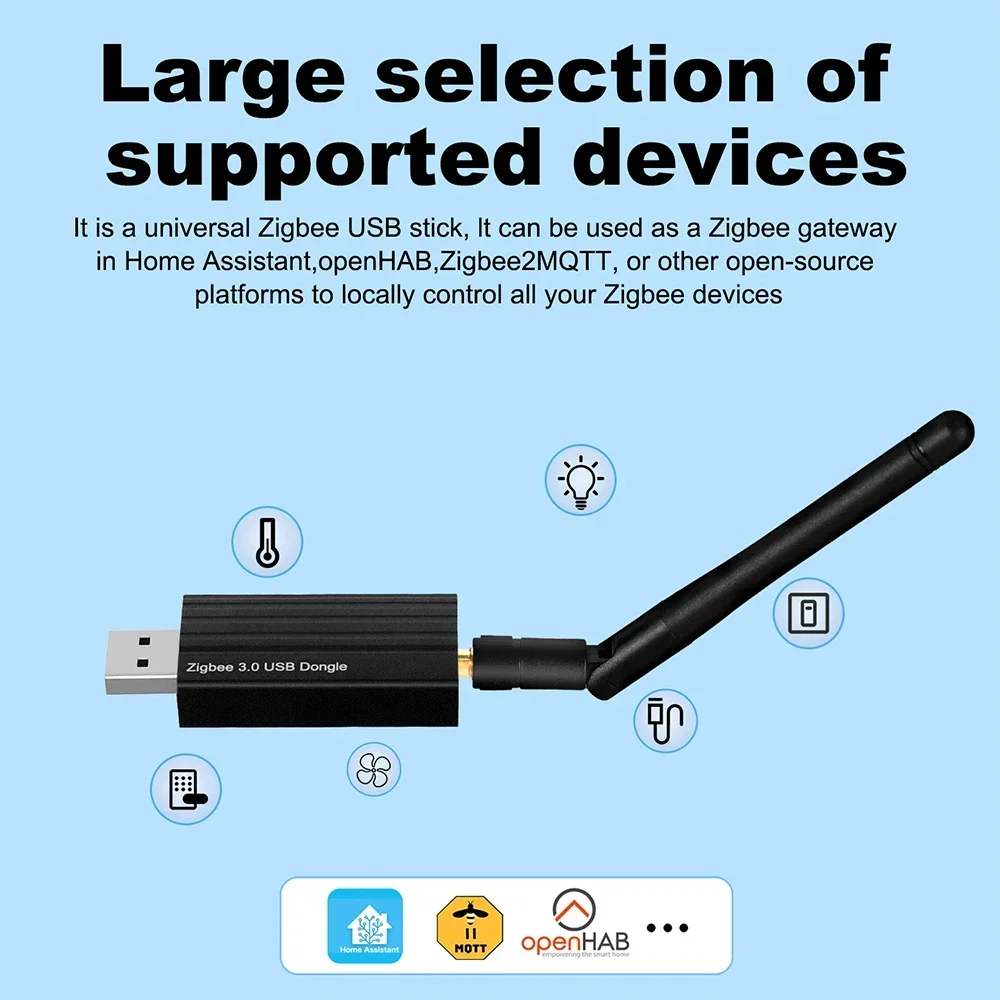
 a.aliexpress.com
What inexpensive bulbs do you recommend that doesn't require ZigBee? Doesn't need to be coloured.
Zigbee 3.0 USB Dongle 2.4GHz for Home Assistant
Smarter Shopping, Better Living! Aliexpress.com
a.aliexpress.com
What inexpensive bulbs do you recommend that doesn't require ZigBee? Doesn't need to be coloured.
For a Zigbee dongle I wouldn’t cheap out and recommend either one from SMLight or Nabu Casa, the HA developers. A dodgy dongle will just your life hell!
If you’re just playing about and finding your feet then find a bulb that works with Tuya. They come in WiFi and Zigbee flavours so watch what you buy. Personally, I’d skip the WiFi bulbs, get a good Zigbee dongle and pick up a couple of Hue Ambient bulbs. They’re not cheap by any standard but they’re good, natively supported and last for years.
If you’re just playing about and finding your feet then find a bulb that works with Tuya. They come in WiFi and Zigbee flavours so watch what you buy. Personally, I’d skip the WiFi bulbs, get a good Zigbee dongle and pick up a couple of Hue Ambient bulbs. They’re not cheap by any standard but they’re good, natively supported and last for years.
Thanks but hue is a bit too expensive. Interestingly my Yeelight which is more than 5 years old was picked up on HA and I can also change the colours on it. Just trying to figure out if Tapo would be the same as price isn't too bad.For a Zigbee dongle I wouldn’t cheap out and recommend either one from SMLight or Nabu Casa, the HA developers. A dodgy dongle will just your life hell!
If you’re just playing about and finding your feet then find a bulb that works with Tuya. They come in WiFi and Zigbee flavours so watch what you buy. Personally, I’d skip the WiFi bulbs, get a good Zigbee dongle and pick up a couple of Hue Ambient bulbs. They’re not cheap by any standard but they’re good, natively supported and last for years.

Soldato
- Joined
- 8 Dec 2002
- Posts
- 22,763
- Location
- North Yorkshire
Don't overlook Philips Hue essentials 
I've been looking for a wireless smart switch to control a bulb. Reason being when coming home at night, there is no light switch next to the door but about 2 meters away.
The only thing I have come across is the Luton Caseta https://www.amazon.co.uk/Lutron-PJ2-3BRL-WH-L01R-Control-Favorite-Setting/dp/B00KLAXFQ0/
I'm assuming it can pair with any bulb? Does anyone have this or is there even an alternative?
The only thing I have come across is the Luton Caseta https://www.amazon.co.uk/Lutron-PJ2-3BRL-WH-L01R-Control-Favorite-Setting/dp/B00KLAXFQ0/
I'm assuming it can pair with any bulb? Does anyone have this or is there even an alternative?