Need help saving data from an NVMe SSD

  • Thread starter Thread starter smr
  • Start date Start date

smr

smr

Soldato
Joined
6 Mar 2008
Posts
8,853
Location
Leicestershire
I've got a laptop which is dead, faulty mobo probably.

Taken the SSD is out which is one of these NVMe ones. It's a Toshiba, model number kbg30zmv256g

I've bought two SSD enclosures now and neither work, could anyone suggest one that will work?

 
Try a search for one of these:
FIDECO M.2 NVME External SSD Enclosure, PCIe USB 3.1, Gen 2 Adapter with 10Gbps Transfer Rate, USB C Hard Drive Caddy/Case for M-Key & M+B Key NVME SSD 2230/2242 / 2260/2280, Support UASP

I can't see in the specs whether it is an M-key or M+B Key drive, but I have a
WD Blue SN550 1TB High-Performance M.2 PCIe NVME SSD
in mine, so compare them spec-wise and see?

 
Thanks for the reply. I'm not sure what I'm supposed to be looking at now as I've bought two SSD enclosures for it but neither work.

This is the drive...

20210906-094201.jpg
 
The second one I bought is this one... which sounds the same as the Fideco one?
LEMORELE M.2 NVMe SSD Enclosure USB C External PCIe B+M/M-Key SSD Caddy 10Gbp UASP USB 3.1 Gen 2 M2 Reader Aluminum Thunderbolt 3 Case Compatible with Intel 760P, Kingston A1000 Tool-Free
 
That enclosure should work. The safest bet is to just install it to an M2 slot on a PC and read it without an enclosure, can you do that?
 
It looks like it is a B+M drive (a cut out at both sides), which it does accept
Where I got it from have a good returns policy, and with it being less than £20, worth a punt?
 
Yeah I suppose, it's just that the Lemorele is the same thing and that doesn't work? Or is this one different?

Unfortunately I don't have a computer with an M2 slot - my motherboard is very old!
 
Just to double check as well that my Motherboard would support it... the tech specs for the PCIE slots..

  1. 2 x PCI Express x16 slots, running at x16 (PCIEX16_1/PCIEX16_2) (Note 2)
  2. 2 x PCI Express x16 slot, running at x8 (PCIEX8_1/PCIEX8_2) (Note 3) (The PCIEX16_1, PCIEX16_2, PCIEX8_1 and PCIEX8_2 slots conform to PCI Express 2.0 standard.)
  3. 2 x PCI Express x1 slots
  4. 1 x PCI slot
 
Should be fine in one of the PCIe x16 slots.

Depending on how old the motherboard is*, it may try to boot from the NVME (in which case you would need to use the boot menu or bios to select your normal boot device)


* bootable NVME was socket 1150 onwards (4xxx intel cpus) I think
 
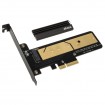
I just had a look on Akasa's website - I think that card only supports 'M key' SSD and I think the one I have is 'B & M' ?
 
Your associated forum username is 'smr'.
You qualify for forum free shipping.

Yet 1st class is £2.74
2nd class is free.
 
Back
Top Bottom