


I ve been contemplating going to SSD for a while mainly just for the boot drive and a few games. However is there going to be a big difference between me putting two 80Gb drives i have lying around in Raid 0 as opposed to buying a £100 SSD Drive. I know reliability is probably higher but isnt really an issue if its just storing windows...
You are using an out of date browser. It may not display this or other websites correctly.
You should upgrade or use an alternative browser.
You should upgrade or use an alternative browser.
RAID0 vs SSD
- Thread starter Deadude
- Start date
More options
Thread starter's posts
RAID doesn't have to be noisey - I have a bunch of seagate 7200.12s in RAID0 and its completely silent and configuration wasn't that difficult.
RAID can't touch SSD for the access times tho as stated above - so which is better depends a lot on your useage.
I hesitate to reccomend SSD drives for boot drive useage just yet tho - they tend to degrade badly performance wise with useage unless you spend a lot of time maintaining them... while you might halve your boot time over a good RAID setup initially - you'll end up even longer in the long run unless your prepared to put the effort into house keeping the SSD.
RAID can't touch SSD for the access times tho as stated above - so which is better depends a lot on your useage.
I hesitate to reccomend SSD drives for boot drive useage just yet tho - they tend to degrade badly performance wise with useage unless you spend a lot of time maintaining them... while you might halve your boot time over a good RAID setup initially - you'll end up even longer in the long run unless your prepared to put the effort into house keeping the SSD.

Associate
- Joined
- 18 Mar 2009
- Posts
- 876
- Location
- Indiana, United States.
Maitaining does not take a lot of time. In fact it takes no time. I run trim twice a month, it takes literally 6 seconds to run. Way way way faster and easier than defragging an hdd which does not ever need to be done on an ssd. So now what takes more time to maintain?
BTW- A "degraded" ssd is still miles ahead of a raid of hdd's. Unless you are transferring large files from one drive to another on a regular basis, than raid0 is pointless. It's the access time that is the bottleneck.
I highly doubt the "completely silent" claim. That has a lot to do with the case, amount of fans etc etc. The ssd doesn't just claim to be completely silent, it is. No matter what case or where you put it or what brand.
BTW- A "degraded" ssd is still miles ahead of a raid of hdd's. Unless you are transferring large files from one drive to another on a regular basis, than raid0 is pointless. It's the access time that is the bottleneck.
I highly doubt the "completely silent" claim. That has a lot to do with the case, amount of fans etc etc. The ssd doesn't just claim to be completely silent, it is. No matter what case or where you put it or what brand.
Last edited:
Give a 7200.12 a whirl - while formatting a 3 disc RAID array of them even with my ear to the drives I couldn't hear even any access noise. If the room had been completely silent then its possible I would have heard something that close maybe - but thats a moot point really.

Associate
- Joined
- 18 Feb 2009
- Posts
- 1,253
- Location
- PorthEmmet, Cornwall
Your old 80Gb drives that you have 'lying around' are likely to be a few years old already, since 80Gb's haven't been sold for a while - so I'm guessing they'll be SATA I as well...
IMO a RAID 0 pair of SATA I 80Gb drives wouldn't even be as good as a single modern SATA II drive (or at least they might achieve the speed of the modern drive but you've still only got 160Gb and I bet they'll be noisy too).
SSD's are as already noted very expensive - if you can afford it then get one of these, poss a 128Gb GSkill Falcon? They review very well indeed and offer a good capacity for your money. If you cannot afford that then I'd suggest a pair of smaller SATA II HDD's - something like the 320Gb WD Black perhaps?
IMO a RAID 0 pair of SATA I 80Gb drives wouldn't even be as good as a single modern SATA II drive (or at least they might achieve the speed of the modern drive but you've still only got 160Gb and I bet they'll be noisy too).
SSD's are as already noted very expensive - if you can afford it then get one of these, poss a 128Gb GSkill Falcon? They review very well indeed and offer a good capacity for your money. If you cannot afford that then I'd suggest a pair of smaller SATA II HDD's - something like the 320Gb WD Black perhaps?
Maitaining does not take a lot of time. In fact it takes no time. I run trim twice a month, it takes literally 6 seconds to run. Way way way faster and easier than defragging an hdd which does not ever need to be done on an ssd. So now what takes more time to maintain?
I've been running with my OS on a Samsung SSD for a while now and it does seem to be slowing up a bit, would this Trim thing be of any use to me? where can i get it? Running XP if that matters.
Associate
- Joined
- 18 Feb 2009
- Posts
- 1,253
- Location
- PorthEmmet, Cornwall
I've been running with my OS on a Samsung SSD for a while now and it does seem to be slowing up a bit, would this Trim thing be of any use to me? where can i get it? Running XP if that matters.
TRIM would be of use to you, but not sure if your SSD's firmware supports it as only some do. Your best bet would be to look in Samsung forums/support for info.
Associate
- Joined
- 18 Mar 2009
- Posts
- 876
- Location
- Indiana, United States.
I've been running with my OS on a Samsung SSD for a while now and it does seem to be slowing up a bit, would this Trim thing be of any use to me? where can i get it? Running XP if that matters.
trim is not supported on the samsungs. OCZ vertex, g skill falcons, and there's one more I can't remember right now. Supposedly win7 will trim ssd's but there's not much confirmation to that yet.
I just hope the OP doesn't take advice about SSD's from someone who doesn't have one and has never used one. There is no time that you have to spend to maintain them. Anyone who tells you that does not know what they speak of. Same goes for anyone saying they degrade badly since even then the ssd will out perform a raid0 array of velociraptors. If you are looking for performance speed drives, get an ssd. After checking your specs you should definately go ssd. You will see exactly how much of a bottleneck hdd's really are.
Last edited:

One thing that you really need to think about with normal magnetic hard drives is that capacity and performance are directly proportional, as you increase the data density on the magnetic disk you increase by the same amount, the data that will pass by the head which is resoposable for reading data. Assuming the same spindle speed eg 7200rpm. THerefore an 80Gb will be half the speed of a 160Gb assuming all other things such as firmrmare number of platters ect are equal.
You are never going to get the same sort of access times on mechanicall hdds as on an ssd, but you can get similar sequential and I'd sugggest not going for an ssd personally until OS support for TRIM is sorted out
You are never going to get the same sort of access times on mechanicall hdds as on an ssd, but you can get similar sequential and I'd sugggest not going for an ssd personally until OS support for TRIM is sorted out
Associate
- Joined
- 18 Mar 2009
- Posts
- 876
- Location
- Indiana, United States.
The access times become a bottleneck once the rest of your system is even half way good. That is the main point to the ssd. Personally I didn't spend all this money on my rig just to have an hdd bottleneck it. I go from post to fully booted in about 22 seconds in windows vista ultimate x64. That's everything usable. I'm not waiting around for background programs to run etc. I can immediately start clicking and instantly opening games/apps at will. No hdd will give you that. Sure some can get into windows quickly, but they are still waiting for apps to load and run once in.
Going to my friends house who has a worthy pc but no ssd really brought me back. I kept trying to click on things as soon as windows loaded etc. Never again will I go hdd, in fact I'm currently in the process of going complete ssd. I'm just waiting for student loan money
Also it doesn't get said enough, but all hdd's degrade over time too just for a different reason. There is a trim utility to bring your ssd to day one speeds and remove any degrade in performance, there is no such utility on hdd's. Not to mention defragging (whether done at 4am or not), still takes 1000 times longer than trimming an ssd. And if you want to talk about maintenance isn't a virus scan part of drive maintenance? Watch one on an ssd and get blown away by how much faster they complete.
Going to my friends house who has a worthy pc but no ssd really brought me back. I kept trying to click on things as soon as windows loaded etc. Never again will I go hdd, in fact I'm currently in the process of going complete ssd. I'm just waiting for student loan money
Also it doesn't get said enough, but all hdd's degrade over time too just for a different reason. There is a trim utility to bring your ssd to day one speeds and remove any degrade in performance, there is no such utility on hdd's. Not to mention defragging (whether done at 4am or not), still takes 1000 times longer than trimming an ssd. And if you want to talk about maintenance isn't a virus scan part of drive maintenance? Watch one on an ssd and get blown away by how much faster they complete.
Last edited:
Well the two 80Gb drives i have are actually Sata II and relativly new they were just replaced out of two recent pre built systems i made up.
Noise doesnt really bother me i have about 8 drives in my pc asit is . I would be intterested in a side by side comparison thought might have to go and do both . Also what SSD would everyone recommend would need 64Gb for the best price/performance
Noise doesnt really bother me i have about 8 drives in my pc asit is
. I would be intterested in a side by side comparison thought might have to go and do both . Also what SSD would everyone recommend would need 64Gb for the best price/performance
Associate
- Joined
- 18 Mar 2009
- Posts
- 876
- Location
- Indiana, United States.
I would only buy a OCZ Vertex, OCZ agility, or G skill falcon atm. Believe me side by side, you would buy an ssd. As expensive as they are, I still do not regret buying it and I'm on un-employment atm so cash doesn't come easy, well it does, just not very much 
you could always buy an ssd, use it, and i'm sure if you did not like it, sell it for maybe a tenner less than what you bought if for. There aren't very many used ones for sale out there, but the ones that are seem to really hold their value.
The corsairs and samsungs aren't bad drives but they don't have a trim utility that you could download from their website like the above mentioned ones do. Which means you will probably have to upgrade to win7 in order to have some sort of trim support should win7 be so nice. With the ones I mentioned above you could keep xp, or vista and run it yourself which is literally all of 6 seconds. I'm really not exaggerating that. That tool brings the speeds right back to the way they were when the drive was brand new. That is the reason I bought the Vertex in the first place. I like my Vista, and don't plan to get win7 right away but wanted trim. The more reading you do the more you will find this info to be true.
you could always buy an ssd, use it, and i'm sure if you did not like it, sell it for maybe a tenner less than what you bought if for. There aren't very many used ones for sale out there, but the ones that are seem to really hold their value.
The corsairs and samsungs aren't bad drives but they don't have a trim utility that you could download from their website like the above mentioned ones do. Which means you will probably have to upgrade to win7 in order to have some sort of trim support should win7 be so nice. With the ones I mentioned above you could keep xp, or vista and run it yourself which is literally all of 6 seconds. I'm really not exaggerating that. That tool brings the speeds right back to the way they were when the drive was brand new. That is the reason I bought the Vertex in the first place. I like my Vista, and don't plan to get win7 right away but wanted trim. The more reading you do the more you will find this info to be true.
Last edited:
Associate
- Joined
- 18 Mar 2009
- Posts
- 876
- Location
- Indiana, United States.
Here is the wiper tool, it took me 10x longer to resize and do the images than it did to run wiper. I actually had to run it twice because the first time I print screen to slow and it was already finished so that was the "any" button to continue.
Wiper file is in bottom right of my desktop

Wiper file

Right before I run it

Done!
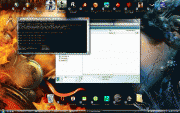
It really doesn't need done more than once per month unless deleting large files or uninstalling large programs. Even then once a month would be fine. I usually only run it when I want to do large writes like installing a game or something of that nature.
EDIT: last pic was same as 3rd but is now fixed.
Wiper file is in bottom right of my desktop
Wiper file
Right before I run it
Done!
It really doesn't need done more than once per month unless deleting large files or uninstalling large programs. Even then once a month would be fine. I usually only run it when I want to do large writes like installing a game or something of that nature.
EDIT: last pic was same as 3rd but is now fixed.
Last edited:

You can't be eligible for both student loan and unemployment benefit. I checked a while back 
Shame though.
If you have sufficient money, get OCZ Agility/G.Skill Falcon, probably. If you have less money, get 1st gen Samsung 64gb or Corsair S128GB. If you can't afford those, SSD is not for you
Shame though.
If you have sufficient money, get OCZ Agility/G.Skill Falcon, probably. If you have less money, get 1st gen Samsung 64gb or Corsair S128GB. If you can't afford those, SSD is not for you
Associate
- Joined
- 18 Mar 2009
- Posts
- 876
- Location
- Indiana, United States.
You can't be eligible for both student loan and unemployment benefit. I checked a while back
Shame though.
If you have sufficient money, get OCZ Agility/G.Skill Falcon, probably. If you have less money, get 1st gen Samsung 64gb or Corsair S128GB. If you can't afford those, SSD is not for you
Well actually un-employment is paying for it this time around. 4k tuition plus 2500 spending $$ every semester. Not too bad eh? Last semester I was employed so it was student loan.
Over here they would rather pay un-employed people to go to school than to do nothing, makes sense. I'm pretty sure though that if my un-employment tuition were to run out I would qualify for student loan. I actually have a meeting about that in a couple of weeks. Usually they cannot turn you down for a student loan unless you have defaulted or have not tried to take advantage of any kind of free aid, which is why you have to fill out the fasfa. Once you use up any free aid/grants, you then qualify for student loans.
Last edited:
Well actually un-employment is paying for it this time around. 4k tuition plus 2500 spending $$ every semester. Not too bad eh? Last semester I was employed so it was student loan.
Over here they would rather pay un-employed people to go to school than to do nothing, makes sense. I'm pretty sure though that if my un-employment tuition were to run out I would qualify for student loan. I actually have a meeting about that in a couple of weeks. Usually they cannot turn you down for a student loan unless you have defaulted or have not tried to take advantage of any kind of free aid, which is why you have to fill out the fasfa. Once you use up any free aid/grants, you then qualify for student loans.
£2500 per semester? That's more than a student loan.. and of course no paying it back. I might look into that, lol, I spose I have to turn up to the jobseekers agency thing every day though? And surely if they offer you things you're expected to take something eventually?
Edit: just noticed you're in America. I'm fairly sure it doesn't work over here

Think it's to do with being in full-time education rather than getting student loan here.