


Xp Themes

collisster said:
I've ****** it up now, just tried to put a new theme on. and this happened
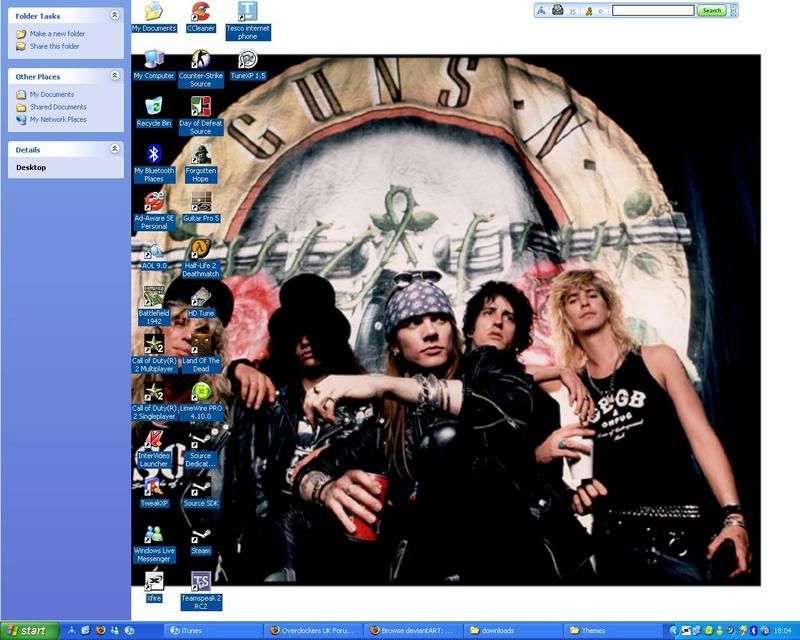
desktoptheme.jpg


It gave me an option to switch active desktop off, I did and a guns n roses picture came up from about 6 months ago and some wired stuff on the left appeared

anyone help please ?? :( :(
 
Last edited:
1. Open the Control Panel.
2. Open Display Properties.
3. Click the Desktop tab.
4. Click the Customize Desktop button.
5. Click the Web tab in the Desktop Items window.

If you wish to enable the Active Desktop, check "My Current Home Page". Add your current home page into your desktop or click New to add another web page and/or other Active Desktop features. To update the content, click the Synchronize button.
 
I have rebooted since installing xpize, there is no loading bar on the boot screen , and there is only windows classic styles, I'm updating to the net framework it wants becuase I cannot run xpize settings becuase of it... .
:mad:

after all this how do I now get more themes?
:(
 
:mad: :mad: :mad:
please some one help, sorry if I'm ******* you off I just very good with it, I can only have the windows classic theme at the moment
and I cant change my desktop background because its greyed out because of a virus ages ago can anyone help me with that aswell


greyedout.png
 
Last edited:
Can you uninstall the xpize software then use the download I provided here ?
To show the file extension you'll need to open My Computer then go to Tools > Folder Options > View > untick 'hide extensions for known file types' then apply.
Rename the file to .exe and double click.
 
It comes up with a screen saying insert windows cd I press cancel, then windows file protection comes up saying do I want to keep the unstable versions , that or there abouts do I press yes because when I press no its an endless loop...........
 
finally got there in the end :D :D .
If I havent moved the theme to the resourses folder does it mean I have to reapply It everytime I log onto windows?

cheers =D
 
Back
Top Bottom
