

-
Notice regarding image hosts and attachments. See here.
You are using an out of date browser. It may not display this or other websites correctly.
You should upgrade or use an alternative browser.
You should upgrade or use an alternative browser.
Why you SHOULD be using Firefox
- Thread starter opethdisciple
- Start date
More options
Thread starter's posts
I can see that; the CEO is definitely the type to push profit over user experience but I do think it’s been a healthy shake up. I’m fine if they’re making money but the core principles remain.Ironically if you ask the various tech-forums 'echo chambers' Firefox has only gotten 'worse' and lots of criticism over CEO/Fundings et al.
I've used it for a long-time and it's never felt bad, it's had its peaks and troughs in my opinion.
My main goal is to de-Microsoft and I’ve hopped on the Proton Unlimited plan to help with that too.

Google publishes exploit code threatening millions of Chromium users
Google publishes exploit code before patch, reported 42 months earlier, is fixed.
 arstechnica.com
Again proving why firefox is the safer browser.
 Google....
Watching Google IO was enough to reenforce my decision to leave their ecosystem.Google publishes exploit code threatening millions of Chromium users
Google publishes exploit code before patch, reported 42 months earlier, is fixed.
Again proving why firefox is the safer browser.
I've found more recently that FF seems to be downloading updates in the background, which is fine, but then I'll open a new tab and I'll be unable to do anything, except use existing tabs, because I need to restart FF. Which is thoroughly annoying because it needs to shut all windows. I don't recall FF doing this before, IIRC it used to download the update and then apply it when you closed all windows, which would be my preferred way it handled updates.
I've found more recently that FF seems to be downloading updates in the background, which is fine, but then I'll open a new tab and I'll be unable to do anything, except use existing tabs, because I need to restart FF. Which is thoroughly annoying because it needs to shut all windows. I don't recall FF doing this before, IIRC it used to download the update and then apply it when you closed all windows, which would be my preferred way it handled updates.
Your Firefox settings don't happen to be set to Automatically install updates, is it ? There is a box under it which makes it just download them but not installing them when firefox is running. I have the option below ticked, Check for updates but let you choose to install them. Then it downloads them when I clock to download, but they don't get installed until I restart the browser, which normally is the day after when I booting the PC back on.
"Automatic Install Updates" is on, but "When Firefox is not running" is ticked. I've not changed that setting AFAIK and that sounds like what I want it to do. I'll toggle it incase something is borked.Your Firefox settings don't happen to be set to Automatically install updates, is it ? There is a box under it which makes it just download them but not installing them when firefox is running. I have the option below ticked, Check for updates but let you choose to install them. Then it downloads them when I clock to download, but they don't get installed until I restart the browser, which normally is the day after when I booting the PC back on.

Soldato
- Joined
- 10 May 2004
- Posts
- 13,239
- Location
- Sunny Stafford
As Edge has been mentioned...
Firefox - is my full time browser, like 98% of the time
Brave - is my 'clean' browser, used for cashback sites so that they track
Chrome - is my compatible browser, used for online gambling and for remote desktop between my PCs
Edge - is the work browser, used for work related stuff. Replaces Internet Explorer
Also mentioned here are the increasing pop-ups about cookies. I use the add-on "I don't care about cookies" but I'm still getting lots of cookie alerts and I wonder what others here are doing about this?
Firefox - is my full time browser, like 98% of the time
Brave - is my 'clean' browser, used for cashback sites so that they track
Chrome - is my compatible browser, used for online gambling and for remote desktop between my PCs
Edge - is the work browser, used for work related stuff. Replaces Internet Explorer
Also mentioned here are the increasing pop-ups about cookies. I use the add-on "I don't care about cookies" but I'm still getting lots of cookie alerts and I wonder what others here are doing about this?
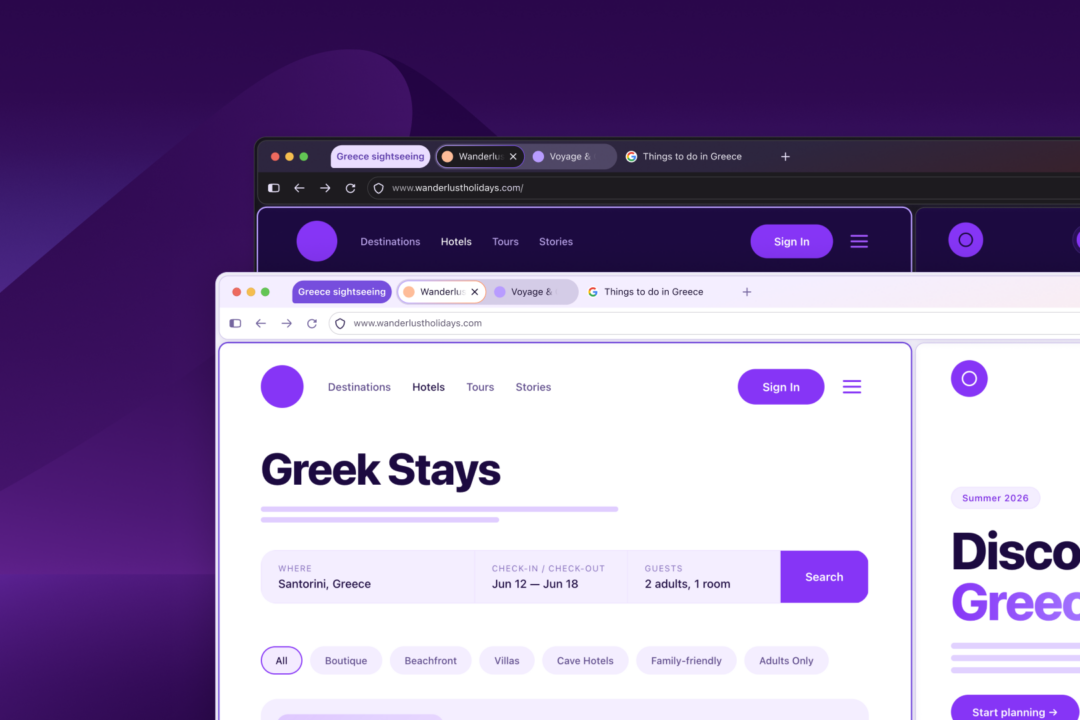
"Redesign" officially announced, I know it was 'leaked' months ago but official is here.
 blog.mozilla.org
Inside the new Firefox design: speed, privacy, and customization | The Mozilla Blog
Update on September 29, 2026: Starting today, the new Firefox design is rolling out to everyone who uses the browser across desktop and mobile devices. It
blog.mozilla.org

Even with the latest version of Firefox Google Search results are using a lot of CPU especially with the AI overview open... WTF is it doing with 70% utilisation on 8 threads and an extra 5 threads at low to moderate utilisation!
I had to kill Meta Services on my phone because it was doing weird stuff as well (probably should have done it a long time ago anyhow) with randomly stress testing the CPU for minutes at a time, etc. which should be a big no no (definitely not malware).
I had to kill Meta Services on my phone because it was doing weird stuff as well (probably should have done it a long time ago anyhow) with randomly stress testing the CPU for minutes at a time, etc. which should be a big no no (definitely not malware).
 I always test your issues and I can never reproduce them.
I never understood why adding padding to the main viewport is needed, like Edge. Here's hoping compact mode can fix that, if not then I'll have to resort to using a custom CSS to remove it."Redesign" officially announced, I know it was 'leaked' months ago but official is here.
Inside the new Firefox design: speed, privacy, and customization | The Mozilla Blog
Update on September 29, 2026: Starting today, the new Firefox design is rolling out to everyone who uses the browser across desktop and mobile devices. It
I never understood why adding padding to the main viewport is needed, like Edge. Here's hoping compact mode can fix that, if not then I'll have to resort to using a custom CSS to remove it.
Didn't they get rid of compact mode years ago before the last redesign, I remember the usual places online being up in arms about it.
I never understood why adding padding to the main viewport is needed, like Edge. Here's hoping compact mode can fix that, if not then I'll have to resort to using a custom CSS to remove it.
Didn't they get rid of compact mode years ago before the last redesign, I remember the usual places online being up in arms about it.
Yeah I'm all in on compact-mode. They didn't "remove" it completely, it was just in about:config. However it's now back fully-suported, but it still seems to be just in about:config.
Last edited:

Enabled the new Nova UI, nothing super-noticeably different from an immediate point of view. Some more rounded elements, settings is slightly different but it hasn't broken anything I can see.
It's this type of thing that puts me off NixOS as it feel like i'd always be updating the Home Manger declarations file with the amount of stuff Firefox moves about between settings and about:config.
Last edited:

Yeah I saw that but either its broken or manually enabling the VPN via the hidden advanced options before they fully deployed it broke something because regardless of what VPN location I pick the browser leaks test says I'm in the USA and Facebook still sends me security notifcations about a login from a new device / location in London (which is where Vodafone 4G seems to route a lot of its users traffic).Can finally select a VPN location, so Imgur works for me. Hopefully they'll roll out the ability to turn on the VPN for certain website, instead of what we have now where we can turn it off for specific sites.
My IP Address
The main tools for checking IP address privacy. Showing Your IP Address, Reverse IP Lookup, Hostname, and HTTP Request Headers, Your Country, State, City, ISP/ASN, and Local Lime, Whois Lookup, TCP/IP OS fingerprinting, WebRTC Leak Test, DNS Leak Test, and IPv6 Leak Test.
I will have to try uninstall / reinstall at some point to see if that fixes it.
I'm sure its a "feature" and in no way is it another bug... lolVPN button has gone huge since the last hotfix (yesterday)

Yeah I saw that but either its broken or manually enabling the VPN via the hidden advanced options before they fully deployed it broke something because regardless of what VPN location I pick the browser leaks test says I'm in the USA and Facebook still sends me security notifcations about a login from a new device / location in London (which is where Vodafone 4G seems to route a lot of its users traffic).
I doubt it's that. It's more likely it doesn't work properly with the DNS over HTTPS settings. Try setting it to 'Off - Use your default DNS resolver'.