

You are using an out of date browser. It may not display this or other websites correctly.
You should upgrade or use an alternative browser.
You should upgrade or use an alternative browser.
Acer G24 Screen
- Thread starter Ace Modder
- Start date
More options
Thread starter's posts

Soldato
- Joined
- 17 Jun 2005
- Posts
- 6,515
- Location
- Near Brighton
as soon as i find my phone data cable il post it.
Soldato
- Joined
- 17 Jun 2005
- Posts
- 6,515
- Location
- Near Brighton
nope dont have a clue where it is atm lol. everything got messed up with my new desk + pc hehe.

Associate
- Joined
- 18 Dec 2008
- Posts
- 150
Does anyone have an answer to a problem I posted earlier in this thread regarding my Acer G24?
I have just taken delivery of one of these to replace my Dell 2005FPW, which is now for sale if anyones interested.
So far I'm very pleased with it and the burnt orange does look much better IRL than the pictures. Still would have prefered a blue one though.
Does this monitor require a driver?
I'm running XP anf the G24 is connected to a 8800GT.
When attempting to install Acer's ADM software (which includes a driver), upon restarting the Pc it goes to BSOD. So I've uninstalled ADM and XP just shows it connected to a P&P monitor. Is this how it should be or have I missed something. I don't have anything to be able to properly calibrate the G24 although it seems ok straight out of the box.
I had a look on the Acer website for a driver but they don't show anything for the G24.
I also noticed that they don't list the 8800GT as a supported graphics card although their list includes the 8800GTS & GTX.
I'd be interested to know how other G24 users have got on with installing a driver and calibration.
I have just taken delivery of one of these to replace my Dell 2005FPW, which is now for sale if anyones interested.
So far I'm very pleased with it and the burnt orange does look much better IRL than the pictures. Still would have prefered a blue one though.
Does this monitor require a driver?
I'm running XP anf the G24 is connected to a 8800GT.
When attempting to install Acer's ADM software (which includes a driver), upon restarting the Pc it goes to BSOD. So I've uninstalled ADM and XP just shows it connected to a P&P monitor. Is this how it should be or have I missed something. I don't have anything to be able to properly calibrate the G24 although it seems ok straight out of the box.
I had a look on the Acer website for a driver but they don't show anything for the G24.
I also noticed that they don't list the 8800GT as a supported graphics card although their list includes the 8800GTS & GTX.
I'd be interested to know how other G24 users have got on with installing a driver and calibration.

Soldato
- Joined
- 19 Dec 2008
- Posts
- 3,499
- Location
- London, UK
tbh mate it works fine without the ADM software.. you can tune it yourself. I believe it doesnt actually need a driver to work ok. ADM just makes it abit easier. try downloading and installing it again http://www.portrait.com/dtune/acr/enu/upgrade.html
i use ADM on my vista partition and dont on my XP partition.. theres no noticeable difference. Basically if that software dont work just manually tune it via the monitor menu button to what you feel looks good and your done mate, nothing to worry about
i use ADM on my vista partition and dont on my XP partition.. theres no noticeable difference. Basically if that software dont work just manually tune it via the monitor menu button to what you feel looks good and your done mate, nothing to worry about
Last edited:

when you do color calibration, i find i get best results if i move away from the screen, blurr my vision, so the black and white lines blend together, that makes it much easier to match the grey box in the middle with the black and white lines.
give that a try.
give that a try.


Soldato
- Joined
- 17 Jun 2005
- Posts
- 6,515
- Location
- Near Brighton
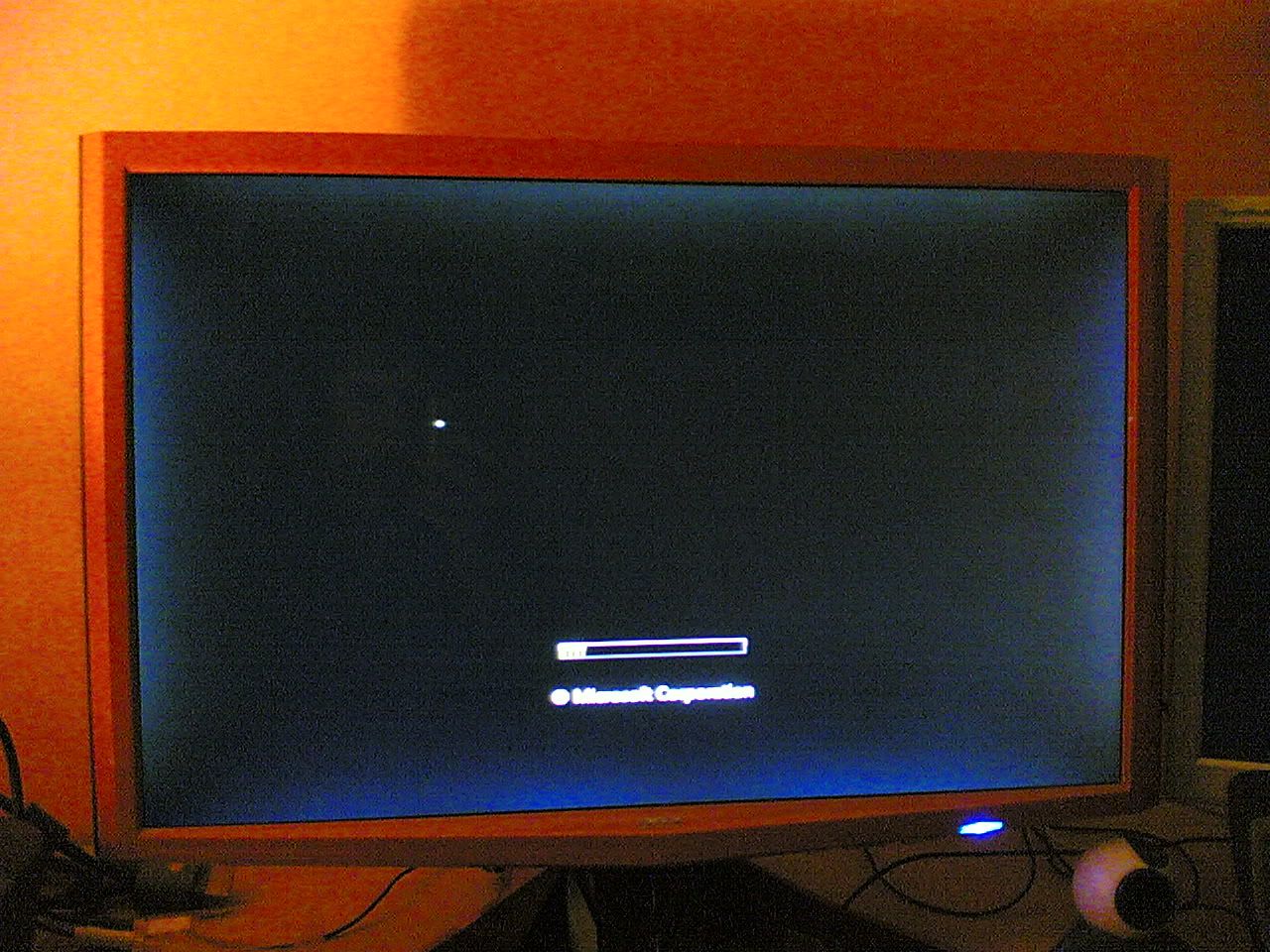
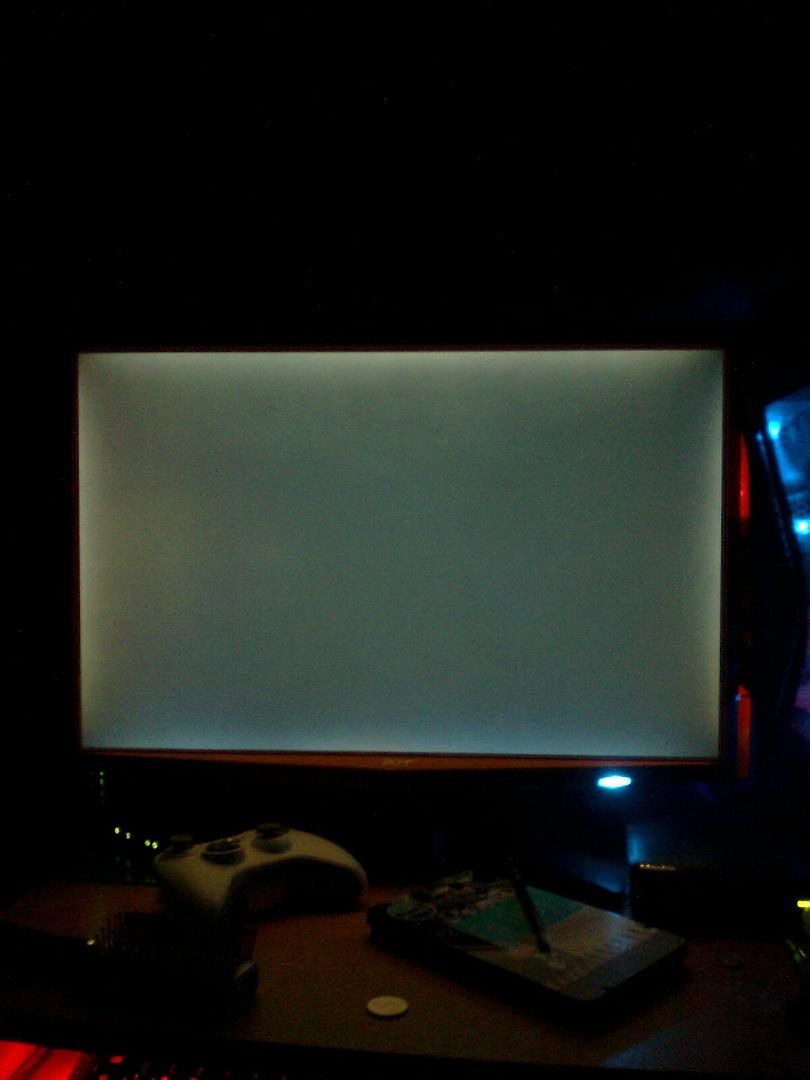
ok heres a couple of pics. it looks worse in the pics than it actually does but when i first had the monitor i didnt notice the bleeding at all but i think its getting worse as time goes on.

When was your maunufactured cingal? (near serial number on the back).
Not good guys eh! not a mention of (excessive) backlight bleeding on any review on the web, when i was doing some research before buying. Call me a cynic, but i bet acer cherry-picked the review models or paid the reviewers. Instead of joy when turning on mine each day, i have my fingers crossed that i dont see this.
Not good guys eh! not a mention of (excessive) backlight bleeding on any review on the web, when i was doing some research before buying. Call me a cynic, but i bet acer cherry-picked the review models or paid the reviewers. Instead of joy when turning on mine each day, i have my fingers crossed that i dont see this.
Well since yours in brand new, you could RMA it to ocuk, or if you've had it for less than 7 days, you can send it back for a full refund under the 7 day distance selling regulations.
If you're not interested in a refund (like I wasn't) just RMA it and have it exchanged.
I got a reply from Acer today, asking me to arrange for DHL to pickup my monitor and have it delivered to their repair center.
I was ok doing this since they gave me their DHL account number, meaning it will be charged to Acer's account, and not me.
DHL are picking my monitor up on monday, so lets hope Acer fully repair all the faults with it.
If you're not interested in a refund (like I wasn't) just RMA it and have it exchanged.
I got a reply from Acer today, asking me to arrange for DHL to pickup my monitor and have it delivered to their repair center.
I was ok doing this since they gave me their DHL account number, meaning it will be charged to Acer's account, and not me.
DHL are picking my monitor up on monday, so lets hope Acer fully repair all the faults with it.