• Notice regarding image hosts and attachments. See here.

Home Assistant beginners

This is not necessary great as you're putting 2 rtsp stream loads on each camera

Instead use Frigate's go2rtc to restream each feed. Ai prompt

" how do I use the audio from a frigate camera instead of a direct camera rtsp feed (provide current frigate config)"
Does this work well with the camera audio directly or have you set up dedicated mics? (the docs seem to point heavily towards dedicated, but don't know if overkill!)
 
Does this work well with the camera audio directly or have you set up dedicated mics? (the docs seem to point heavily towards dedicated, but don't know if overkill!)

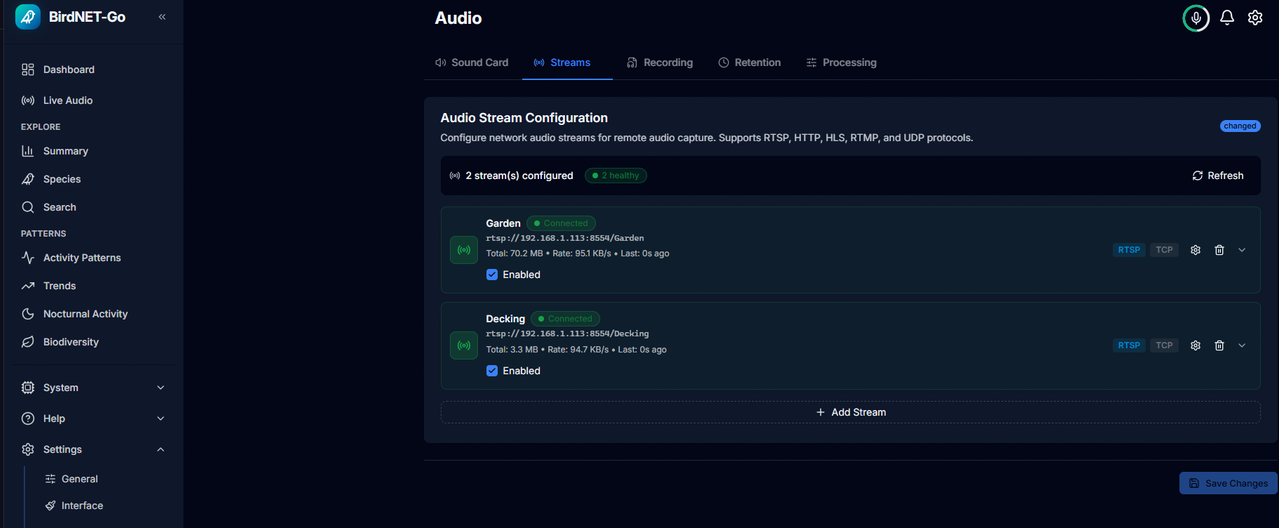
The bit that got my attention was RTSP streams

Audio inputs​

  • Soundcard capture and RTSP / RTSPS streams, including multiple sources in parallel with independent model assignment
  • Sample rates up to 256 kHz for ultrasonic bat detection
  • Audio liveness watchdog with tiered recovery for flaky streams
  • Stream sample-rate probing and per-model recommendation banners in the UI
  • Audio equalizer, per-source quiet hours, daylight filter, and extended capture mode
  • Offline analysis of audio files

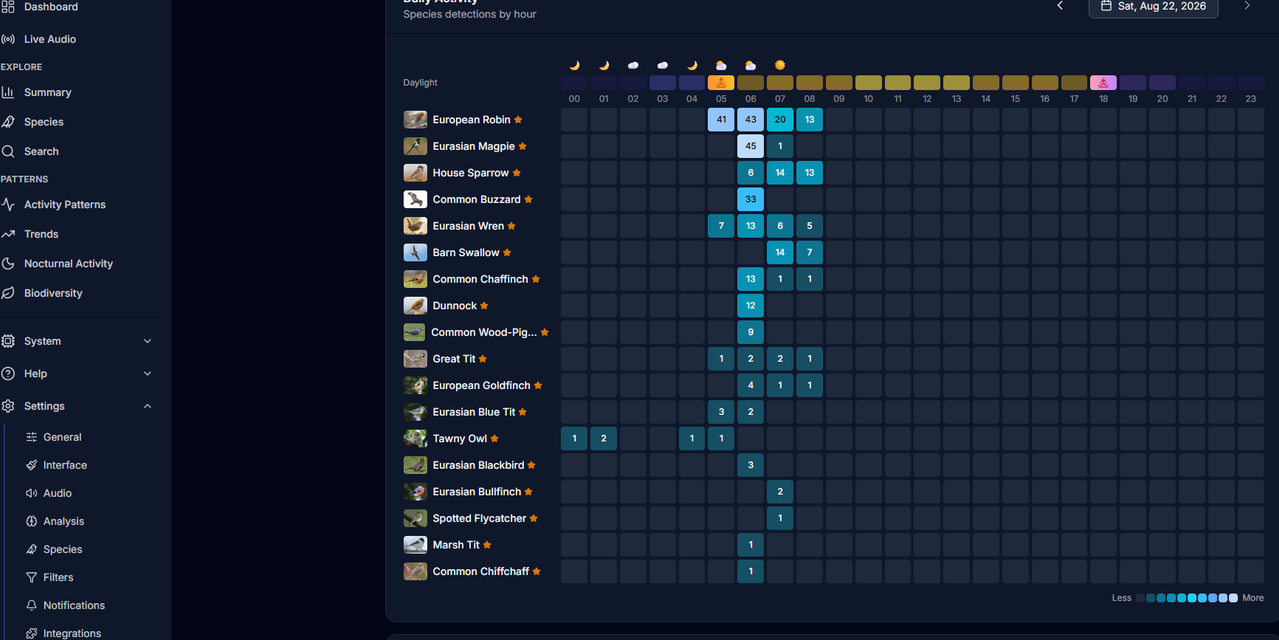
What cameras do you have ? I have reolinks that capture audio so it's just a matter of pointing birdnet at the cameras rtsp feed. This feed delivers both the audio and video but birdnet just uses the audio part for it's detection

You can set up standalone devices like running a raspberry pi with a mic attached to it instead
 
The bit that got my attention was RTSP streams


What cameras do you have ? I have reolinks that capture audio so it's just a matter of pointing birdnet at the cameras rtsp feed. This feed delivers both the audio and video but birdnet just uses the audio part for it's detection

You can set up standalone devices like running a raspberry pi with a mic attached to it instead
I've got about 16 Reolink cameras - all varieties really, so I should have good coverage! :cry: It's more I wonder if the sampling rate/hz would mean some birds with high pitch would be missed. I'm setting up a test today and I'll run a test!
 
Well installed Proxmox on my 128gb m.2 sata drive and a VM running HA. Then switched to Zigbee2mqtt which took a few hours then finally decided to work.
Just testing automations, with a Zemismart motor, and day and night blinds. Created automation for it to open and close for sunset and sunrise. Pir sensor for light to come on when going downstairs after 11pm. Though it randomly activates for some reason so disabled for now and will try a presence sensor. Another thing I tried is for same light to turn on when coming home late at night when detected by Reolink camera which works.

Got Claude working on my dashboard now. Trying to figure what stays in the main page without scrolling is burning hours. This is getting too addictive.
 
Last edited:
Another thing I tried is for same light to turn on when coming home late at night when detected by Reolink camera which works

Presume you're using a detection entity in the Reolink integration ? If so don't you see a noticeable lag between presence and the detection being registered on the camera, I've found it to anything from a second to two or more

For me I found it annoying so switched to frigate detection which is near instant
 
Presume you're using a detection entity in the Reolink integration ? If so don't you see a noticeable lag between presence and the detection being registered on the camera, I've found it to anything from a second to two or more

For me I found it annoying so switched to frigate detection which is near instant
I haven't ordered the presence sensor yet but I think by the time we get in, the cam detection should already trigger the light.
 
I am building up a power usage by device on my Home Assistant now.

Screenshot 2026-08-24 120426.webp
 
Is 'All usage' using an energy clamp at the switch box ?
No, I'm with Octopus energy, and they directly support Home Assistant, when you have smart meters. However their standard setup only gives you data that is 24-26 hours behind. But they offer a "home mini" device, which is a little wifi dongle, you plug in, and it gives data instantly from your smart meters, Ocotpus offer them for free too which is nice.


Todday I have the whole house setup via that, each of the other usage sensors are using Tapo smart plugs, I do need to also enable my POD-POINT EV charger to the dashboard too, so it shows what I use on the dash board when the car has been charged. This is currently on my main energy dashboard but not this one.

Having all these stats on hand is annoyingly addictive. I need to buy lots more smart plugs, oven, fridge-freezer, TVs, echo speakers, and many more.

Screenshot 2026-08-24 132903.webp


I have just ordered 6 of these: Tuya 4 in 1 Zigbee 10G Mmwave Radar Motion Sensor Human Detector with Illuminance Temperature Humidity Sensors - so basically a sensor which monitors, motion, temperate, humidity and light levels.
I have also ordered the Sonoff Zigbee USB dongle, Zigbee tech is cool, no need for IP addresses for each device, and each Zigbee device gives it another mesh node.

Looking forward to sorting some automation out in the house with these.

 
Last edited:
I've installed a community addon for homebrewing (repo link: https://github.com/sbaird123/rapt-brewing-hacso).
I've also created one of the dashboards given by the author, nice. However, the entities the dashboard is looking for are not quite those that have been created. For example:

Dashboard asks for:
entity: button.rapt_brewing_session_manager_stop_current_session

The above goes nowhere, HA reports entity not found.

What the integration actually created, which does work:

button.rapt_pill_XX_XX_XX_stop_current_session

Where the XX are the first 6 characters of the Bluetooth address of the source device (I'm using a BLE repeater based on advice earlier in the thread and setting that up went without a hitch, also nice).

I've renamed a couple of entities on the dashboard manually to check it works and yes they then pull through to the dashboard fine but my question is:
Why does this happen, is it a normal thing that entity syntax sometimes changes? Is it a version thing that HAOS or the author used to structure it one way and then changed it and the user just need to beware to update them manually from time to time?

I had something similar happen when I reinstalled predbat, that the entities being generated by GivTCP changed format and I needed to change what predbat was looking for manually so it wasn't quite works-out-of-the-box as the first time I installed predbat+GivTCP stack.
 
Last edited:
Not really sure why I need this in home assistant but been playing around with a few ideas and ended up with this. Eddie is an Echo so it plays on that when clicked, not sure if chart should be 24 hours or a week, to be honest would likely be the same songs

airwave.webp
 
Restore to the HA Green went pretty smoothly.
Forgot my password but that was really easy to reset via the CLI.
I waited for hours at the Restore in progress page, eventually checked the CLI status and it says waiting for restart, seems it's a bit of a "feature" that it just sits at that screen and doesn't auto restart.
All up and running now, next to sort Plex out running on Ubuntu and I will finally be rid of Windows.
 
Restore to the HA Green went pretty smoothly.
Forgot my password but that was really easy to reset via the CLI.
I waited for hours at the Restore in progress page, eventually checked the CLI status and it says waiting for restart, seems it's a bit of a "feature" that it just sits at that screen and doesn't auto restart.
All up and running now, next to sort Plex out running on Ubuntu and I will finally be rid of Windows.

Yeah, I had something similar yesterday. Moved from HA Green to a Dell OptiPlex 3080 Micro.

Installed Proxmox and then HA and restored from a backup. The backup got stuck for an hour saying do not close this window, but my automations started running. Opened another window and managed to login fine. Can only presume the restore page timed out.
 
1788179259613.webp


Intel compute stick STK1A32SC

Found this laying around and booted it up to find that I was previously using it as an APC UPS server (running Ubuntu 22)

To my surprise it picked up 5ghz wifi so making it useful. Also seems like someone's running HA on it too

So upgraded ubuntu and docker on it and am thinking of repurposing it for something else :confused:

Also of note is that £30 on ebay seems like a bargain when comparing to something like a raspberry pi
 

Attachments

  • 1788179175767.webp
    1788179175767.webp
    7.4 KB · Views: 9
Back
Top Bottom