#Random Linux

Stuff like this is the big downside of using Arch based distros. I sparingly use the AUR so I'm fine thankfully.

Yea I realised that last night installing CachyOS that I just don't use the AUR really. Although I've had issues with it before (broken package).

A lot of people staying you should read the compiler notes, but I bet most people have muscle memory to just press Q. With these big update programs like cachy-update, or topgrade it's easy to do.

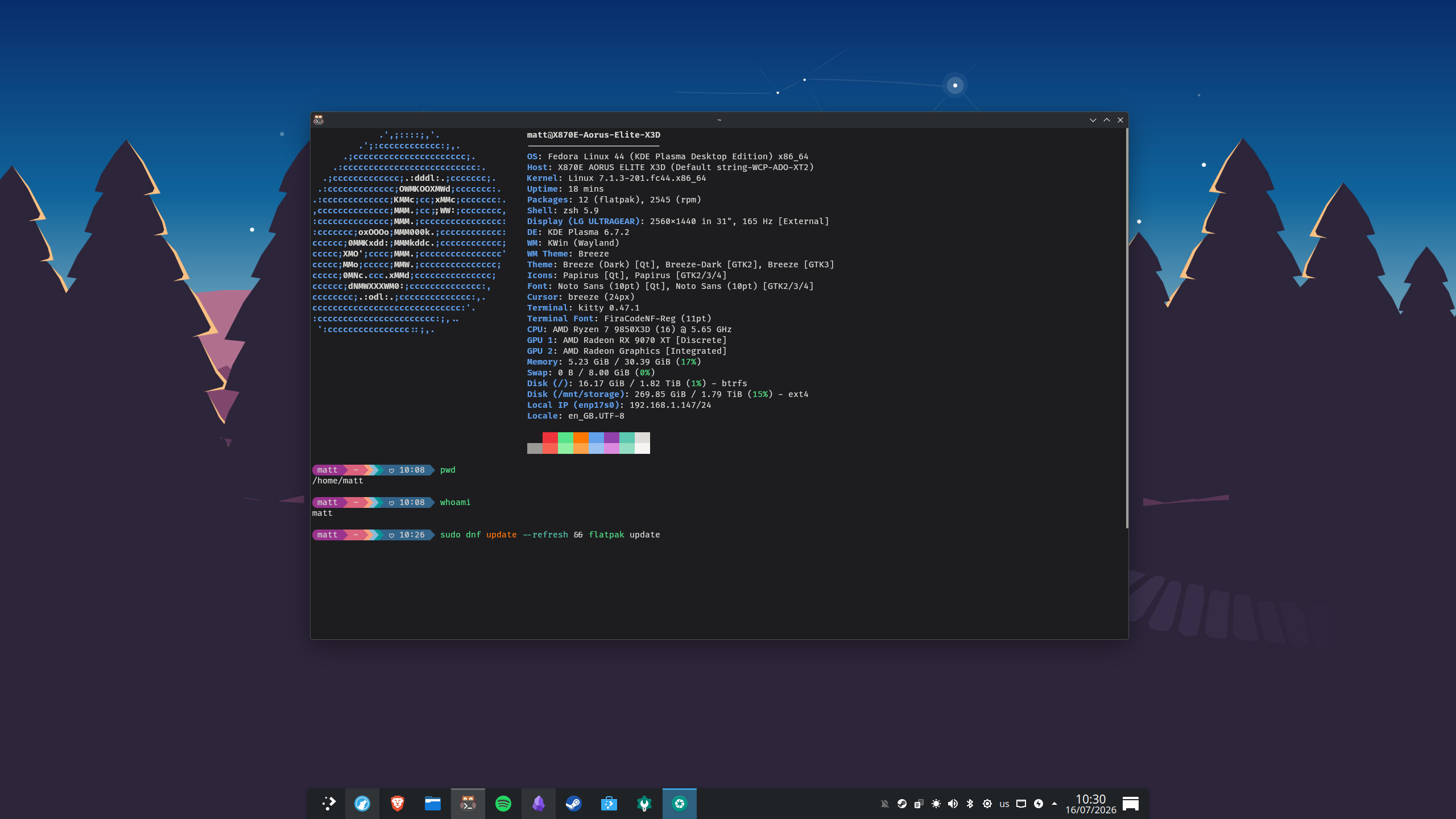
Although as per the other thread I've gone back to Fedora 44 KDE as I wasn't ready to give up on it. I think no matter what distro I generally just need a few native packages (deb, rpm, PKG etc.) and flatpak.

I suppose with the recent popularity of Linux and lots of new users, it's going to become more of a target for malware and malicious code. Particularly where there's unmonitored stuff like this, or old dependencies that can be compromised.
 
Last edited:

Yea I realised that last night installing CachyOS that I just don't use the AUR really. Although I've had issues with it before (broken package).

A lot of people staying you should read the compiler notes, but I bet most people have muscle memory to just press Q. With these big update programs like cachy-update, or topgrade it's easy to do.

Although as per the other thread I've gone back to Fedora 44 KDE as I wasn't ready to give up on it. I think no matter what distro I generally just need a few native packages (deb, rpm, PKG etc.) and flatpak.

I suppose with the recent popularity of Linux and lots of new users, it's going to become more of a target for malware and malicious code. Particularly where there's unmonitored stuff like this, or old dependencies that can be compromised.

I use Fedora on my old Surface Pro 4. I would be more inclined to use it on my main systems if they hadn't started flirting with AI.
 
I use Fedora on my old Surface Pro 4. I would be more inclined to use it on my main systems if they hadn't started flirting with AI.

Recent years I've had a softspot for Fedora. On one of the laptops and the Minisforum Mini PC (before I repurposed it as a server) I've been running Fedora since 36/37. It's that right balance of cutting edge, stability and security. Although at the moment this new PC is giving me issues so I'm not sure if it stays on Fedora, or I revert to CachyOS.
 
Last edited:
Bumped into this on the Fedora sub-reddit. Simple website to help you choose a Linux Distro. Although it then puts the 32 choices into a 8-bit/arcade style game competition where one will win. Thought it was quite nice.

https://distrofighter.com/

For me Ubuntu won!
 
Bumped into this on the Fedora sub-reddit. Simple website to help you choose a Linux Distro. Although it then puts the 32 choices into a 8-bit/arcade style game competition where one will win. Thought it was quite nice.

https://distrofighter.com/

For me Ubuntu won!

Couldn't take it too seriously when I basically chose all of the anti-Arch settings and Arch got to the semi-finals haha.

It did choose OpenSuse LEAP which is an interesting choice, I haven't ever daily driven SuSE I don't believe.
 
Couldn't take it too seriously when I basically chose all of the anti-Arch settings and Arch got to the semi-finals haha.

It did choose OpenSuse LEAP which is an interesting choice, I haven't ever daily driven SuSE I don't believe.

Yea, I'm not sure how it choose the losing contestants, but for me PopOS (I wouldn't pick this either) lost to Ubuntu. My answers were very much inline with Fedora but that lost in the semi-finals.

I liked the style of it, a bit different and fun.
 
Nick posted this yesterday, I've not watched it yet.

Good watch. Nice summary fo some changes coming. He comes across well in videos, very watchable.

I am kind of getting used to KDE now even though the four different installs of it have impacted me. One of my major gripes is that stock out of the box virtual desktops is bad compared to GNOME. You can change certain things, but I wish they'd just copy GNOME. KDE feels a bit like Windows and Mac OS where I just don't use virtual desktops because they aren't baked in like GNOME. There are bits that I do like - Dolphin for one, I think I prefer it over GNOME Files and KDE works better with Goverlay so far (I can resize the preview for example). Also the ability to switch audio devices off in the settings is a godsend.
 
Found a challenge that I can't currently overcome; mounting a second NVMe drive in Steam OS.

I've rebuilt my AMD lounge PC over the last two days, upgrading the CPU and GPU. And because I'm selling the PS5 Pro I've got a spare 2TB NVMe drive. My plan was to add the new NVMe drive to the existing one in a 2TB + 1TB configuration. As the B550 has two M.2 slots (I know the second M.2 is Gen3x4 only but that's fine). Latest 07/07/2026 Steam OS 3.8.14 recovery image installed fine the first time even correctly choosing the 2TB drive as the main OS drive.

However upon starting up Steam in the gaming mode it sees the second 1TB drive, but displays a 'failed to format' message. So I drop into desktop mode where I can mount the 1TB drive with KDE Partition Manager, but Steam won't attempt to build a library on it in Desktop mode, and simply can't see it in gaming mode. I've even tried the SteamOS Mount tool someone put on Github but that doesn't work either. So this morning I reformatted the PC again except this time Steam OS decided to put the OS on the 1TB instead. Sigh.

So I need to remove and reformat that 1TB drive and then reinstall Steam OS on the 2TB drive. I think for now I'm tempted to give up as it does feel like Steam OS just hasn't been designed to work with adding a second NVMe drive. I could edit the fstab as I would normally, but that's going to get wiped on any upgrade.

Has anyone else had luck with adding a second NVMe to their Steam OS DIY machine? I seen a number of posts on r/steamos, but nothing I've tried so far has worked.
 
Why would you lose fstab entries due to an upgrade? Can't remember that ever happening to me, except when I've wiped and reinstalled. What distro are you on? Sorry I haven't really kept up. :D
 
Why would you lose fstab entries due to an upgrade? Can't remember that ever happening to me, except when I've wiped and reinstalled. What distro are you on? Sorry I haven't really kept up. :D

Not normally but Steam OS is an immutable distro, so the fstab changes are cleared on version upgrades. There are some changes that Steam OS 3.5 introduced, but it starts testing my knowledge a bit; reddit thread that touches upon this.

With CachyOS, Fedora and Debian machines I just edit the fstab and auto-mount drives that way. That's not going to work here to solve the problem, although I could re-edit the fstab after a version change.

EDIT: Removed the 1TB NVMe and formatted it in a Orico NVMe M.2 (Type-C USB3.1 Gen2) external enclosure and then plugged that into the newly formatted 2TB Steam OS PC. And wouldn't you know it the external drive not only shows up correctly, but can be formatted and mounted in Steam Game mode. Works perfectly. So maybe that's the answer in the short-term.
 
Last edited:
Ah sorry, yes. Steam OS. I must learn to read, thanks.

I guess the USB is auto mounted when plugged in so as long as the mount point doesn't change it should work fine. Not sure what kind of performance you'll get though.
 
Ah sorry, yes. Steam OS. I must learn to read, thanks.

I guess the USB is auto mounted when plugged in so as long as the mount point doesn't change it should work fine. Not sure what kind of performance you'll get though.

Np easily done.

If I had to guess it's because all of Valve's officially supported hardware is one NVMe drive + SD Card reader; probably the Legion Go's and ASUS Rog Ally's too. And therefore whilst they have rolled out Steam OS for OOBE as they call it (and even Steam OS 3.8.14 has had some small improvements to the installer etc. in the last few weeks) they haven't added multiple NVMe drive support officially in Gaming mode. So you can fudge it through your fstab as noted, or systemd, but it's 'hacky'. I can mount two NVMe drives in the Desktop mode and that works great, but it doesn't work in the Gaming mode.

Performance wise I think the speeds with the enclosure are better than SSD and so will be fine for indie games, or older stuff, but for newer more demanding games it's best to use the main 2TB drive. Which is what I can do, treat the external drive as a back-up and that sort of stuff.

I guess there's a small chance Bazzite doesn't have this issue, but I don't want to install that to find out.
 
Back
Top Bottom