


Me, I would prefer a 4090 for some sort of consistency.On the 9800X3D results, would you like a 7900XTX or 4090?
-
Competitor rules
Please remember that any mention of competitors, hinting at competitors or offering to provide details of competitors will result in an account suspension. The full rules can be found under the 'Terms and Rules' link in the bottom right corner of your screen. Just don't mention competitors in any way, shape or form and you'll be OK.
You are using an out of date browser. It may not display this or other websites correctly.
You should upgrade or use an alternative browser.
You should upgrade or use an alternative browser.
Intel Core Ultra 9 285k 'Arrow Lake' Discussion/News ("15th gen") on LGA-1851
- Thread starter Dave2150
- Start date
More options
Thread starter's posts
Test System:
Asus X870E Hero
AMD 9800X3D
G.Skill 8000 Trident Z Royal - EXPO
Asus ROG Strix 4090
AMD Setup
PBO + CO
Other notes:
4090 was running the stock OC bios for the Strix, no other changes were made.
9800X3D as PBO+CO - RAM is 6400C26 with all timings set.
BIOS Settings:
Power Use:
Monster Hunter Wilds Results
1080P
Low 400W / High 450W - Average ~425W
1080P - High

1440P
Low 410W / High 470W - Average ~435W
1440P - High

CP 2077
1080P
Low 540W / High 580W - Average ~555W
1080P - Ultra RT

1440P
Low 580W / High 610W - Average ~590W
1440P - Ultra RT

4K
Low 610W / High 640W - Average ~615W
4K - Ultra RT

Asus X870E Hero
AMD 9800X3D
G.Skill 8000 Trident Z Royal - EXPO
Asus ROG Strix 4090
AMD Setup
PBO + CO
Other notes:
4090 was running the stock OC bios for the Strix, no other changes were made.
9800X3D as PBO+CO - RAM is 6400C26 with all timings set.
BIOS Settings:
Code:
[2025/02/12 09:11:01]
Ai Overclock Tuner [Manual]
eCLK Mode [Asynchronous mode]
BCLK1 Frequency [100.0000]
BCLK2 Frequency [Auto]
Memory Frequency [DDR5-6400MHz]
FCLK Frequency [2200 MHz]
Core tunings Configuration for gaming [Level 2]
Core Performance Boost [Auto]
CPU Core Ratio [Auto]
Core VID [Auto]
CCX0 Ratio [55.50]
Dynamic OC Switcher [Auto]
Turbo Game Mode [Disabled]
Tcl [26]
Trcd [36]
Trp [30]
Tras [62]
Trc [92]
Twr [48]
Refresh Interval [65535]
Trfc1 [384]
Trfc2 [1]
Trfcsb [1]
Trtp [12]
TrrdL [6]
TrrdS [6]
Tfaw [24]
TwtrL [16]
TwtrS [4]
TrdrdScl [5]
TrdrdSc [1]
TrdrdSd [1]
Trdrddd [1]
TwrwrScl [5]
TwrwrSc [1]
TwrwrSd [1]
TwrwrDd [1]
Twrrd [4]
Trdwr [16]
IBUF_LPWR_MODE [Auto]
ADDR_CMD_MODE [Buf]
M_ORDERING [Auto]
S_COL_WIDTH [Auto]
MC_SVA_TRIM0 [Auto]
MC_SVA_TRIM1 [Auto]
MC_SVA_TRIM2 [Auto]
MMCM_MULT_F [Auto]
Read Drift Adjustment P0 [Auto]
Write Drift Adjustment P0 [Auto]
Read Preamble P0 [Auto]
Write Preamble P0 [Auto]
PHY VrefDAC0 P0 Control [Auto]
PHY VrefDAC1 P0 Control [Auto]
PMU DQ Vref P0 Control [Auto]
ARdPtrInitVal P0 Control [Auto]
CA ODT GroupA [Auto]
CK ODT GroupA [Auto]
CS ODT GroupA [Auto]
CA ODT GroupB [Auto]
CK ODT GroupB [Auto]
CS ODT GroupB [Auto]
Processor ODT P state mode [Sync all P-states]
Processor ODT Impedance Pull Up P0 [Auto]
Processor ODT Impedance Pull Down P0 [Auto]
Processor DQ drive strengths Pull Up P0 [Auto]
Processor DQ drive strengths Pull Down P0 [Auto]
Dram ODT Impedance RTT_NOM_WR P0 [Auto]
Dram ODT impedance RTT_NOM_RD P0 [Auto]
Dram ODT impedance RTT_WR P0 [Auto]
Dram ODT impedance RTT_PARK P0 [Auto]
Dram ODT impedance DQS_RTT_PARK P0 [Auto]
Dram DQ drive strengths Pull Up P0 [Auto]
Dram DQ drive strengths Pull Down P0 [Auto]
Proc CS Drive Strength [Auto]
Proc CK Drive Strength [Auto]
Proc CA Drive Strength [Auto]
Proc Data Drive Strength [Auto]
CPU On-Die Termination [Auto]
DRAM Data Drive Strength [Auto]
Rtt Nom Wr [Auto]
Rtt Nom Rd [Auto]
Rtt Wr [Auto]
Rtt Park [Auto]
Rtt Park Dqs [Auto]
Power Down Enable [Disabled]
Memory Context Restore [Auto]
UCLK DIV1 MODE [UCLK=MEMCLK]
CA Tx Phase Shift Clk [Auto]
CS Tx Phase Shift Clk [Auto]
CK Tx Phase Shift Clk [Auto]
CA Rx Phase Shift Clk [Auto]
CS Rx Phase Shift Clk [Auto]
CK Rx Phase Shift Clk [Auto]
FIFO Wr En Fine Delay [Auto]
POC Sample PD [Auto]
Bank Swap Mode [Auto]
Mem Over Clock Fail Count [Auto]
Prochot VRM Throttling [Auto]
Peak Current Control [Auto]
Medium Load Boostit [Auto]
Precision Boost Overdrive [Auto]
Disable Current Limiter [Auto]
Precision Boost Overdrive Scalar [Auto]
CPU Boost Clock Override [Auto]
Per-Core Boost Clock Limit [Auto]
Platform Thermal Throttle Limit [Auto]
Curve Optimizer [All Cores]
All Core Curve Optimizer Sign [Negative]
All Core Curve Optimizer Magnitude [10]
Min Frequency - Low Temperature [Auto]
Min Frequency - Med Temperature [Auto]
Min Frequency - High Temperature [Auto]
Low Frequency - Low Temperature [Auto]
Low Frequency - Med Temperature [Auto]
Low Frequency - High Temperature [Auto]
Med Frequency - Low Temperature [Auto]
Med Frequency - Med Temperature [Auto]
Med Frequency - High Temperature [Auto]
High Frequency - Low Temperature [Auto]
High Frequency - Med Temperature [Auto]
High Frequency - High Temperature [Auto]
Max Frequency - Low Temperature [Auto]
Max Frequency - Med Temperature [Auto]
Max Frequency - High Temperature [Auto]
CO Load Guard [Auto]
VRM Initialization Check [Enabled]
Voltage training [Auto]
CPU Load-line Calibration [Auto]
Segment2 Loadline [Auto]
CPU Current Reporting Scale [Auto]
Core Voltage Suspension [Auto]
CPU VRM Switching Frequency [Auto]
VRM Spread Spectrum [Auto]
CPU Power Duty Control [Extreme]
CPU Power Phase Control [Auto]
VDDSOC Current Reporting Scale [Auto]
VDDSOC Switching Frequency [Auto]
VDDSOC Power Phase Control [Auto]
DRAM Switching Frequency [Auto]
DRAM Power Phase Control [Extreme]
MISC Switching Frequency [Auto]
Performance Bias [Auto]
Clock Spread Spectrum [Auto]
BCLK1 Amplitude [Auto]
BCLK1 Slew Rate [Auto]
BCLK2 Amplitude [Auto]
BCLK2 Slew Rate [Auto]
Stretch mode for L3 DFLL [Auto]
Monitoring Software reboot Workaround [Auto]
1.8V PLL Voltage [Auto]
1.8V Standby Voltage [Auto]
Misc_ALW [Auto]
Chipset0 VDD Voltage [Auto]
Chipset1 VDD Voltage [Auto]
CPU 3.3V [Auto]
DDR_testA [Auto]
DDR_testB [Auto]
SMU_Comp1 [Auto]
SMU_Comp2 [Auto]
SMU_Comp3 [Auto]
R1 [Auto]
R2 [Auto]
R3 [Auto]
Sense MI Skew 1 [Auto]
Sense MI Skew 1 [Auto]
Sense MI Skew 2 [Auto]
Sense MI Skew 2 [Auto]
Sense MI Skew 3 [Auto]
Sense MI Skew 3 [Auto]
Sense MI Skew 4 [Auto]
Sense MI Skew 4 [Auto]
Raise RComp [Auto]
Algorithm 1 [Auto]
Algorithm 2 [Auto]
Algorithm 3 [Auto]
CCD Priority Memory Activity Threshold [1070]
CCD Priority Hysteresis [Auto]
Cooler Efficiency Customize [Keep Training]
Cooler Re-evaluation Algorithm [Normal]
Optimism Scale [100]
CPU Core Voltage [Auto]
CPU SOC Voltage [Manual Mode]
- VDDSOC Voltage Override [1.30000]
CPU VDDIO / MC Voltage [Manual Mode]
- VDDIO Override [1.40010]
Misc Voltage [Manual Mode]
- Misc Voltage Override [1.11000]
VDDP Voltage [1.017]
High DRAM Voltage Mode [Enabled]
DRAM VDD Voltage [1.58000]
DRAM VDDQ Voltage [1.40000]
VDDG CCD Voltage [Auto]
VDDG IOD Voltage [Auto]
PMIC Force Continuous Current Mode [Auto]
PMIC Voltages [Sync All PMICs]
SPD HUB VLDO (1.8V) [Auto]
SPD HUB VDDIO (1.0V) [Auto]
Memory VDD Voltage [1.58000]
Memory VDDQ Voltage [1.40000]
Memory VPP Voltage [Auto]
Memory Voltage Switching Frequency [Auto]
Memory Current Capability [Auto]
Security Device Support [Enabled]
SHA256 PCR Bank [Enabled]
Pending operation [None]
Platform Hierarchy [Enabled]
Storage Hierarchy [Enabled]
Endorsement Hierarchy [Enabled]
Physical Presence Spec Version [1.3]
Disable Block Sid [Disabled]
Firmware TPM switch [Enable Firmware TPM]
Erase fTPM NV for factory reset [Enabled]
Password Protection of Runtime Variables [Enable]
PSS Support [Enabled]
NX Mode [Enabled]
SVM Mode [Disabled]
Above 4G Decoding [Enabled]
Resize BAR Support [Enabled]
SR-IOV Support [Disabled]
Legacy USB Support [Enabled]
XHCI Hand-off [Enabled]
USB Mass Storage Driver Support [Enabled]
USB DISK 3.0 PMAP [Auto]
USB DISK 3.0 PMAP [Auto]
U10G_C3 [Enabled]
U10G_4 [Enabled]
U20G_C6 [Enabled]
U5G_8 [Enabled]
U10G_9 [Enabled]
U10G_10 [Enabled]
U5G_E1 [Enabled]
U5G_E2 [Enabled]
U5G_E3 [Enabled]
USB_12 [Enabled]
USB_13 [Enabled]
USB_14 [Enabled]
USB_15 [Enabled]
U20G_C18 [Enabled]
U10G_C23 [Enabled]
U10G_20 [Enabled]
U10G_21 [Enabled]
U10G_22 [Enabled]
Network Stack [Disabled]
Device [N/A]
SATA Controller(s) [Enabled]
SATA Mode [AHCI]
NVMe RAID mode [Disabled]
SMART Self Test [Enabled]
SATA6G_1 [Enabled]
SATA6G_1 Hot Plug [Disabled]
SATA6G_2 [Enabled]
SATA6G_2 Hot Plug [Disabled]
SATA6G_3 [Enabled]
SATA6G_3 Hot Plug [Disabled]
SATA6G_4 [Enabled]
SATA6G_4 Hot Plug [Disabled]
Restore AC Power Loss [Power Off]
ErP Ready [Disabled]
Max Power Saving [Disabled]
Power On By PCI-E [Disabled]
Power On By RTC [Disabled]
Native ASPM [Auto]
CPU PCIE ASPM Mode Control [Auto]
PCIEX16_1 Bandwidth Bifurcation Configuration [Auto Mode]
PCIEX16_2 Bandwidth Bifurcation Configuration [Auto Mode]
USB Audio Controller [Enabled]
Realtek LAN Controller [Enabled]
Intel LAN Controller [Enabled]
Wi-Fi Controller [Disabled]
Bluetooth Controller [Disabled]
When system is in working state [Aura Off]
Q-Code LED Function [Auto]
USB power delivery in Soft Off state (S5) [Enabled]
Alteration Mode Switch [PCIE Link Speed]
PCIEX16_1 Link Mode [Auto]
PCIEX16_2 Link Mode [Auto]
M.2_2 Link Mode [Auto]
M.2_3 Link Mode [Auto]
M.2_1 Link Mode [Auto]
Chipset_1 Link Mode [Auto]
SlimSAS Link Mode [Auto]
Chipset_2 Link Mode [Auto]
M.2_5 Link Mode [Auto]
M.2_4 Link Mode [Auto]
Primary Video Device [PCIE Video]
Integrated Graphics [Disabled]
Global C-state Control [Auto]
IOMMU [Auto]
ECC [Auto]
SMT Control [Auto]
Core Performance Boost [Auto]
App Compatibility Database [Auto]
L1 Stream HW Prefetcher [Auto]
L2 Stream HW Prefetcher [Auto]
L1 Stride Prefetcher [Auto]
L1 Region Prefetcher [Auto]
L1 Burst Prefetch Mode [Auto]
L2 Up/Down Prefetcher [Auto]
Core Watchdog Timer Enable [Auto]
RedirectForReturnDis [Auto]
Power Supply Idle Control [Auto]
Opcache Control [Auto]
Streaming Stores Control [Auto]
Local APIC Mode [Auto]
ACPI _CST C1 Declaration [Auto]
Platform First Error Handling [Auto]
MCA error thresh enable [Auto]
MCA FruText [True]
SMU and PSP Debug Mode [Auto]
PPIN Opt-in [Auto]
REP-MOV/STOS Streaming [Auto]
Enhanced REP MOVSB/STOSB [Auto]
Fast Short REP MOVSB (FSRM) [Auto]
SNP Memory (RMP Table) Coverage [Auto]
SMEE [Auto]
Action on BIST Failure [Auto]
Log Transparent Errors [Auto]
AVX512 [Auto]
MONITOR and MWAIT disable [Auto]
Corrector Branch Predictor [Auto]
PAUSE Delay [Auto]
CPU Speculative Store Modes [Auto]
SVM Lock [Auto]
SVM Enable [Auto]
Latency Under Load (LUL) [Auto]
Memory interleaving [Auto]
Memory interleaving size [Auto]
DRAM map inversion [Auto]
Location of private memory regions [Auto]
ACPI SRAT L3 Cache As NUMA Domain [Auto]
Disable DF to external downstream IP Sync Flood Propagation [Auto]
Disable DF sync flood propagation [Auto]
Freeze DF module queues on error [Auto]
DF Cstates [Auto]
PSP error injection support [False]
Active Memory Timing Settings [Auto]
Processor CK drive strengths [Auto]
Processor CA drive strengths [Auto]
Processor CS drive strengths [Auto]
CA ODT GroupA [Auto]
CK ODT GroupA [Auto]
CS ODT GroupA [Auto]
CA ODT GroupB [Auto]
CK ODT GroupB [Auto]
CS ODT GroupB [Auto]
Processor ODT Impedance Pull Up P0 [Auto]
Processor ODT Impedance Pull Down P0 [Auto]
Processor DQ drive strengths Pull Up P0 [Auto]
Processor DQ drive strengths Pull Down P0 [Auto]
Dram ODT Impedance RTT_NOM_WR P0 [Auto]
Dram ODT impedance RTT_NOM_RD P0 [Auto]
Dram ODT impedance RTT_WR P0 [Auto]
Dram ODT impedance RTT_PARK P0 [Auto]
Dram ODT impedance DQS_RTT_PARK P0 [Auto]
Dram DQ drive strengths Pull Up P0 [Auto]
Dram DQ drive strengths Pull Down P0 [Auto]
Processor ODT Impedance Pull Up P1 [Auto]
Processor ODT Impedance Pull Down P1 [Auto]
Processor DQ drive strengths Pull Up P1 [Auto]
Processor DQ drive strengths Pull Down P1 [Auto]
Dram ODT Impedance RTT_NOM_WR P1 [Auto]
Dram ODT impedance RTT_NOM_RD P1 [Auto]
Dram ODT impedance RTT_WR P1 [Auto]
Dram ODT impedance RTT_PARK P1 [Auto]
Dram ODT impedance DQS_RTT_PARK P1 [Auto]
Dram DQ drive strengths Pull Up P1 [Auto]
Dram DQ drive strengths Pull Down P1 [Auto]
Processor ODT Impedance Pull Up P2 [Auto]
Processor ODT Impedance Pull Down P2 [Auto]
Processor DQ drive strengths Pull Up P2 [Auto]
Processor DQ drive strengths Pull Down P2 [Auto]
Dram ODT Impedance RTT_NOM_WR P2 [Auto]
Dram ODT impedance RTT_NOM_RD P2 [Auto]
Dram ODT impedance RTT_WR P2 [Auto]
Dram ODT impedance RTT_PARK P2 [Auto]
Dram ODT impedance DQS_RTT_PARK P2 [Auto]
Dram DQ drive strengths Pull Up P2 [Auto]
Dram DQ drive strengths Pull Down P2 [Auto]
Processor ODT Impedance Pull Up P3 [Auto]
Processor ODT Impedance Pull Down P3 [Auto]
Processor DQ drive strengths Pull Up P3 [Auto]
Processor DQ drive strengths Pull Down P3 [Auto]
Dram ODT Impedance RTT_NOM_WR P3 [Auto]
Dram ODT impedance RTT_NOM_RD P3 [Auto]
Dram ODT impedance RTT_WR P3 [Auto]
Dram ODT impedance RTT_PARK P3 [Auto]
Dram ODT impedance DQS_RTT_PARK P3 [Auto]
Dram DQ drive strengths Pull Up P3 [Auto]
Dram DQ drive strengths Pull Down P3 [Auto]
Power Down Enable [Auto]
Disable Memory Error Injection [Auto]
TSME [Auto]
Data Scramble [Auto]
Chipselect Interleaving [Auto]
Address Hash Bank [Auto]
Address Hash CS [Auto]
Address Hash Subchannel [Auto]
BankSwapMode [Auto]
DFE Read Training [Auto]
DRAM PDA Enumerate ID Programming Mode [Auto]
TX DFE Taps [Auto]
PPT Control [Auto]
DDR Training Runtime Reduction [Auto]
Rx Burst Length [Auto]
Tx Burst Length [Auto]
RX2D_TrainOpt [Auto]
TX2D_TrainOpt [Auto]
RX DFE Taps [Auto]
MBIST Enable [Auto]
Memory Context Restore [Auto]
Read Drift Adjustment [Auto]
Read Drift Adjustment P0 [Auto]
Read Drift Adjustment P1 [Auto]
Read Drift Adjustment P2 [Auto]
Read Drift Adjustment P3 [Auto]
Write Drift Adjustment [Auto]
Write Drift Adjustment P0 [Auto]
Write Drift Adjustment P1 [Auto]
Write Drift Adjustment P2 [Auto]
Write Drift Adjustment P3 [Auto]
PCIe ARI Support [Auto]
PCIe All Port ECRC [Auto]
Advanced Error Reporting (AER) [Auto]
PCIe ARI Enumeration [Auto]
UMA Version [Auto]
GPU Host Translation Cache [Auto]
NB Azalia [Auto]
Audio IOs [Auto]
PCIe loopback Mode [Auto]
Persistence mode for legacy endpoints [Auto]
Retimer margining support [Auto]
CPPC Dynamic Preferred Cores [Auto]
TDP Control [Auto]
ECO Mode [Disable]
PPT Control [Auto]
Thermal Control [Auto]
TDC Control [Auto]
EDC Control [Auto]
Fan Control [Auto]
VDDP Voltage Control [Auto]
Infinity Fabric Frequency and Dividers [Auto]
SyncFifo Mode Override [Auto]
Sustained PowerLimit [0]
Fast PPT Limit [0]
Slow PPT Limit [0]
Slow PPT Time Constant [0]
GFXOFF [Auto]
CPU Temperature [Monitor]
CPU Package Temperature [Monitor]
MotherBoard Temperature [Monitor]
VRM Temperature [Monitor]
Chipset 1 Temperature [Monitor]
Chipset 2 Temperature [Monitor]
T_Sensor Temperature [Monitor]
DIMM A1 Temperature [Monitor]
DIMM A2 Temperature [Monitor]
DIMM B1 Temperature [Monitor]
DIMM B2 Temperature [Monitor]
CPU Fan Speed [Monitor]
CPU Optional Fan Speed [Monitor]
Chassis Fan 1 Speed [Monitor]
Chassis Fan 2 Speed [Monitor]
Chassis Fan 3 Speed [Monitor]
Chassis Fan 4 Speed [Monitor]
Water Pump+ Speed [Monitor]
AIO Pump Speed [Monitor]
CPU Core Voltage [Monitor]
12V Voltage [Monitor]
5V Voltage [Monitor]
3.3V Voltage [Monitor]
CPU VDDIO / MC Voltage [Monitor]
CHIPSET Standby Voltage [Monitor]
CPU Fan Q-Fan Control [PWM Mode]
CPU Fan Profile [Full Speed]
Chassis Fan 1 Q-Fan Control [Auto Detect]
Chassis Fan 1 Profile [Standard]
Chassis Fan 1 Q-Fan Source [CPU]
Chassis Fan 1 Step Up [Level 0]
Chassis Fan 1 Step Down [Level 0]
Chassis Fan 1 Speed Low Limit [200 RPM]
Chassis Fan 2 Q-Fan Control [Auto Detect]
Chassis Fan 2 Profile [Standard]
Chassis Fan 2 Q-Fan Source [CPU]
Chassis Fan 2 Step Up [Level 0]
Chassis Fan 2 Step Down [Level 0]
Chassis Fan 2 Speed Low Limit [200 RPM]
Chassis Fan 3 Q-Fan Control [Auto Detect]
Chassis Fan 3 Profile [Standard]
Chassis Fan 3 Q-Fan Source [CPU]
Chassis Fan 3 Step Up [Level 0]
Chassis Fan 3 Step Down [Level 0]
Chassis Fan 3 Speed Low Limit [200 RPM]
Chassis Fan 4 Q-Fan Control [Auto Detect]
Chassis Fan 4 Profile [Standard]
Chassis Fan 4 Q-Fan Source [CPU]
Chassis Fan 4 Step Up [Level 0]
Chassis Fan 4 Step Down [Level 0]
Chassis Fan 4 Speed Low Limit [200 RPM]
Water Pump+ Q-Fan Control [Auto Detect]
Water Pump+ Profile [Full Speed]
AIO Pump Q-Fan Control [Auto Detect]
AIO Pump Profile [Full Speed]
Launch CSM [Disabled]
OS Type [Windows UEFI mode]
Secure Boot Mode [Standard]
Fast Boot [Enabled]
Next Boot after AC Power Loss [Fast Boot]
Boot Logo Display [Auto]
POST Delay Time [3 sec]
Bootup NumLock State [On]
Wait For 'F1' If Error [Enabled]
Option ROM Messages [Force BIOS]
Interrupt 19 Capture [Disabled]
AMI Native NVMe Driver Support [Enabled]
Setup Mode [Advanced Mode]
BIOS Image Rollback Support [Enabled]
Publish HII Resources [Disabled]
Flexkey [Reset]
Setup Animator [Disabled]
Full HD Setup [Enabled]
Load from Profile [3]
Profile Name [6400c26 testin]
Save to Profile [3]
DIMM Slot Number [DIMM_A2]
Hotkey F3 [Toggle ASUS EZ Flash 3]
Hotkey F4 [Boot from UEFI USB]
Download & Install ASUS DriverHub app [Enabled]
Special Display Features [Disabled]
D3Cold Support [Disabled]
Discrete GPU _DSM Function A [Disabled]
Discrete GPU _DSM Function B [Disabled]
NVIDIA DGPU Power Enable [Disabled]
Non-Eval Discrete GPU Support [Enabled]
Discrete GPU HPD Circuitry [OR Circuitry]
Discrete GPU's USB Port [Keep Default Setting]
Discrete GPU's SSID/SVID [Keep Default Setting]
Discrete GPU BOMACO Support [Disabled]
USB4 (ASM4242 Controller) Support [Enabled]
PCIe Bus Number [48]
PCIe Non-Prefetchable MMIO (MB) [384]
PCIe Prefetchable MMIO (GB) [128]
ACPI D3 Support [D3Hot]
XHCI Port0 Speed [Gen2x2]
XHCI Port1 Speed [Gen2x2]
AMD Variable Protection [Enabled]
Processor Aggregator Device [Enabled]
Core Count Control [Enabled]
HDMI 3.0G Tx SLEW [Disabled]
CPU Frequency [0]
CPU Voltage [0]
SMT Control [Auto]
Prochot VRM Throttling [Auto]
Peak Current Control [Auto]
Memory OC Mode [Auto]
Active Memory Timing Settings [Auto]
Processor CS drive strengths [Auto]
Processor CK drive strengths [Auto]
Processor CA drive strengths [Auto]
Processor DQ drive strengths [Auto]
Processor ODT impedance pull up p0 [Auto]
Processor ODT Impedance Pull Down P0 [Auto]
Processor DQ drive strengths Pull Up P0 [Auto]
Processor DQ drive strengths Pull Down P0 [Auto]
Dram DQ drive strengths Pull Up P0 [Auto]
Dram DQ drive strengths Pull Down P0 [Auto]
Dram ODT Impedance RTT_NOM_WR P0 [Auto]
Dram ODT Impedance RTT_NOM_RD P0 [Auto]
Dram ODT impedance RTT_WR P0 [Auto]
Dram ODT impedance RTT_PARK P0 [Auto]
Dram ODT impedance DQS_RTT_PARK P0 [Auto]
Read Preamble P0 [Auto]
Write Preamble P0 [Auto]
PHY VrefDAC0 P0 [0]
PHY VrefDAC1 P0 [0]
PMU DQ Vref P0 [0]
ARdPtrInitVal P0 Control [Manual]
ARdPtrInitVal P0 [2]
Power Down Enable [Auto]
RX2D_TrainOpt [Auto]
TX2D_TrainOpt [Auto]
RX DFE Taps [Auto]
TX DFE Taps [Auto]
Read Drift Adjustment P0 [Auto]
Write Drift Adjustment P0 [Auto]
DDR5 Nitro Mode [Auto]
Infinity Fabric Frequency and Dividers [Auto]
UCLK DIV1 MODE [Auto]
Fclk VDCI Mode Pref [Auto]
Precision Boost Overdrive [Advanced]
PBO Limits [Motherboard]
Precision Boost Overdrive Scalar Ctrl [Manual]
Precision Boost Overdrive Scalar [10X]
CPU Boost Clock Override [Enabled (Positive)]
Max CPU Boost Clock Override(+) [200]
Platform Thermal Throttle Ctrl [Auto]
GFX Curve Optimizer [Disable]
Curve Optimizer [Per Core]
Core 0 Curve Optimizer Sign [Negative]
Core 0 Curve Optimizer Magnitude [20]
Core 1 Curve Optimizer Sign [Negative]
Core 1 Curve Optimizer Magnitude [25]
Core 2 Curve Optimizer Sign [Negative]
Core 2 Curve Optimizer Magnitude [20]
Core 3 Curve Optimizer Sign [Negative]
Core 3 Curve Optimizer Magnitude [25]
Core 4 Curve Optimizer Sign [Negative]
Core 4 Curve Optimizer Magnitude [25]
Core 5 Curve Optimizer Sign [Negative]
Core 5 Curve Optimizer Magnitude [25]
Core 6 Curve Optimizer Sign [Negative]
Core 6 Curve Optimizer Magnitude [25]
Core 7 Curve Optimizer Sign [Negative]
Core 7 Curve Optimizer Magnitude [25]
Min Frequency - Low Temperature [Auto]
Min Frequency - Med Temperature [Auto]
Min Frequency - High Temperature [Auto]
Low Frequency - Low Temperature [Auto]
Low Frequency - Med Temperature [Auto]
Low Frequency - High Temperature [Auto]
Med Frequency - Low Temperature [Auto]
Med Frequency - Med Temperature [Auto]
Med Frequency - High Temperature [Auto]
High Frequency - Low Temperature [Auto]
High Frequency - Med Temperature [Auto]
High Frequency - High Temperature [Auto]
Max Frequency - Low Temperature [Auto]
Max Frequency - Med Temperature [Auto]
Max Frequency - High Temperature [Auto]
VDDG Voltage Control [Auto]
VDDP Voltage Control [Auto]
SoC/Uncore OC Mode [Auto]
SoC Voltage [0]
LN2 Mode [Auto]
VDD Misc Control [Auto]
LCLK Frequency Control [Auto]
VDDIO Ctrl [Auto]
Enable Platform PMIC Control [Auto]
VPP Ctrl [Auto]
ECO Mode [Auto]
Power Use:
Monster Hunter Wilds Results
1080P
Low 400W / High 450W - Average ~425W
1080P - High
1440P
Low 410W / High 470W - Average ~435W
1440P - High
CP 2077
1080P
Low 540W / High 580W - Average ~555W
1080P - Ultra RT
1440P
Low 580W / High 610W - Average ~590W
1440P - Ultra RT
4K
Low 610W / High 640W - Average ~615W
4K - Ultra RT
Last edited:
I tested the 265k now on the weekend in terms of idle and low load. It's honestly been a big difference (I'm always referring to power consumption measured at the wall; the power consumption of my monitors is not included).
Idle with monitors off was 95 Watt for the 9800x3d system and the 265k is at 70 Watt.
Idle on the desktop with the monitors switched on or not asleep: 115 Watt for 9800x3d system, 85-90 Watt for the 265k system
Watching a YouTube video: 125-130 Watt for the 9800x3d system, 90-100 Watt for the 265k system
I also tested iGPU multi monitor which is a very useful feature when it comes to power saving. I set the iGPU as the primary GPU. I also disconnected the one and only monitor connected to my 4090 in Windows Display settings.
This resulted in idle without monitors still being at 70 Watt, but with monitors on idle went down to 75 Watt and YouTube video playback went down to 80-85 Watt.
In this configuration I also noticed less fluctuation during basic tasks like browsing and doing office work.
The power saving compromise of having to switch this one monitor off when not gaming (which is basically most of the time) is well worth it for me.
On AMD iGPU multi monitor though possible results in noticeable drop in performance when gaming for some reason. This is even more pronounced when watching a YouTube video specifically on the AMD iGPU.
Doing this on Intel has no impact on performance based on my tests.
Writing this post while watching a YouTube video results in 80-90 Watt power consumption while on my 9800x3d system it would be about 125-140 Watt (note that this big of a difference is also due to me utilizing the iGPU on my Intel system because of no downsides in any case).
Both systems are exactly the same except the motherboard and the CPU. The 9800x3d system has a Asrock X670e steel legend motherboard and the 265k system has a Asrock Z890 Lightning.
The remaining specs are as follows:
64 GB DDR5 6400 C32 RAM
RTX 4090
Broadcom 9500-8i HBA
2x Toshiba Cloud-Scale Capacity MG10ACA 20TB HDDs
Samsung 990 Pro 4TB
Transcend MTE220S SSD 2TB
Samsung 870 Evo 4TB
Crucial MX500 2TB
ADATA Ultimate SU800 512GB
Roland Bridge Cast Audio Interface
Corsair RM850x 2021 PSU
3x 4K monitors (2 of them at 60Hz, 1 at 240 Hz)
Idle with monitors off was 95 Watt for the 9800x3d system and the 265k is at 70 Watt.
Idle on the desktop with the monitors switched on or not asleep: 115 Watt for 9800x3d system, 85-90 Watt for the 265k system
Watching a YouTube video: 125-130 Watt for the 9800x3d system, 90-100 Watt for the 265k system
I also tested iGPU multi monitor which is a very useful feature when it comes to power saving. I set the iGPU as the primary GPU. I also disconnected the one and only monitor connected to my 4090 in Windows Display settings.
This resulted in idle without monitors still being at 70 Watt, but with monitors on idle went down to 75 Watt and YouTube video playback went down to 80-85 Watt.
In this configuration I also noticed less fluctuation during basic tasks like browsing and doing office work.
The power saving compromise of having to switch this one monitor off when not gaming (which is basically most of the time) is well worth it for me.
On AMD iGPU multi monitor though possible results in noticeable drop in performance when gaming for some reason. This is even more pronounced when watching a YouTube video specifically on the AMD iGPU.
Doing this on Intel has no impact on performance based on my tests.
Writing this post while watching a YouTube video results in 80-90 Watt power consumption while on my 9800x3d system it would be about 125-140 Watt (note that this big of a difference is also due to me utilizing the iGPU on my Intel system because of no downsides in any case).
Both systems are exactly the same except the motherboard and the CPU. The 9800x3d system has a Asrock X670e steel legend motherboard and the 265k system has a Asrock Z890 Lightning.
The remaining specs are as follows:
64 GB DDR5 6400 C32 RAM
RTX 4090
Broadcom 9500-8i HBA
2x Toshiba Cloud-Scale Capacity MG10ACA 20TB HDDs
Samsung 990 Pro 4TB
Transcend MTE220S SSD 2TB
Samsung 870 Evo 4TB
Crucial MX500 2TB
ADATA Ultimate SU800 512GB
Roland Bridge Cast Audio Interface
Corsair RM850x 2021 PSU
3x 4K monitors (2 of them at 60Hz, 1 at 240 Hz)
Last edited:

Writing this post while watching a YouTube video results in 80-90 Watt power consumption while on my 9800x3d system it would be about 125-140 Watt (note that this big of a difference is also due to me utilizing the iGPU on my Intel system because of no downsides in any case).
Something I tried to say, to a certain amount of derision, awhile back. Depending on your usage patterns, the exact configuration of components and efficiency of the PSU, the actual power consumption over a whole day can vary a lot between different platforms. People have been far too lead on in thinking by the power consumption measured at the CPU by various reviewers and the prominence of the CPU fully loaded numbers and have got quite a distorted view of what is actually best for power consumption if you really care about it.
Something I tried to say, to a certain amount of derision, awhile back. Depending on your usage patterns, the exact configuration of components and efficiency of the PSU, the actual power consumption over a whole day can vary a lot between different platforms. People have been far too lead on in thinking by the power consumption measured at the CPU by various reviewers and the prominence of the CPU fully loaded numbers and have got quite a distorted view of what is actually best for power consumption if you really care about it.
Also, reviewers only test clean installs with modded windows to remove all bloat. Meanwhile when I buy a CPU it goes into a system with a 2 year old install filled with apps and bloat. It's one of the reasons I won't buy an 8 core CPU
Last edited:
Also, reviewers only test clean installs with modded windows to remove all bloat. Meanwhile when I buy a CPU it goes into a system with a 2 year old install filled with apps and bloat. It's one of the reasons I won't buy an 8 core CPU
Just use W11 Enterprise and it doesn't install the bloat, all my tests have been run on version 26100.3194 with no need to mod/debloat it. Yes, I could do that but don't see the point as it will gain very little in games.
The only other OS which will gain you more is W10 Enterprise IoT / W11 Enterprise IoT
@RSR Oh my, average for the Intel build of 685w and then 615w for the 9800x3d based system. It is what it is, and that is rather a lot of power usage indeed...! Albeit, CP 2077 is particularly demanding.
Overall, would you suggest that using either of those systems they "feel" as smooth and responsive as each other..?
Understanding that you previously noted some occasional issues with the AMD platform.
Thanks.
Overall, would you suggest that using either of those systems they "feel" as smooth and responsive as each other..?
Understanding that you previously noted some occasional issues with the AMD platform.
Thanks.
Last edited:
@RSR Oh my, average for the Intel build of 685w and then 615w for the 9800x3d based system. It is what it is, and that is rather a lot of power usage indeed...! Albeit, CP 2077 is particularly demanding.
Overall, would you suggest that using either of those systems they "feel" as smooth and responsive as each other..?
Understanding that you previously noted some occasional issues with the AMD platform.
Thanks.
Another example would be Monster Hunter Wilds using the Aqua 7900XTX on the 9800X3D, running those tests it was peaking at over 800W with an average of around ~700W. I need to repeat the test to get the specifics. If you had done a blind test at 1440 / 4K I don't think you would be able to tell a difference. Even at 1080P, unless you are going "full sweatz" on an FPS I'm not sure you would be able to tell with a blind test.
Yes, if it's just 1080P gaming the 9800X3D would be the best option in that choice, 1440 upwards on the small subset of games I play and have tested the water gets a little more muddy. If you use the PC for more than just gaming, then you have more options to think about.
The Windows experience, I feel is subjectively more fluid on Intel but as I have said before that could be a placebo as id need to use both side by side instead of swapping them in and out. However, with the 285K, I don't get the odd little pauses here and there for a second or so. I see Asus have just released a firmware update to address the Samsung NVMe, which is interesting. This may all change with the 9950X3D, which I'll grab with an X870E Apex and sell the Hero. It's just the little things which I have mentioned here which annoy me with the AM5 platform, granted that could be down the the X870E Hero as my X670E Hero was fairly solid or its because I have been using them both daily and swapping them in and out I notice the little things.
Last edited:
@RSR Thanks for the detail. Monster Hunter Wilds, peaking at 800w. Oh my. Around 2018 when I bought a Seasonic 750w PSU I assumed that as time passed overall system power usage would be more optimal and actually reduce, lol how wrong was that..!
With 4k gaming it could be down to certain outliers favouring one CPU over another, and then by how much over that of the GPU.
I noticed that you posted in another thread of the LTSC build of Windows you are using. I have noted some using the Enterprise or the IOT version of the Enterprise build, depending on needs and whether it will support them. One day I might be tempted to try something other than the retail build of Windows 11 that I'm using, for various reasons.
If the 9950x3D launches on the 12th March and the embargo is lifted on the review the day before, it will be interesting to see how that performs.
With 4k gaming it could be down to certain outliers favouring one CPU over another, and then by how much over that of the GPU.
I noticed that you posted in another thread of the LTSC build of Windows you are using. I have noted some using the Enterprise or the IOT version of the Enterprise build, depending on needs and whether it will support them. One day I might be tempted to try something other than the retail build of Windows 11 that I'm using, for various reasons.
If the 9950x3D launches on the 12th March and the embargo is lifted on the review the day before, it will be interesting to see how that performs.
Last edited:
I can confirm the subjective impression that RSR wrote about. Windows feels more stable using the 265k. Particularly some applications like the Roland Bridge Cast App, OpenRGB, HWInfo, etc. open up a lot faster without hitching or anything like that. I actually had the following problem with the 9800x3d opening the Roland Bridge Cast App and closing some apps like OpenRGB: The system would always freeze for some seconds and moving the mouse in that time results in it lagging badly.@RSR Oh my, average for the Intel build of 685w and then 615w for the 9800x3d based system. It is what it is, and that is rather a lot of power usage indeed...! Albeit, CP 2077 is particularly demanding.
Overall, would you suggest that using either of those systems they "feel" as smooth and responsive as each other..?
Understanding that you previously noted some occasional issues with the AMD platform.
Thanks.
I can confirm the subjective impression that RSR wrote about. Windows feels more stable using the 265k. Particularly some applications like the Roland Bridge Cast App, OpenRGB, HWInfo, etc. open up a lot faster without hitching or anything like that. I actually had the following problem with the 9800x3d opening the Roland Bridge Cast App and closing some apps like OpenRGB: The system would always freeze for some seconds and moving the mouse in that time results in it lagging badly.
I am not sure how common what you describe is, but it is something that I have read on a number of occasions that makes me a little wary. What you have mentioned is something that I have never experienced in the Alder Lake or with the Raptor Lake build I am using.
As well as occurring, it could also be that some people are most sensitive to it being a problem for them than others are.
Thanks for mentioning it.
I don't think that is necessarily an AMD vs Intel thing - as some people have noticed post Intel 10th gen and around about the same for AMD there seems to be this thing where some setups, for seemingly no rhyme or reason, have a problem with low level responsiveness (and hitches etc.), one of the reasons I stuck with my Xeon 1650 V2 setup for a long time as my main system due to encountering it on newer 12th and 13th gen Intels and some Ryzen CPUs.
(One such video on it)
Fortunately none of the systems I've built for myself recently including my current main system (14700K) exhibit it. Though my experiences with the 7800X3D so far I noticed there were instances where even just general OS stuff or application installs were less responsive than both my 14700K and even my Lenovo Legion Go when using it in a desktop role! initially I thought it was just the core count difference and generally how they stack up for productivity until I had the Go in the mix which is a 8/16 Zen4 CPU of similar performance to the 5000 series Ryzens - in full power mode it is a touch behind the 5800X.
(One such video on it)
Fortunately none of the systems I've built for myself recently including my current main system (14700K) exhibit it. Though my experiences with the 7800X3D so far I noticed there were instances where even just general OS stuff or application installs were less responsive than both my 14700K and even my Lenovo Legion Go when using it in a desktop role! initially I thought it was just the core count difference and generally how they stack up for productivity until I had the Go in the mix which is a 8/16 Zen4 CPU of similar performance to the 5000 series Ryzens - in full power mode it is a touch behind the 5800X.
Last edited:
I had the 2700x, 5800x3d, 7800x3d and now have the 9800x3d. All of them exhibited/exhibit the same hitches/freezing in opening some application and also sometimes at random. Really annoying.I don't think that is necessarily an AMD vs Intel thing - as some people have noticed post Intel 10th gen and around about the same for AMD there seems to be this thing where some setups, for seemingly no rhyme or reason, have a problem with low level responsiveness (and hitches etc.), one of the reasons I stuck with my Xeon 1650 V2 setup for a long time as my main system due to encountering it on newer 12th and 13th gen Intels and some Ryzen CPUs.
(One such video on it)
Fortunately none of the systems I've built for myself recently including my current main system (14700K) exhibit it. Though my experiences with the 7800X3D so far I noticed there were instances where even just general OS stuff or application installs were less responsive than both my 14700K and even my Lenovo Legion Go when using it in a desktop role! initially I thought it was just the core count difference and generally how they stack up for productivity until I had the Go in the mix which is a 8/16 Zen4 CPU of similar performance to the 5000 series Ryzens - in full power mode it is a touch behind the 5800X.
Both Intel systems I had/have which was a 14700k and now the 265k system didn't/don't have this problem.
I don't know if this is just bad luck with AMD CPUs but from my point of view AMDs chiplet design is inferior to Intels monolithic and latest tile (chiplet) design. Intels interconnect (Foveros) seems to be more advanced which allows for higher bandwidth and also keeps the idle power consumption way lower. Latency should also be lower but I've seen reports where it's actually higher than Ryzen 9000 so I don't know.
Last edited:


Associate
- Joined
- 26 Feb 2025
- Posts
- 15
- Location
- Holland
Deleted quote srry
Asus Z890 Apex


Asrock Z890 OCF


@hlennie These are boards/setup for the Core 200 lineup.
I'm going to go out on a bit of a limb and say the Asrock Z890 OCF is the board you should be looking at for tinkering on the Z890 platform, I've been really very very impressed with it and thus far it has out performed the Apex but the latest Apex bios update may change that.
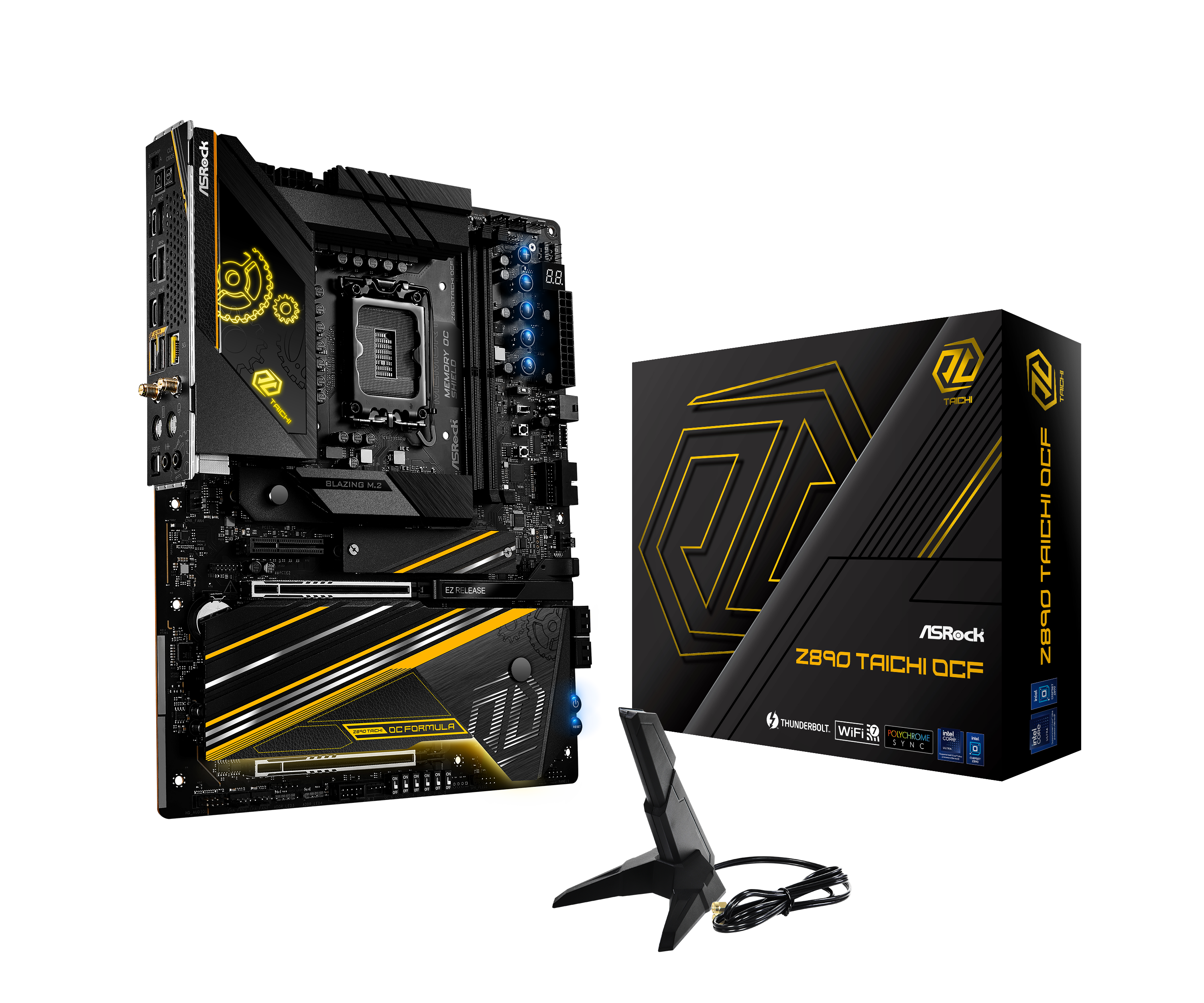
Asrock Z890 Taichi OCF (LGA 1851) DDR5 ATX Motherboard
Order Asrock Z890 Taichi OCF (LGA 1851) DDR5 ATX Motherboard now online and benefit from fast delivery.www.overclockers.co.uk
As for that money compared to the Apex, it's a steal.
I still need to run tests compared to my AM5 platform as I am using my 9800X3D at the mo but you notice the idle/basic web use power pulled from the wall is higher than that of the 285K systems.
Hi all new here, be kind to me

So i saw your mb with the Aquacomputer Cuplex Kryos Next + Vision on a LGA1851 i am very curious how that cpu block performs do you have any data ie which cpu (265k or 285k) and temps idle and 100% load?
Reason i am asking is that the Cuplex Kryos is not 100% flat it is convex which was good on LGA1700 but on the LGA1851 it isn't i think correct?. This from different forum threads speaking about this cpu block + LGA1851. Some lapped their Cuplex cpu block for better temps. Just wondering if lapping is worth the hassle tho....
Did you lapped yours? Or did you use just the stock cpu block? Before i even attempt at lapping this block (which i already ordered so no going back heard about this convex thing after i ordered it).
In any case i am very curious in your temps and if you had a chance to try out different cpu blocks on a LGA1851 that would be awesome do share your differences in temps with these blocks.
Also to any one: Is the 285k worth it over the 265k? I need this for my secondary system for workstation and secondary gaming rig. Usage browsing, multitasking, video rendering/editing (occasionally) and at times gaming at 1440p or 4k. But the reason i may go with 285k is "Longevity" for years to come more cores the better right? I look at a minimum of 5 years usage so maybe an investment in a higher core count is preffered?
Last edited:
I had the 2700x, 5800x3d, 7800x3d and now have the 9800x3d. All of them exhibited/exhibit the same hitches/freezing in opening some application and also sometimes at random. Really annoying.
Both Intel systems I had/have which was a 14700k and now the 265k system didn't/don't have this problem.
I don't know if this is just bad luck with AMD CPUs but from my point of view AMDs chiplet design is inferior to Intels monolithic and latest tile (chiplet) design. Intels interconnect (Foveros) seems to be more advanced which allows for higher bandwidth and also keeps the idle power consumption way lower. Latency should also be lower but I've seen reports where it's actually higher than Ryzen 9000 so I don't know.
Again, interesting.
Assuming that the 265k now suits better your use I can't imagine that you have noted any particular concerns gaming wise..? Whilst enjoying an overall improved experience applications and other type use.
Did you ever manage to resolve those particular hobnomolies you noted, BIOS updates, chipset drivers, hardware of OS changes etc..? Or was it, largely, something you had accepted whilst having those particular AMD CPU's..?
Thanks.
Gaming wise the 265k is obviously worse than the 9800x3d but about on par with Ryzen 9000 non x3d. I haven't noticed low performance in the games I play. Battlefield 2042 is still at 220 fps and Call of Duty Modern Warfare 3 is at 230-250 fps. Performance in Anno 1800 is basically the same as the 9800x3d.Again, interesting.
Assuming that the 265k now suits better your use I can't imagine that you have noted any particular concerns gaming wise..? Whilst enjoying an overall improved experience applications and other type use.
Did you ever manage to resolve those particular hobnomolies you noted, BIOS updates, chipset drivers, hardware of OS changes etc..? Or was it, largely, something you had accepted whilst having those particular AMD CPU's..?
Thanks.
In regards to the problems with the AMD CPUs I mentioned and what I did: I always updated the BIOS to the latest stable release. Chipset drivers were also always on the latest version. When installing a new CPU I always installed Windows again to have a clean Windows install without any leftovers. I also (in regards to the 7800x3d and 9800x3d) tried different RAM speeds (4800, 5600, 6000, 6400) with no effect apart from idle power consumption being lower by about 10 Watt going from 6400 to 4800 RAM frequency.
Gaming wise the 265k is obviously worse than the 9800x3d but about on par with Ryzen 9000 non x3d. I haven't noticed low performance in the games I play. Battlefield 2042 is still at 220 fps and Call of Duty Modern Warfare 3 is at 230-250 fps. Performance in Anno 1800 is basically the same as the 9800x3d.
In regards to the problems with the AMD CPUs I mentioned and what I did: I always updated the BIOS to the latest stable release. Chipset drivers were also always on the latest version. When installing a new CPU I always installed Windows again to have a clean Windows install without any leftovers. I also (in regards to the 7800x3d and 9800x3d) tried different RAM speeds (4800, 5600, 6000, 6400) with no effect apart from idle power consumption being lower by about 10 Watt going from 6400 to 4800 RAM frequency.
Thanks. I can only imagine what you did do, and it seems to have ticked the boxes in what you have noted.
For your use, it must have been quite refreshing going to the 14700k and now the 265k. To not have to deal with such issues means that you get much better "peace of mind".
These ArL CPU's, since much has been done with the microcode and other updates to accommodate them, seem to be pretty decent.
Last edited:

I don't think that is necessarily an AMD vs Intel thing - as some people have noticed post Intel 10th gen and around about the same for AMD there seems to be this thing where some setups, for seemingly no rhyme or reason, have a problem with low level responsiveness (and hitches etc.), one of the reasons I stuck with my Xeon 1650 V2 setup for a long time as my main system due to encountering it on newer 12th and 13th gen Intels and some Ryzen CPUs.
(One such video on it)
Fortunately none of the systems I've built for myself recently including my current main system (14700K) exhibit it. Though my experiences with the 7800X3D so far I noticed there were instances where even just general OS stuff or application installs were less responsive than both my 14700K and even my Lenovo Legion Go when using it in a desktop role! initially I thought it was just the core count difference and generally how they stack up for productivity until I had the Go in the mix which is a 8/16 Zen4 CPU of similar performance to the 5000 series Ryzens - in full power mode it is a touch behind the 5800X.
I had the 2700x, 5800x3d, 7800x3d and now have the 9800x3d. All of them exhibited/exhibit the same hitches/freezing in opening some application and also sometimes at random. Really annoying.
Both Intel systems I had/have which was a 14700k and now the 265k system didn't/don't have this problem.
I don't know if this is just bad luck with AMD CPUs but from my point of view AMDs chiplet design is inferior to Intels monolithic and latest tile (chiplet) design. Intels interconnect (Foveros) seems to be more advanced which allows for higher bandwidth and also keeps the idle power consumption way lower. Latency should also be lower but I've seen reports where it's actually higher than Ryzen 9000 so I don't know.
I don't think it's an AMD vs Intel thing either - I think it's a Windows thing - I suspect on Linux these type of issues simply don't exist.
As to whether it's specific to a new installs, carried over installs, specific chipset/driver versions etc, I couldn't say.