• Competitor rules

    Please remember that any mention of competitors, hinting at competitors or offering to provide details of competitors will result in an account suspension. The full rules can be found under the 'Terms and Rules' link in the bottom right corner of your screen. Just don't mention competitors in any way, shape or form and you'll be OK.

The AMD Driver Thread

Not sure if this fits here but Adrenaline's performance overlay keeps telling my CPU is at 100% usage which seems to be incorrect. Both Windows Game bar and task manager have my CPU usage bouncing between 70 and 80% and Adrenaline doesn’t budge from 100%. Anyone encountered this and know of a fix?
 
Not sure if this fits here but Adrenaline's performance overlay keeps telling my CPU is at 100% usage which seems to be incorrect. Both Windows Game bar and task manager have my CPU usage bouncing between 70 and 80% and Adrenaline doesn’t budge from 100%. Anyone encountered this and know of a fix?
Its broken, dont use it for CPU.
 
Cloud Imperium Games (Star Citizen / Squadron 42) have responded to this issue, one of their devs....

@AMD_Vik


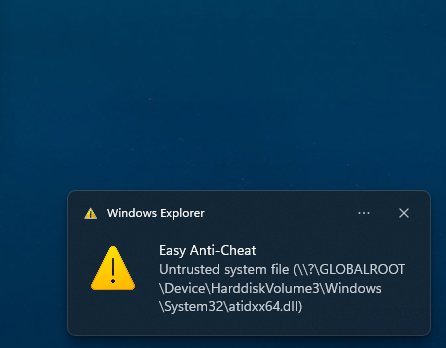
Any idea on this with Star Citizen in DX11 mode? 25.9.1 works, 25.9.2 and 25.10.2 and 25.11.1 don't. Instant crash on Splash screen start up.

It was even crashing in Vulkan mode, i installed the Vulkan SDK and that fixed it for Vulkan mode.


fHkhrqx.png


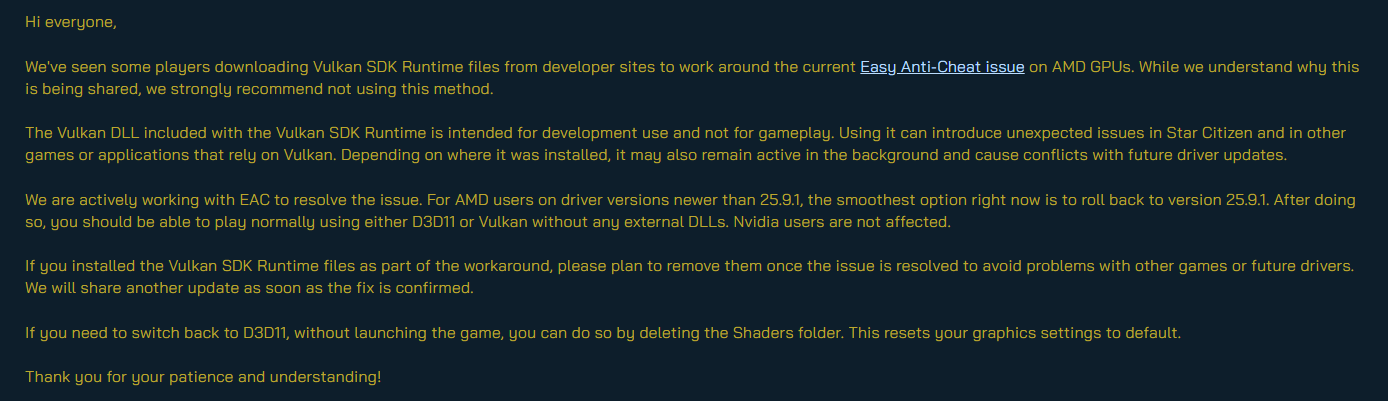
Here is what they said.

fz0phkx.png


Thread here...


Just in case the image of what they said is no longer there i'll quote it.

Hi everyone,

We've seen some players downloading Vulkan SDK Runtime files from developer sites to work around the current Easy Anti-Cheat issue on AMD GPUs. While we understand why this is being shared, we strongly recommend not using this method.

The Vulkan DLL included with the Vulkan SDK Runtime is intended for development use and not for gameplay. Using it can introduce unexpected issues in Star Citizen and in other games or applications that rely on Vulkan. Depending on where it was installed, it may also remain active in the background and cause conflicts with future driver updates.

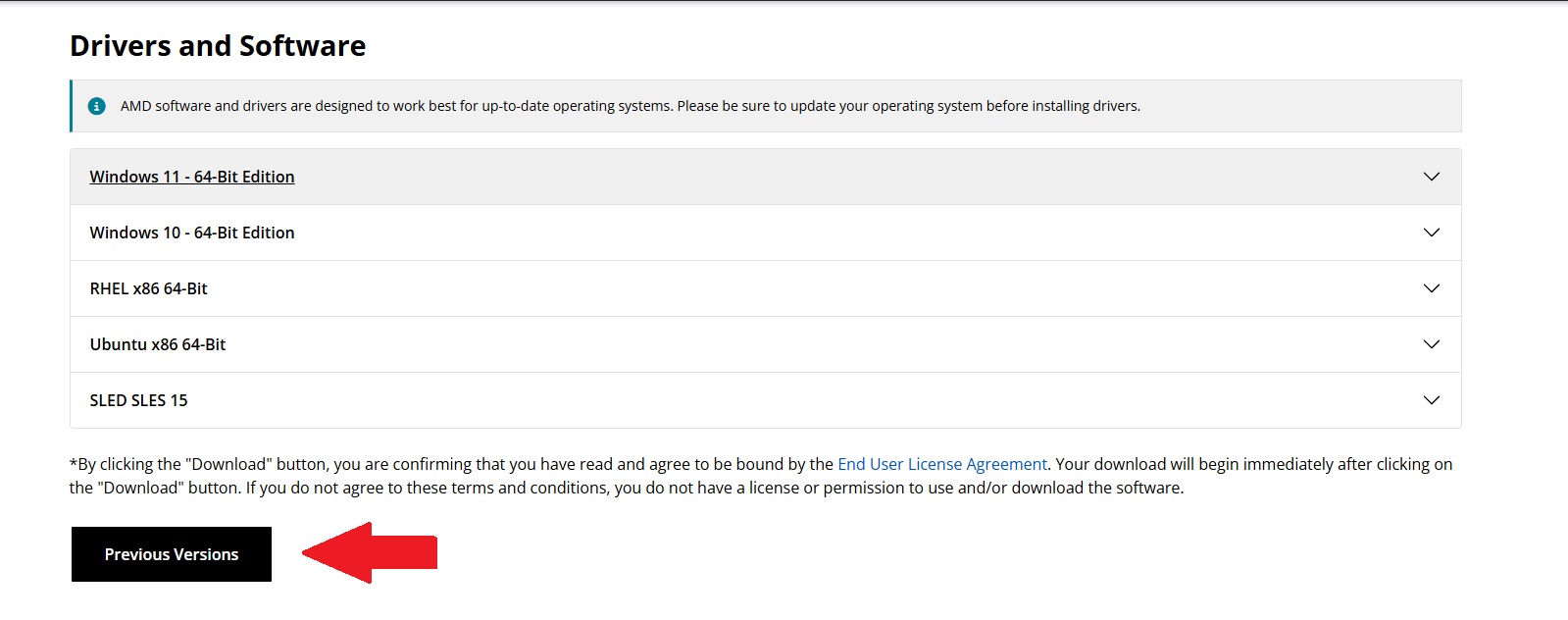
We are actively working with EAC to resolve the issue. For AMD users on driver versions newer than 25.9.1, the smoothest option right now is to roll back to version 25.9.1. After doing so, you should be able to play normally using either D3D11 or Vulkan without any external DLLs. Nvidia users are not affected.

If you installed the Vulkan SDK Runtime files as part of the workaround, please plan to remove them once the issue is resolved to avoid problems with other games or future drivers. We will share another update as soon as the fix is confirmed.

If you need to switch back to D3D11, without launching the game, you can do so by deleting the Shaders folder. This resets your graphics settings to default.

Thank you for your patience and understanding!

They logged and FAQ'ed it here....


To sum up... Don't use the Vulkan SDK, roll back the Driver to 25.9.1 and wait for a fix. They are aware of it, they are working with EAC on a fix, hopefully with AMD too...... its always nice to remind AMD this game exists, they did sponsor it about 10 years ago, there is an AMD branded ship in the game. :eek:
 
Last edited:
Cloud Imperium Games (Star Citizen / Squadron 42) have responded to this issue, one of their devs....


Here is what they said.

fz0phkx.png


Thread here...


Just in case the image of what they said is no longer there i'll quote it.


They logged and FAQ'ed it here....


To sum up... Don't use the Vulkan SDK, roll back the Driver to 25.9.1 and wait for a fix. They are aware of it, they are working with EAC on a fix, hopefully with AMD too...... its always nice to remind AMD this game exists, they did sponsor it about 10 years ago, there is an AMD branded ship in the game. :eek:
I concur, rolling back to 25.9.1 seems to have solved most of the issues i had with BF6 and Arc Raiders. Any driver ahead of that causes issues, so its something that was introduced beyond this driver causing issues it seems.
 
Is there any news on driver release @AMD_Vik as I think a lot of us are compromised in one way or another since the divergence of drivers for RDNA2/4 happened. Appreciate there is a lot of testing that needs to be done but any timeline would be most helpful ?

Having had no issues for years it does seem that something odd has happened to cause all this, thankfully my side its just not being able to use the iGPU which I can live with but others issues with top titles is a little concerning
 
Last edited:
Is there any news on driver release @AMD_Vik as I think a lot of us are compromised in one way or another since the divergence of drivers for RDNA2/4 happened. Appreciate there is a lot of testing that needs to be done but any timeline would be most helpful ?

Having had no issues for years it does seem that something odd has happened to cause all this, thankfully my side its just not being able to use the iGPU which I can live with but others issues with top titles is a little concerning
the upcoming release should knock a lot of these issues out at once. I'm not at liberty to provide an exact release date - anything can crop up during our testing of the release driver - but we hope to have it out at some point next week.

just FYI, i'll be off for the rest of the year. i'll keep an eye here and there but may not be active until jan.
 
the upcoming release should knock a lot of these issues out at once. I'm not at liberty to provide an exact release date - anything can crop up during our testing of the release driver - but we hope to have it out at some point next week.

just FYI, i'll be off for the rest of the year. i'll keep an eye here and there but may not be active until jan.
Thank you, and enjoy the festive period :-)
 
What would you suggest? Windows Game Bar seems broken for GPU and can't even get VRAM usage right.

Maybe Rivatuner?
I never really monitor my CPU stats anymore as I use a thermal limit in BIOS so I know it isnt going over that. I use Core Temp with highest temp displayed in the taskbar and thats about it.

The AMD GPU software reads my 7800X3D all wrong, never goes over 2700MHz clock speed when I know it hits 5050MHz a lot of the time.

Just get your CPU stable etc and just use it :) If you're worried about usage just use task manager and compare it to what AMD is telling you.
 
the upcoming release should knock a lot of these issues out at once. I'm not at liberty to provide an exact release date - anything can crop up during our testing of the release driver - but we hope to have it out at some point next week.

just FYI, i'll be off for the rest of the year. i'll keep an eye here and there but may not be active until jan.
Hope it's the Redstone driver update it would make a nice Christmas present :D
 
Back
Top Bottom