

-
Notice regarding image hosts and attachments. See here.
-
Competitor rules
Please remember that any mention of competitors, hinting at competitors or offering to provide details of competitors will result in an account suspension. The full rules can be found under the 'Terms and Rules' link in the bottom right corner of your screen. Just don't mention competitors in any way, shape or form and you'll be OK.
You are using an out of date browser. It may not display this or other websites correctly.
You should upgrade or use an alternative browser.
You should upgrade or use an alternative browser.
**THE NVIDIA DRIVERS THREAD**
- Thread starter Boomstick777
- Start date
More options
Thread starter's posts
I'm getting frequent black flickers on my screen when my monitor is set at 120hz. I have never had this issue before and it goes away if I set it to 60 hz.
I'm about to roll the driver back and see what happens. If so, this is the first time I've ever had an issue with an Nvidia driver.
I'm about to roll the driver back and see what happens. If so, this is the first time I've ever had an issue with an Nvidia driver.
Last edited:
glad it helped someone. it's deffo an issue, as a few lads in discord applied the same and it stopped crashing for them..Another crash free night

How do you change the size of the swap file? And what would be a good amount?
There isn't exactly one best setting but the way it works setting 1024MB minimum and max to accommodate your max commit is optimal (usually 8192MB through to 1.5x physical memory size), but doesn't harm to set static size either. Unless for some reason you need to write a full system dump if it falls over which will require a larger size.

I'm getting frequent black flickers on my screen when my monitor is set at 120hz. I have never had this issue before and it goes away if I set it to 60 hz.
I'm about to roll the driver back and see what happens. If so, this is the first time I've ever had an issue with an Nvidia driver.
Just get a 5070Ti. Much cheaper, works and won't burn your house down.
Not like you need the extra power for the games you play

Last edited:
Just get a 5070Ti. Much cheaper, works and won't burn your house down.
Not like you need the extra power for the games you play
At this rate I might just become a peasant and stick to console or AMD.
Nah just kidding, wouldn't get an AMD card.
At this rate I might just become a peasant and stick to console or AMD.
Nah just kidding, wouldn't get an AMD card.
You calling humbug a peasant? Lol
You calling humbug a peasant? Lol
Lol that was the console part.
Edit. So wasn't the drivers. Nvidia still got a clean sheet.
Last edited:

Soldato
- Joined
- 19 Feb 2007
- Posts
- 16,197
- Location
- Sol
Anyone seen the issue of recording with Shadowplay resulting in a very dark image ?

Nope but I do have a bug where the system tray icon keeps coming back even if I disable it in nvidia control panel, it just randomly comes back an age later:
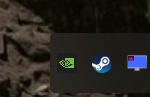
Time to uninstall NVApp then and go back to OBS for game recording....
Time to uninstall NVApp then and go back to OBS for game recording....
Nope but I do have a bug where the system tray icon keeps coming back even if I disable it in nvidia control panel, it just randomly comes back an age later:
Time to uninstall NVApp then and go back to OBS for game recording....
Time for a fresh install of windows. That fixed it for me.
Vulkan Developer Beta Driver Release Updates
November 14th, 2025 - Windows 581.89, Linux 580.94.10Direct link: https://developer.nvidia.com/downloads/vulkan-beta-58189-windows
most people have the tray icon bug and its annoying has hell.. I like my tray free of bloat..Nope but I do have a bug where the system tray icon keeps coming back even if I disable it in nvidia control panel, it just randomly comes back an age later:
Time to uninstall NVApp then and go back to OBS for game recording....
Manuel@NVIDIA
11d
Since our next driver is based on R590 branch, it might be good for you to stay on the working driver until the next driver is released later this month.
New 590 drivers end of the month ^
Soldato
- Joined
- 19 Feb 2007
- Posts
- 16,197
- Location
- Sol
For anyone that may encounter the darker pic/video when using the Nvidia App for screenshots or video, Turns out it's a Windows 11 option that can mess with colour and brightness in the Display>Colour section, Disable "automatically manage colour for apps".
GeForce Hotfix Display Driver version 581.94
This Hotfix addresses the following:
- Lower performance may be observed in some games after updating to Windows 11 October 2025 KB5066835 [5561605]
NVIDIA Support
 nvidia.custhelp.com

Soldato
- Joined
- 24 Jun 2021
- Posts
- 5,165
- Location
- Oxon
"Some games" is most unhelpful. Do we know what games?
Yeah, kinda vague isn't it..!
I have now seen this thread...
not much to add, apart from what users have noted.
I have now seen this thread...
not much to add, apart from what users have noted.
 Should've left it alone